



The best AI presentation tools 2026 are Gamma, Beautiful.ai, and Canva - software platforms that use artificial intelligence to generate slides, automate layouts, and enforce brand consistency, cutting deck creation from hours to minutes. Gamma leads on prompt-to-deck speed, Beautiful.ai on Smart Slides auto-formatting, and Canva on access to 140 million-plus design assets.
Creating presentations once meant hours of fiddling with slide layouts, hunting for stock images, and wrestling with alignment. The best AI presentation tools 2026 changed that - the right tool cuts deck creation from hours to minutes while producing more polished results. This guide compares which tools deliver on their promises, with real pricing, honest pros and cons, and guidance for solopreneurs and marketing teams alike.
How we researched this: This comparison draws on each vendor’s current pricing and feature documentation plus independent research, not sponsored placement. AI Productivity may earn a commission from links on this page; our rankings are editorially independent.
Comparison Table: Top 3 AI Presentation Tools
The top three AI presentation tools in 2026 are Gamma, Beautiful.ai, and Canva, and the right choice depends on your budget, team size, and workflow. The shift toward AI-assisted design is now mainstream: a 2024 Work Trend Index study by Microsoft and LinkedIn found that 75% of knowledge workers already use AI at work, with content creation and drafting among the most common uses. As Gamma’s own product team puts it, the platform “lets you create beautiful content at the speed of thought” - shifting the user’s effort from formatting to message, according to Gamma’s product documentation. This guide compares the three tools on pricing, features, and performance.
| Tool | Best For | Starting Price | Rating | Key Strength |
|---|---|---|---|---|
| Gamma | Quick AI generation from scratch | $8/mo (Plus) | Fastest prompt-to-deck workflow | |
| Beautiful.ai | Teams needing on-brand presentations | $12/mo (Pro) | Smart Slides auto-formatting | |
| Canva | All-in-one design platform | $12.99/mo (Pro) | 140M+ assets and multi-format design |
Selection Criteria: What Makes a Great AI Presentation Tool
A great AI presentation tool is judged on content generation quality, smart design automation, brand consistency, and integration ecosystem. The standouts share these characteristics:
AI Content Generation Quality: The best tools understand context and generate relevant text, producing specific, actionable slide content rather than vague filler about “driving growth.”
Smart Design Automation: True AI presentation tools go beyond templates, analyzing your content to adjust layouts and reposition elements automatically. Beautiful.ai’s Smart Slides technology adapts as you work - add three bullet points and the layout flows naturally; add ten and it switches to a more compact design.
Brand Consistency: For teams, automatic enforcement of brand guidelines is non-negotiable. The tools below all support custom color palettes, fonts, and logo placement, but differ in how easily teams enforce these standards.
Integration Ecosystem: Export to PowerPoint and PDF is table stakes, but the best tools also integrate with Google Workspace, offer web sharing with analytics, and support collaborative editing.
Each tool below was evaluated against these criteria, alongside pricing transparency and learning curve.
Best AI Presentation Tools 2026
The three best AI presentation tools in 2026 are Gamma for the fastest prompt-to-deck generation, Beautiful.ai for team brand consistency, and Canva for all-in-one multi-format design.
1. Gamma - Best for Quick AI Generation from Scratch
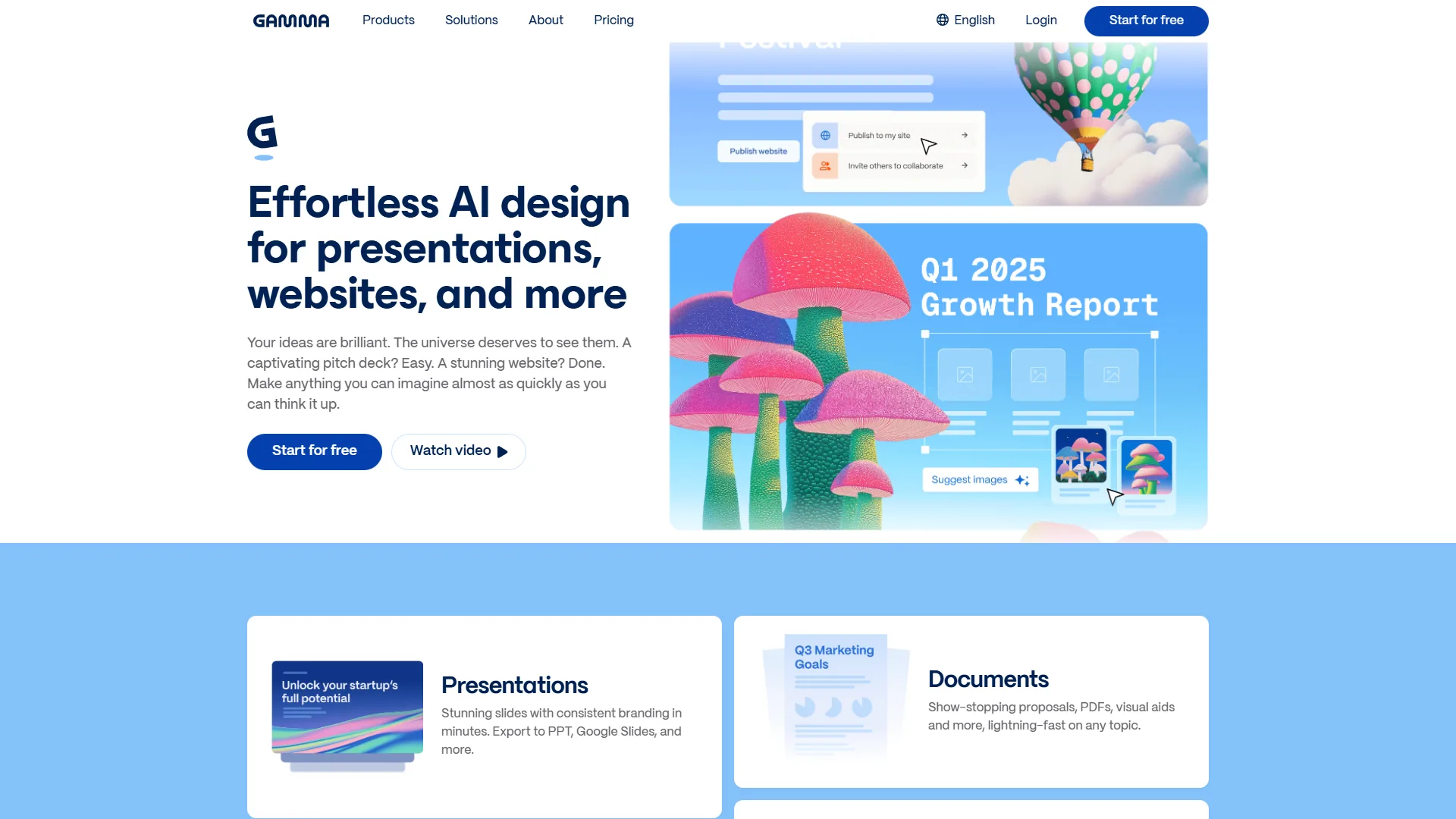
Gamma is the fastest prompt-to-presentation tool in 2026: you describe what you need in plain English, and Gamma’s AI generates a complete deck, webpage, or document in under a minute - no blank slide or template required.
What Sets Gamma Apart
The Mobile Gamma Generation Tool, launched in April 2026, brought the full AI creation workflow to smartphones, with the AI understanding context from a brief voice-to-text prompt. Gamma’s web-native format is its key differentiator: unlike traditional slide tools that export to static files, Gamma presentations live on the web by default - no version control nightmares, built-in analytics showing which slides engaged viewers, and the ability to update a shared presentation without resending files.
Key Features
- AI-Powered Generation: Describe your presentation in 2-3 sentences and receive a complete multi-slide deck with content, images, and layouts
- Unlimited Presentations (paid plans): Create as many decks as needed without project limits
- Mobile Creation: Full AI generation on iOS and Android via the native mobile tool
- Advanced AI Models: Pro tier adds Imagen, Luma, and Dall-E 3 for high-quality image generation
- API Access: Programmatic deck generation (50 generations/month on Pro)
Pricing Breakdown
Gamma uses a credit-based system. Here is what you get at each tier:
- Free: 400 one-time AI credits at signup (8-10 basic presentations), 50K input tokens per generation, basic templates, export to PPT/Google Slides/PDF
- Plus ($8 per month annual, $10 monthly): 400 monthly renewable credits, 100K input tokens, unlimited standard-model AI usage, branding removal, up to 20 cards, 30-day change history
- Pro ($15 per month annual, $20 monthly): Unlimited AI creation, advanced models (Imagen, Luma, Dall-E 3), Gamma Agent, API access, detailed analytics, custom domains and fonts, up to 60 slides per generation
Pros: Fastest path from idea to finished presentation; web-native format eliminates file management; generous free tier; capable mobile creation tool; API access enables workflow automation.
Cons: Credit system confuses casual users; web-first format means offline access requires exports; advanced AI models locked behind Pro; limited collaboration versus team-focused tools.
Best For: Solo creators, consultants, and small teams generating decks quickly from minimal input who prefer web-based sharing over traditional file formats.
2. Beautiful.ai - Best for Teams Needing On-Brand Presentations
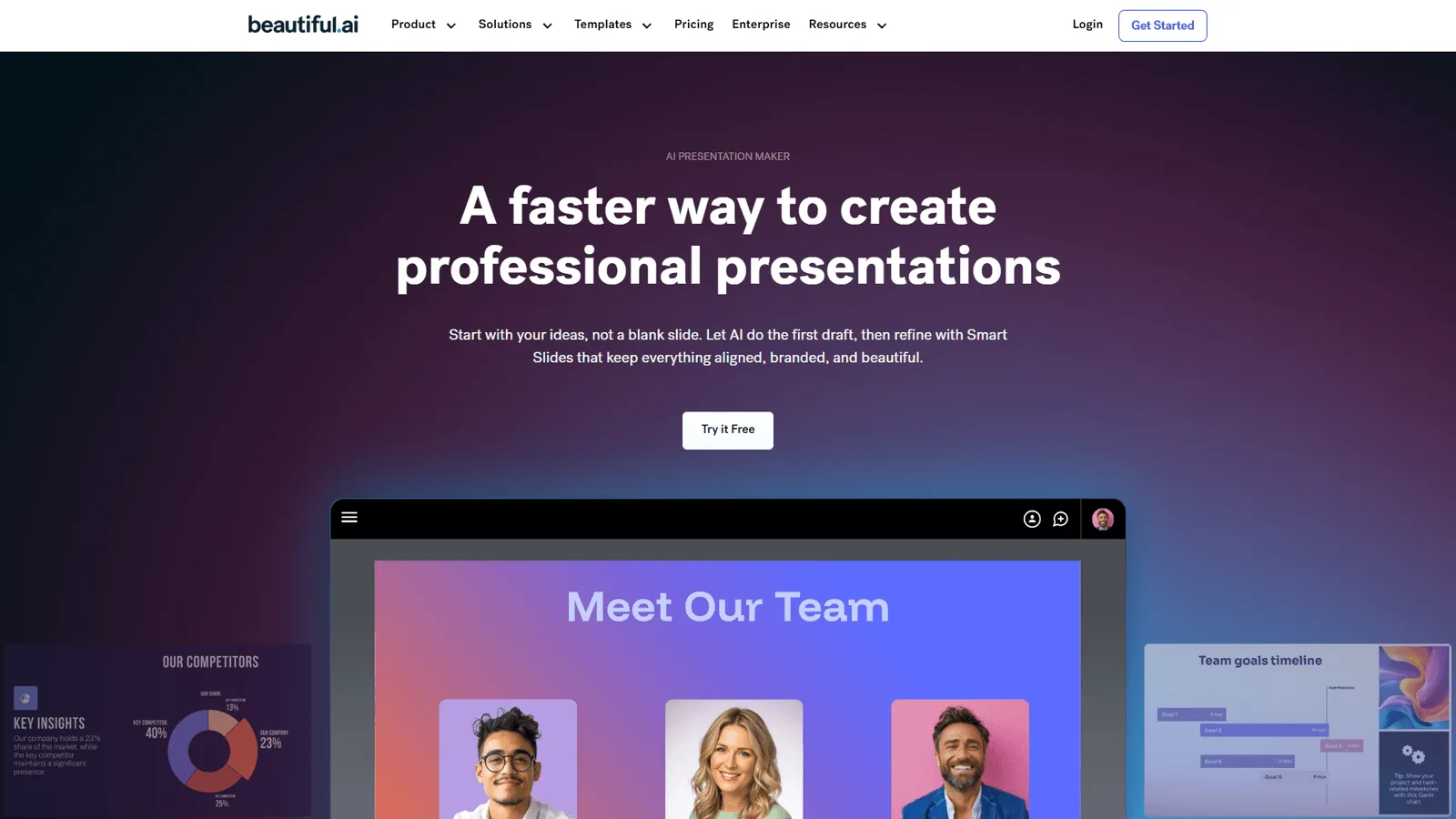
Beautiful.ai is the best AI presentation tool for maintaining visual consistency across team presentations. Its Smart Slides technology is the most sophisticated auto-design system in this category, adjusting alignment and spacing automatically as you work.
What Sets Beautiful.ai Apart
The October 2026 editor redesign brought AI features beyond content generation. The AI writing assistant analyzes existing content and suggests improvements for clarity - catching, for example, a slide where the key message is buried in the third bullet point. Beautiful.ai’s AI language translation also sets it apart for global teams: it preserves formatting and adapts idioms rather than translating literally, turning phrases like “hit the ground running” into culturally appropriate equivalents in each language.
Key Features
- Smart Slides Auto-Design: 300+ intelligent layouts that adjust automatically as you add or remove content
- Unlimited AI Content Generation: Unlimited AI text across all slides with no credit limits
- AI Writing Assistant: Real-time suggestions for improving slide clarity and impact
- AI Language Translation: One-click translation to multiple languages with formatting preservation
- Custom Brand Builder: Create and enforce brand themes with custom colors, fonts, and styling rules
- PowerPoint Import/Export and Viewer Analytics: Seamless PowerPoint compatibility plus tracking of which slides engaged viewers
- Real-Time Collaboration (Team tier): Multiple team members editing simultaneously
Pricing Breakdown
- Pro (Individual): $12 per month annual ($45 monthly), 1 user, unlimited slides, all AI features, custom brand styling, PowerPoint import/export, viewer analytics
- Teams: $40 per user/month annual ($50 monthly), 2-20 users, all Pro features plus real-time collaboration, centralized slide library, version control, engagement tracking, admin tools
- Enterprise: Custom pricing for 20+ users, all Team features plus dedicated onboarding, top-tier security certifications, SSO, audit logs
Pros: Smart Slides reduce design work without sacrificing quality; unlimited AI content generation; accurate AI translation for global teams; strong Team-tier collaboration; seamless bidirectional PowerPoint compatibility.
Cons: Significantly more expensive for teams; learning curve to understand Smart Slides; limited template variety versus Canva; AI image generation lags Midjourney; steep monthly pricing without an annual commitment.
Best For: Marketing teams, agencies, and enterprises needing multiple people creating on-brand presentations consistently, especially global teams requiring translation.
3. Canva - Best All-in-One Design Platform
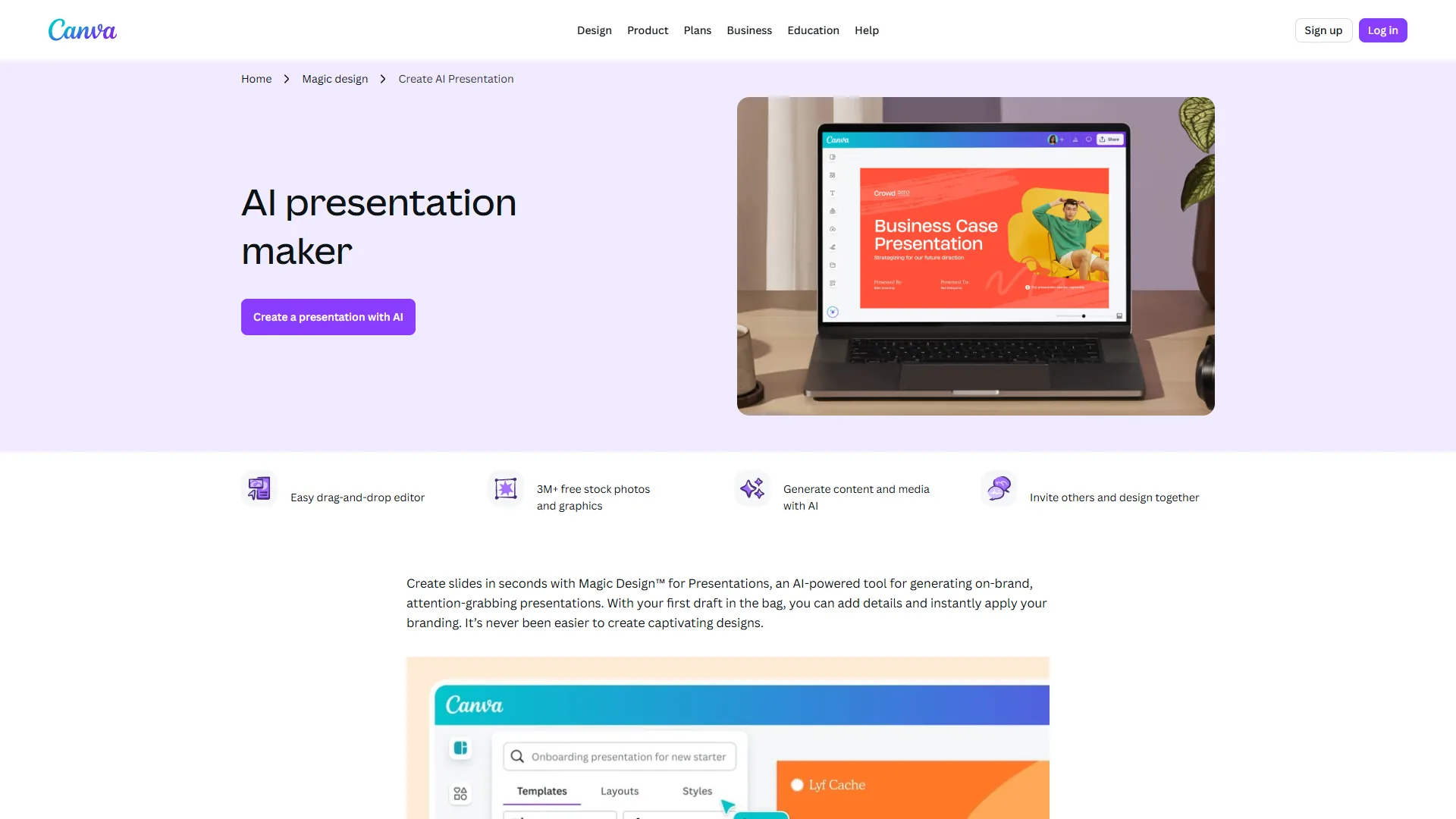
Canva is the best all-in-one AI presentation platform for teams creating multiple content formats. It does not match Gamma’s prompt-to-deck workflow or Beautiful.ai’s Smart Slides sophistication, but Canva’s strength is versatility - build a presentation deck, matching social graphics, and a video teaser in one platform.
What Sets Canva Apart
Canva’s 140 million+ premium assets mean you almost never hit a dead end looking for the right stock photo, icon, or illustration - even presentations on niche topics turn up relevant visuals without leaving the platform. The Magic Studio AI suite offers capabilities missing from pure presentation tools: Background Remover extracts a product image from a busy photo, and Magic Resize instantly adapts a 16:9 presentation to Instagram stories, LinkedIn posts, and headers - invaluable for teams juggling multiple content formats.
Key Features
- 140M+ Premium Assets: Stock photos, videos, music, graphics, and illustrations across virtually every topic
- Magic Studio AI (Pro tier): 500 monthly AI writing credits, 500 AI image generations, background removal, magic eraser, smart resize
- Brand Kits: Up to 1,000 brand kits for managing multiple clients or sub-brands
- Content Planner: Schedule presentations and social content to 8 platforms directly from Canva
- Multi-Format Design: Create presentations, then instantly adapt to social posts, documents, and videos
Pricing Breakdown
- Free: $0, 2M+ templates, basic editor, stock photos and graphics, limited AI tools (25 Magic Write uses), 5GB storage
- Pro: $12.99 per month annual ($119.99 per year), 1TB storage, 140M+ premium assets, Brand Kit access, background remover, Magic Resize, Magic Studio (500 monthly AI credits), Content Planner, 30-day free trial
- Business: $20 per user/month annual, unlimited storage, all Pro features, team templates, brand controls and governance, approval tools, advanced analytics
- Enterprise: Custom pricing, all Business features plus SSO (SAML), SCIM provisioning, audit logs, dedicated customer success manager, API access, 99.99% uptime SLA
Pros: Unmatched asset library saves hours of image hunting; multi-format workflow eliminates tool switching; Magic Resize adapts content across platforms instantly; most intuitive interface for non-designers; generous free tier.
Cons: AI presentation features less sophisticated than specialized tools; Magic Studio credits run out quickly for heavy users; can feel overwhelming; presentation-specific features lag Beautiful.ai and Gamma; performance can lag with complex designs.
Best For: Content creators, social media managers, and small businesses creating presentations alongside other visual content who value one platform for everything.
Pricing Comparison Table
AI presentation tool pricing in 2026 starts at $8 per month for Gamma Plus, $12 per month for Beautiful.ai Pro, and $12.99 per month for Canva Pro, with team plans ranging from $20 to $40 per user each month. The table below breaks down each tier.
| Tool | Free Tier | Entry Paid Plan | Team Plan | Best Value For |
|---|---|---|---|---|
| Gamma | 400 one-time credits | Plus: $8/mo | Team: $20/mo | Solo creators needing unlimited AI generation ($15/mo Pro) |
| Beautiful.ai | 14-day trial only | Pro: $12/mo | Teams: $40/user/mo | Individual power users at Pro tier; teams need Team plan |
| Canva | Generous free plan | Pro: $12.99/mo | Business: $20/user/mo | Free tier for casual users; Pro for serious individual designers |
Key Pricing Insights:
- Best Free Option: Canva’s free tier is genuinely usable for basic presentations, though AI credit limits arrive quickly
- Best Individual Value: Gamma Pro at $15 per month offers unlimited AI creation with no per-presentation charges
- Best Team Value: Canva Business at $20 per user/month undercuts Beautiful.ai Teams ($40 per user/month) for multi-format needs
- Hidden Costs: Gamma’s credit system causes surprise limits on the free tier; Beautiful.ai has no true free plan
Which Tool Fits Your Workflow
Choose Gamma for fast solo deck creation, Beautiful.ai for brand-consistent team presentations, and Canva for multi-format content workflows - your ideal tool depends on your workflow and team structure. Here is how to decide:
Choose Gamma if: you create presentations from scratch and value speed above all, prefer web-based tools, need API access for automation, are a solo creator or small team, and do not need constant PowerPoint compatibility.
Choose Beautiful.ai if: you manage a team creating frequent presentations, brand consistency is critical, you need robust collaboration (simultaneous editing, version control), you translate presentations for global audiences, and PowerPoint compatibility is mandatory.
Choose Canva if: you create presentations alongside other visual content, need a massive stock asset library, support multiple brands or clients, value one platform for all design needs, and frequently adapt content to other formats.
Decision Framework by User Type:
Solopreneurs/Consultants: Start with Gamma’s free tier; if you create 5+ presentations monthly, upgrade to Gamma Pro ($15 per month). For more design flexibility and other content types, Canva Pro ($12.99 per month) offers better overall value.
Small Teams (2-10 people): For presentation-first teams, Beautiful.ai Teams ($40 per user/month) provides the strongest collaboration features. For diverse content types, Canva Business ($20 per user/month) costs half as much while covering presentation needs adequately.
Enterprises: Beautiful.ai Enterprise offers the most robust governance for presentation-specific needs; Canva Enterprise provides stronger cross-platform capabilities within a broader content workflow.
Pro Tips: Integrations and Tech Stack
All three tools export to PowerPoint and Google Slides, but Canva offers the deepest native integration while Beautiful.ai provides the highest-fidelity PowerPoint round-tripping. Here is how each platform integrates with popular workplace software:
Google Workspace Compatibility:
- Gamma: No direct Google Slides integration, but exports maintain most formatting
- Beautiful.ai: No native integration; export to PowerPoint then import to Google Slides
- Canva: Direct integration - edit in Google Drive and import Google Slides into Canva
Microsoft 365 Compatibility:
- Gamma: Export to PowerPoint preserves most layouts; some web-native features do not translate
- Beautiful.ai: Seamless bidirectional PowerPoint import/export with high formatting fidelity
- Canva: PowerPoint import/export available; some advanced features simplified in conversion
Workflow Recommendations:
For Google Workspace-based organizations, Canva offers the smoothest integration; Gamma works well if you accept web-native presentations and export to Google Slides only for final distribution. In a Microsoft 365 environment, Beautiful.ai provides the most seamless PowerPoint interoperability and can serve as your primary editor with full confidence in formatting preservation. For hybrid environments, Canva’s multi-platform export makes it the safest choice, though you sacrifice some AI presentation-specific features of Gamma and Beautiful.ai.
Frequently Asked Questions
What’s the best free AI presentation tool?
Canva offers the most generous free tier with 2M+ templates and basic AI features (25 Magic Write uses). Gamma provides 400 one-time AI credits at signup, which is enough to create 8-10 basic presentations before needing to upgrade. Beautiful.ai only offers a 14-day trial, not a permanent free plan.
Can AI presentation tools create slides from scratch?
Yes, but quality varies dramatically. Gamma excels at this - describe your presentation in 2-3 sentences and receive a complete deck with relevant content and images. Beautiful.ai and Canva offer AI content generation, but you’ll typically start with a template and use AI to fill sections rather than generating complete decks from prompts alone.
Do these tools work offline?
Gamma requires internet connection as it’s web-based. Beautiful.ai’s desktop app offers limited offline editing. Canva requires internet for full functionality but has an offline mode that lets you work on previously opened projects with reduced features. For true offline work, export presentations to PowerPoint or PDF.
How do AI presentation tools handle brand consistency?
Beautiful.ai leads here with Brand Controls that enforce color palettes, fonts, and styling rules automatically. Canva’s Brand Kits (up to 1,000 on Pro tier) let you save and apply brand assets easily. Gamma supports custom themes but lacks the enforcement mechanisms of Beautiful.ai - team members can deviate from brand guidelines more easily.
Can I use these for client presentations or just internal decks?
All three are suitable for client-facing presentations. Beautiful.ai’s viewer analytics show exactly which slides engaged clients most. Gamma’s web-native sharing provides a modern presentation experience with no downloads required. Canva’s massive asset library ensures professional polish. For high-stakes pitches, Beautiful.ai or Canva offer more conservative, PowerPoint-compatible options.
What about data privacy and security?
Beautiful.ai Enterprise and Canva Enterprise both offer SOC 2 Type II compliance, SSO/SAML integration, and dedicated security features. Gamma’s security documentation is less comprehensive for enterprise needs. If you’re in a regulated industry or handling sensitive data, Beautiful.ai Enterprise or Canva Enterprise provide stronger security guarantees.
Conclusion
The best AI presentation tools 2026 are Gamma for speed, Beautiful.ai for team brand consistency, and Canva for multi-format versatility. Gamma delivers the fastest prompt-to-deck workflow, turning ideas into complete presentations in under a minute. Beautiful.ai provides the most sophisticated auto-design and team collaboration features. Canva offers unmatched versatility for teams creating presentations alongside other visual content.
For most solo creators, start with Gamma’s free tier, then upgrade to Gamma Pro ($15 per month) if you create presentations regularly. Teams prioritizing brand consistency should choose Beautiful.ai Teams, while multi-format content teams get the best value from Canva Business.
These AI presentation makers save hours per deck while producing more polished results than traditional tools. Try Gamma’s free tier, Beautiful.ai’s 14-day trial, or Canva’s free plan to find your ideal tool.
Related Reads
These guides cover the three tools above plus broader AI design comparisons in more depth.
Tools covered in this article:
- Gamma - AI-native presentation tool with fastest prompt-to-deck workflow
- Beautiful.ai - Smart Slides with automatic design formatting
- Canva - All-in-one design platform with AI presentation features
More presentation and design guides:
- AI Presentation Tools Showdown - Head-to-head comparison
- AI Presentation Creation Guide - Tips for better AI-generated decks
- Best AI Design Tools 2026 - Broader design tool comparison
- Best AI Tools for Interior Designers: Transform Your Creative Workflow in 2026
- Best AI Tools for Musicians: Transform Your Creative Workflow in 2026
- Best AI Website Builders 2026: Create Sites Without Code
External Resources
These authoritative third-party resources cover presentation design principles and AI design tools beyond the scope of this comparison.