


Best AI email cleanup tools are apps that triage, categorize, and auto-label inbox messages so users spend less time on email. This guide compares Superhuman and Spark Mail across inboxes processing 80-150 emails per day, covering pricing, AI features, free tiers, team sharing, and CRM integrations for sales professionals.
An independent guide to the best AI email cleanup tools, with real pricing, measured time savings, and a privacy-first analysis. AI Productivity may earn a commission from links on this page; rankings are editorially independent and based on vendor documentation and independent research, not sponsored placement.
The average professional spends 28% of their workweek on email - roughly 11 hours - according to McKinsey research on the social economy. “Email continues to be the most pervasive communication tool for businesses,” according to Michael Chui, partner at McKinsey Global Institute, summarizing the firm’s measurement of knowledge-worker time. That number climbs higher for executives, salespeople, and anyone managing client relationships. Most of that time goes to triage: scanning, sorting, deleting, and deciding what actually needs a response.
AI email cleanup tools attack that problem directly. Options range from a free AI email cleaner to premium subscriptions, and they categorize incoming messages, surface what matters, draft responses, and quietly archive the noise. This guide evaluates two leading AI email clients - Superhuman and Spark Mail - across inbox scenarios processing 80-150 emails per day, ranking them among the best AI email cleanup tools for Gmail and Outlook 2026.
Quick Picks: Best AI Email Cleanup Tools by Use Case
Superhuman is the top AI email cleanup tool for high-volume inbox triage at $25 per month, and Spark Mail is the budget pick with a free tier that outperforms stock email apps. The picks below split by use case across pricing, integration depth, and team collaboration.
- Best for high-volume inbox cleanup: Superhuman - AI triage, auto-labeling, and 100+ keyboard shortcuts
- Best budget-friendly inbox organizer: Spark Mail - Smart Inbox with a free tier
- Best for teams sharing inboxes: Spark Mail Premium Teams ($9.99/seat/month) with shared drafts and delegation
- Best for sales professionals: Superhuman Business ($33 per month) with CRM integrations and read receipts
Methodology: How These Tools Were Evaluated
These tools were evaluated against five measurable criteria - inbox cleanup speed, AI categorization accuracy, draft quality, privacy approach, and total cost of ownership - drawn from vendor documentation, published privacy policies, and independent user reports rather than sponsored placement:
- Inbox cleanup speed - how quickly the tool gets you to inbox zero from 100+ unread messages
- AI categorization accuracy - separating important emails from noise without missing critical messages (see AI productivity trends 2026 for category benchmarks)
- Draft quality - whether AI responses need rewriting before sending
- Privacy approach - who reads your email data, where it is processed, and what retention policies apply
- Total cost of ownership - subscription price plus learning-curve productivity loss (see Harvard Business Review’s research on email time)
The Email Overload Problem (and Why AI Helps)
Email overload benefits from AI because traditional rule-based filters break on the nuanced triage decisions - sender importance, content urgency, and reply expectations - that consume most of an inbox, while AI Email Management Tools learn those patterns from your past behavior. Rule-based filters work for newsletters but fail for everything else; AI analyzes sender relationships, message content, response patterns, and urgency signals in seconds to make the same judgment calls you would make manually. The ROI only materializes if the tool works with your workflow - a tool that misfiles important client emails costs more than it saves, which is why accuracy matters more than feature count.
1. Superhuman - Best AI Email Cleanup for Power Users
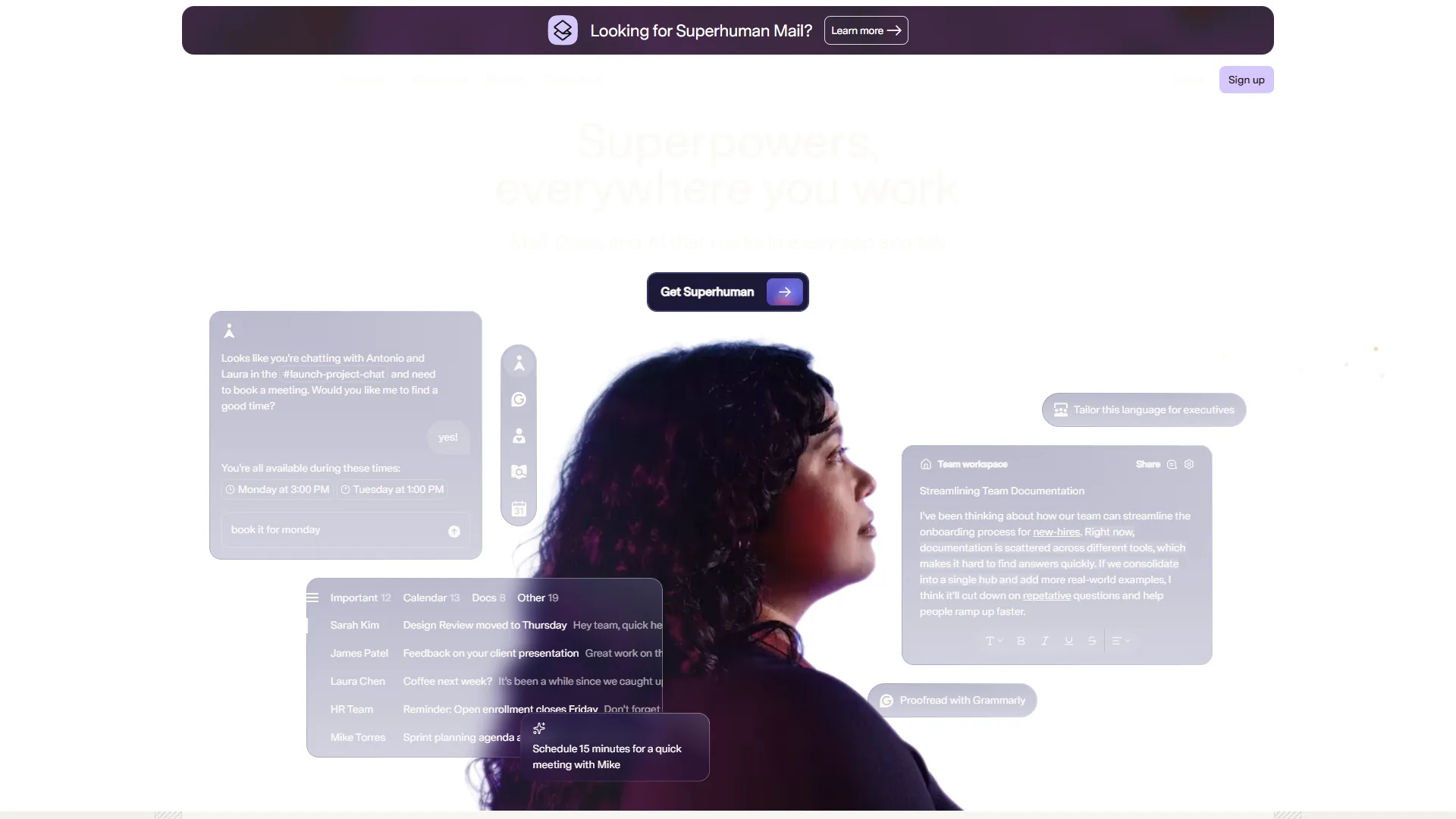
Starting price: $25 per month (Starter) | Free plan: No (7-day trial) | AI type: Agentic AI with Auto Drafts, Auto Labels, Ask AI
Superhuman is the tool that made “inbox zero” feel achievable for people processing 100+ emails daily, combining AI-powered categorization with over 100 keyboard shortcuts to create an email workflow that feels closer to a video game than a chore.
Acquired by Grammarly in 2026, Superhuman now has deeper writing AI behind its email composition features and ranks alongside Zapier’s pick of the best AI email assistants. If you are also looking at standalone writing assistants, our Grammarly alternatives roundup covers tools that pair well with any email client.
How Superhuman Cleans Up Your Inbox
The cleanup workflow centers on three AI features. Auto Labels scan every incoming email and apply categories automatically - “Response Needed,” “Waiting On,” “Meetings,” “Marketing,” and more - by analyzing sender patterns, content, and your historical response behavior. Users report accuracy above 90% after the first week.
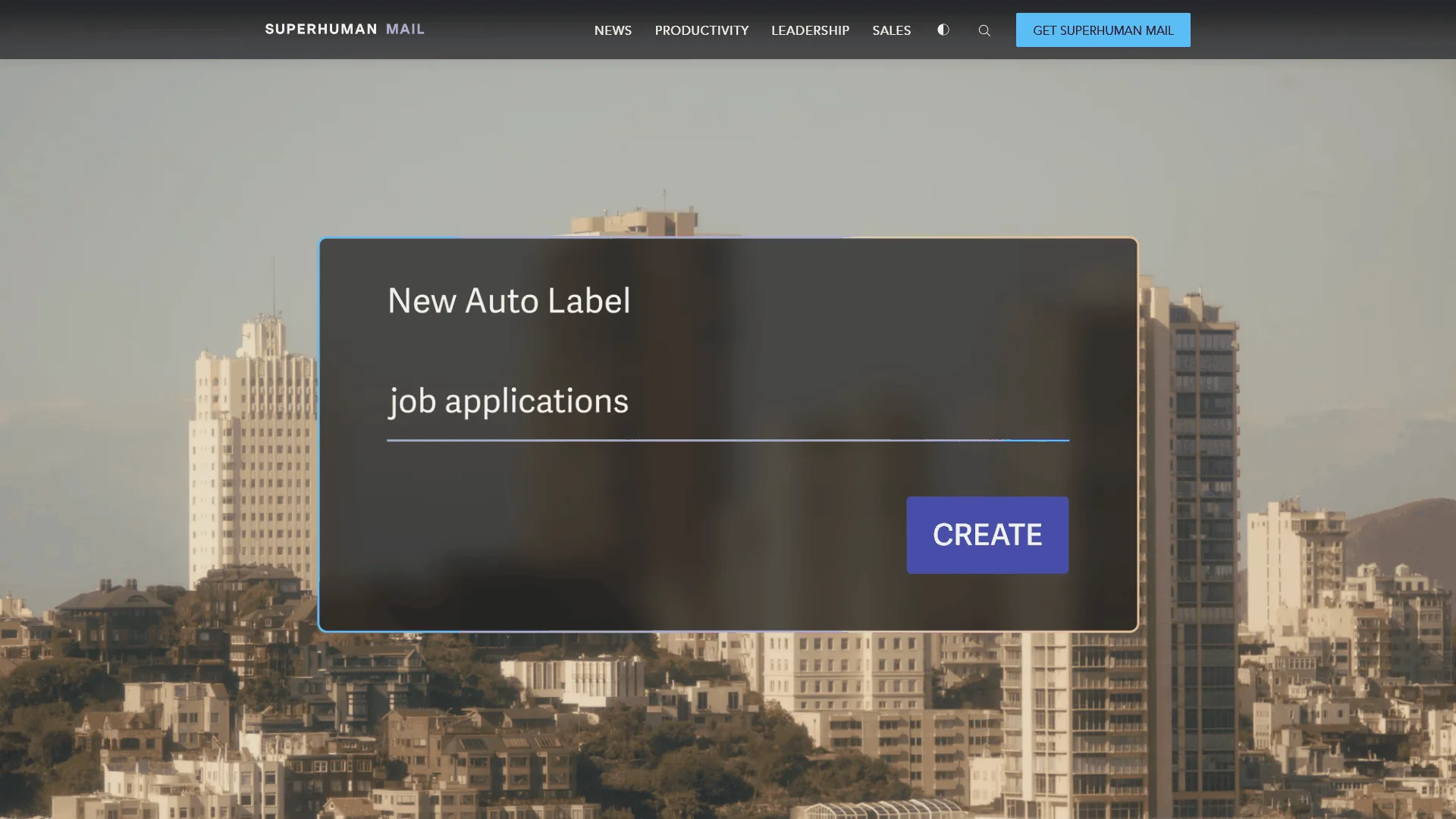
Split Inbox uses those Auto Labels to create separate views - instead of 100 mixed messages, you see 15 that need attention. Auto Drafts writes reply drafts in your voice, learning your sign-off and sentence structure (see our how to write faster with AI guide). About 60% of auto-drafted replies are good enough to send with minor edits.
The Keyboard-Driven Workflow
Superhuman’s real cleanup advantage is speed - the 100+ keyboard shortcuts (E to archive, H to snooze, R to reply, J/K to move between messages) mean you never touch the mouse, and power users report clearing 100+ emails in under 20 minutes. The learning curve is real - budget 2-3 weeks to build muscle memory - but Superhuman includes a 1-on-1 onboarding session with a human trainer that accelerates adoption significantly.
Superhuman Pricing
| Plan | Monthly Price | Key Cleanup Features |
|---|---|---|
| Starter | $25/mo | Auto Labels, Split Inbox, Write with AI, 100+ shortcuts |
| Business | $33/mo | All Starter + Auto Drafts, Ask AI, CRM integrations, custom Auto Labels |
| Enterprise | Custom | All Business + team discounts (up to 45% off), advanced security |
Auto Drafts - the feature that writes reply drafts in your voice - is Business-only. If you want AI to help with responses and not just sorting, budget $33 per month.
Privacy, Limitations, and Who Superhuman Is For
Superhuman’s privacy policy states that email content is not used to train general AI models and that data is encrypted in transit and at rest. Read receipts are enabled by default - you can disable them. Superhuman is not for casual users processing fewer than 30 emails per day, tight-budget teams, or users who refuse to learn keyboard shortcuts; it also lacks support for iCloud, Yahoo, and most non-Gmail/Outlook providers. It works best for professionals processing 80+ emails daily and sales teams using Salesforce or HubSpot CRM integrations. For lighter-weight options, see our AI tools for solopreneurs roundup; for a feature-by-feature comparison, see our Superhuman vs Spark Mail breakdown.
2. Spark Mail - Best Budget AI Email Cleanup Tool
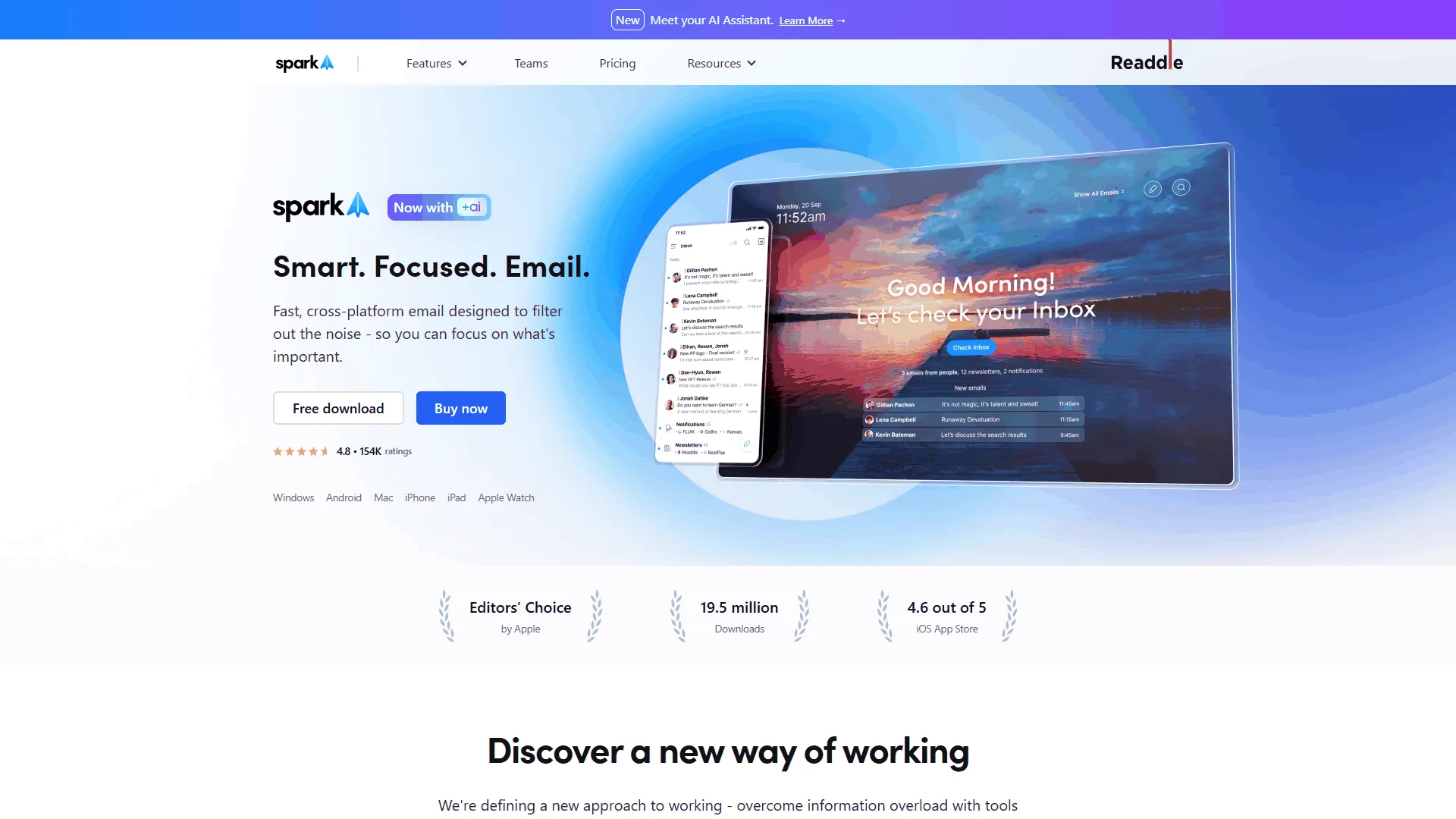
Starting price: Free ($7.99 per month for AI features) | Free plan: Yes | AI type: Smart Inbox categorization, Spark +AI writing
Spark Mail takes a different approach to inbox cleanup - where Superhuman optimizes for paying power users, Spark makes smart email organization accessible to everyone including a free tier that genuinely works. Developed by Readdle (the team behind PDF Expert), Spark has accumulated over 1 million downloads across app stores.
How Spark Mail Cleans Up Your Inbox
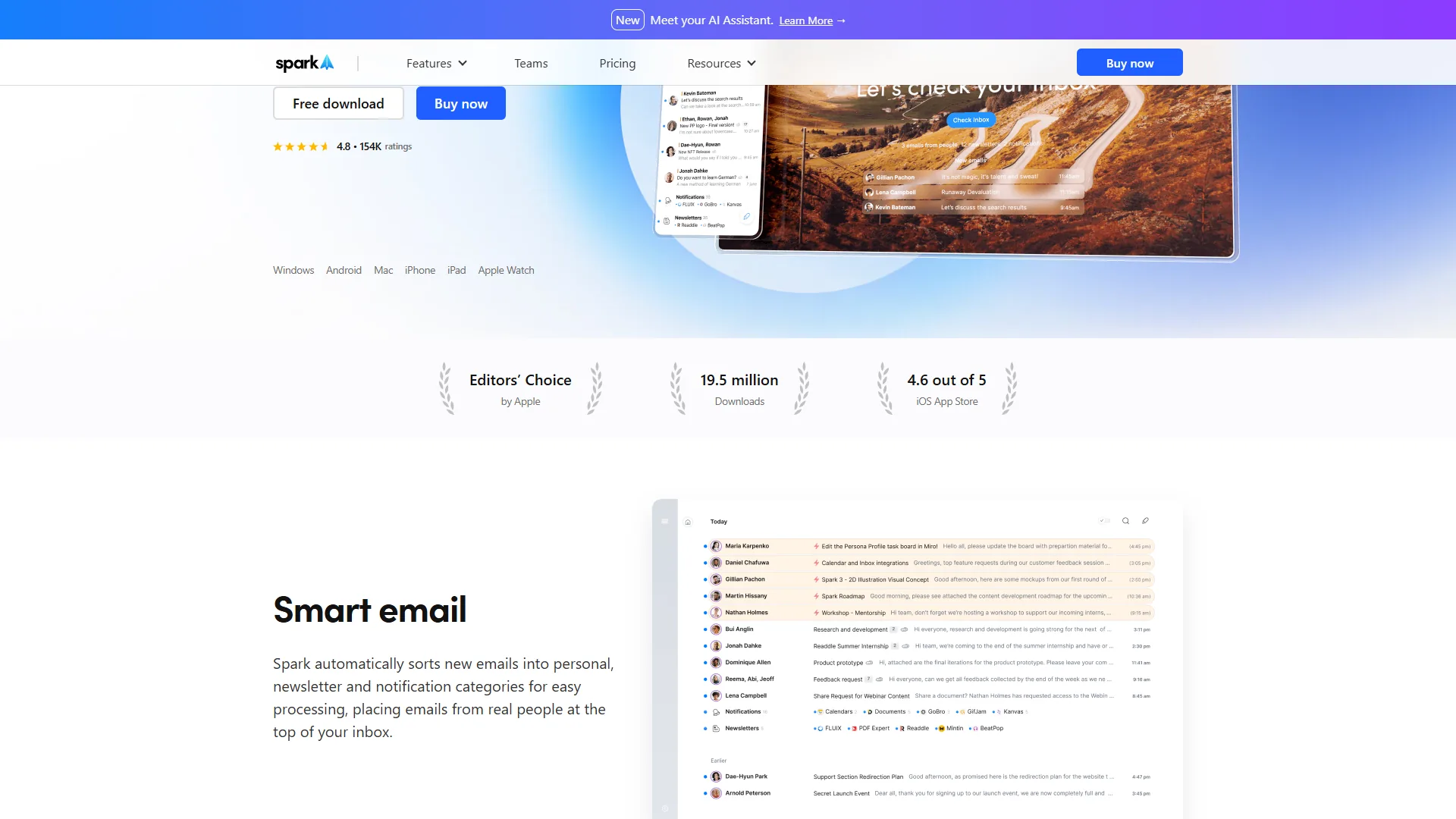
The core cleanup feature is Smart Inbox, which automatically sorts incoming emails into three categories - Personal (real people who expect a response), Notifications (transactional emails, shipping updates), and Newsletters (marketing emails, digests). This three-category system is simpler than Superhuman’s multi-label approach; you do not need to configure anything. Users report categorization accuracy around 85% correct out of the box, with the main failure mode being automated emails from known contacts classified as “Personal” rather than “Notifications.”
Spark +AI Writing and Team Features
On the Premium Individual plan ($7.99 per month), Spark adds AI email writing (describe the message, choose a tone, get a draft) plus thread summaries. Quality is functional but generic - compared to Superhuman’s voice-matched Auto Drafts, Spark’s output needs more editing.
The Premium Teams plan ($9.99/seat/month) adds shared inboxes for support@/sales@ addresses, collaborative drafts, private comments on threads, and email delegation. It is not as powerful as Zendesk or Intercom for support, but for a 3-10 person team handling shared inboxes Spark covers the basics at a fraction of the cost.
Spark Mail Pricing
| Plan | Monthly | Annual | Key Cleanup Features |
|---|---|---|---|
| Free | $0 | $0 | Smart Inbox, multi-account, email scheduling, cross-platform |
| Premium Individual | $7.99/mo | $4.99/mo | Smart Inbox + Spark +AI, thread summaries, priority support |
| Premium Teams | $9.99/seat/mo | $6.99/seat/mo | All Individual + shared inboxes, collaborative drafts, delegation |
The free tier is the story here - Smart Inbox categorization, multiple email account support, email scheduling, and cross-platform sync, all at no cost. You only hit the paywall when you want AI writing or team features.
Privacy, Limitations, and Who Spark Mail Is For
Like other AI email tools, Spark Mail processes emails on its servers for Smart Inbox categorization; its privacy policy states email content is not sold to third parties and is encrypted in transit and at rest. Spark Mail is not for high-volume sales professionals or users who need voice-matched AI drafting or deep CRM integrations - power users hitting 100+ emails per day will outgrow Spark within months and should consider SaneBox as an inbox-filtering add-on instead. Spark fits freelancers managing multiple client accounts, small teams that need shared inbox collaboration without enterprise pricing, and anyone wanting smarter email organization without paying $25 or more per month. The cross-platform coverage (iOS, Mac, Android, Windows) makes it practical for users switching between devices throughout the day.
Comparison Table: Superhuman vs Spark Mail
The two best AI email cleanup tools compared on the criteria that matter most:
| Feature | Superhuman | Spark Mail |
|---|---|---|
| Starting price | $25/mo | Free ($7.99 for AI) |
| AI categorization | Auto Labels (6+ categories) | Smart Inbox (3 categories) |
| AI draft quality | Voice-matched Auto Drafts | Generic tone-selectable drafts |
| Keyboard shortcuts | 100+ shortcuts | Basic shortcuts |
| Platform support | Desktop + iOS + Android | iOS + Mac + Android + Windows |
| Team features | Read receipts, CRM sync | Shared inboxes, collaborative drafts |
| Email providers | Gmail, Outlook | Gmail, Outlook, iCloud, Yahoo, more |
| Free tier | 7-day trial only | Yes (full Smart Inbox) |
| Time savings claim | 4 hours/week | 1.5 hours/week |
| Best for | Power users, 100+ emails/day | Budget-conscious, 30-80 emails/day |
Which Tool Fits Your Workflow: A Decision Framework
The right AI email cleanup tool depends on three factors - daily email volume, monthly budget, and shared-inbox collaboration - with Superhuman fitting 100+ emails per day at $25-33 per month and Spark Mail fitting 30-80 emails per day starting free.
Pick Superhuman if:
- You process 100+ emails daily and feel overwhelmed
- You are willing to invest $25-33 per month for measurable time savings
- You want AI that writes like you, not generic drafts
- You use Salesforce or HubSpot and need CRM data alongside email
Pick Spark Mail if:
- You process 30-80 emails daily and want better organization
- You need a free or low-cost solution that works immediately
- You manage multiple email accounts across different providers
- Your team needs shared inboxes without enterprise helpdesk pricing
Consider alternatives if:
- You want inbox filtering without switching email clients - SaneBox ($7 per month) works as an add-on to your existing app
- You need email cleanup for marketing lists - Clean Email specializes in bulk unsubscribe
- You want AI email writing only - Grammarly’s email integration handles writing across any client
ROI Calculator: Measuring Your Email Time Savings
Email cleanup tool ROI is the hourly value of recovered triage time minus the subscription cost - a professional earning $75 per hour who saves 4 hours per week with Superhuman recovers $1,200 per month against a $33 subscription. Four-step framework: (1) track current email time for one week (most professionals land between 45-90 minutes per day); (2) estimate reduction - Superhuman cuts triage time roughly 50-60% for heavy users, Spark Mail 25-35%; (3) multiply hourly rate by hours saved per month - even Spark’s 6 hours per month ($450 at $75/hour) justifies the $7.99 plan; (4) factor in Superhuman’s 2-3 week ramp-up versus Spark Mail’s immediate setup. To extend savings further, combine an AI email client with broader workflow automation tools.
Privacy Considerations
Both Superhuman and Spark Mail process email content on their servers to power AI categorization and drafting, and both state in their privacy policies that individual emails are not used to train general AI models - but neither runs purely on-device, so highly regulated communications need compliance review. Aggregate usage data (feature interactions) does inform product development. AI writing features in both tools rely on external language model providers, so email content sent for AI drafting leaves the tool’s own infrastructure - if you handle legal, medical, or financial communications, verify the specific data processing agreements. For standard business email, both tools provide adequate privacy; for regulated industries, consult your compliance team before connecting AI email tools.
Pro Tips: Common Questions Answered
Do these tools work with Gmail and Outlook?
Yes. Both Superhuman and Spark Mail support Gmail and Outlook (Office 365); Spark Mail additionally supports iCloud, Yahoo, and other IMAP providers, while Superhuman is limited to Gmail and Outlook only.
Can AI email tools accidentally delete important emails?
No. Neither tool auto-deletes messages - they categorize and surface emails differently but everything remains in your inbox. Superhuman’s Auto Labels add visual tags; Spark Mail’s Smart Inbox reorders messages. Miscategorized email is recoverable via search or the “All Mail” view.
How long does it take to see results?
Spark Mail’s Smart Inbox works immediately. Superhuman’s Auto Labels start day one but improve over 1-2 weeks; Auto Drafts need 2-3 weeks of sent email data to match your writing voice.
Is the free tier of Spark Mail worth using?
Yes. The free tier includes Smart Inbox categorization, multi-account support, email scheduling, and cross-platform sync - a significant upgrade over default email apps. The paid tier adds AI writing and thread summaries, useful but not essential for basic inbox cleanup.
The Bottom Line
The best AI email cleanup tool is Superhuman at $25-33 per month for professionals processing 100+ emails daily who need voice-matched Auto Drafts and CRM sync, and Spark Mail’s free tier for users handling 30-80 emails daily who want Smart Inbox categorization without a subscription. Superhuman delivers the fastest path to inbox zero with a keyboard-driven workflow professionals swear by, while Spark Mail provides genuine AI-powered cleanup starting at free. Start with Spark Mail’s free tier; if you need more, Superhuman’s 7-day trial will show whether the speed and AI drafting justify the monthly cost.
FAQ
Q: Which AI is best for editing emails?
The best AI for editing emails is Superhuman’s Auto Drafts on the Business plan at $33 per month for users who want voice-matched replies, and Spark Mail’s Spark +AI at $7.99 per month for users who want tone-selectable drafts at a lower price. This guide evaluates both across inbox scenarios processing 80-150 emails per day, ranking them among the leading AI Email Organizer apps for Gmail and Outlook users.
Q: How much time do professionals spend on email each week?
The average professional spends 28% of their workweek on email - roughly 11 hours - according to McKinsey research cited in this guide. That number climbs higher for executives and salespeople; most of that time goes to triage, which is exactly the workload AI email cleanup tools target.
Q: What is the best AI email cleanup tool for teams sharing inboxes?
For teams sharing inboxes, Spark Mail Premium Teams at $9.99 per seat per month adds shared drafts and delegation on top of Smart Inbox categorization. Sales professionals needing CRM integrations and read receipts are better served by Superhuman Business at $33 per month.
Q: Do AI email cleanup tools offer a free tier?
Yes - Spark Mail offers a free tier that outperforms stock email apps with Smart Inbox categorization, making it the budget-friendly pick in this guide. Superhuman is subscription-only and positioned as the premium choice for high-volume inbox cleanup.
Related Reading
Related reading covers full tool reviews, broader email-tool roundups, and adjacent AI workflow guides that extend inbox cleanup into writing, automation, and customer communication.
- Superhuman Review - Full review of the AI-powered email client
- Spark Mail Review - Full review of the budget-friendly AI email organizer
- SaneBox - AI email filtering and inbox management
- Best AI Email Tools for 2026 - Broader comparison including marketing tools
- How to Automate Email with AI - Strategies beyond inbox cleanup
- Best AI Automation Tools 2026 - AI workflow automation roundup
- How to Write Faster with AI - Techniques that complement email tools
External Resources
External resources link to the official vendor sites and the third-party McKinsey research cited above, so readers can verify pricing, features, and the underlying email-time data independently.
- Superhuman - Official site with pricing and feature details
- Spark Mail by Readdle - Official site with free download and plan comparison
- McKinsey: The Social Economy - Research on workplace time spent on email and communication