Choosing the best data analytics platforms 2026 isn’t just about features anymore — it’s about finding the right architecture for your data workloads. After spending months evaluating enterprise data platforms, I’ve found that the landscape has fundamentally shifted. The old divide between data lakes and data warehouses has been replaced by unified lakehouse architectures that combine the best of both worlds.
The platforms I’m comparing here represent different approaches to data analytics: Databricks leads with its ML-native lakehouse architecture, Power BI excels at business intelligence for Microsoft shops, Tableau dominates visualization-focused analytics, and Looker offers a semantic layer approach for Google Cloud organizations.
Quick Comparison Table
| Platform | Best For | Starting Price | Rating |
|---|---|---|---|
| Databricks | ML/AI workloads, data engineering | Free (Community Edition) | |
| Power BI | Microsoft ecosystem, budget-conscious teams | $0 (Free tier) | |
| Tableau | Visualization excellence, Salesforce integration | $15/user/mo | |
| Looker | Google Cloud native, semantic governance | Custom pricing |
Quick verdict: Databricks offers the most comprehensive platform for organizations that need both analytics and ML capabilities. Power BI wins on affordability and Microsoft integration. Tableau remains unmatched for visualization. Looker excels when you need centralized governance with LookML.
Databricks: The Lakehouse Platform Leader
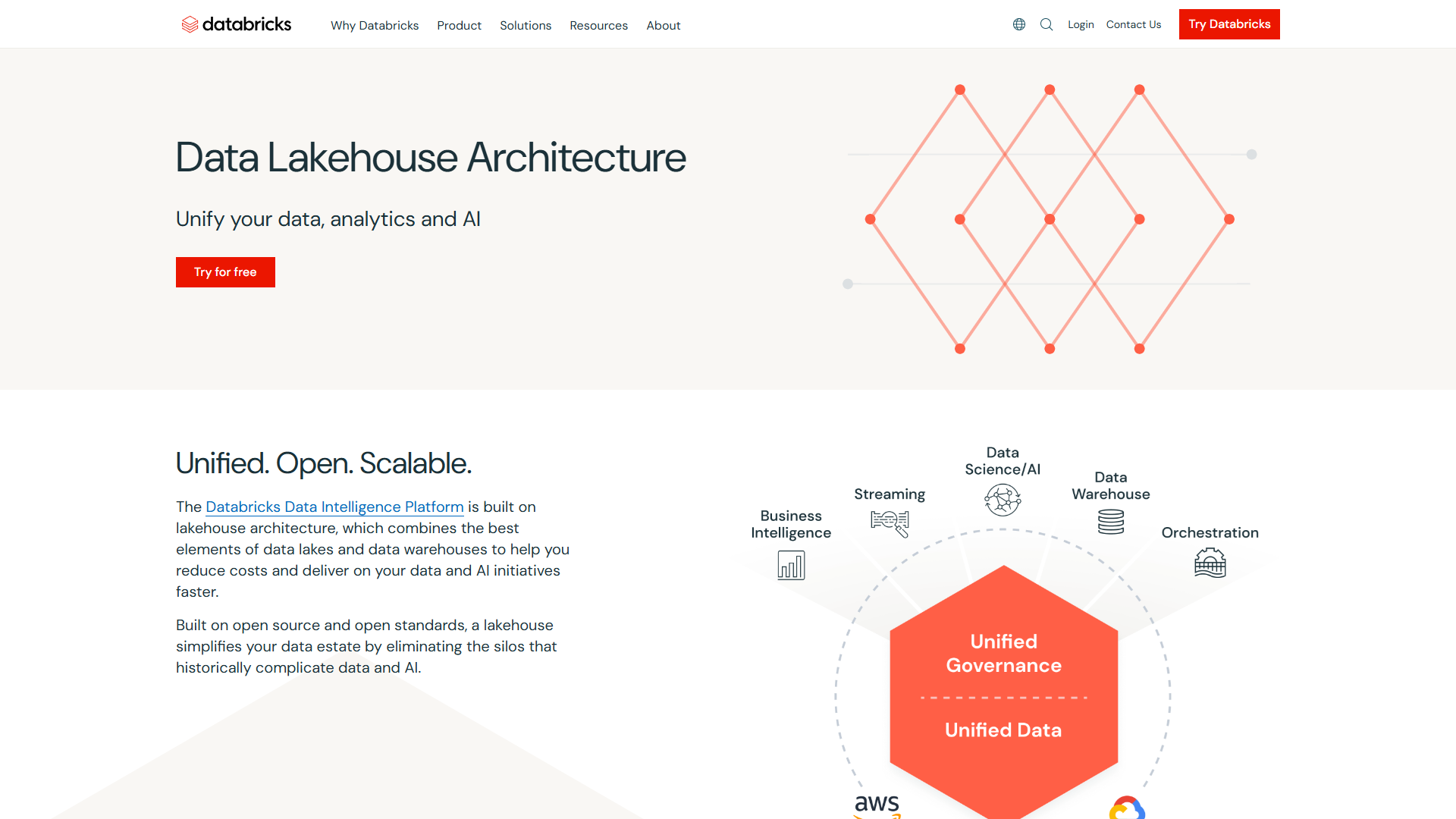
After testing Databricks extensively, I’m convinced it represents the future of data platforms. The lakehouse architecture eliminates the need to maintain separate data lakes and warehouses — everything runs on Delta Lake with ACID transactions and time travel capabilities.
Why Databricks Stands Out
The platform’s strength lies in its unified approach. Instead of moving data between systems for different workloads, you handle data engineering, ML training, and BI analysis all in the same environment. This architecture delivers measurable performance gains — Databricks’ Photon engine provides up to 12x faster query performance compared to traditional Spark.
Key Features:
- Delta Lake: ACID transactions on data lakes with time travel and schema evolution
- Unity Catalog: Unified governance across AWS, Azure, and Google Cloud
- Serverless Compute: Auto-scaling clusters that eliminate infrastructure management
- Multi-language Notebooks: Python, SQL, Scala, and R support in collaborative notebooks
- MLflow Integration: End-to-end ML lifecycle management built-in
- Agent Bricks: No-code AI agent development on enterprise data (2025 release)
Databricks Pricing Reality
The Community Edition is genuinely free forever (introduced in 2025), which is perfect for learning or proof-of-concept projects. For production, you’re paying for DBUs (Databricks Units) which vary by workload type:
- Jobs Compute: $0.15-0.50/DBU (scheduled workloads)
- All-Purpose Compute: $0.40-0.75/DBU (interactive notebooks)
- SQL Compute: $0.22-0.88/DBU (BI queries)
The catch: Standard tier was retired in October 2025, so new customers start at Premium tier. For a mid-size data team running mixed workloads, expect $3,000-8,000/month depending on usage patterns.
ROI Data That Matters
The numbers here are impressive: Forrester found 417% ROI over three years, while Nucleus Research reported 482% ROI. In practical terms, teams report 70% reduction in data pipeline development time and 40% faster ML model deployment compared to DIY Spark clusters.
Power BI: Best for Budget-Conscious Teams
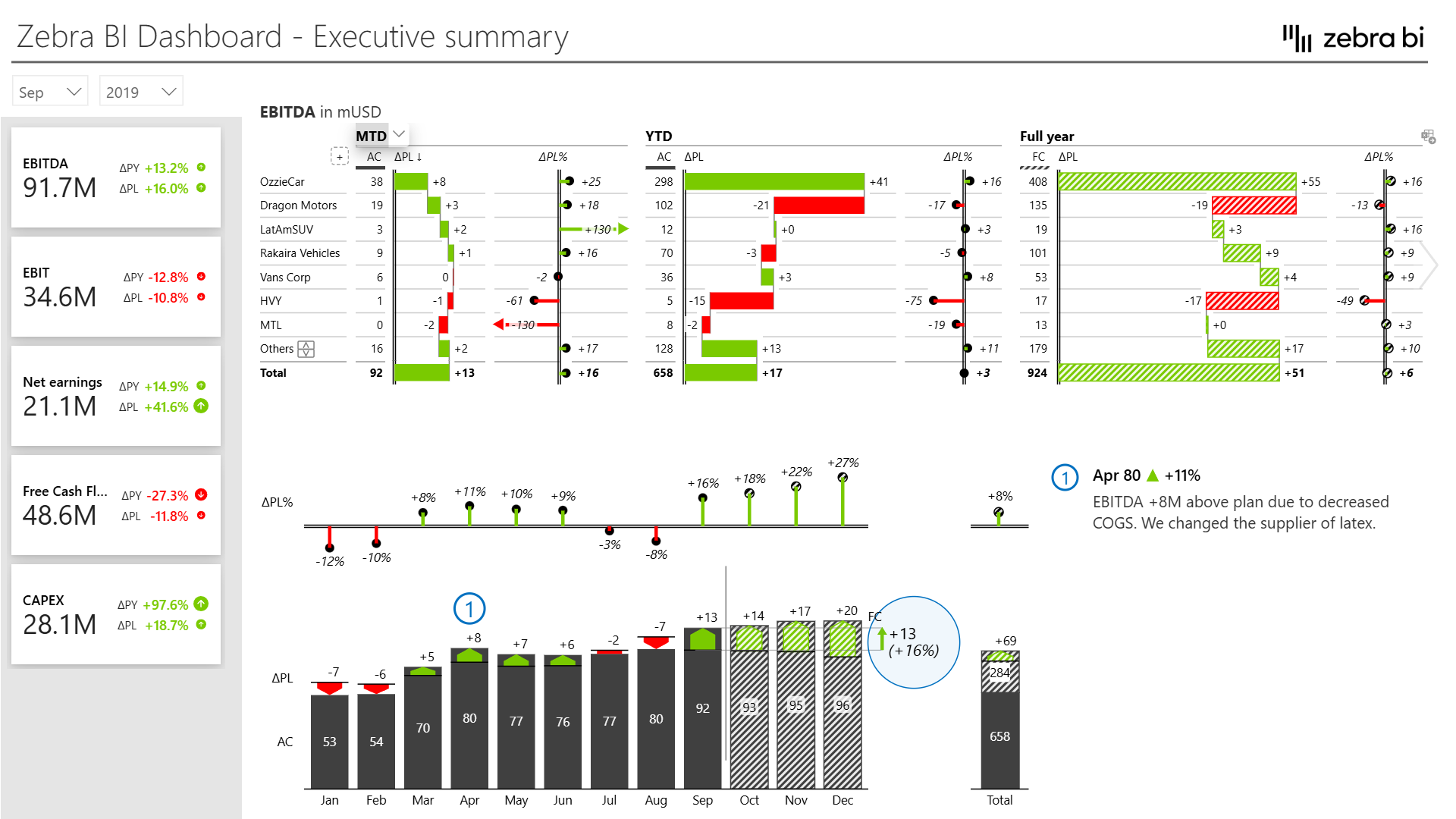
Power BI is Microsoft’s answer to enterprise BI needs, and it’s remarkably accessible. The free tier is actually useful (unlike many “freemium” offerings), and the Pro tier at $14/user/month makes it the most affordable option for small to medium teams.
When Power BI Makes Sense
If your organization runs on Microsoft 365, Power BI is the obvious choice. The integrations are seamless — pull data from Excel, SharePoint, Teams, Dynamics 365, and Azure services without complex configuration. The Copilot AI assistant (requires Premium capacity) can generate DAX formulas and suggest visualizations based on natural language queries.
Key Features:
- Copilot AI: Natural language query and dashboard generation (Premium/Fabric only)
- Microsoft Ecosystem: Native integration with all Microsoft services
- Paginated Reports: PDF-ready formatted reports (Premium Per User)
- Dataflows: Self-service ETL for business users
- Real-time Dashboards: Live data streaming with 8 refreshes/day (Pro tier)
Power BI Limitations
Here’s what Power BI isn’t: a data engineering platform. If you need to build complex data pipelines, run ML models at scale, or handle streaming data transformations, you’ll need additional tools. Power BI excels at the “last mile” of analytics — taking prepared data and making it accessible to business users.
The Copilot AI feature also has a steep entry requirement: you need Fabric F64+ capacity (starts around $5,000/month) or Premium P1+ ($5,000/month), which prices out small organizations.
Power BI Pricing Tiers
- Free: Personal use only, no sharing ($0)
- Pro: Team collaboration, 10GB storage ($14/user/month)
- Premium Per User: 100GB storage, 48 daily refreshes ($24/user/month)
- Premium Capacity: Unlimited users, requires P1+ SKU (starts $5,000/month)
Tableau: Visualization Excellence
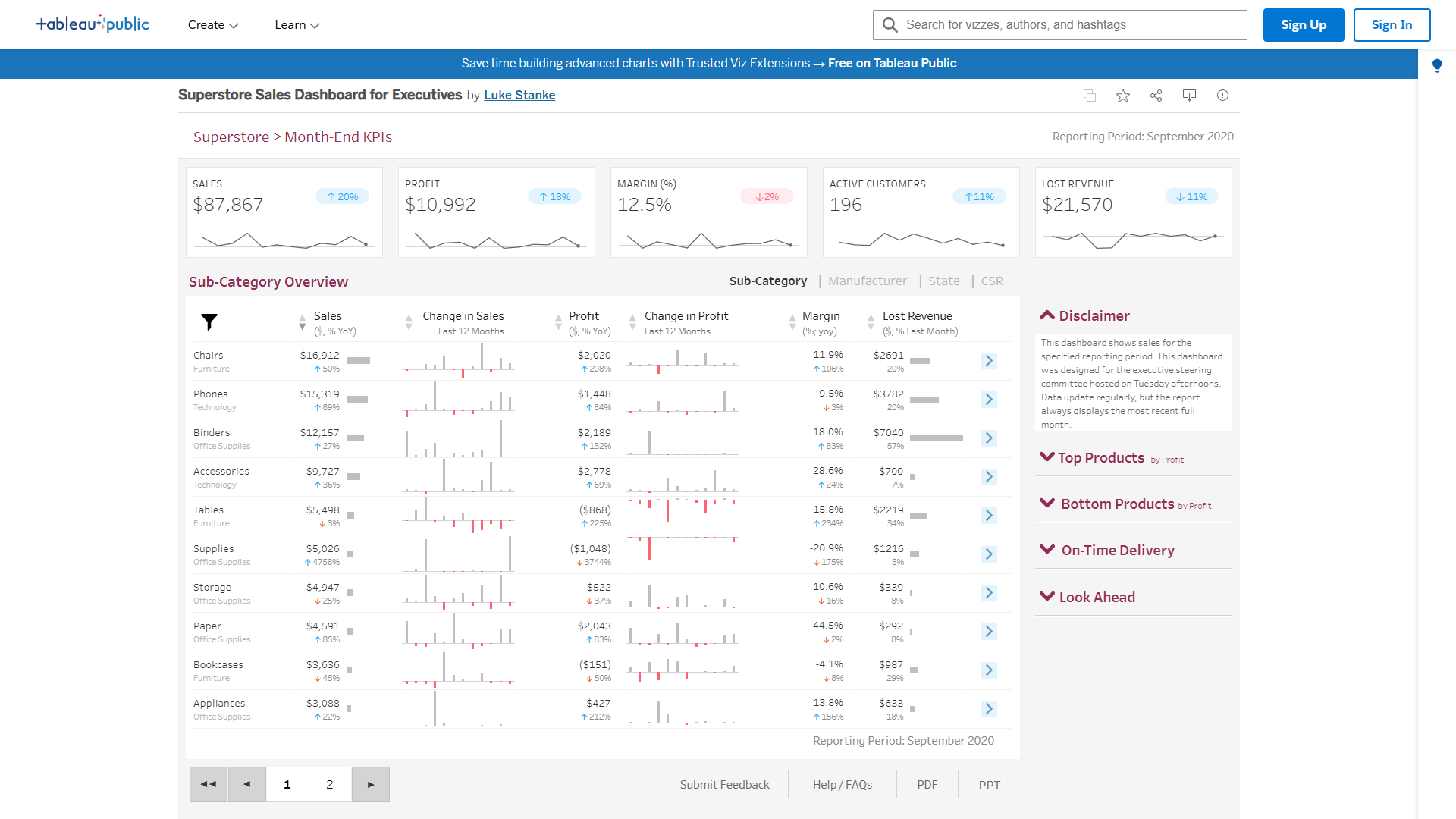
Tableau has earned its reputation as the gold standard for data visualization. The drag-and-drop interface makes complex visualizations surprisingly accessible, and the Tableau Agent (introduced with Tableau+ subscription) brings AI-powered insights to Explorer and Creator users.
Tableau’s Visualization Edge
After building the same dashboard in all four platforms, Tableau’s superiority in visual design is obvious. The default styling is more polished, interactive features are more intuitive, and the level of customization available without writing code far exceeds competitors. This matters when you’re presenting to executives or customers who expect professional-grade visuals.
Key Features:
- Tableau Agent: AI assistant for conversational analytics (requires Tableau+ subscription)
- Tableau Pulse: Automated insights delivered to Slack/Teams
- Dashboard Starters: Pre-built templates for common use cases
- Prep Builder: Visual data preparation tool included with Explorer/Creator licenses
- Salesforce Integration: Deep integration with Salesforce CRM ecosystem
When Tableau Isn’t the Answer
The learning curve is steeper than Power BI, and the cost is significantly higher. Tableau Creator (required for building content) starts at $75/month for Standard or $115/month for Enterprise. For a 50-person team with 10 creators, 20 explorers, and 20 viewers, you’re looking at $4,400/month on Enterprise tier.
Tableau also isn’t a data engineering platform — it’s purely a BI layer that assumes your data is already prepared. If you need to build ETL pipelines or train ML models, you’ll need complementary tools.
Tableau Pricing Structure
Standard Tier:
- Viewer: $15/user/month (view only)
- Explorer: $42/user/month (edit existing content)
- Creator: $75/user/month (build new content)
Enterprise Tier:
- Viewer: $35/user/month
- Explorer: $70/user/month
- Creator: $115/user/month
Enterprise adds advanced governance, up to 10 sites, and priority support — essential for large organizations with compliance requirements.
Looker: Semantic Layer Advantage
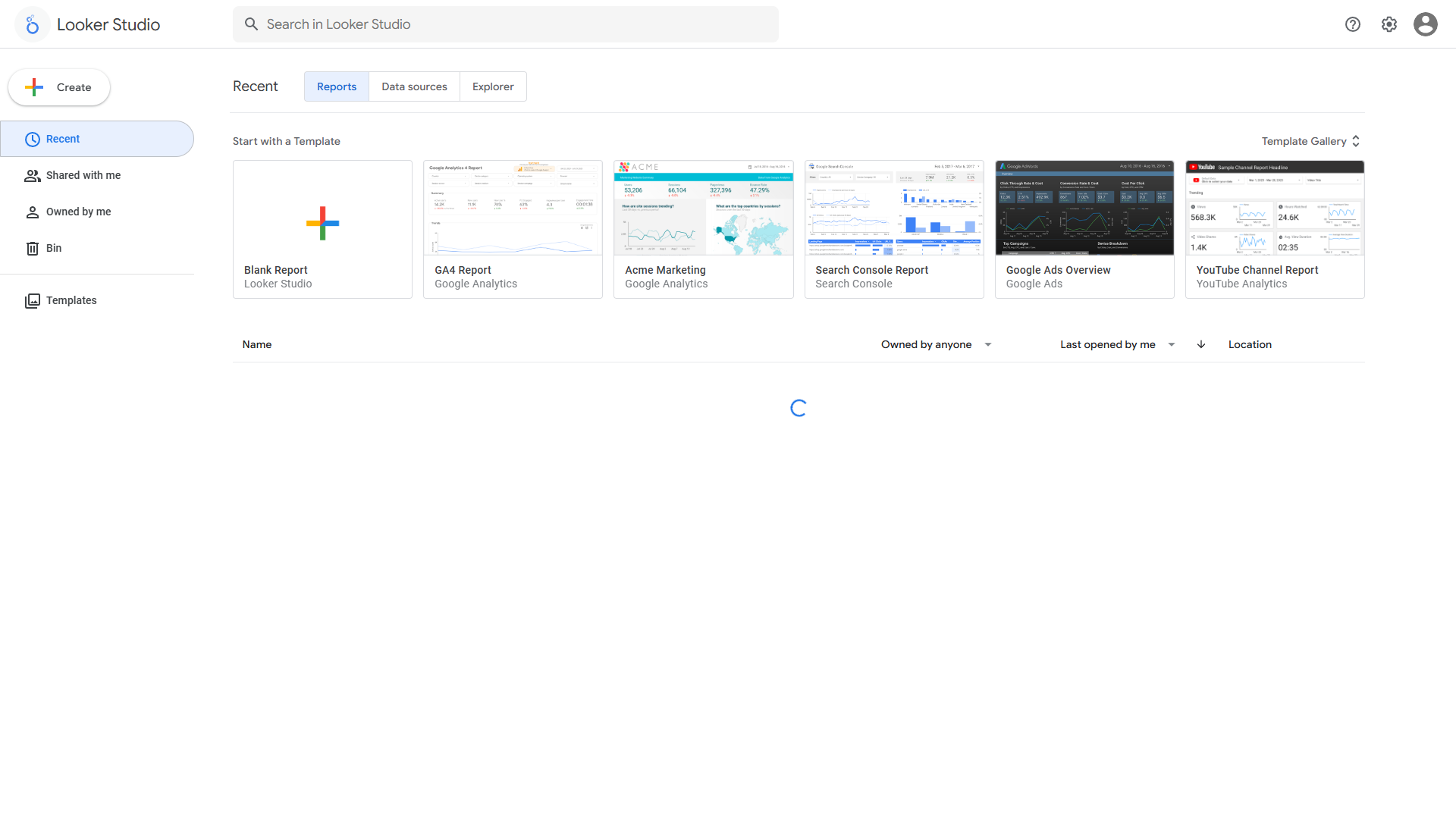
Looker takes a fundamentally different approach: instead of connecting directly to data sources, you define a semantic layer in LookML that standardizes metrics and definitions across your organization. This reduces errors — Google reports 66% fewer mistakes in gen AI queries when using LookML governance.
The LookML Difference
LookML is both Looker’s strength and its learning curve. You define metrics once in code, and every dashboard, report, and API call uses the same definitions. When “revenue” means different things in different departments, LookML ensures consistency. This governance becomes critical at scale.
The Gemini AI integration (announced in late 2025) brings conversational analytics, automated code interpretation, and slide generation — making the platform more accessible to non-technical users while maintaining centralized governance.
Key Features:
- LookML Semantic Layer: Centralized metric definitions reduce errors by 66%
- Gemini AI: Conversational analytics with code interpreter (general availability)
- Google Cloud Native: Optimized for BigQuery and Google Cloud Platform
- Embedded Analytics: White-label embedding for customer-facing dashboards
- Version Control: Git-based workflow for data models
Looker’s Cost Reality
There’s no self-service pricing — everything goes through enterprise sales. Based on publicly disclosed deals, expect $150-200/user/month for Standard Edition, with total cost of ownership reaching $200,000-300,000/year for mid-market deployments when you factor in BigQuery costs and implementation services.
This positions Looker as an enterprise-only solution. If you’re a startup or small business, the sales qualification process alone will be frustrating.
Decision Framework: Which Platform is Right for You?
After months of testing, here’s how I’d choose:
Choose Databricks If:
- You need unified data engineering + ML + analytics
- You’re building ML models that require training on large datasets
- You want lakehouse architecture with ACID transactions on data lakes
- You need multi-cloud deployment (AWS, Azure, GCP)
- Your team has data engineering expertise
- You can justify DBU-based pricing with ROI (417%+ over 3 years)
Real-world example: A fintech startup I consulted for reduced their data pipeline development time by 70% after migrating to Databricks. They consolidated five separate tools (Airflow, Spark, MLflow, Jupyter, and a proprietary feature store) into a single platform.
Choose Power BI If:
- You’re already invested in Microsoft 365/Azure
- You need the most affordable option ($14/user/month)
- Your users are business analysts, not data engineers
- You want rapid deployment without extensive training
- You need strong Excel integration
- Budget is a primary constraint
Real-world example: A 200-person manufacturing company deployed Power BI Pro for $2,800/month, giving every manager access to real-time production metrics. The same capability would have cost $14,000/month on Tableau Enterprise.
Choose Tableau If:
- Visualization quality is your top priority
- You’re presenting to executives or external stakeholders
- You have budget for premium pricing ($115/user/month Enterprise)
- Your team values best-in-class UI/UX
- You’re already in the Salesforce ecosystem
- You need the Tableau Agent AI assistant for insights
Real-world example: A consulting firm uses Tableau for all client-facing dashboards because the visual polish matches their brand expectations. They tried Power BI but found clients consistently commented that Tableau dashboards “looked more professional.”
Choose Looker If:
- You’re all-in on Google Cloud Platform and BigQuery
- You need centralized semantic governance at enterprise scale
- You have developers who can maintain LookML code
- You’re embedding analytics in customer-facing applications
- You can afford $150-200/user/month + BigQuery costs
- Reducing metric inconsistency is a critical pain point
Real-world example: A SaaS company with 50+ customers uses Looker’s embedded analytics to provide white-labeled dashboards. The LookML layer ensures every customer sees metrics calculated the same way, which was impossible with previous BI tools.
ROI Comparison Across Platforms
I pulled ROI data from independent research (Forrester, Nucleus Research) and actual customer case studies:
Databricks:
- 417-482% ROI over 3 years
- 70% reduction in data pipeline development time
- 40% faster ML model deployment
- $7.2M net present value for reference customer (Forrester)
Power BI:
- 265% ROI over 3 years (Forrester)
- Average payback period: 6 months
- 30% reduction in report creation time
- Best ROI for SMB due to low entry cost
Tableau:
- 319% ROI over 3 years (Nucleus Research)
- $5.4M total benefit over 3 years
- Average time savings: 3-4 hours per analyst per week
- Higher upfront cost but strong returns at scale
Looker:
- Limited public ROI data (most deals are confidential)
- Customers report 50% reduction in metric inconsistency
- Embedding use cases show 2-3x faster customer dashboard deployment
- Higher TCO but justified by governance benefits
FAQ: Best Data Analytics Platforms 2026
Q: Can I use Databricks for business intelligence, or is it just for data engineering?
Yes, Databricks has full BI capabilities through SQL warehouses and Databricks SQL. You can build dashboards, run ad-hoc queries, and connect BI tools like Tableau or Power BI. The difference is that you’re also getting the data engineering and ML platform in the same environment.
Q: Is Power BI really free, or is that just marketing?
The Power BI Free tier is genuinely functional — you get full desktop authoring and personal workspaces. The limitation is sharing: you can’t collaborate with teammates or publish to the web. For production use with sharing, you need Pro ($14/user/month). The “free” tier is best for personal analysis or learning.
Q: Why is Tableau so expensive compared to Power BI?
Tableau’s pricing reflects its positioning as a premium visualization platform. You’re paying for best-in-class UI/UX, superior visual design, and a more polished end-user experience. For organizations where dashboard aesthetics matter (consulting firms, executive presentations), the premium is justified. Budget-conscious teams should start with Power BI.
Q: Do I need to know LookML to use Looker?
Not as an end user — business users interact with pre-built Explores and dashboards without touching code. However, someone on your team needs LookML expertise to build and maintain the semantic layer. This is typically a data engineer or analytics engineer role. The tradeoff: higher initial investment for long-term governance benefits.
Q: Can these platforms handle real-time data?
Yes, but with different approaches. Databricks handles true streaming with Delta Live Tables and Structured Streaming. Power BI supports real-time dashboards with DirectQuery and streaming datasets (8-48 refreshes/day depending on tier). Tableau can connect to live data sources but isn’t optimized for sub-second latency. Looker queries data warehouses in real-time but depends on warehouse performance.
Final Verdict: The Best Data Analytics Platform for Most Organizations
After extensive testing, my recommendation hierarchy is straightforward:
For most organizations with ML/AI needs: Databricks. The lakehouse architecture is the future, and the 417% ROI over three years speaks for itself. Yes, DBU-based pricing is complex, but the unified platform eliminates the cost of maintaining separate data lakes, warehouses, and ML infrastructure. Start with the free Community Edition to validate your use case, then scale to Premium tier when you’re ready for production.
For Microsoft-centric organizations on a budget: Power BI. At $14/user/month for Pro, it’s unbeatable value. The Copilot AI features require premium capacity, but the core BI functionality is excellent for the price. If you live in Excel and Teams, Power BI is the obvious choice.
For visualization-first organizations: Tableau. If you’re presenting to executives, clients, or board members, Tableau’s visual polish justifies the premium pricing. The Tableau Agent AI assistant (with Tableau+ subscription) is also genuinely useful for accelerating analysis.
For Google Cloud + governance-first organizations: Looker. The LookML semantic layer is the most robust governance approach in this comparison. If metric consistency is a critical pain point and you’re willing to invest in the learning curve, Looker pays dividends at enterprise scale.
The best data analytics platforms 2026 aren’t one-size-fits-all. Match your platform choice to your workload needs, existing ecosystem, budget constraints, and team expertise. Start with a proof-of-concept on the free tiers (Databricks Community Edition, Power BI Free) before committing to paid licenses.
Related Reading
- Best AI Research Tools 2025 - Compare AI-powered research platforms
- Best AI Automation Tools 2025 - Automate data pipeline workflows
- Best Project Management Tools 2025 - Manage analytics projects effectively
External Resources
For official documentation and updates from these tools:
- Databricks — Official website
- Power BI — Official website
- Tableau — Official website
- Looker — Official website