


The best Calendly alternatives in 2026 are Cal.com for open-source self-hosting, SavvyCal for recipient-friendly booking, TidyCal for one-time pricing, Reclaim AI for AI calendar optimization, Acuity Scheduling for service businesses, and YouCanBookMe for simple small-team booking. Each outperforms Calendly on a specific scheduling problem rather than across the board.
Our analysis draws on current vendor documentation, published pricing pages, and independent research rather than sponsored placement. AI Productivity may earn a commission from links on this page, but our rankings are editorially independent.
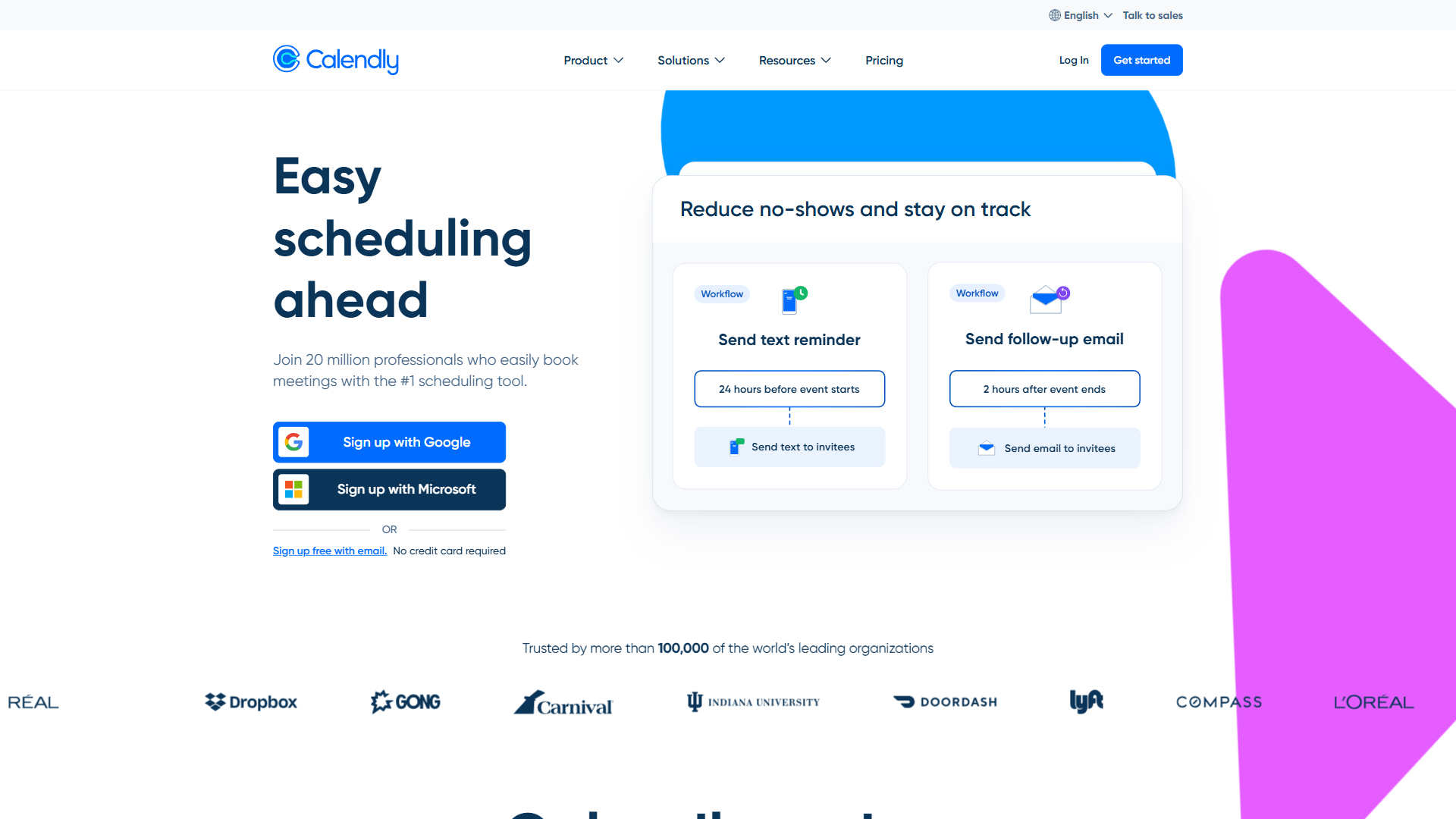
Calendly remains the default for external meeting booking, with 20 million users, but “default” and “best fit” differ: the free tier limits users to one event type, paid plans start at $10/seat/month, and the architecture was designed for booking links rather than AI-powered scheduling intelligence.
This guide compares six calendly alternatives - including calendly alternatives free, calendly alternatives open source, calendly alternatives Google, and calendly alternatives appsumo picks - with pricing tables and best-for verdicts.
Why People Leave Calendly: Common Triggers
People leave Calendly for five recurring reasons: a restrictive single-event-type free tier, fast-scaling per-seat pricing, no recipient calendar overlay, limited customization, and no autonomous rescheduling.
- Free tier restrictions - One event type and one calendar connection forces anyone booking discovery calls, follow-ups, and paid sessions to upgrade.
- Per-seat pricing scales fast - The Teams plan at $16-20/seat/month means a 15-person sales team pays $240-300/month; Cal.com eliminates per-seat costs through self-hosting.
- No calendar overlay for recipients - Recipients cannot see their own calendar alongside yours; SavvyCal solves this with a side-by-side overlay.
- Limited customization - The booking flow is fixed, so teams needing branded multi-step experiences hit walls.
- Enterprise features locked behind steep pricing - SSO and SCIM provisioning require the Enterprise tier, starting at $15,000/year for a 30-seat minimum.
- No autonomous rescheduling - Calendly only sends a conflict notification; Reclaim shuffles meetings automatically.
Comparison Table: Calendly Alternatives at a Glance
The seven scheduling tools below range from $0 self-hosted (Cal.com) to a $29 TidyCal purchase to $8-$16/month.
| Tool | Best For | Free Tier | Paid Starting Price | Key Differentiator |
|---|---|---|---|---|
| Calendly | External booking links | Yes (1 event type) | $10/seat/mo (annual) | Industry standard, deepest integrations |
| Cal.com | Developers and self-hosters | Yes (unlimited, self-hosted) | $12/seat/mo (annual) | Open-source, full data ownership |
| SavvyCal | Recipient-friendly scheduling | Yes (limited) | $12/mo (annual) | Calendar overlay for recipients |
| TidyCal | Budget-conscious users | Yes (limited) | $29 one-time | Lifetime deal, no recurring fees |
| Reclaim AI | AI calendar optimization | Yes (limited) | $8/seat/mo | AI-powered rescheduling and time blocking |
| Acuity Scheduling | Service businesses | No (7-day trial) | $16/mo | Client intake forms, packages, memberships |
| YouCanBookMe | Small teams and educators | Yes (1 calendar) | $10.80/seat/mo (annual) | Simple setup, booking page customization |
1. Cal.com - Best Open-Source Calendly Alternative
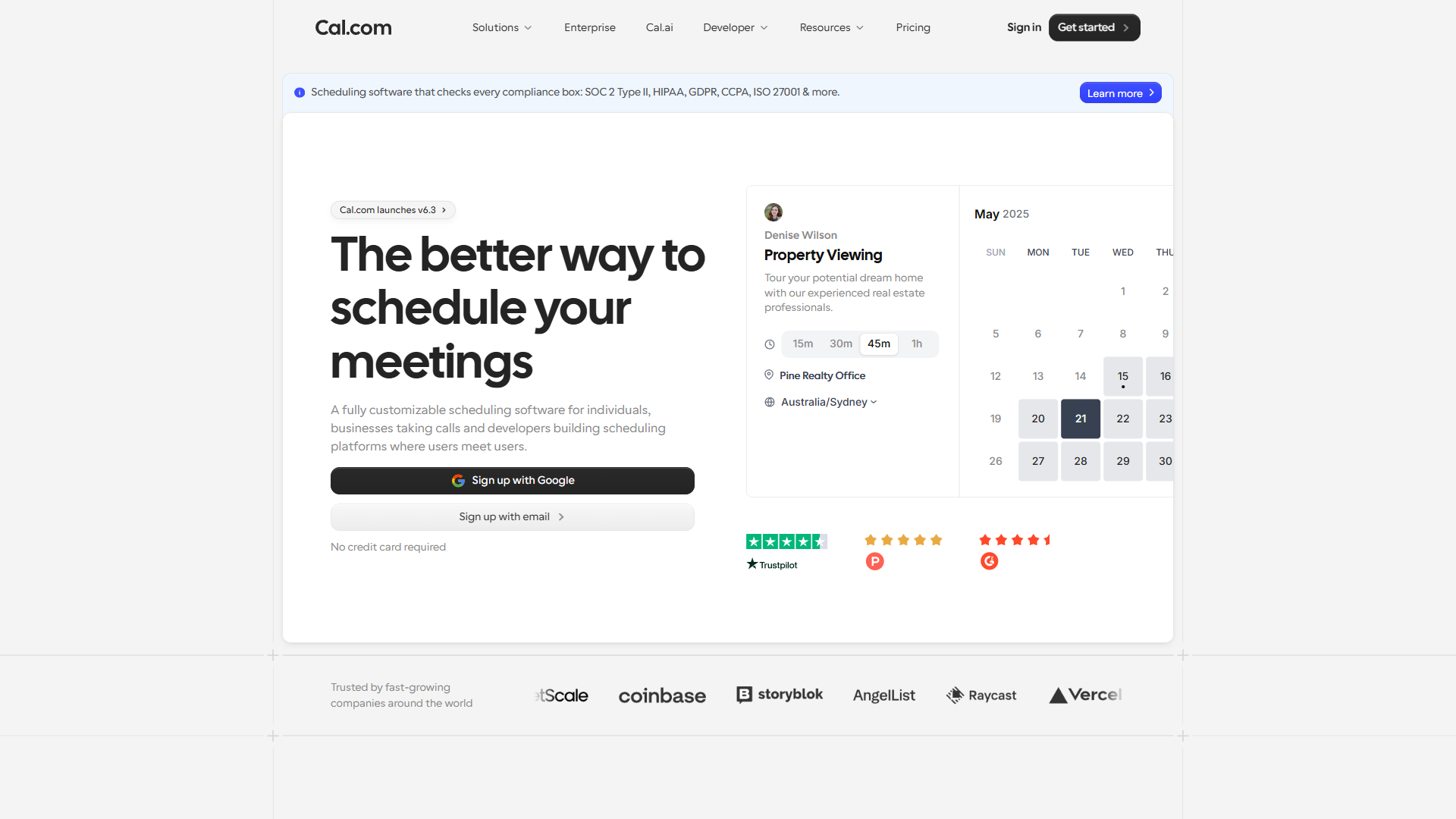
Cal.com is the best open-source Calendly alternative for technical teams and privacy-conscious organizations. As a fully open-source platform with more than 40,000 stars on its public GitHub repository, it offers complete control over the codebase, hosting infrastructure, and user data.
“Scheduling infrastructure should be open and self-hostable, the same way email is - you should never be locked into a single vendor for something this fundamental,” said Peer Richelsen, co-founder and co-CEO of Cal.com.
Self-hosting is also a privacy decision: calendar data reveals client names, meeting cadences, and internal org structure, which is why healthcare and legal teams favor data residency they control - the kind of personal data covered by the HIPAA Privacy Rule.
The self-hosted version includes every feature with unlimited users at zero licensing cost - the full platform, not a crippled free tier. For startups scaling from 5 to 50 people, the cost stays at the hosting bill ($5-20/month for a VPS) rather than per-seat charges.
Pricing:
| Plan | Monthly | Annual (per month) | Key Features |
|---|---|---|---|
| Free (self-hosted) | $0 | $0 | All features, unlimited users, Cal Video |
| Team (managed cloud) | $15/seat | $12/seat | Round-robin, analytics, branding removal |
| Enterprise | $37/seat | $30/seat | SSO/SAML, SOC 2, HIPAA, ISO 27001 |
Cal.ai voice agent adds $0.29/minute on top of any plan.
Where Cal.com beats Calendly:
- Zero licensing costs via self-hosting. The complete feature set - round-robin, team event types, API access, 65+ languages - runs at no per-seat charge versus Calendly’s $10-20/seat/month.
- Full data ownership. Scheduling data never leaves controlled infrastructure, giving healthcare and legal teams data residency cloud-only tools cannot provide.
- Cal.ai voice agent. An AI phone agent checks availability, books meetings, and manages rescheduling through natural conversation.
- API-first architecture. Developers can build white-label booking, embed widgets, and fork any feature from the open-source codebase.
- Enterprise compliance built in. SOC 2, HIPAA, ISO 27001, CCPA, and GDPR certifications ship on the Enterprise tier.
Where Calendly still wins: faster setup for non-technical teams, deeper CRM integrations with Salesforce and HubSpot, larger brand recognition, and a more polished UI with less configuration.
Best for: Developer teams building custom scheduling products, startups wanting enterprise-grade scheduling without per-seat costs, and privacy-focused organizations needing self-hosted data residency.
Limitations: Self-hosting requires DevOps capacity - roughly one engineer-week of setup plus maintenance. The managed cloud tier costs more than Calendly Standard, CRM integrations are thinner, and open-source support is community-driven. Skip Cal.com if a non-technical team needs scheduling in an afternoon or you need deep Salesforce/HubSpot lead routing.
2. SavvyCal - Best for Recipient-Friendly Scheduling
SavvyCal is the best Calendly alternative for recipient-friendly scheduling because its calendar overlay lets invitees see their own calendar alongside your available slots, removing the tab-switching every other booking tool forces. Ranked-availability meeting polls let invitees rank preferred times rather than picking a single slot.
Pricing:
| Plan | Monthly | Annual (per month) | Key Features |
|---|---|---|---|
| Free | $0 | $0 | Limited scheduling links |
| Individual | $15 | $12 | Unlimited links, workflows, Stripe payments |
| Teams | $20/seat | $20/seat | Round-robin, collective scheduling, priority support |
14-day free trial on paid plans. 30-day money-back guarantee.
Where SavvyCal beats Calendly:
- Calendar overlay for recipients. Invitees see their own Google or Outlook calendar overlaid on available slots, eliminating tab-switching.
- Ranked availability polls. Participants rank preferred times rather than voting yes/no, finding the optimal time efficiently.
- Recipient-first design. Time zone auto-detection, minimal click paths, and dark mode for embedded widgets prioritize the person booking.
- Workflow customization. Conditional logic, buffer time rules, and custom routing - configurable without coding.
Where Calendly still wins: a deeper integration ecosystem, AI-powered routing on the Teams tier, a larger template library, and stronger recipient brand trust.
Best for: Consultants, coaches, and client-facing professionals who want an effortless booking experience for the other person; less suited for large sales teams needing CRM-integrated lead routing.
Limitations: The Teams plan is $20/seat/month with no annual discount - above Calendly Standard despite a thinner integration catalog, and SSO/SCIM are not first-class. Skip SavvyCal if your need is mainly internal round-robin or recipients rarely check their own calendar.
3. TidyCal - Best Budget Calendly Alternative
TidyCal is the best budget Calendly alternative, available as a lifetime deal through AppSumo for a one-time $29 fee with no monthly bills or per-seat charges.
The trade-off is clear: TidyCal does less than Calendly - no AI routing, no round-robin, no Salesforce. It offers clean booking pages, Google and Outlook calendar sync, Stripe and PayPal payments, and customizable event types - the fundamentals for freelancers and solopreneurs.
Pricing:
| Plan | Price | Key Features |
|---|---|---|
| Free | $0 | 1 booking type, basic features |
| Paid | $29 one-time | Unlimited booking types, payment collection, custom branding, multiple calendars |
Lifetime deal - no recurring fees. Occasionally available at promotional pricing.
Where TidyCal beats Calendly:
- One-time pricing. $29 once versus $120+/year for Calendly Standard - it pays for itself in the first month.
- No artificial feature gates. The paid tier includes unlimited booking types, payment collection, and custom branding.
- Simpler interface. Signup to live booking page in under 10 minutes.
- Payment collection included. Stripe and PayPal integration for paid consultations at no extra cost.
Where Calendly still wins: team scheduling, a deeper integration ecosystem, AI-powered routing, workflow automation, and enterprise security (SSO, SCIM, compliance).
Best for: Freelancers, solopreneurs, coaches, and consultants who need professional booking pages without ongoing costs and do not need team features or CRM integrations.
Limitations: One-time pricing means fewer features - no round-robin routing, no native Salesforce/HubSpot integration, no AI scheduling, no workflow automation, no SMS reminders, no SOC 2 / SSO. Skip TidyCal if you run a sales or recruiting team that needs lead routing or require compliance certifications.
4. Reclaim AI - Best for AI-Powered Calendar Optimization
Reclaim AI is the best Calendly alternative for AI-powered calendar optimization because it autonomously blocks focus time and reshuffles flexible meetings to resolve conflicts without manual intervention. Its AI engine, detailed in Reclaim’s smart scheduling documentation, optimizes the whole calendar rather than just providing booking links - Calendly notifies you about conflicts; Reclaim resolves them.
Pricing:
| Plan | Monthly (per seat) | Key Features |
|---|---|---|
| Free | $0 | Smart time blocking, 1 calendar |
| Starter | $8 | Scheduling links, task management, Slack integration |
| Business | $12 | Team analytics, round-robin, advanced integrations |
| Enterprise | $18 | SSO, admin controls, priority support |
All prices reflect annual billing. Monthly billing adds approximately 20%.
Where Reclaim beats Calendly:
- Autonomous rescheduling. When a new meeting conflicts with a flexible event, Reclaim finds a new slot automatically; Calendly only sends a notification.
- Habit and focus time protection. Reclaim defends recurring blocks for deep work, exercise, or lunch against incoming meetings.
- Task scheduling integration. Connect Todoist, Asana, Linear, or ClickUp and Reclaim auto-schedules task time by priority.
- Smart 1:1 scheduling. Recurring internal meetings reschedule week-to-week based on both participants’ availability.
- Calendar analytics. Track how time is spent across meetings, focus work, and personal commitments.
Where Calendly still wins: more polished external booking links, payment collection, deeper CRM integrations, and custom branding.
Best for: Knowledge workers, managers, and teams drowning in meetings who need AI to protect focus time. Reclaim works best paired with Calendly’s free tier or TidyCal for external booking.
Limitations: Reclaim does not fully replace Calendly - external booking links are less polished, there is no payment collection, and autonomous rescheduling can move meetings unexpectedly. Skip Reclaim if you mainly need a polished external booking page or your meetings are almost all inflexible customer calls.
5. Acuity Scheduling - Best for Service Businesses
Acuity Scheduling (by Squarespace) is the best Calendly alternative for service businesses because it adds client intake forms, appointment packages, memberships, and class scheduling that meeting-link tools do not offer - exactly what coaching practices, salons, and healthcare providers need.
Pricing:
| Plan | Monthly | Key Features |
|---|---|---|
| Emerging | $16 | 1 staff member, unlimited appointments, client intake forms |
| Growing | $27 | 6 staff, text reminders, payment plans, gift certificates |
| Powerhouse | $49 | 36 staff, custom API access, signed contracts |
7-day free trial. No free tier. All plans include Squarespace integration.
Where Acuity beats Calendly:
- Client intake forms. Customizable forms collect health questionnaires, project briefs, or any prep info; Calendly’s custom questions are basic text fields.
- Packages and subscriptions. Sell packages, subscriptions, and memberships directly through the scheduling page; Calendly handles only single-appointment payments.
- Class and group scheduling. Group classes with capacity limits, waitlists, and open-spot notifications - what yoga studios need.
- Gift certificates. Clients can purchase gift certificates, a revenue stream Calendly does not support.
- HIPAA compliance on higher tiers. Healthcare providers get compliant scheduling not included in Calendly’s Teams tier.
Where Calendly still wins: simpler setup, stronger sales-team features (round-robin, AI routing, Salesforce), a free tier, and more integrations beyond Squarespace.
Best for: Service businesses - coaching practices, salons, therapists, fitness studios - that need client intake, payment packages, and appointment management in one platform. Skip Acuity for plain external-meeting booking.
Limitations: Acuity has no free tier (only a 7-day trial), its sales-team features are thinner than Calendly’s, and its operational depth is overkill for anyone who just needs a meeting link.
6. YouCanBookMe - Best Simple Alternative for Small Teams
YouCanBookMe (YCBM) is the best simple Calendly alternative for small teams because it pairs straightforward booking pages with deep design flexibility and no feature bloat. In the scheduling space since 2011, YCBM lets pages be customized with colors, logos, and custom fields while the logic stays simple - a professional page without a learning curve.
Pricing:
| Plan | Monthly (per seat) | Annual (per seat/mo) | Key Features |
|---|---|---|---|
| Free | $0 | $0 | 1 linked calendar, basic booking page |
| Paid | $13.50 | $10.80 | Unlimited event types, custom branding, integrations, team features |
14-day free trial on paid plan. No credit card required for free tier.
Where YouCanBookMe beats Calendly:
- Booking page design flexibility. Background images, custom colors, and logo placement make booking pages look like a branded webpage.
- Simpler pricing structure. One paid tier at $10.80/seat/month (annual) includes everything - no feature-gating across tiers.
- Tentative bookings. Recipients can submit requests that require manual approval - useful for interviews and high-value consultations.
- Educator-friendly features. Office hours scheduling, student group bookings, and institution-friendly pricing make YCBM popular in education.
Where Calendly still wins: AI-powered routing, deeper CRM integrations, no-show workflows, stronger team scheduling, and a larger integration marketplace.
Best for: Small teams, educators, and independent professionals who want a professional booking page without complex setup or enterprise overhead.
Limitations: YCBM lacks AI-driven routing, advanced lead distribution, deep CRM integrations, and no-show automation; reporting is basic and the interface looks dated next to Cal.com. Skip YCBM if you run a sales team needing weighted round-robin or depend on Salesforce/HubSpot syncing.
Which Alternative Fits Your Workflow
The right Calendly alternative depends on the specific scheduling problem - budget, data ownership, recipient experience, meeting overload, service operations, or simple booking pages.
- Budget is the primary concern: TidyCal ($29 one-time) - lifetime access to professional booking pages and unlimited event types.
- Data ownership and developer control matter: Cal.com (free self-hosted) - the complete platform at zero licensing cost with an API-first architecture.
- Recipients struggle to find good meeting times: SavvyCal (roughly $12/month) - the calendar overlay showing both parties’ availability solves a problem every other tool ignores.
- Calendar overload and meeting fatigue are the real problem: Reclaim AI ($8/seat/month) - AI rescheduling and focus time protection address root causes.
- The business sells services, not just meetings: Acuity Scheduling (roughly $16/month) - intake forms, packages, and memberships handle operational needs.
- Simple booking pages without complexity: YouCanBookMe ($10.80/seat/month) - clean design and straightforward pricing without enterprise overhead.
- External meeting scheduling is the only need: Calendly - the Standard plan at $10/seat/month (annual) remains the Goldilocks option.
The Bottom Line
The best Calendly alternative is whichever one solves your specific scheduling problem rather than the most popular option. For many teams the practical setup is a combination - Calendly or TidyCal for external booking plus Reclaim AI for internal calendar optimization - while technical teams use Cal.com for both.
FAQ
Q: Is there something like Calendly but free?
Cal.com’s self-hosted version is completely free - the full platform with unlimited users and every feature on your own infrastructure (hosting costs $5-20/month for a VPS). Reclaim AI and SavvyCal offer limited free tiers, and TidyCal has a free plan with one booking type.
Q: Which is better, TidyCal or Calendly?
TidyCal wins on cost - a one-time $29 lifetime deal versus Calendly’s $10/seat/month subscription. However, TidyCal does less: no AI routing, no round-robin, no Salesforce integration. TidyCal covers core booking for freelancers, while Calendly suits teams needing deeper integrations.
Q: Is anything better than Calendly?
For a simple external booking link, Calendly still handles that well, but for teams outgrowing its pricing or feature set, alternatives like Cal.com, SavvyCal, and Reclaim AI each solve a specific problem better.
Q: What is the best free digital calendar?
For a free digital calendar that schedules itself, Reclaim AI’s free tier offers smart time blocking on one connected calendar - ideal for knowledge workers who want focus time protected.
Q: What is the cheapest Calendly alternative available?
TidyCal is the cheapest Calendly alternative, a one-time $29 purchase through AppSumo with no monthly fees or per-seat charges. It covers booking pages, calendar sync, Stripe and PayPal payments, and unlimited event types, but lacks round-robin routing and CRM integrations.
Related Reading
These related guides cover scheduling tools, AI calendar assistants, and the broader productivity stack.
- Calendly Review - Full review with pricing breakdown, feature scores, and ROI calculator
- Cal.com Review - Open-source scheduling platform with self-hosting and AI voice agent
- HubSpot Review - CRM with built-in scheduling for sales teams
- BILL Review - Pair scheduling with AP/AR automation for client-services workflows
- AI Scheduling Assistants - AI-powered tools that handle meeting coordination
- Best AI Calendar Tools 2026 - Reclaim vs Motion deep dive
- AI Tools for Solopreneurs - Solo productivity stack including scheduling
External Resources
These primary vendor sources let readers verify current pricing and feature claims.
- Calendly Pricing Page - Current plans and feature comparison
- Cal.com - Open-source scheduling platform
- SavvyCal - Recipient-friendly scheduling tool
- TidyCal - Lifetime deal scheduling tool
- Reclaim AI - AI-powered calendar optimization