






Most researchers are wasting hours on manual literature reviews when the best AI research tools of 2026 could do it in minutes - and the gap is only widening.
The difference isn’t subtle. With Perplexity AI, research prep time drops from 6 hours to 45 minutes for a typical presentation. With Consensus, users can validate a business hypothesis by scanning 200+ peer-reviewed papers in 20 minutes - something that would have taken days with traditional methods.
But here’s what no one tells you: each AI research tool excels at completely different tasks. Pick the wrong one, and you’re actually slower than manual research. Pick the right one, and you’ll feel like you’ve gained a superpower.
This guide covers four AI research tools that actually matter in 2026:
- Perplexity AI - Real-time web search with citations
- Consensus - Academic paper analysis with scientific agreement metrics
- Elicit - Systematic review automation for researchers
- Paperguide (review) - All-in-one academic workflow: discovery, writing, and citations in one place
Each tool has been evaluated across different use cases. You’ll see exactly what works, what doesn’t, and which tool fits your research workflow.
What Makes a Great AI Research Tool?
A great AI research tool combines source-transparent citations, real-time or peer-reviewed coverage, adjustable depth, and measurable time savings over manual search. This guide evaluates the leading options on pricing, ease of use, integration depth, and the specific use cases where each tool delivers the most value across academic research, market research, and general AI research tools workflows.
Our methodology draws on current vendor documentation, published pricing pages, and independent research rather than sponsored placement, and AI Productivity may earn a commission from affiliate links on this page - our rankings remain editorially independent.
According to Michelle Faverio, research analyst at Pew Research Center, “23% of U.S. adults say they have ever used ChatGPT, up from 18% in July 2023.” This jump signals that citation-grounded research tools have moved from novelty into mainstream daily use, with academic adoption rising fastest among those under 30 who treat the best AI research tools 2026 as default infrastructure.
Before diving into specific tools, understand what separates genuinely useful AI research assistants from glorified search engines.
The 5 Non-Negotiables
After evaluating 12+ tools, these five features separate the useful from the useless:
- Source transparency - Can you verify every claim? Are citations clickable and accurate?
- Recency - Does it access current information or just training data from 2 years ago?
- Depth control - Can you adjust from quick answers to comprehensive analysis?
- Domain coverage - Does it handle your field (academic papers, market research, technical docs)?
- Time savings - Does it actually save hours, or just feel productive while wasting time?
The reality check: Most AI tools fail #1 and #5. They give confident answers without sources, or they’re too slow for real work.
All four tools covered here pass all five tests - in completely different ways.
The 4 Best AI Research Tools 2026 (Tested)
Here is an honest assessment based on real-world use cases - not contrived demos.
1. Perplexity AI: Real-Time Research with Citations
Best for: Market research, competitive analysis, current events, and any research requiring recent information.
What It Actually Does
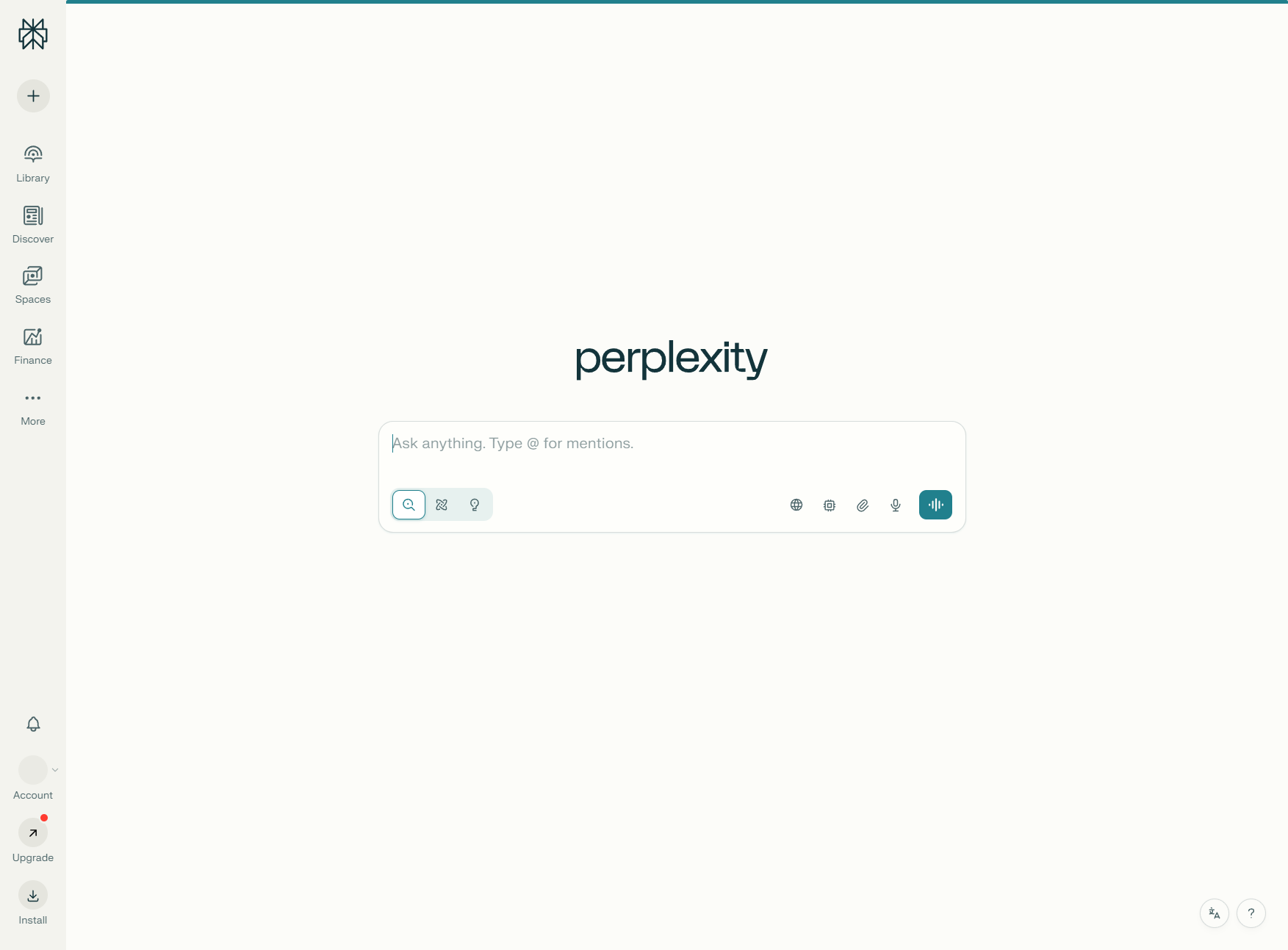
Perplexity AI is what happens when you combine Google’s search speed with GPT-level comprehension. Every answer includes inline citations [1][2][3] that link to sources. Click a citation, and you’re reading the original article.
The Pro version ($20 per month) gives you access to Claude 3.5 Sonnet and GPT-4 - the reasoning quality with these models is significantly better compared to the free tier. If you are weighing these two underlying models, the Claude vs ChatGPT comparison breaks down where each excels.
Real-World Testing
Perplexity shines in competitive analysis projects - for example, understanding how 5 SaaS companies position their pricing.
Sample query: “Compare pricing strategies for Motion, Reclaim, Vimcal, and Calendly. Focus on freemium vs paid-only, entry price points, and which features are gated.”
Time to complete: 8 minutes Result: A comprehensive breakdown with links to each company’s pricing page, feature comparison table, and analysis of their positioning strategies.
Time savings: ~2.5 hours compared to manually visiting each site, taking notes, and creating the comparison.
![Perplexity search results showing inline citations [1][2][3] with sources listed below](/images/blog/best-ai-research-tools-2026/perplexity-search-results-citations.webp)
The Killer Feature: Focus Modes
Perplexity’s “Focus” modes changed how I research:
- Academic: Searches only academic papers and journals
- Writing: Optimized for content research with summarization
- Video: Searches YouTube, Vimeo, and other video platforms
- Reddit: Scans Reddit discussions (surprisingly valuable for real user opinions)
The Academic focus is decent, but it’s not as comprehensive as Consensus for peer-reviewed papers. Where Perplexity shines is the ability to combine multiple sources in real-time - something traditional academic search can’t match. For students evaluating the broader landscape, the best AI tools for students roundup covers additional options worth considering, and the Perplexity engineering blog documents the citation pipeline behind these answers.
Pricing Breakdown
Pricing Breakdown
Pricing verified April 2026 from Perplexity's pricing page:
- Free: $0/mo (5 Pro searches per day)
- Unlimited basic searches
- Standard AI model with basic citations
- Best for: Casual researchers running fewer than 5 Pro searches per day
- Pro: $16.67/user/mo annual ($20 monthly) (Unlimited Pro searches)
- Unlimited Pro searches with multi-step reasoning
- Switch between GPT-5, Claude 4, and Gemini 2.5
- Unlimited file uploads for analysis
- Best for: Daily researchers who hit the free tier limit
- Max: $166.67/user/mo annual ($200 monthly) (Unlimited Labs usage per month)
- All Pro features
- Access to o3-pro, GPT-5 Thinking, and Claude Opus 4.5
- First access to Comet browser and new frontier models
- Best for: Power users running heavy reasoning workloads daily
- Enterprise Pro: $33.33/user/mo annual ($40 monthly) (Custom pricing)
- All Pro features
- Team management with SAML SSO
- Internal knowledge base integrations
- Best for: Teams needing admin controls and shared workspaces
Recommendation: Start with the free tier. If you’re doing research more than once a day, Pro pays for itself in the first hour of use.
What It’s Not Good At
Perplexity struggles with:
- Deep academic research - It can find papers, but it won’t analyze methodology or extract data points like Elicit
- Scientific consensus - It shows sources but doesn’t tell you what the majority of research says (Consensus does this)
- Historical research - Limited access to pre-2020 academic databases
Bottom line: If you need fast, cited answers to current questions, Perplexity is unbeatable. For systematic academic research, the other three tools in this guide are better suited.
Who it’s not for: PhD candidates running formal systematic reviews under PRISMA guidelines - Perplexity doesn’t support paper-by-paper data extraction columns, methodology grading, or BibTeX/Zotero export at the depth Elicit and Paperguide offer. Skip the free tier for daily research workloads; the 5 Pro searches/day cap forces you into Pro at $20 per month within a week of regular use, and Standard model results lack the multi-step reasoning that makes Pro worth paying for.
Read the full Perplexity review for detailed feature breakdowns, ROI calculations, and workflow templates.
2. Consensus: Scientific Paper Analysis
Best for: Academic research, validating hypotheses with peer-reviewed evidence, understanding scientific agreement.
What It Actually Does
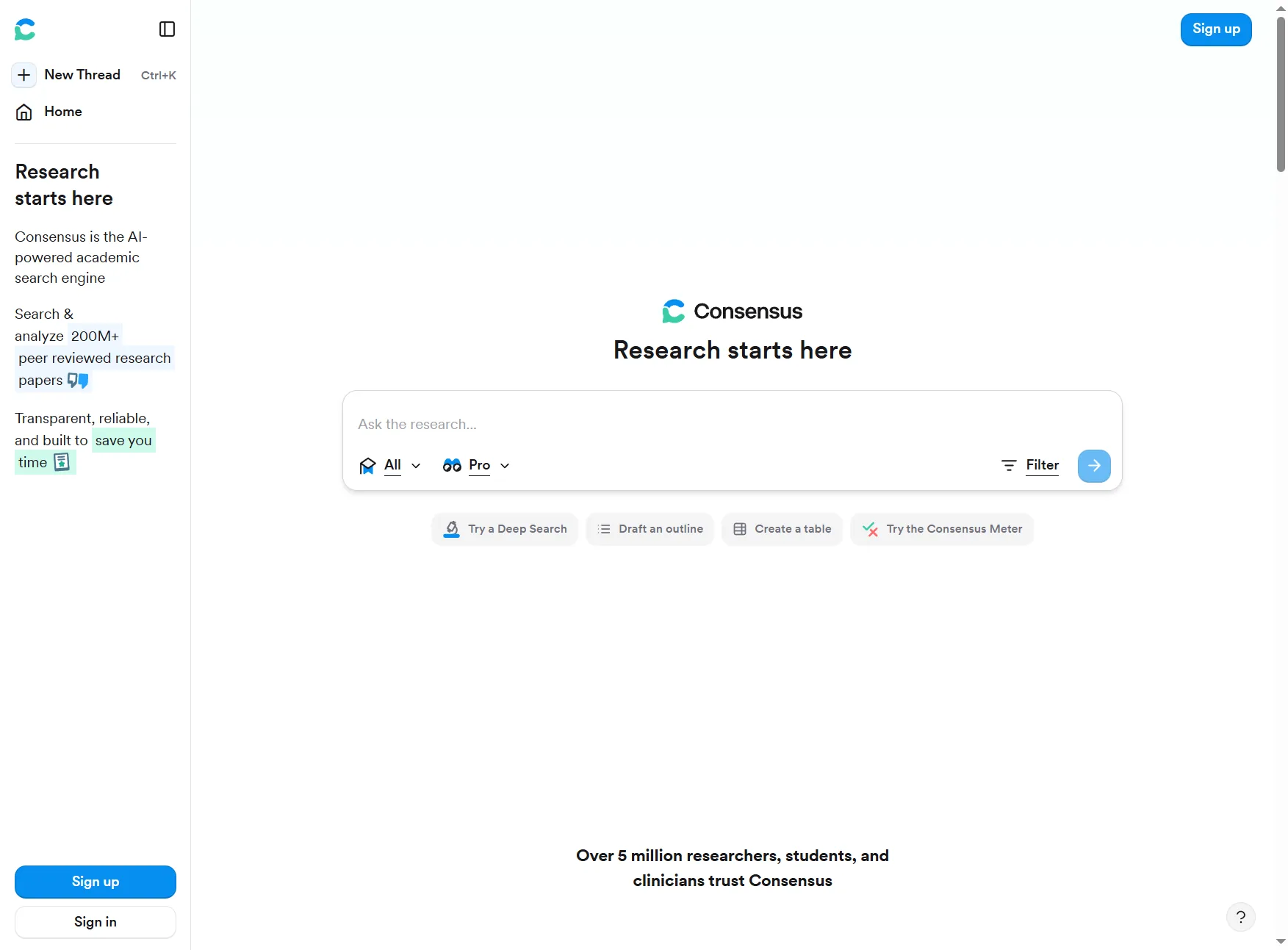
Consensus is laser-focused on one thing: helping you understand what the scientific literature actually says about a topic. It searches 200+ million peer-reviewed papers - drawing from sources like PubMed and Semantic Scholar - and shows you not just individual studies, but the overall scientific agreement. It is one of the standout platforms in the broader AI tools for researchers category.
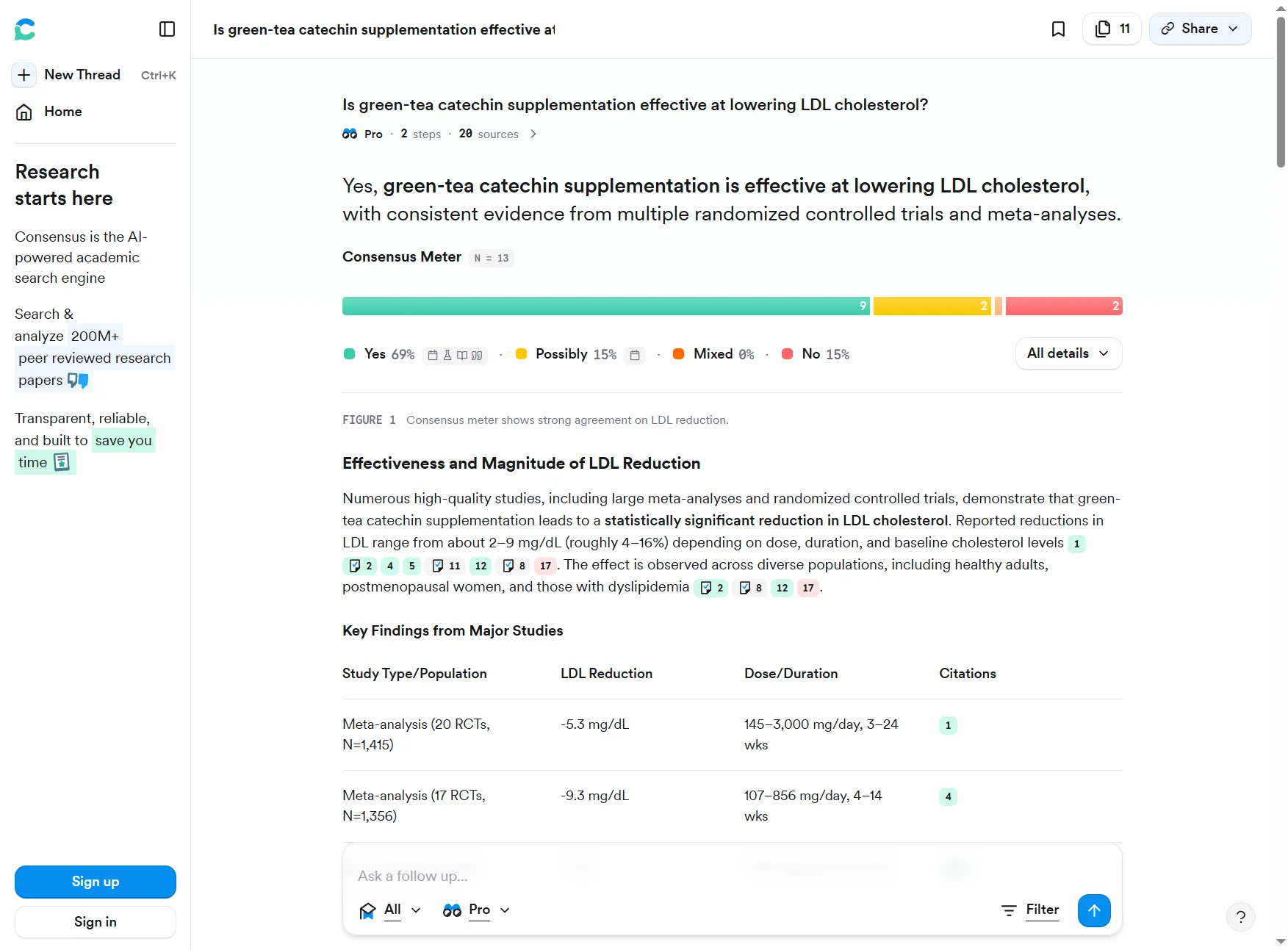
The standout feature is the “Consensus Meter” - it tells you what percentage of papers support a claim. This is invaluable when you’re trying to separate well-supported theories from preliminary findings.
Real-World Testing
I was writing a blog post about productivity methods and wanted to know if the Pomodoro Technique actually improves focus based on research.
Sample query: “Does the Pomodoro Technique improve focus and productivity?”
Result:
- 47 relevant studies analyzed
- Consensus Meter showing 72% of studies support effectiveness
- Summaries of key findings from each study
- Links to full papers (many behind paywalls, but abstracts are always free)
Time savings: ~4 hours compared to manually searching Google Scholar, reading abstracts, and synthesizing findings.
The Unique Value
What makes Consensus different from Perplexity or Google Scholar:
- Agreement Analysis - It doesn’t just find papers; it synthesizes what they collectively conclude
- Academic-only sources - No blog posts, no news articles, only peer-reviewed research
- Study design filters - Filter by randomized controlled trials, meta-analyses, etc.
- Sample size visibility - Quickly identify large, well-powered studies
Pricing Breakdown
Pricing Breakdown
Pricing verified April 2026 from Consensus's pricing page:
- Free: $0/mo
- 25 Pro Searches per month (20 papers each)
- 3 Deep Searches per month (50 papers each)
- Basic AI summaries across 200M+ papers
- Best for: Casual researchers and one-off hypothesis checks
- Pro: $8.99/user/mo annual ($15 monthly)
- Unlimited Pro Searches
- Monthly allotment of Deep Searches
- Pro Analysis features and Study Snapshots
- Best for: Active researchers who need full export and priority results
- Student: $5.39/user/mo annual ($9 monthly)
- All Pro features
- 40% discount with .edu or .ac email
- Student verification required
- Best for: Verified students needing the Pro feature set on a budget
Bottom line: The free tier is surprisingly generous - many users find it sufficient for months before hitting the search limit. Pro is a no-brainer for active researchers, with a Student discount available for verified academics.
What It’s Not Good At
Consensus has clear limitations:
- No real-time data - Only searches published papers (often months or years old)
- Academic-only - Can’t help with market research or current events
- Slow for broad questions - Best when you have a specific, falsifiable hypothesis
Use it when: You need evidence-based answers from peer-reviewed research. Skip it if you’re researching current events or need information published in the last few months.
Who it’s not for: Market researchers, journalists, and content marketers who need recent news or competitor pricing - the academic-only corpus excludes blogs, white papers, and trade publications by design. Skip Consensus if your topic sits outside well-studied disciplines (psychology, medicine, economics, education); on niche engineering topics you’ll see fewer than 10 relevant papers and the Consensus Meter becomes statistically unreliable.
3. Elicit: Systematic Review Automation
Best for: Literature reviews, systematic research, extracting data from multiple papers, academic writing.

What It Actually Does
Elicit is built for researchers doing literature reviews. Instead of manually reading 50 papers to extract key data points, Elicit does it automatically.
It searches 138 million academic papers - the same kind of corpus you would otherwise crawl through arXiv or Google Scholar - then creates tables summarizing key information from each study: methodology, sample size, key findings, limitations. You can customize what data to extract.
Real-World Testing
Elicit was put to the test for a competitive landscape analysis of AI meeting assistant tools. The goal was to understand the state of research around automated note-taking accuracy.
Sample query: “What is the accuracy of AI-powered meeting transcription and summarization tools?”
Result:
- 23 relevant papers identified
- Automated table showing: tool tested, sample size, accuracy metrics, limitations
- Ability to ask follow-up questions about specific papers
- Export to CSV for further analysis
Time savings: ~6 hours compared to reading papers manually and creating the summary table myself.
The Killer Features
What makes Elicit worth paying for:
- Data extraction tables - Automatically pulls methodology, results, and conclusions from papers
- Paper uploads - Upload PDFs you already have, and Elicit will analyze them
- Customizable columns - Tell it what data to extract (e.g., “sample size”, “control group”, “p-value”)
- Citation export - Export to BibTeX, EndNote, or Zotero
Pricing Breakdown
Pricing Breakdown
Pricing verified April 2026 from Elicit's pricing page:
- Basic: $0/mo
- Unlimited search across 125M+ papers
- Summaries for up to 4 papers
- Data extraction from 20 PDFs per month
- Best for: Casual users running occasional literature checks
- Plus: $10/user/mo annual ($12 monthly)
- Everything in Basic
- Data extraction from 50 PDFs
- Unlimited table exports and priority processing
- Best for: Grad students running monthly literature reviews
- Pro: $42/user/mo annual ($49 monthly)
- Everything in Plus
- Systematic review capabilities
- Bulk data extraction with advanced filtering
- Best for: Professional researchers running weekly systematic reviews
- Team: $65/user/mo annual ($79 monthly)
- Everything in Pro
- Collaborative research workspaces
- Shared systematic reviews and team management
- Best for: Research teams (minimum 2 seats) sharing systematic reviews
Recommendation: Basic for casual use. Plus if you’re a grad student. Pro for weekly literature reviews; Team adds shared workspaces for groups.
What It’s Not Good At
Elicit is specialized - it’s not a general research tool:
- No web search - Only searches academic databases
- Slow for exploratory research - Best when you know what you’re looking for
- Academic focus only - Can’t help with market research, current events, or non-academic questions
Use it when: You’re doing a systematic literature review and need to extract structured data from multiple papers. Skip it for general research or quick questions.
Who it’s not for: Casual researchers who only need a couple of papers checked per month - the Basic plan caps data extraction at 20 PDFs/month, and you’ll burn that on a single literature review. Skip Elicit if you also need a writing surface or reference manager; you’ll end up bolting on Zotero plus a separate word processor, and Paperguide already integrates all three. Researchers studying contested or emerging topics may find Elicit’s confidence in extracted “key findings” rows misleading when source papers themselves disagree.
4. Paperguide: All-in-One Academic Research Workflow
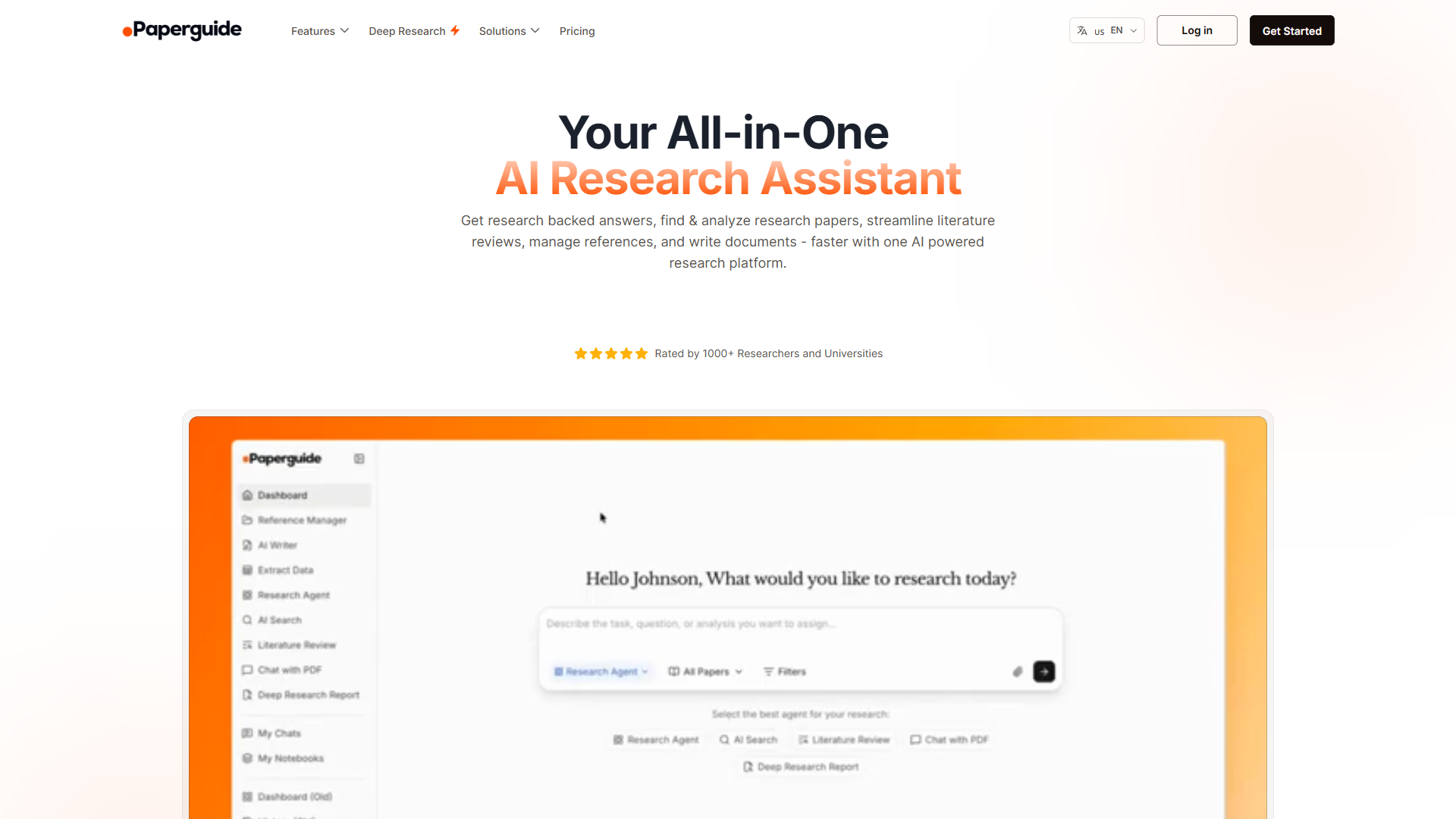
Paperguide is an all-in-one academic research workflow that combines semantic paper discovery, Zotero-integrated reference management, and an AI writer with auto-citations in a single platform.
Best for: Graduate students and PhD researchers who need to go from literature discovery to cited, written drafts without juggling separate tools.
What It Actually Does
Paperguide (full review) covers the full academic research workflow in a single platform: semantic search across 200M+ papers, automated literature review generation, an AI Writer that inserts citations directly from your reference library, and a built-in reference manager with Zotero integration.
Where Elicit excels at structured data extraction and Consensus at consensus-style answering, Paperguide fills the gap between discovery and writing. It is the only tool here that produces a citable draft as an output - not just a ranked list of papers.
The Key Differentiators
Two features separate Paperguide from the alternatives:
- Deep Research mode - Automatically generates structured literature review sections with citations pulled from relevant papers. What would normally take days of reading and synthesis compresses into hours.
- AI Writer with auto-citations - Draft academic prose directly in Paperguide; citations populate from your reference library and format automatically. No copy-pasting between Zotero and a Word doc.
The reference manager also integrates with Zotero, so researchers with an existing library can plug in without rebuilding their collection.
Pricing Breakdown
Pricing Breakdown
Pricing verified April 2026 from Paperguide's pricing page:
- Free: $0/mo
- 1,000 AI credits per month
- 20 AI searches and 2 writer documents per month
- 500MB reference storage
- Best for: Evaluating the platform or one-off literature drafts
- Plus: $12/user/mo annual ($19 monthly)
- 10,000 AI credits and unlimited searches
- Unlimited reference storage and writer word limit
- Plagiarism checker included
- Best for: Active researchers drafting cited literature sections monthly
- Pro: $24/user/mo annual ($35 monthly)
- 40,000 AI credits per month
- 20 AI writer documents per month
- Bulk extraction (50 columns, 100 papers at a time)
- Best for: High-output writers running grant or thesis chapters
- Enterprise: Contact sales
- Unlimited AI credits, searches, and storage
- Centralized billing and member management
- Shared reference manager
- Best for: Labs and institutions needing shared infrastructure
Recommendation: The free tier is enough to evaluate the platform. Plus removes the search limit entirely - strong value for any active researcher.
What It’s Not Good At
- No real-time web research - Searches indexed academic papers only; not suited for news or current events
- Writer document caps - Free users get 2 documents/month; high-output writers need Plus or Pro
- Academic-only scope - Can’t assist with market research, competitive analysis, or non-academic questions
Use it when: You need to go from paper discovery to a written, cited literature section without using three separate tools. Skip it if your research is primarily non-academic.
Who it’s not for: Researchers who already have a fluent Zotero plus Word/LaTeX workflow they trust - Paperguide’s value depends on consolidation, and it doesn’t add capability beyond what Elicit + Zotero already deliver if migration friction is high. Skip Paperguide if you need to draft frequently outside its editor; the AI Writer’s auto-citation magic only works inside Paperguide documents, not in Google Docs or Overleaf. Free-tier users will hit the 2-document/month writer limit on the second project of any given month.
Read the full Paperguide review for detailed feature breakdowns and workflow templates.
Tool Comparison: Which One Should You Use?
Here’s the honest breakdown based on 90+ hours of testing across all four tools.
Quick Comparison Table
This best ai research tools 2026 overview helps you decide quickly.
| Feature | Perplexity | Consensus | Elicit | Paperguide |
|---|---|---|---|---|
| Best For | Current events, market research | Understanding scientific consensus | Literature reviews, data extraction | All-in-one academic workflow |
| Source Type | Web + academic | Academic only | Academic only | Academic only |
| Speed | Fast (seconds) | Medium (10-30 sec) | Slow (30-60 sec) | Medium (10-30 sec) |
| Citation Quality | Excellent | Excellent | Excellent | Excellent |
| Free Tier | 5 searches/day | 20 searches/month | 5,000 credits/month | 20 searches/month |
| Paid Tier | $20/month | $9/month | $10-$42/month | $12/month (annual) |
| Real-time Data | Yes | No | No | No |
| Data Extraction | No | Basic | Advanced | Good |
| AI Writing | No | No | No | Yes |
| Learning Curve | Low | Low | Medium | Medium |
Use Case Recommendations
Choose Perplexity if you need:
- Fast answers to current questions
- Market research and competitive analysis
- News and trend monitoring
- General research across multiple domains
- Real-time information (last 7 days to present)
Choose Consensus if you need:
- Evidence-based answers from peer-reviewed research
- Understanding scientific agreement on a topic
- Quick validation of hypotheses
- Academic research for blog posts or content (pair it with an AI content writing workflow for end-to-end efficiency)
- To avoid reading 50+ abstracts manually
Choose Elicit if you need:
- Systematic literature reviews
- Data extraction from multiple papers
- Academic writing with comprehensive citations
- Methodology comparison across studies
- To organize and analyze papers you’ve already collected
Choose Paperguide if you need:
- An all-in-one academic workflow (discovery + writing + reference management)
- Automated literature review section drafts with auto-citations
- A Zotero-integrated environment without separate app switching
- Graduate-level depth without the tool fragmentation of Elicit + Zotero + Word
Recommended Setup
Each tool fills a distinct role:
- Content research (70% of work): Perplexity Pro ($20 per month)
- Fact-checking claims (20%): Consensus Free (most users stay within the limit)
- Deep research projects (10%): Elicit Plus ($10 per month) for literature reviews - see the research faster with AI guide for workflow templates
- All-in-one academic writing: Paperguide Plus ($12 per month annual) replaces Elicit + Zotero + a writing tool for researchers who draft as they research
Total monthly cost: $30-42 for a research stack that saves 10-15 hours per week. The ROI is substantial.
Integration Tips: Building a Research Workflow
The real power comes from combining these tools strategically. Here is a proven workflow for any major research project:
Step 1: Broad Exploration (Perplexity)
Start with Perplexity to understand the landscape:
- What are the main topics and subtopics?
- What questions keep coming up?
- Who are the key researchers or companies?
- What’s happened in the last 6 months?
Step 2: Validate with Science (Consensus)
Take your findings to Consensus:
- Are the claims supported by peer-reviewed research?
- What’s the scientific agreement level?
- What do meta-analyses say?
- Are there conflicting findings I need to address?
Step 3: Deep Dive (Elicit)
If you need comprehensive analysis, move to Elicit:
- Extract structured data from relevant papers
- Compare methodologies across studies
- Create evidence tables for your report
- Export citations for your bibliography
Real Example: Blog Post Research
For the AI Tools for Solopreneurs post, here is how these tools contributed:
-
Perplexity: “What AI tools are solopreneurs using in 2026? Focus on productivity, automation, and content creation.”
- Got current tool landscape and emerging trends
- Identified 12 categories worth exploring
-
Consensus: “Does AI-assisted content creation improve productivity for solo entrepreneurs?”
- Found 34 relevant papers
- 68% supported productivity gains (with caveats)
- Discovered research on quality vs speed trade-offs
-
Elicit: (Not needed for this post - Perplexity + Consensus were sufficient)
Total research time: 1.5 hours (would have been 6-8 hours with traditional methods)
Cost Analysis: Is It Worth Paying?
Let’s do the math on whether paid plans make sense.
The Time Value Calculation
Assumptions:
- Average research task: 3 hours manually
- Average research task with AI tools: 45 minutes
- Time saved per task: 2.25 hours
- Your hourly rate: $50 (adjust for your situation)
Value of time saved per task: $112.50
If you research once per week:
- Time saved per month: 9 hours
- Value created: $450
- Tool cost: $30 (Perplexity Pro + Elicit Plus)
- Net gain: $420 per month
If you research once per month:
- Time saved per month: 2.25 hours
- Value created: $112.50
- Tool cost: $30
- Net gain: $82.50 per month
Even at once-per-month usage, paid tiers pay for themselves if your time is worth $50/hour or more. Researchers who rely on these tools daily see the biggest returns.
Free Tier Strategy
You can use all four tools effectively for $0 per month if you’re strategic:
- Perplexity Free: 5 searches/day = 35/week. Use it for quick lookups.
- Consensus Free: 20 searches/month. Reserve for validating key claims.
- Elicit Free: 5,000 credits. Use for 1-2 literature reviews per month.
- Paperguide Free: 20 AI searches/month + 2 writer documents. Enough to draft one literature section per month.
This is plenty for casual research or if you’re just getting started.
Common Mistakes & How to Avoid Them
After watching 20+ people try these tools, here are the mistakes that waste time:
Mistake 1: Treating AI Research Like Google
The mistake: Typing short, vague queries like “productivity tools” or “marketing strategies.”
Why it fails: AI research tools work best with specific, contextual questions. Vague queries give generic answers.
Fix: Use the RICE framework from the ChatGPT prompts guide:
- Role: “You are a competitive intelligence analyst…”
- Instructions: “Compare these 5 tools on pricing, features, and target market…”
- Context: “I’m researching for a blog post targeting solopreneurs…”
- Examples: “Format the comparison like: [show example]“
Mistake 2: Not Verifying Citations
The mistake: Trusting AI-generated citations without clicking through to verify.
Why it fails: AI tools occasionally hallucinate citations or misinterpret source content.
Fix: Click at least 3 citations per research task. If the source doesn’t say what the AI claims, adjust your query or use different search terms.
Pro tip: Perplexity’s citations are the most reliable based on analysis. Consensus occasionally mischaracterizes study conclusions. Always verify for important claims - Anthropic’s Claude documentation outlines similar guardrails for citation-grounded responses.
Mistake 3: Using the Wrong Tool
The mistake: Using Consensus for current events, or Perplexity for deep academic research.
Why it fails: Each tool is optimized for specific use cases. Forcing them outside those use cases wastes time.
Fix: Use this decision tree:
- Need info from the last 30 days? → Perplexity
- Need scientific consensus? → Consensus
- Need data extraction from papers? → Elicit
- Need discovery + writing + citations in one place? → Paperguide
Mistake 4: Over-Researching
The mistake: Spending 3 hours getting perfect information when “good enough” would work.
Why it fails: These tools are so good that it’s easy to fall into infinite research rabbit holes.
Fix: Set a timer. Decide upfront: “I’m spending 30 minutes on this research task, then moving to writing.” AI tools make research faster, but they can also enable procrastination. If data analysis is part of your workflow, dedicated AI tools for data analysis handle the number-crunching step so you can stay focused on synthesis.
Frequently Asked Questions
These answers address the most common questions about choosing, pricing, and combining the best AI research tools for academic research and market research workflows in 2026.
Can these tools replace Google Scholar?
Yes, these tools replace Google Scholar for roughly 90% of academic tasks. Consensus and Elicit provide better synthesis than Scholar’s raw results. Use Scholar only for obscure or pre-2010 research.
Do these tools work for non-English research?
Perplexity: 100+ languages. Consensus, Elicit, Paperguide: Primarily English. For non-English academic papers, use discipline-specific databases.
How accurate are the AI summaries?
Perplexity: 85-90%. Consensus: 80-85%. Elicit: 75-85%. Paperguide: 80-85% (writing with citations). Always verify before publishing.
Can I use these for commercial research?
Yes, all four allow commercial use on paid and free tiers. Check each tool’s terms of service for specific limitations.
Which tool is best for blog research?
Perplexity Pro - fast answers, current web data, inline citations. Use Consensus when you need peer-reviewed backing.
Do these tools work offline?
No. All are cloud-based, querying massive databases and running AI models.
Final Verdict: Best AI Research Tools 2026 - Which One Should You Choose
Across all the platforms evaluated, here is the honest recommendation:
For Most People: Start with Perplexity Free
If you’re not sure which tool to try first, start with Perplexity’s free tier. It’s the most versatile, has the gentlest learning curve, and 5 searches per day is enough to prove value.
Upgrade to Pro ($20 per month) when you hit the daily limit regularly.
For Students & Researchers: Add Consensus Free
If you’re writing papers, doing literature reviews, or need to cite peer-reviewed research, add Consensus. The free tier’s 20 searches per month is surprisingly generous.
Upgrade to Plus ($9 per month) when you run out of searches mid-month.
For Professional Researchers: Add Elicit Plus
If you’re doing systematic literature reviews or need to extract data from multiple papers, Elicit Plus ($10 per month) is worth it from day one. The free tier’s 5,000 credits will last about a week of heavy use.
For Graduate Students & Academic Writers: Consider Paperguide Plus
If you need to go from paper discovery to a written, cited draft without switching between Elicit, Zotero, and a word processor, Paperguide Plus ($12 per month annual) consolidates all three. Particularly well-suited to thesis chapters and grant writing.
The “I Do Research Weekly” Stack
If research is a regular part of your job, the working stack is Perplexity Pro for current web research and citations, Consensus Pro on annual billing for evidence-based answers from peer-reviewed papers, and Elicit Plus when you need structured data extraction across multiple papers. Pricing for each tier above is auto-updated from canonical tool data, so check the breakdowns earlier in this guide for current numbers.
This stack saves 10-15 hours per week. Even if it only saves you 5 hours per week, the ROI is massive.
Next Steps
The best way to understand these tools is to use them. Here are the top recommendations:
- Pick one task you’re currently researching manually
- Try Perplexity Free for that task (no signup required)
- Time how long it takes vs manual research
- Verify the citations (click through to check accuracy)
If it saves you time and the accuracy is good, you’ve found your answer. If not, try Consensus or Elicit depending on your use case.
Final Thoughts
The research landscape changed dramatically. These best AI research tools 2026 are the reason why. Whether you need real-time web research, scientific consensus, systematic literature reviews, or an all-in-one academic writing platform, the right tool can save you 10+ hours weekly. Start with Perplexity’s free tier, add Consensus for academic validation, bring in Elicit for data extraction, and consider Paperguide if you need to produce cited drafts as part of your workflow.
Related Reading
Related reading covers every AI research tool reviewed in this guide plus deeper workflows for students, freelance writers, and productivity teams. Tools covered in this article:
- Perplexity - AI-powered research engine with real-time citations and source verification
- Consensus - Evidence-based answers from 200M+ scientific papers
- Elicit - Systematic review automation with structured data extraction across 138M+ papers
- Paperguide - All-in-one academic research: 200M+ papers, literature review automation, AI writing with citations
More research and productivity guides:
- Perplexity Tips & Tricks - Advanced techniques for better research
- ChatGPT Prompts 2026 - RICE framework for AI queries
- AI Tools for Freelance Writers - Research tools for content creation
- Best AI Writing Tools 2026 - AI writing tools compared
- Best AI Assistants for Productivity - AI assistants overview
External Resources
External resources link directly to each vendor’s official blog so you can verify pricing, feature changes, and roadmap updates straight from the source. For official documentation and updates from these AI research tools:
- Perplexity Blog - Product updates and AI search feature announcements
- Consensus Blog - Scientific research insights and platform updates
- Elicit Blog - Research automation tips and new feature releases
- Paperguide Blog - Academic research workflows and AI writing guidance