


The best AI logo generators 2026 are Canva and Midjourney - Canva for fast, deployment-ready branding and Midjourney for artistic, one-of-a-kind concepts. A few years ago, getting a logo meant hiring a designer for $500 to $2,000, waiting two weeks for concepts, then enduring another week of revisions. Today these AI tools produce professional-quality logos in minutes - yet most “best of” lists throw 14 tools at you without telling you which ones actually deliver usable results.
This guide skips surface-level coverage of every tool with a logo feature and focuses on the two platforms that genuinely stand out for AI-powered logo creation in 2026. Each serves a fundamentally different type of user, and understanding that distinction will save you hours of trial-and-error and hundreds of dollars in wasted subscriptions.
This comparison draws on each vendor’s current pricing and feature documentation plus independent research, not sponsored placement. AI Productivity may earn a commission from links on this page, but our rankings are editorially independent.
Methodology: Why the Best AI Logo Generators 2026 Changed Branding
The economics of logo design have shifted dramatically. A professional designer on Upwork charges $200 to $1,500 for a logo package, and design agencies start at $2,500 - a genuine barrier for solopreneurs and small businesses launching products quickly. AI logo generators solve the cost problem, but the real productivity gain comes from speed: a traditional linear process of brief, concepts, feedback, and revisions takes 1 to 3 weeks, while AI tools generate dozens of concepts in an afternoon.
Not all AI logo generators are equal, though. Many dedicated logo maker tools - Looka, Brandmark, Hatchful - rearrange pre-built elements, so results feel generic across thousands of businesses. The two tools reviewed here use genuine AI generation for truly unique outputs.
What to Look For in an AI Logo Generator
Six criteria matter most when evaluating an AI logo generator from a productivity standpoint:
- Time-to-logo - How quickly can you go from idea to a usable file?
- Output quality - Will it hold up on business cards, websites, and social media?
- File format support - Do you get vector/SVG output, or just raster images?
- Brand kit integration - Can you build a complete visual identity?
- Cost per use - What does each logo concept cost given the subscription?
- Iteration speed - How fast can you generate and refine variations?
Canva: The Complete Branding Toolkit
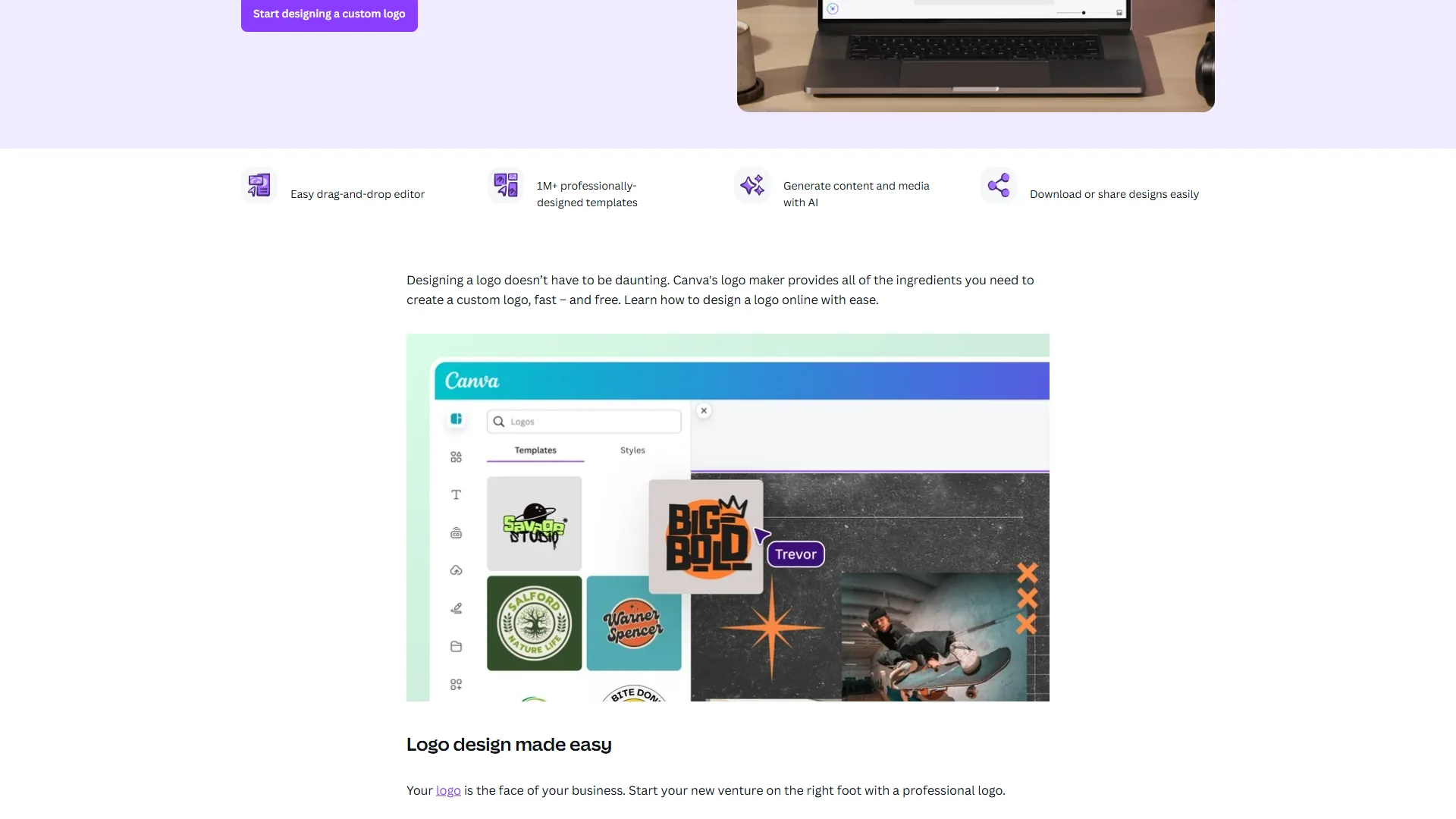
Canva is a full design platform with one of the most capable logo creation workflows available, letting you create a logo and deploy it across your website, social profiles, business cards, and marketing materials from one place - because a logo rarely exists in isolation.
Why Canva Wins for Most Small Businesses:
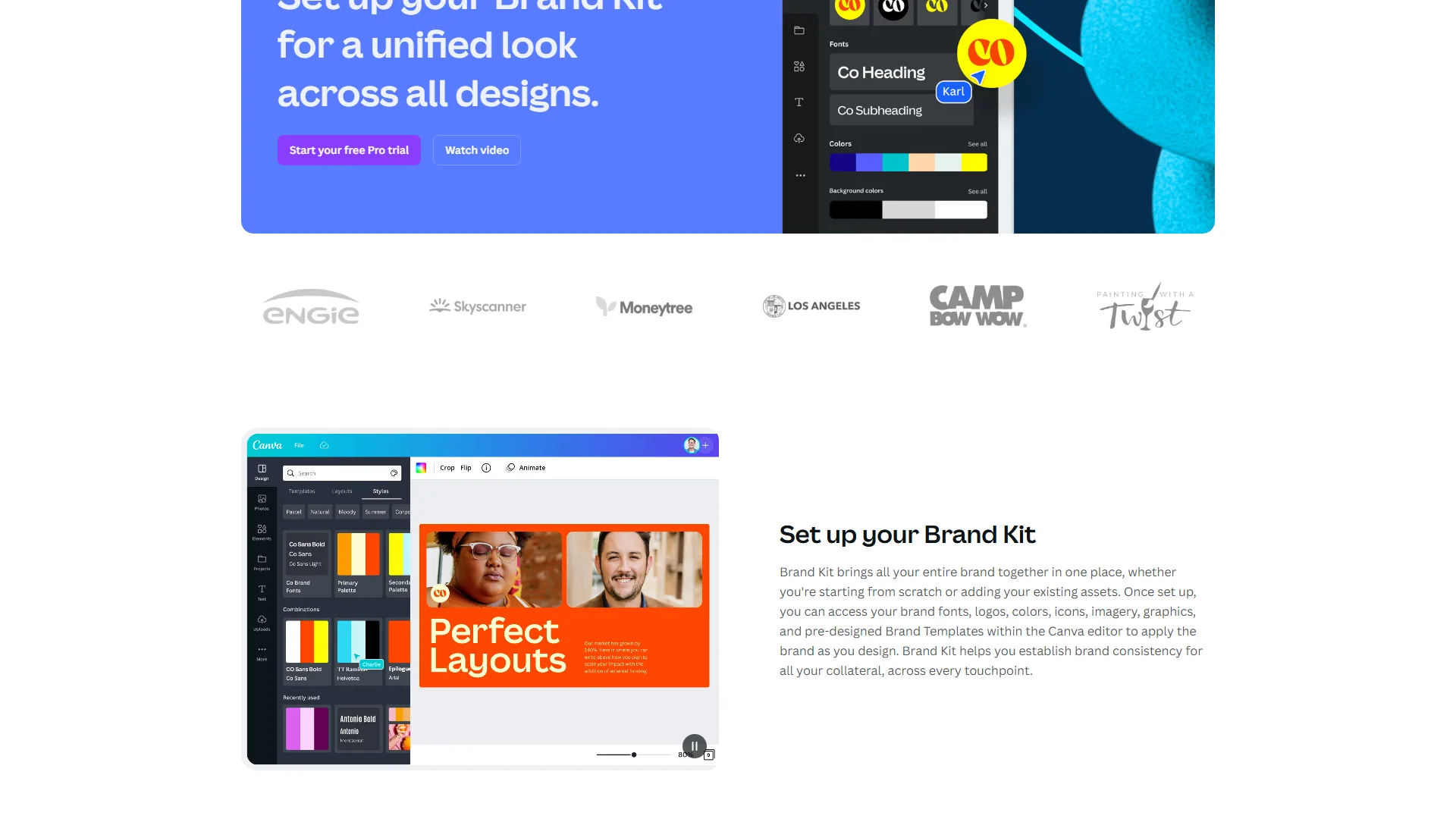
The Logo Maker gives you thousands of professionally designed templates, but the real power comes from Canva’s AI features. Magic Design generates logo concepts from a text description of your brand, producing multiple customizable options. The Brand Kit feature (Pro and above) then stores your finalized logo alongside your color palette and fonts, so every future design automatically pulls from those assets.
Key Features for Logo Creation:
- Logo Maker with thousands of customizable templates across industries
- Magic Design generates logo concepts from text descriptions
- Brand Kit stores your logo, colors, and fonts for consistent application
- Magic Resize adapts your logo for different platforms in one click
- 140M+ premium assets including icons, illustrations, and fonts for customization
- Background Remover creates transparent PNG versions instantly
- SVG export available on Pro plans for vector logo files
Pricing Breakdown:
| Plan | Monthly Price | Logo-Relevant Features |
|---|---|---|
| Free | $0 | Basic logo templates, limited assets, PNG export |
| Pro | $12.99/mo | Full template library, Brand Kit, SVG export, Magic Studio (500 AI credits/mo) |
| Business | $20/mo per user | Team brand controls, approval workflows, unlimited storage |
| Enterprise | Custom | SSO, advanced governance, dedicated support |
Time and Cost: From opening Canva to a finished logo file takes 15 to 45 minutes for most users - the fastest reliable path for someone who needs a logo today. The Free plan costs $0 with limited customization; Pro at $12.99 per month includes unlimited design access across all project types, so the effective cost drops sharply for anyone using Canva for other graphics.
Best For: Small businesses, solopreneurs, and marketing teams who need a professional logo built into a complete brand system.
Limitations: The template-based approach means your logo, while professional, may not be completely unique. For something truly one-of-a-kind, Canva works better as a starter you refine.
Midjourney: Artistic AI Generation for Unique Logos
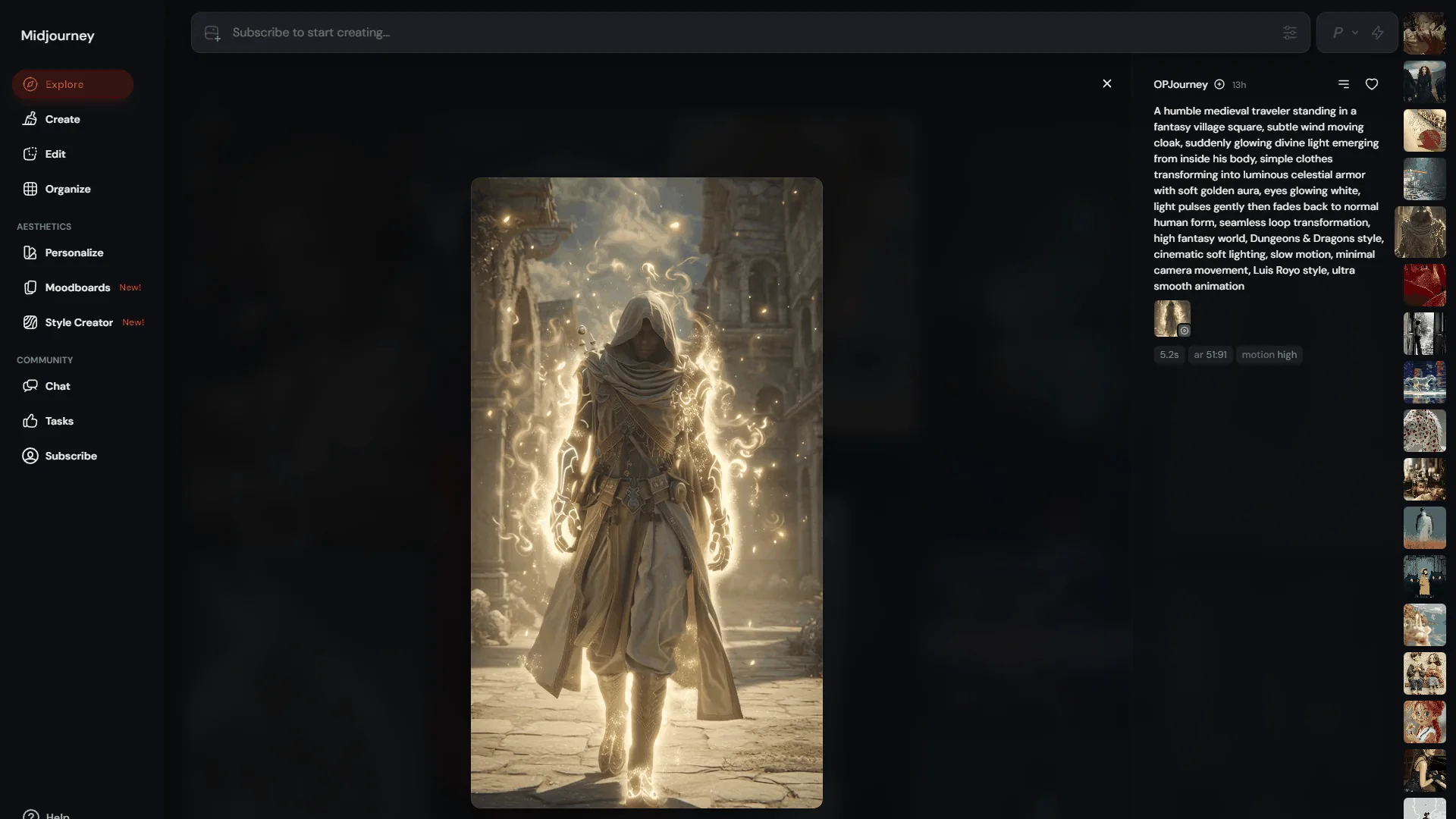
Midjourney is an AI image generation platform - not a logo tool - but its V7 model produces some of the most visually striking logo concepts available from any AI system. It is the tool to explore for a logo that looks like it came from a high-end design studio.
Why Midjourney Stands Out for Creative Logos:
Midjourney generates artistic logos through its V7 image model, making it the strongest AI logo design app for brands that want distinctive, studio-quality concepts rather than templates. The V7 model, released in April 2026, brought precision and style control that makes logo generation genuinely viable. The Midjourney quick start guide covers the prompting fundamentals for better results from the first session. Previous versions struggled with text rendering and clean geometric shapes - both critical for logos - and V7 handles these significantly better, though it still requires careful prompting and post-processing.
Where Midjourney excels is artistic direction. You can specify style references, artistic movements, color palettes, and composition rules in your prompts, producing a sophistication that template-based tools cannot match - for design studios and premium consumer brands, the concepts feel hand-crafted rather than algorithmically assembled.
Key Features for Logo Generation:
- V7 Model with improved text rendering and geometric precision
- Draft Mode generates concepts 10x faster for rapid exploration
- Style Reference matches your prompt to visual examples for consistent output
- Omni Reference (Pro plan) provides advanced control over style, character, and composition
- Stealth Mode (Pro/Mega) keeps your logo concepts private
- Personalization learns your aesthetic preferences over time
- High-resolution upscaling for print-ready output
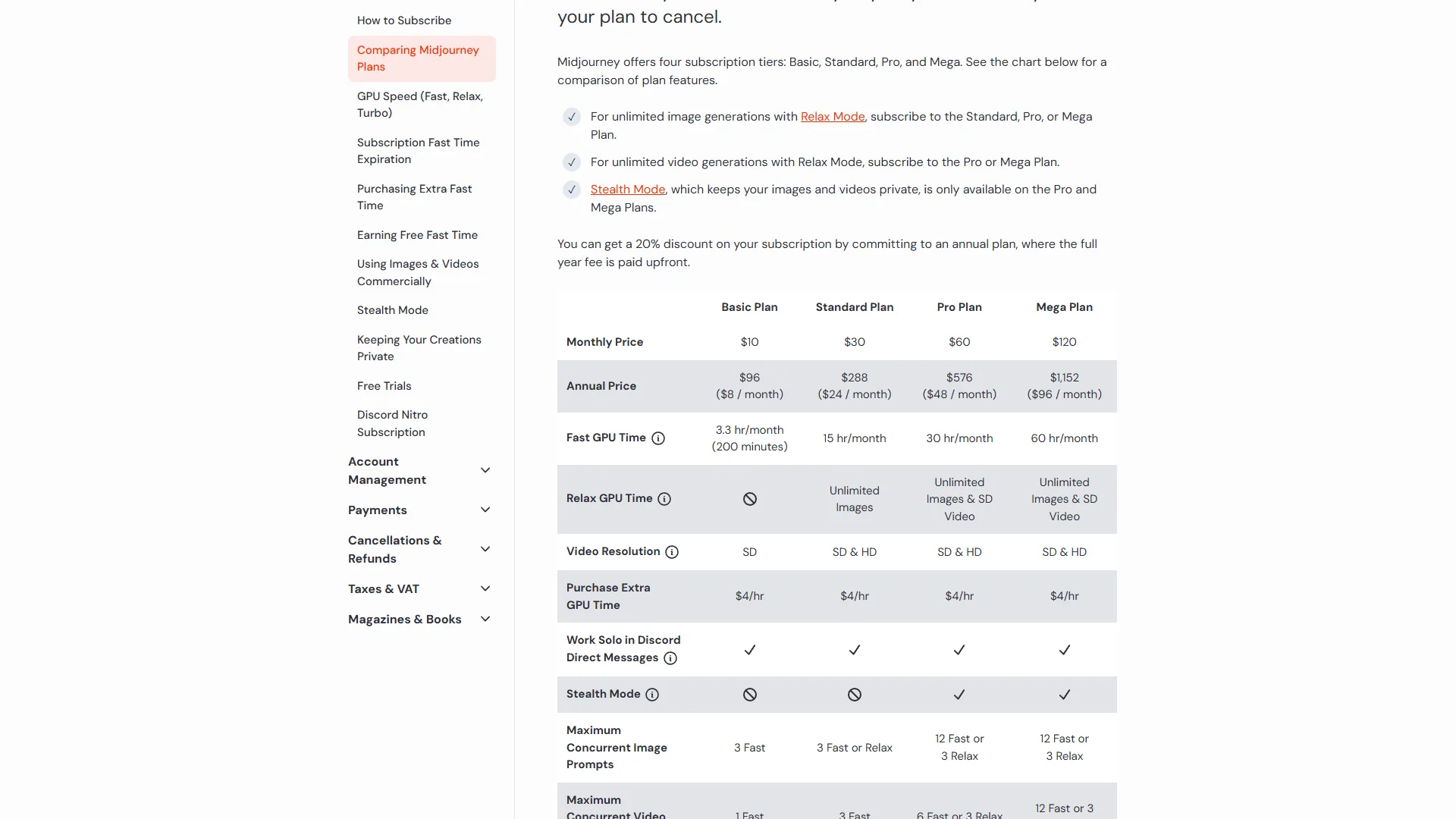
Pricing Breakdown:
| Plan | Monthly Price | Annual Price | GPU Time | Logo Relevance |
|---|---|---|---|---|
| Basic | $10/mo | $8/mo | ~3.3 hrs Fast (~200 images) | Enough for a focused logo project |
| Standard | $30/mo | $24/mo | ~15 hrs Fast + Unlimited Relax | Comfortable for extensive exploration |
| Pro | $60/mo | $48/mo | ~30 hrs Fast + Stealth mode | Privacy for client work |
| Mega | $120/mo | $96/mo | ~60 hrs Fast | Overkill for logos alone |
Time and Cost: From first prompt to a refined logo concept takes 2 to 6 hours - significantly longer than Canva, because you are exploring creative territory rather than customizing a template. On the Basic plan at $10 per month with roughly 200 image generations, each concept costs about $0.05, so a full project of 50 to 100 generations totals just $2.50 to $5.00.
The Post-Processing Reality:
Midjourney outputs raster images, not vector files - what most “best AI logo generator” articles skip. A Midjourney logo is a starting point, not a finished deliverable. You will need to:
- Vectorize the output with Adobe Illustrator’s Image Trace or a free alternative like Vectorizer.ai
- Clean up the geometry for clean lines and consistent shapes
- Test at small sizes since AI-generated detail can become noise at favicon scale
- Create variations - one-color, reversed, horizontal and vertical - for different use cases
This adds 1 to 3 hours but results in a genuinely unique logo - worth it where distinctiveness matters.
Best For: Creative professionals and design-forward brands who want a truly unique logo concept or visual direction that a designer then refines into final brand assets.
Limitations: No built-in brand kit or template system, outputs require vectorization, and the interface has a learning curve. No free tier means committing $10 before seeing results - not ideal for someone who needs a deployment-ready logo with zero design skills.
Comparison Table: Canva vs Midjourney for Logos
Canva and Midjourney differ most on speed versus uniqueness: Canva finishes a deployment-ready logo in 15 to 45 minutes from free, while Midjourney takes 2 to 6 hours but generates an original mark from $10 per month.
| Factor | Canva | Midjourney |
|---|---|---|
| Time to finished logo | 15-45 minutes | 2-6 hours (including post-processing) |
| Creative uniqueness | Moderate (template-based) | High (AI-generated from scratch) |
| Brand kit integration | Built-in | None (manual process) |
| Vector/SVG output | Yes (Pro plan) | No (requires vectorization) |
| Minimum cost | Free | $10/month |
| Learning curve | Low | Moderate to High |
| Best output quality | Professional and clean | Artistic and distinctive |
| Multi-format deployment | One-click resize | Manual adaptation |
| Commercial rights | Clear on all plans | General terms (under $1M revenue); full terms on Pro+ |
Pro Tips: Workflow Integration
The fastest AI logo workflow is a Canva-only path that delivers a deployed brand identity in about 1 to 1.5 hours, while the hybrid Midjourney-plus-Canva path takes 4 to 6 hours but produces a unique mark.
The Fast Track (Canva-Only Workflow)
To deploy a logo and complete brand identity within a day: generate concepts in Canva Logo Maker (15 min), customize your top pick with brand colors and fonts (15 min), save to Brand Kit (5 min), export in PNG, SVG, and favicon sizes (5 min), then deploy across social profiles, website, and email using Canva templates (30 min). Total: roughly 1 to 1.5 hours from concept to fully deployed brand identity.
The Premium Path (Midjourney + Post-Processing)
For a unique, artistically sophisticated logo when you have time for refinement: explore concepts in Midjourney with style-guided prompts (1-2 hrs), refine your top 3 with variation and upscaling (30 min), vectorize using Illustrator or Vectorizer.ai (30 min), clean and adapt into full-color, one-color, and icon-only variations (1-2 hrs), then import into Canva for deployment (30 min). Total: roughly 4 to 6 hours, with a genuinely one-of-a-kind result.
The Hybrid Approach (Best of Both)
Many professionals use both tools together: generate the concept in Midjourney, vectorize it into a clean mark, then import it into the Canva Brand Kit for consistent deployment. The combined cost is $10 to $13 per month - still a fraction of a single freelance design session.
ROI Calculator: AI Logo Generators vs Traditional Design
The numbers below compare every route, from a free Canva logo to a $10,000 agency engagement.
| Approach | Cost | Timeline | Revisions | Output |
|---|---|---|---|---|
| Freelance designer | $200-$1,500 | 1-3 weeks | 2-3 rounds typical | Polished, unique, all formats |
| Design agency | $2,500-$10,000+ | 3-8 weeks | Structured feedback process | Premium quality, brand guidelines |
| Canva Logo Maker | $0-$12.99/mo | 15-45 minutes | Unlimited self-service | Professional, template-based |
| Midjourney + cleanup | $10/mo | 2-6 hours | Unlimited generations | Artistic, unique concept |
| Dedicated logo tools (Looka, etc.) | $20-$65 one-time | 10-30 minutes | Limited without repurchase | Template-assembled |
For a solopreneur, Canva’s free logo maker delivers most of the quality at none of the cost. For a startup that needs to stand out, $10 on Midjourney and 4 hours of exploration produces results that rival $500-plus designer concepts. The best ai logo generators 2026 have not replaced professional designers for complex branding, but they have eliminated the cost barrier for businesses that previously went without.
Pro Tips for Better AI-Generated Logos
Better AI-generated logos come down to five practices: writing specific brand-personality prompts, designing for the smallest use case, testing on real backgrounds, creating a single-color variant, and checking for trademark similarities.
Be specific about your brand personality. “Modern tech company logo” produces generic results; “minimalist geometric logo for a cybersecurity startup, navy blue and silver, conveying trust and precision” gives the AI something concrete.
Think about where your logo will live. A detailed illustration becomes unreadable as a favicon. Design for the smallest use case first - if it works at 32x32 pixels, it works everywhere.
Test on real backgrounds. AI tools tend to generate logos on clean backgrounds. Drop yours onto an actual photo or a colored business card mockup before committing.
Create a simple version. Every logo needs a single-color variant for small sizes. If yours relies on gradients or fine detail, create a flat version for contexts where those do not reproduce well.
Check for unintentional similarities. Run a reverse image search on your finalized concept. AI models are trained on existing designs and occasionally produce output resembling existing trademarks - a quick check avoids legal issues later.
The Bottom Line
Choose Canva for fast, deployment-ready branding and Midjourney for artistic distinctiveness - at a combined cost of under $25 per month, running both gives most businesses the strongest result. For most small businesses and solopreneurs (the audience our Canva alternatives roundup also serves), Canva is the practical choice: it delivers professional logos fast, integrates them into a complete brand system, and the free tier means zero financial risk.
One caution applies to every AI-generated mark: a logo is only protectable if it is original.
“The more unique the mark, the easier it will be to protect,” states the United States Patent and Trademark Office in its guidance on choosing a strong trademark.
Midjourney’s terms of service confirm that paid subscribers own the assets they create, subject to the listed conditions - so a final reverse-image check matters before you adopt any concept.
For brands where visual distinctiveness is a competitive advantage, Midjourney produces concepts that template tools cannot match (see our best AI design tools 2026 for the full ecosystem). The smartest approach is to use both: Midjourney for creative exploration and Canva for refinement and deployment - a branding toolkit that once cost thousands.
FAQ
Common questions about choosing an AI logo generator cover tool selection, free options, and how AI compares to a marketplace designer.
Q: Which AI is best for image generation 2026?
When choosing between the best ai logo generators 2026, the smartest approach is to use both: Midjourney for creative exploration and concept generation, Canva for refinement, brand management, and deployment.
Q: What is the most powerful AI logo generator?
Here is what most “best AI logo generator” articles skip: Midjourney outputs raster images, not vector files. A logo produced by Midjourney is a starting point, not a finished deliverable.
Q: Which is the best AI to use in 2026?
Your brand needs a logo. A few years ago, that meant hiring a designer for $500 to $2,000, waiting two weeks for concepts, then enduring another week of revisions.
Q: What is the best AI influencer generator in 2026?
Here is what most “best AI logo generator” articles skip: Midjourney outputs raster images, not vector files. A logo produced by Midjourney is a starting point, not a finished deliverable.
Q: What is the most powerful AI logo generator in 2026?
For artistic distinctiveness, Midjourney’s V7 model produces the most visually striking logo concepts of any AI system. For practical all-in-one branding, Canva is more powerful thanks to its Magic Design, Brand Kit, and one-click deployment. The most powerful choice depends on whether you prioritize creative uniqueness or complete brand deployment.
Q: What are the best AI logo generators 2026 free options?
Canva is the strongest free choice among the best AI logo generators 2026 free tier offers, delivering basic logo templates and PNG export at no cost. Canva’s free plan also doubles as an AI brand kit generator once you upgrade, since the Brand Kit feature stores your logo, colors, and fonts on Pro.
Q: Is there a genuinely free AI logo generator?
Canva is the most capable free AI logo generator free of charge for basic use, offering usable templates, PNG export, and AI-assisted customization. Vector SVG output requires the Pro plan at $12.99 per month.
Q: How do AI logo tools compare to a Fiverr logo Maker?
A Fiverr logo Maker gig typically costs $20 to $150 and takes a few days, while Canva produces a comparable result in 15 to 45 minutes. AI tools win on speed and iteration; a human designer still wins on complex brand strategy.
Related Reading
These guides cover both tools plus the wider AI design ecosystem.
Tools covered in this article:
- Canva - All-in-one design platform with AI-powered logo maker and Brand Kit
- Midjourney - AI image generation for artistic, unique logo concepts
Other tools mentioned:
- Linear - Project management for product teams
More design and branding guides:
- Best AI Design Tools 2026 - Full roundup of AI-powered design platforms
- AI Image Generation Tips - Master prompt engineering for better visual output
- Canva Alternatives - Other design platforms worth considering
- Best AI Image Generators for Professional Marketing in 2026 - AI image generators for marketing teams
- AI Productivity Trends 2026: What Actually Works (and What Doesn’t)
External Resources
These vendor resources let you start a logo project directly.
- Canva Logo Maker - Free online logo creation tool
- Midjourney Documentation - Official guides and prompt reference