In 2026, the shift to remote and hybrid work isn’t temporary anymore. It’s the new normal. And if you’re managing a distributed team, you’ve probably learned the hard way that remote collaboration requires more than just good intentions and weekly Zoom calls.
The challenge isn’t just staying connected — it’s maintaining the spontaneous collaboration, quick feedback loops, and cultural cohesion that happen naturally in an office. Without the right tools, remote work becomes a series of missed messages, version control nightmares, and meetings that could have been emails (or emails that should have been meetings).
But here’s the good news: the right collaboration stack can make your distributed team more productive than they ever were in person. Tools like Google Workspace with Gemini AI integration have transformed remote collaboration from a compromise into a competitive advantage. Companies using comprehensive collaboration platforms report 14% productivity gains and save employees an average of 1.5 hours per week.
In this guide, I’ll break down what actually matters in remote collaboration tools, spotlight the platforms worth investing in, and help you build a tech stack that works for your team’s specific needs — not just what’s trending on Product Hunt.
What Makes a Great Remote Collaboration Tool
Before we dive into specific tools, let’s establish what separates genuinely useful collaboration platforms from glorified chat apps with venture capital funding.
Real-time collaboration isn’t optional anymore. The days of emailing Word documents back and forth with “v3_final_FINAL” filenames are over. Your tools need to support simultaneous editing where multiple team members can work on the same document, spreadsheet, or presentation at the same time. This isn’t a nice-to-have feature — it’s table stakes.
Async-first design matters more than you think. Not everyone on your distributed team is working 9-5 Eastern Time. Great collaboration tools need to work just as well for someone leaving a detailed comment at 11 PM their time as they do for someone hopping on a video call at 2 PM. Look for platforms with robust commenting systems, video messaging capabilities, and comprehensive notification controls.
Integration depth determines actual productivity gains. A tool that works beautifully in isolation but doesn’t talk to anything else creates more friction than it solves. The best collaboration platforms either integrate deeply with your existing workflow (looking at you, Google Workspace) or offer extensive third-party integrations. Slack’s 2,400+ app integrations exist for a reason.
AI assistance should feel invisible. The newest generation of collaboration tools includes AI features that actually save time — smart compose in email, automated meeting summaries, intelligent search that finds what you meant rather than what you typed. But the best AI features are the ones you barely notice because they’re so seamlessly integrated into your workflow.
Security and compliance can’t be afterthoughts. If you’re handling customer data, financial information, or really anything beyond casual conversation, you need enterprise-grade security. Two-factor authentication, granular permissions, audit logs, and compliance certifications (SOC 2, GDPR, HIPAA when relevant) should be standard, not upsells.
The platform should reduce, not increase, cognitive load. Every new tool adds mental overhead. The question isn’t “does this tool have features” but “does this tool eliminate more friction than it creates?” The best collaboration platforms feel intuitive within days, not weeks.
Google Workspace: The All-in-One Collaboration Hub
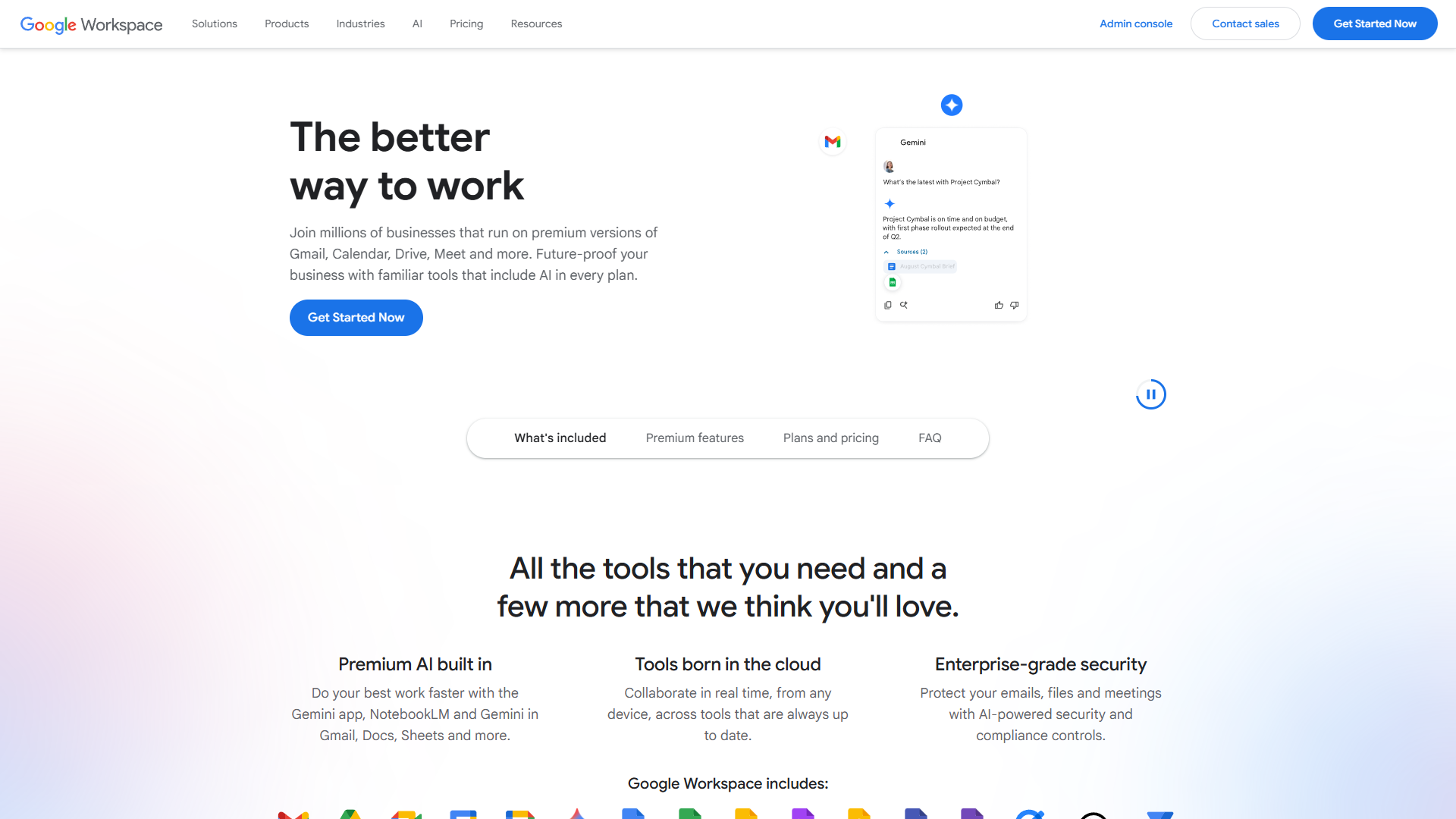
If you’re building a remote collaboration stack from scratch, Google Workspace is the foundation most teams should start with. Not because it’s trendy, but because it handles 80% of what distributed teams need in a single, deeply integrated platform.
Why Google Workspace Works for Remote Teams
Everything connects to everything else. When you’re drafting a proposal in Google Docs, you can instantly pull in data from Sheets, attach files from Drive, schedule a review meeting in Calendar, and share it all via Gmail — without ever leaving the document. This sounds simple until you’ve spent 20 minutes trying to get a Zoom recording into a Notion page that someone mentioned in a Slack thread.
Google Workspace’s integration isn’t an afterthought. It’s the entire design philosophy. Files exist in Drive first and applications second. Permissions cascade logically. Search works across every application. This level of integration is what justifies the platform’s pricing and what competitors struggle to replicate.
Real-time collaboration that actually works at scale. Google Docs revolutionized collaborative editing, and a decade later, it’s still the gold standard. You can have 100 people simultaneously editing a document without performance degradation. The suggestion mode handles complex edit workflows. Version history is comprehensive and reliable. Comment threads support rich discussions without cluttering the main document.
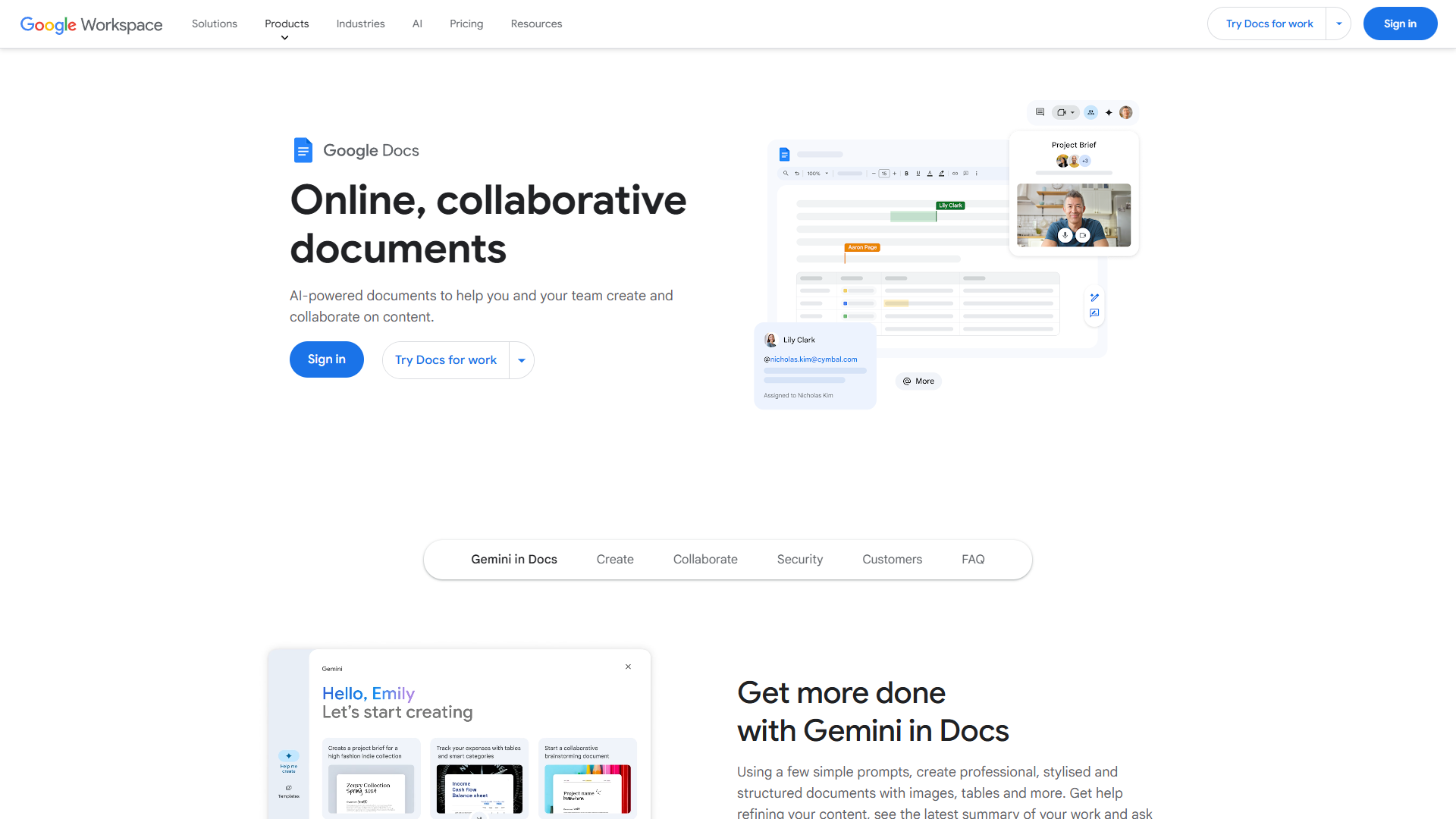
These features matter more as teams grow. A five-person startup might get by with simpler tools, but try coordinating a quarterly business review with 40 stakeholders across six time zones without this level of collaboration capability.
Gemini AI integration across the entire platform. Google’s latest addition to Workspace — Gemini AI — brings genuinely useful AI features to every application. In Gmail, Smart Compose predicts entire sentences based on your writing style. In Docs, Gemini can draft content, summarize long documents, or suggest edits. In Sheets, it can analyze data and create formulas from natural language descriptions. In Meet, it provides real-time transcription and post-meeting summaries.
The key advantage is consistency. Because Gemini is integrated at the platform level, the AI understands context across applications. It knows what project you’re working on, who’s involved, what files are relevant. This contextual awareness makes AI assistance significantly more useful than bolt-on features from third-party tools.
Video conferencing that doesn’t require a separate subscription. Google Meet is included with every Workspace plan, and it’s surprisingly capable. Up to 500 participants on higher-tier plans, built-in recording (saved directly to Drive), live captions in 16 languages, background noise cancellation, and breakout rooms for workshop-style meetings.
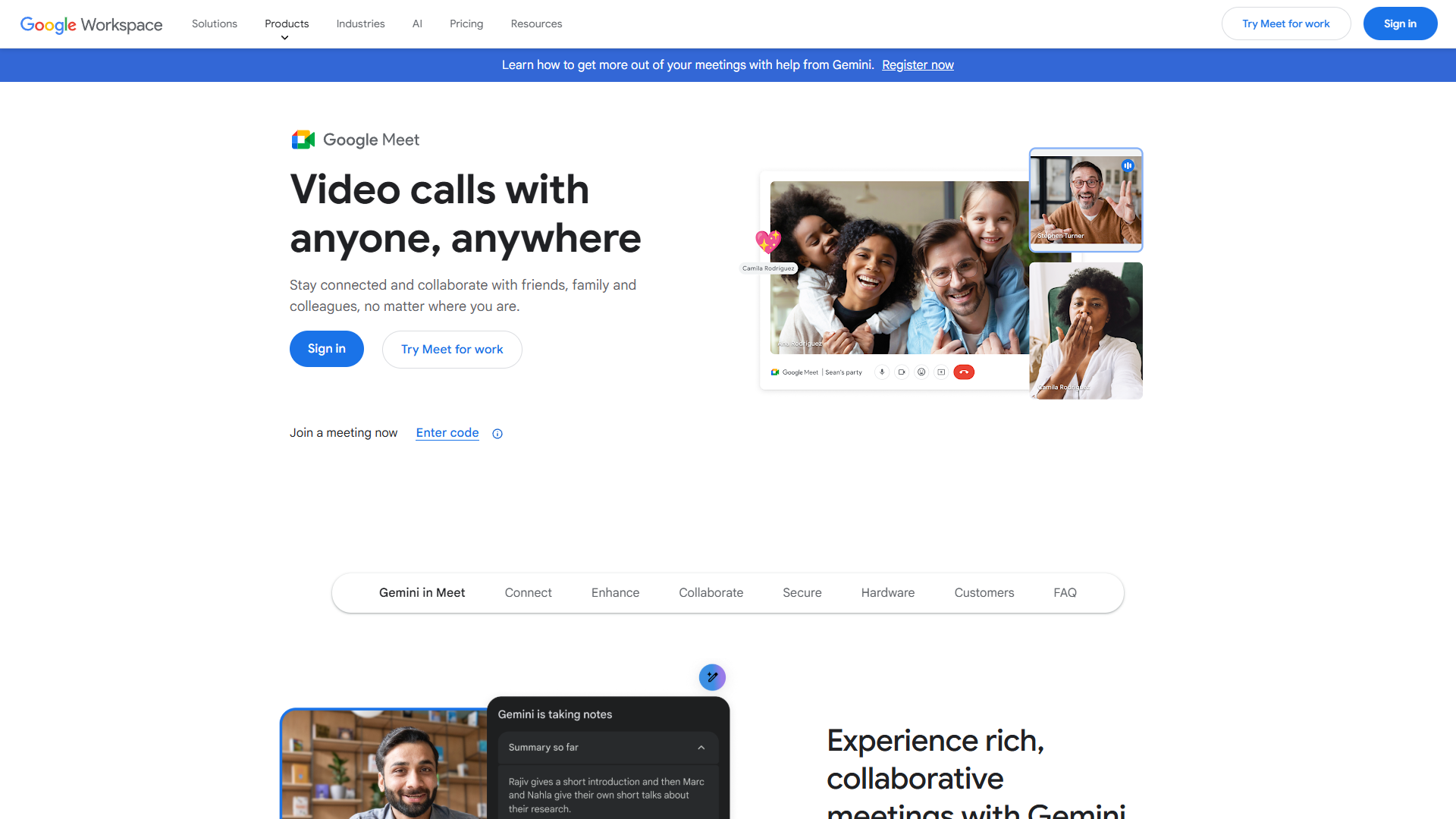
Meet’s biggest advantage is integration. Schedule a meeting in Calendar, and it automatically creates a Meet link. Join from Gmail with one click. Share your screen and collaboratively edit a Doc during the meeting. Access recordings and transcripts from Drive. This seamless workflow eliminates the tool-switching friction that wastes collective hours every week.
Pricing and ROI Reality Check
Google Workspace pricing is straightforward compared to many enterprise platforms:
- Business Starter: $8.40/user/month - 30GB storage, basic Meet features, standard security
- Business Standard: $16.80/user/month - 2TB storage, recording, attendance tracking, enhanced security
- Business Plus: $26.40/user/month - 5TB storage, advanced Meet features, enhanced security controls
- Enterprise: Custom pricing - unlimited storage, advanced AI features, premium support
For most distributed teams, Business Standard hits the sweet spot. The $16.80/month per user might seem steep compared to free-tier alternatives, but the productivity gains justify it quickly.
A Forrester Total Economic Impact study found that organizations using Google Workspace achieved a 336% ROI over three years. The study documented 14% productivity gains and calculated that employees save an average of 1.5 hours per week on collaboration tasks. For a 50-person team at an average fully-loaded cost of $100,000 per employee, that’s $360,000 in annual productivity gains against $10,080 in annual Workspace costs.
Those numbers come from reduced time searching for files, fewer version control errors, faster document review cycles, and more efficient meetings. The ROI becomes even more compelling as teams scale because collaboration friction increases geometrically with team size.
Real Organizations Using Google Workspace at Scale
Thoughtworks, the global technology consultancy with 8,000+ employees across 48 offices, moved to Google Workspace specifically to support their distributed workforce. Their IT director noted that the platform reduced their collaboration tool stack from 12 separate applications to 3, significantly lowering both costs and complexity.
PwC, one of the Big Four accounting firms with 275,000+ employees globally, standardized on Google Workspace for their entire organization. They cite the platform’s security features, audit capabilities, and mobile experience as critical factors for supporting a workforce that’s constantly traveling and collaborating across borders.
These aren’t edge cases. Google Workspace powers collaboration for over 3 billion users globally, including 9 million businesses. The platform’s scale means it receives continuous improvement, aggressive security updates, and deep integration with third-party tools that need to support a massive user base.
Essential Categories of Remote Collaboration Tools
While Google Workspace handles the foundation, specialized tools often make sense for specific workflows. Here’s what to consider in each category.
Team Communication
Slack remains the gold standard for team messaging. Its 2,400+ app integrations mean you can route notifications from virtually any business tool into relevant channels. The threading model keeps conversations organized. The search is excellent. Custom workflows and bots automate routine tasks. For teams that need more sophisticated communication than Google Chat provides, Slack’s $8.75/user/month Pro plan is worth it.
Microsoft Teams dominates in Microsoft 365 environments. If your organization runs on Outlook, OneDrive, and Office, Teams provides the tightest integration. It combines persistent chat, video conferencing, and file sharing in one interface. The learning curve is steeper than Slack, but the integration benefits are significant for Microsoft-centric organizations.
Project Management
Asana, Monday.com, and ClickUp represent three different approaches to project management. Asana excels at task management and workflow automation for teams up to 100 people. Monday.com offers more visual flexibility and works better for cross-functional projects involving external stakeholders. ClickUp tries to be everything to everyone — it can replace multiple tools but requires significant setup time.
The right choice depends more on your team’s workflow than the tools’ capabilities. All three integrate well with Google Workspace and Slack, support automation, and offer mobile apps. Trial all three before committing because project management tools are sticky — switching later is painful.
Visual Collaboration
Miro has become the default digital whiteboard for remote teams. Its infinite canvas, extensive template library, and real-time collaboration support make it ideal for brainstorming, design sprints, and workshop facilitation. The free plan supports 3 boards, which is enough to evaluate whether visual collaboration tools fit your workflow. The Team plan at $10/user/month makes sense for teams that use boards weekly.
FigJam and Mural are viable alternatives with slightly different feature sets and pricing models. FigJam integrates tightly with Figma if your team already uses it for design work. Mural offers more sophisticated facilitation features for complex workshops.
Knowledge Management
Notion has become the default knowledge base for startups and scale-ups. Its flexible database system, clean interface, and extensive template ecosystem make it excellent for documentation, wikis, and project databases. The AI features (Q&A, document generation) work well for teams with extensive documentation.
Confluence makes more sense for larger organizations, especially those already using Jira. It’s more structured than Notion, which can be a benefit when you need strict permissions, audit trails, and compliance documentation.
Asynchronous Video
Loom transformed async video communication by making it as easy to record and share a video as it is to write an email. The Chrome extension records your screen and camera with one click, uploads automatically, and generates a shareable link. Teams use Loom for code reviews, design walkthroughs, product demos, and stand-up updates that don’t require a live meeting.
At $15/creator/month for the Business plan, Loom pays for itself if it eliminates even one unnecessary meeting per week. The async nature is particularly valuable for distributed teams where scheduling live calls across time zones is painful.
How to Choose the Right Tool Stack
Building an effective remote collaboration stack isn’t about maximizing features — it’s about minimizing friction. Here’s a framework for making smart decisions.
Start with Google Workspace as your foundation. Unless you have compelling reasons to use Microsoft 365 (existing enterprise agreements, complex Outlook rules, extensive Excel macros), Google Workspace provides the best balance of features, integration, and cost for most distributed teams. Don’t try to cobble together free tools when a comprehensive platform exists.
Add specialized tools only when you feel clear pain. If your team is constantly asking “where did that file go?” or “what’s the status on this project?”, you need better knowledge management or project tracking. But don’t add tools preemptively. Each additional application adds cognitive load, requires training, and creates another place for information to hide.
Prioritize tools with strong Google Workspace integration. If you’re adding project management, look for platforms that offer two-way Google Calendar sync, native Drive file attachments, and single sign-on through Google. The more seamlessly tools integrate with your foundation platform, the less context-switching friction your team experiences.
Evaluate based on adoption, not features. The best tool is the one your team actually uses. Before committing to annual contracts, run 30-day trials with real projects and real team members. Track adoption rates. Ask for feedback. The tool with 85% adoption and good-enough features beats the perfect tool that only the project manager uses.
Budget for the tier that provides real value. Free plans are great for testing, but they almost always lack the features that drive productivity gains — advanced integrations, automation, increased storage, better support. A team of 10 spending $200/month on the right tools is more cost-effective than a team of 10 wasting 5 hours per week on workarounds to avoid that expense.
Plan for 3-5 core tools, not 15. The most productive remote teams consolidate around a small number of excellent tools rather than maintaining a sprawling stack. A typical effective stack: Google Workspace (foundation) + Slack (communication) + Asana or Monday (project management) + Loom (async video) + maybe Miro (visual collaboration). Five tools. That’s it.
Revisit your stack quarterly. Remote collaboration tools evolve quickly. Google adds Gemini AI features. Slack releases new automation capabilities. Your team’s needs change as you grow. Set a recurring calendar reminder to review what’s working, what’s creating friction, and whether newer tools better solve your problems.
Making Remote Collaboration Actually Work
The tools matter, but they’re not the whole story. Even the best collaboration platform won’t fix poor communication practices, unclear expectations, or lack of team cohesion.
Establish clear communication norms. When should someone use email versus Slack versus a video call? What’s the expected response time for each channel? Should cameras be on for meetings? These questions don’t have universal right answers, but they need explicit answers for your team.
Default to over-communication for remote teams. The context you’d pick up from overhearing conversations or reading body language in an office doesn’t exist remotely. Share more updates, provide more status visibility, and create more opportunities for informal connection.
Use async communication for documentation, sync for decisions. Long Slack threads debating strategic direction are painful. Recorded Loom videos explaining complex topics scale your expertise. Live video calls for making final decisions ensure everyone’s aligned. Match the communication medium to the task.
Create space for non-work connection. Remote teams need intentional social time. Virtual coffee breaks, async #pets channels in Slack, remote team events — these aren’t fluffy extras. They’re how you build trust and maintain culture when you’re not sharing a physical space.
Invest in training, not just tools. Rolling out Google Workspace without teaching your team about Smart Compose, Explore in Sheets, or effective Meet recording practices wastes most of the platform’s value. Plan onboarding sessions, create internal documentation, and designate power users who can help others level up.
Conclusion: Build Your Stack Strategically
Remote collaboration isn’t solved by buying tools. It’s solved by thoughtfully selecting platforms that fit your team’s workflow, integrating them effectively, and establishing practices that make distributed work sustainable.
Start with Google Workspace as your foundation unless you have specific reasons not to. The platform’s comprehensive features, deep integration, AI capabilities, and 336% ROI make it the obvious choice for most distributed teams. At $16.80/user/month for Business Standard, it’s cheaper than piecing together alternatives and far more productive.
Add specialized tools strategically based on clear pain points. If you need better project visibility, add Asana or Monday. If async communication is painful, add Loom. If your team constantly needs to brainstorm visually, add Miro. But resist the urge to adopt every tool that looks interesting on Product Hunt.
The goal isn’t the perfect stack — it’s the stack your team actually uses to ship better work faster. Simple, integrated, and consistently adopted beats comprehensive and ignored every time.
Ready to upgrade your remote collaboration setup? Start with a Google Workspace trial and experience how much friction disappears when your tools actually work together. Your team will thank you, and your productivity metrics will prove it was worth it.
External Resources
For official documentation and updates:
- Google Workspace — Official website
- OpenAI — Additional resource