This guide covers github actions tutorial with hands-on analysis.
In 2026, if you’re still manually deploying code, running tests by hand, or copying files to servers via FTP, you’re burning 5-10 hours every week on tasks that could run automatically. GitHub Actions transforms your repository into an automation powerhouse that handles testing, deployment, and dozens of other workflows without you lifting a finger.
This tutorial will get you from zero to a working CI/CD pipeline in 15 minutes. No DevOps degree required.
What Is GitHub Actions (And Why Should You Care)?
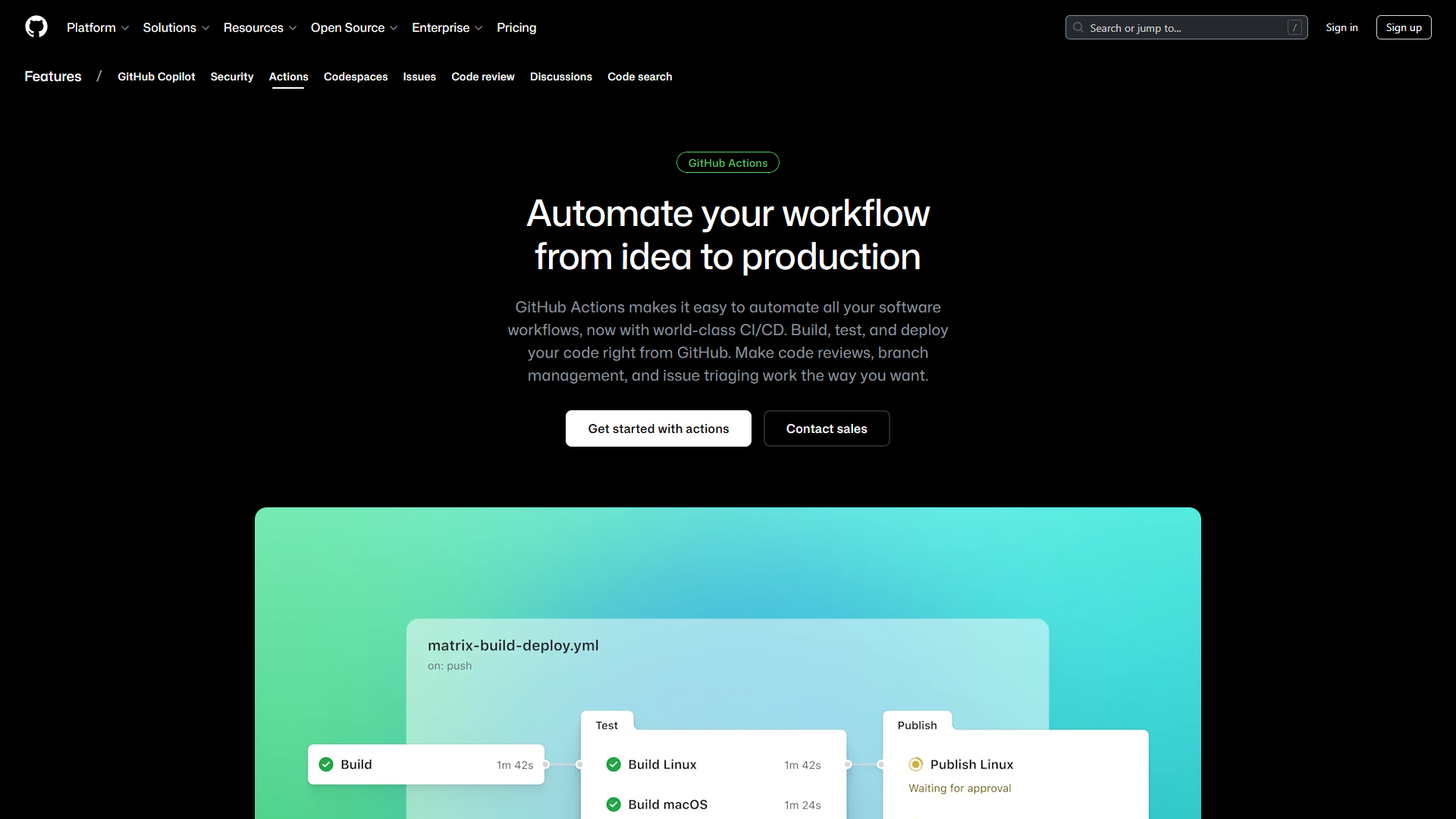
GitHub Actions is GitHub’s built-in automation platform. Think of it as having a robot assistant that watches your repository 24/7 and automatically runs tasks whenever specific events occur — like pushing code, opening a pull request, or publishing a release.
Real-world impact:
- Development teams save 5-8 hours per week eliminating manual deployments
- Solo developers ship updates 3x faster with automated testing
- Open-source maintainers prevent broken code with automatic PR checks
- Content creators auto-publish documentation from markdown files
The best part? GitHub gives you 2,000 free minutes per month on public repositories, and the marketplace offers 15,000+ pre-built actions you can use instantly.
According to Forrester, teams using GitHub with automation features like Actions and Copilot achieve 433% ROI and reduce coding time by 50%. That’s not just efficiency — it’s transforming how you work.
GitHub Actions Core Concepts (5-Minute Overview)
Before we build anything, let’s understand the building blocks:
Workflows
A workflow is an automated process defined in a YAML file. You can have multiple workflows per repository — one for testing, one for deployment, one for release notes, etc.
Location: .github/workflows/ directory in your repo
Events
Events trigger workflows. Common examples:
push: Code pushed to any branchpull_request: PR opened or updatedschedule: Run on a cron scheduleworkflow_dispatch: Manual trigger buttonrelease: New release published
Jobs
Jobs are groups of steps that run on the same virtual machine. Multiple jobs can run in parallel unless you specify dependencies.
Steps
Steps are individual tasks within a job. Each step can:
- Run a command (
run: npm test) - Use a pre-built action (
uses: actions/checkout@v4)
Runners
Runners are virtual machines that execute your workflows. GitHub provides hosted runners (Ubuntu, Windows, macOS) or you can host your own.
Actions
Actions are reusable code modules you can plug into your workflows. The GitHub Marketplace has 15,000+ actions for everything from deploying to AWS to sending Slack notifications.
Your First GitHub Actions Workflow (10 Minutes)
Let’s build a basic workflow that runs automated tests whenever you push code. This is the foundation every developer needs.
Step 1: Create the Workflow File
In your repository, create this file structure:
your-repo/
└── .github/
    └── workflows/
        └── test.yml
Step 2: Define Your First Workflow
Copy this into test.yml:
name: Run Tests

# Trigger on push to any branch or PR
on:
  push:
    branches: [ main, develop ]
  pull_request:
    branches: [ main ]

jobs:
  test:
    # Use Ubuntu latest as runner
    runs-on: ubuntu-latest

    steps:
    # Step 1: Check out repository code
    - name: Checkout code
      uses: actions/checkout@v4

    # Step 2: Set up Node.js environment
    - name: Setup Node.js
      uses: actions/setup-node@v4
      with:
        node-version: '20'
        cache: 'npm'

    # Step 3: Install dependencies
    - name: Install dependencies
      run: npm ci

    # Step 4: Run tests
    - name: Run tests
      run: npm test

    # Step 5: Upload test coverage (optional)
    - name: Upload coverage
      uses: codecov/codecov-action@v3
      if: always()
Step 3: Commit and Push
git add .github/workflows/test.yml
git commit -m "Add GitHub Actions CI workflow"
git push origin main
Step 4: Watch It Run
- Go to your repository on GitHub
- Click the Actions tab
- You’ll see your workflow running in real-time
Congratulations! You just automated your testing pipeline. Every future push will automatically run tests before code hits your main branch.
Copy-Paste Templates for Common Scenarios
Here are four battle-tested workflow templates you can drop into your projects today.
Template 1: Deploy to Production (Node.js + SSH)
Perfect for deploying web apps to VPS or cloud servers.
name: Deploy to Production

on:
  push:
    branches: [ main ]

jobs:
  deploy:
    runs-on: ubuntu-latest

    steps:
    - uses: actions/checkout@v4

    - name: Setup Node.js
      uses: actions/setup-node@v4
      with:
        node-version: '20'

    - name: Install dependencies
      run: npm ci

    - name: Build project
      run: npm run build

    - name: Deploy via SSH
      uses: appleboy/ssh-action@v1.0.0
      with:
        host: ${{ secrets.HOST }}
        username: ${{ secrets.USERNAME }}
        key: ${{ secrets.SSH_KEY }}
        script: |
          cd /var/www/myapp
          git pull origin main
          npm ci --production
          npm run build
          pm2 restart myapp
Setup required:
- Go to repo Settings → Secrets → Actions
- Add secrets:
HOST,USERNAME,SSH_KEY - Replace
/var/www/myappwith your server path
Time saved: 15 minutes per deployment × 20 deploys/month = 5 hours/month
Template 2: Multi-Environment Testing (Python Matrix)
Test across multiple Python versions simultaneously.
name: Python Matrix Tests

on: [push, pull_request]

jobs:
  test:
    runs-on: ${{ matrix.os }}

    strategy:
      matrix:
        os: [ubuntu-latest, macos-latest, windows-latest]
        python-version: ['3.9', '3.10', '3.11', '3.12']

    steps:
    - uses: actions/checkout@v4

    - name: Set up Python ${{ matrix.python-version }}
      uses: actions/setup-python@v5
      with:
        python-version: ${{ matrix.python-version }}

    - name: Install dependencies
      run: |
        python -m pip install --upgrade pip
        pip install -r requirements.txt
        pip install pytest pytest-cov

    - name: Run tests
      run: pytest --cov=./ --cov-report=xml

    - name: Upload coverage
      uses: codecov/codecov-action@v3
Benefit: Catches OS-specific and version-specific bugs before users do.
Template 3: Scheduled Maintenance Tasks
Run cleanup jobs, generate reports, or scrape data on a schedule.
name: Daily Database Backup

on:
  schedule:
    # Run at 2 AM UTC daily
    - cron: '0 2 * * *'
  workflow_dispatch: # Allow manual trigger

jobs:
  backup:
    runs-on: ubuntu-latest

    steps:
    - name: Checkout scripts
      uses: actions/checkout@v4

    - name: Create backup
      run: |
        pg_dump ${{ secrets.DATABASE_URL }} > backup_$(date +%Y%m%d).sql

    - name: Upload to S3
      uses: aws-actions/configure-aws-credentials@v4
      with:
        aws-access-key-id: ${{ secrets.AWS_ACCESS_KEY_ID }}
        aws-secret-access-key: ${{ secrets.AWS_SECRET_ACCESS_KEY }}
        aws-region: us-east-1

    - name: Sync to S3
      run: |
        aws s3 cp backup_$(date +%Y%m%d).sql s3://my-backups/
Cron syntax quick reference:
0 * * * *- Every hour0 0 * * *- Daily at midnight UTC0 0 * * 0- Weekly on Sunday0 0 1 * *- Monthly on 1st
Template 4: Smart Caching for Faster Builds
Speed up workflows by caching dependencies.
name: Fast Build with Cache

on: [push, pull_request]

jobs:
  build:
    runs-on: ubuntu-latest

    steps:
    - uses: actions/checkout@v4

    - name: Setup Node.js with cache
      uses: actions/setup-node@v4
      with:
        node-version: '20'
        cache: 'npm' # Built-in npm cache

    - name: Cache node_modules
      uses: actions/cache@v4
      with:
        path: |
          ~/.npm
          node_modules
        key: ${{ runner.os }}-node-${{ hashFiles('**/package-lock.json') }}
        restore-keys: |
          ${{ runner.os }}-node-

    - name: Install dependencies
      run: npm ci

    - name: Build
      run: npm run build
Performance impact: Reduces build time from 3-5 minutes to 30-60 seconds.
Advanced Patterns: Environment-Specific Deployments
Most production workflows need environment separation (staging vs. production). Here’s how:
name: Multi-Environment Deploy

on:
  push:
    branches:
      - main      # Deploy to production
      - develop   # Deploy to staging

jobs:
  deploy:
    runs-on: ubuntu-latest

    steps:
    - uses: actions/checkout@v4

    - name: Set environment variables
      run: |
        if [[ "${{ github.ref }}" == "refs/heads/main" ]]; then
          echo "ENVIRONMENT=production" >> $GITHUB_ENV
          echo "DEPLOY_URL=${{ secrets.PROD_URL }}" >> $GITHUB_ENV
        else
          echo "ENVIRONMENT=staging" >> $GITHUB_ENV
          echo "DEPLOY_URL=${{ secrets.STAGING_URL }}" >> $GITHUB_ENV
        fi

    - name: Deploy to ${{ env.ENVIRONMENT }}
      run: |
        echo "Deploying to $ENVIRONMENT at $DEPLOY_URL"
        # Your deployment commands here
Pro tip: Use GitHub Environments (Settings → Environments) to add approval gates for production deployments.
Security Best Practices
Never Hardcode Secrets
Wrong:
- name: Deploy
  run: |
    ssh user@myserver.com # DON'T DO THIS
Right:
- name: Deploy
  run: |
    ssh ${{ secrets.SSH_USER }}@${{ secrets.HOST }}
Limit Workflow Permissions
Add this to restrict what workflows can do:
permissions:
  contents: read
  pull-requests: write

jobs:
  # ... your jobs
Pin Action Versions
Risky:
- uses: actions/checkout@main # Could break anytimeSafe:
- uses: actions/checkout@v4 # Stable versionUse Dependabot for Action Updates
Create .github/dependabot.yml:
version: 2
updates:
  - package-ecosystem: "github-actions"
    directory: "/"
    schedule:
      interval: "weekly"
Troubleshooting Common Issues
Issue 1: Workflow Not Triggering
Symptoms: Push code, but Actions tab shows nothing.
Fixes:
- Check YAML syntax: Use YAML Lint
- Verify file path: Must be
.github/workflows/*.yml(not.yaml) - Check branch filters: Your push might not match
on.push.branches - Ensure Actions enabled: Settings → Actions → Allow all actions
Issue 2: Permission Denied Errors
Error message: Error: Process completed with exit code 128
Common causes:
- Missing
GITHUB_TOKENpermissions - Trying to write to protected branches
Fix:
permissions:
  contents: write  # Allow push/commit
  pull-requests: write  # Allow PR comments
Issue 3: Dependencies Not Found
Error: npm: command not found or Module not found
Fix: Add setup step before running commands:
- name: Setup Node.js
  uses: actions/setup-node@v4
  with:
    node-version: '20'

- name: Install dependencies
  run: npm ci
Issue 4: Slow Workflow Runs
Problem: Workflow takes 10+ minutes when it should be 2-3 minutes.
Solutions:
- Use caching (see Template 4 above)
- Use
npm ciinstead ofnpm install(3-5x faster) - Run jobs in parallel:
jobs:
  test:
    runs-on: ubuntu-latest
    steps:
      - run: npm test

  lint:
    runs-on: ubuntu-latest
    steps:
      - run: npm run lint

# Both jobs run simultaneously- Use self-hosted runners for frequently-used workflows (caches persist)
Issue 5: Secrets Not Working
Error: secret.MY_SECRET is empty or undefined
Checklist:
- Secrets are case-sensitive:
secrets.my_secret≠secrets.MY_SECRET - Secrets set at repo level (Settings → Secrets → Actions)
- If using organization secrets, check repository access permissions
- Secrets don’t transfer between forks (security feature)
Debug tip: Echo secret length (never echo the secret itself):
- name: Verify secret exists
  run: echo "Secret length is ${#MY_SECRET}"
  env:
    MY_SECRET: ${{ secrets.MY_SECRET }}
Issue 6: Workflow Canceled Unexpectedly
Symptoms: Workflow stops mid-run with “cancelled” status.
Common causes:
-
Concurrency limits: Multiple workflows triggered simultaneously
concurrency: group: ${{ github.workflow }}-${{ github.ref }} cancel-in-progress: true # Cancels old runs -
Timeout exceeded: Default is 360 minutes (6 hours)
jobs: build: timeout-minutes: 30 # Set realistic timeout -
Out of minutes: Check Settings → Billing
Cost Optimization Tips
Free Tier Maximization
What you get for free:
- Public repositories: Unlimited minutes
- Private repositories: 2,000 minutes/month
- 500 MB storage for artifacts
Strategies to stay free:
- Make repos public when possible (open-source projects)
- Use caching aggressively to reduce build time
- Cancel redundant runs:
concurrency: group: ${{ github.workflow }}-${{ github.ref }} cancel-in-progress: true - Only run on specific paths:
on:
  push:
    paths:
      - 'src/**'      # Only run if source code changes
      - 'package.json' # Or dependencies change
Pricing Beyond Free Tier
If you exceed 2,000 minutes:
- Linux runners: $0.008/minute
- Windows runners: $0.016/minute
- macOS runners: $0.08/minute
Smart tip: Use Linux runners by default (cheapest), only switch to macOS for iOS-specific builds.
Next Steps: Level Up Your Automation
You now have working CI/CD pipelines. Here’s what to explore next:
1. Matrix Builds
Test across multiple versions/platforms simultaneously:
strategy:
  matrix:
    node-version: [16, 18, 20]
    os: [ubuntu-latest, windows-latest]
2. Composite Actions
Create reusable action modules for repeated steps. Save in .github/actions/:
name: 'Setup Project'
description: 'Install deps and cache'
runs:
  using: "composite"
  steps:
    - uses: actions/setup-node@v4
      with:
        node-version: '20'
        cache: 'npm'
    - run: npm ci
      shell: bash
3. Deployment Environments
Set up protected environments with approval gates (Settings → Environments).
4. Self-Hosted Runners
For enterprise: Host your own runners to:
- Access internal networks
- Use specialized hardware (GPUs)
- Keep data on-premises
- Reduce costs for high-volume workflows
5. GitHub Actions Marketplace
Browse 15,000+ pre-built actions:
- Deploy to AWS, Azure, Google Cloud
- Send Slack/Discord/Teams notifications
- Generate release notes automatically
- Run Lighthouse performance tests
- Auto-assign reviewers
- Label PRs by file changes
Real-World ROI Calculations
Let’s quantify the time savings:
Manual workflow (before automation):
- Run tests locally: 5 minutes
- Deploy to staging: 10 minutes
- Test staging: 15 minutes
- Deploy to production: 10 minutes
- Total per release: 40 minutes
- Releases per week: 5
- Weekly time spent: 200 minutes (3.3 hours)
Automated workflow (with GitHub Actions):
- Push code: 30 seconds
- Wait for tests: 0 minutes (runs in background)
- Auto-deploy staging: 0 minutes (automatic)
- Test staging: 15 minutes (still manual)
- Approve production: 30 seconds
- Total per release: 16 minutes
- Releases per week: 5 (but could do 10+ now)
- Weekly time spent: 80 minutes (1.3 hours)
Time saved: 2 hours per week = 100+ hours per year
At a developer rate of $75/hour, that’s $7,500 in annual value from a free tool.
For more productivity insights, explore our guides on Best Ai Writing Tools 2025.
Conclusion: Your 15-Minute Investment Pays Forever
When evaluating Github Actions Tutorial, You’ve just learned how to:
- Create automated test pipelines that catch bugs before users do
- Deploy code to production with a single
git push - Run maintenance tasks while you sleep
- Save 5+ hours every week on manual deployment work
The workflow templates in this tutorial are production-ready — copy them, customize for your stack, and start shipping faster today.
Your action items:
- Create
.github/workflows/test.ymlin your most active repo - Copy one of the four templates that matches your use case
- Add necessary secrets in Settings → Secrets → Actions
- Push and watch your first automated workflow run
- Iterate and expand to other repos
GitHub Actions isn’t just for DevOps engineers anymore. It’s a productivity multiplier for anyone who pushes code — from solo developers to enterprise teams.
Ready to explore more automation tools that integrate with GitHub Actions? Check out our Best AI Automation Tools 2025 guide, learn about GitHub Copilot for code generation, see how Vercel integrates with GitHub for seamless deployments, or use Linear for issue tracking that syncs with your CI/CD pipeline.
What will you automate first? The only wrong answer is “nothing.”
For more information about github actions tutorial, see the resources below.
External Resources
For official documentation and updates:
- GitHub — Official website
- Stack Overflow — Additional resource