

Freshdesk is the better help desk for standalone support teams that want a real free tier; HubSpot Service Hub is the better choice for teams already running HubSpot CRM. This comparison covers free tiers, AI features, and ecosystem fit.
Introduction
Freshdesk wins on price and standalone ticketing depth, while HubSpot Service Hub wins on native CRM context for teams already inside HubSpot. This is a detailed customer support platform comparison for 2026. Freshdesk is a standalone Freshworks support platform refined for ticket-driven workflows since 2010; HubSpot Service Hub is a service tier inside HubSpot’s Smart CRM. The decision usually comes down to one question: are you already on HubSpot? If yes, Service Hub wins on integration alone; if no, Freshdesk wins on price, ticketing depth, and free-tier generosity.
This comparison draws on each vendor’s current pricing and feature documentation plus independent research from Gartner Peer Insights and the Atlassian ITSM library. AI Productivity may earn a commission from links on this page; rankings are editorially independent.
TL;DR: Who Should Choose Which
Freshdesk is the best help desk solution for standalone support teams under 10 agents, while HubSpot Service Hub is the best service solution for teams already running HubSpot CRM. Pick Freshdesk for a real free tier and ticketing-first workflows; pick HubSpot Service Hub for tickets, deals, and marketing context in a single record system.
Pick Freshdesk if you: value the 10-agent free tier, need ticketing-first workflows, or want fast onboarding without a broader CRM commitment.
Pick HubSpot Service Hub if you: already use HubSpot CRM or Marketing Hub, want a unified sales-marketing-service customer view, or prioritize NPS workflows.
Either works for: small teams under 1,000 tickets per month needing a knowledge base, basic AI, and standard SLA management.
Comparison Table: Freshdesk vs HubSpot Service Hub Head-to-Head
Freshdesk costs roughly 25% less per seat at entry tiers (free up to 10 agents, Growth from about $15 per agent per month) and ships deeper ticketing, while HubSpot Service Hub (Starter from about $20 per seat per month) wins on built-in CRM, NPS surveys, and native integration into the rest of HubSpot.
| Feature | Freshdesk | HubSpot Service Hub |
|---|---|---|
| Free tier | Up to 10 agents | Free Tools (very limited tickets) |
| Cheapest paid | Growth tier (around $15/agent/mo) | Starter (around $20/seat/mo) |
| AI assistant | Freddy AI (most paid plans) | Breeze AI (Pro+ tiers) |
| Native CRM | Add-on (Freshsales) | Built-in (HubSpot Smart CRM) |
| Knowledge base | Yes (multi-product on higher tiers) | Yes |
| NPS / CSAT surveys | CSAT included; NPS paid | NPS and CSAT included on higher tiers |
| Multi-channel | Email, chat, phone, social | Email, chat, calls, social |
| Reporting | Strong, customizable | Strong, tied to CRM data |
| Best for | Standalone support teams | HubSpot-native teams |
| Aggregate user review score | 4.5 | 4.0 |
How Do Freshdesk and HubSpot Service Hub Compare on Pricing?
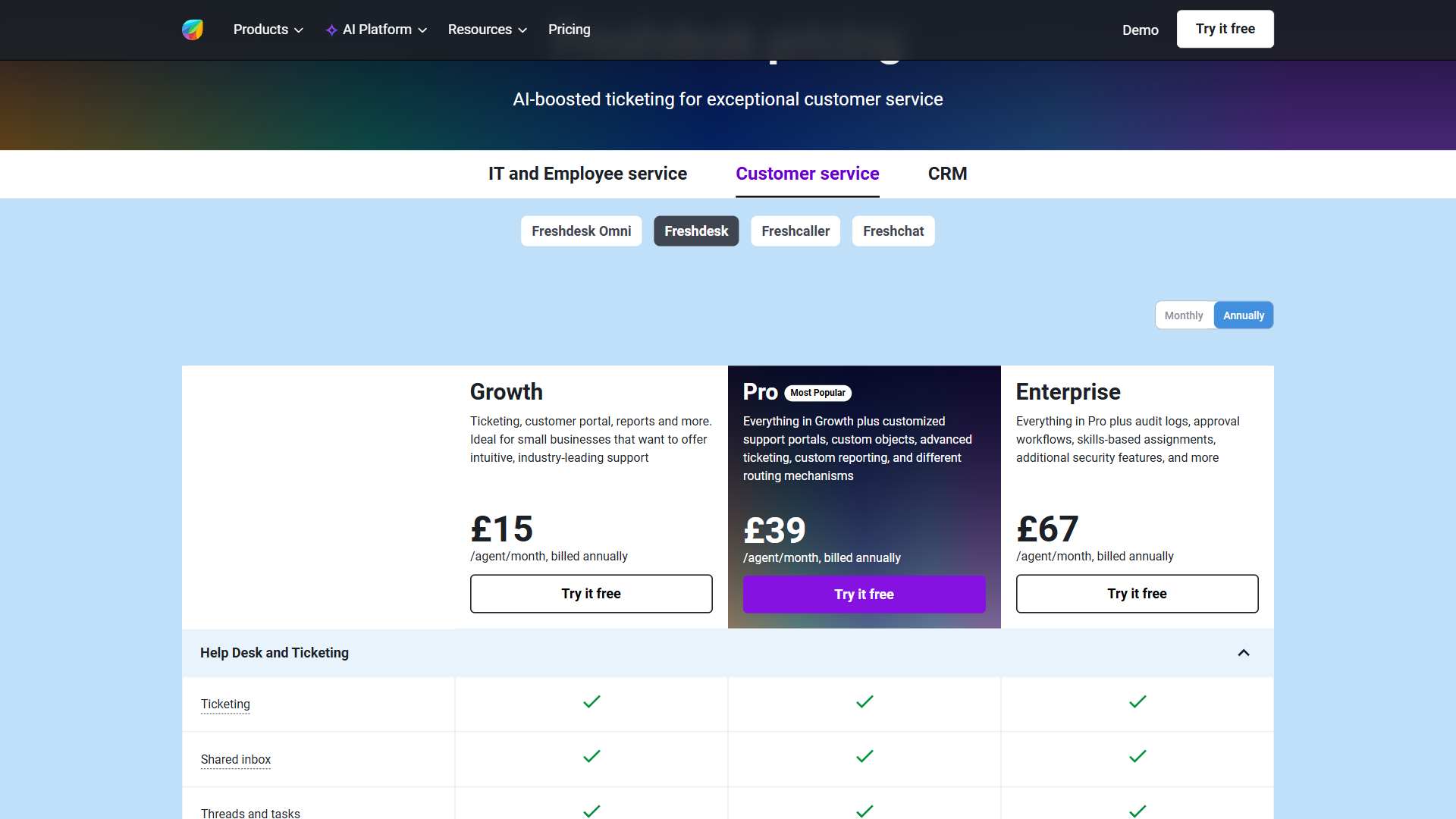
Freshdesk is cheaper at small scale (the free tier covers up to 10 agents in real production use) and converges with HubSpot Service Hub at mid-market (Freshdesk Pro and Service Hub Professional land in the same per-seat band). HubSpot’s free tools cap at very low ticket and contact volumes designed mostly to nurture an upgrade.
Pricing verified April 2026 from Freshdesk's pricing page:
- Free: $0/mo
- Up to 2 agents (6 months)
- Email ticketing
- Knowledge base
- Growth: $19/user/mo annual ($23 monthly)
- Ticketing and customer portal
- Automation
- SLA management
- Pro: $55/user/mo annual ($66 monthly)
- Everything in Growth
- Customized support portals
- Custom objects
- Enterprise: $89/user/mo annual ($107 monthly)
- Everything in Pro
- Audit logs
- Approval workflows
Pricing verified April 2026 from HubSpot's pricing page:
- Free Tools: $0/mo
- Free CRM for up to 2 users
- 5x Free Core Seat limit with unlimited view-only seats
- Sales, marketing, service, content, and operations tools
- Starter Customer Platform: $9/user/mo annual ($15 monthly)
- Access to all five hubs (Marketing, Sales, Service, CMS, Operations)
- 1,000 marketing contacts included
- Marketing automation basics
- Professional (Marketing Hub): $801/user/mo annual ($890 monthly)
- 2,000 marketing contacts included
- 3 core seats included
- Omnichannel marketing automation
- Enterprise (Marketing Hub): $3240/user/mo annual ($3600 monthly)
- 10,000 marketing contacts included
- 5 core seats included
- Unlimited automated emails
- Professional (Sales/Service Hub): $450/user/mo annual ($500 monthly)
- 3 core seats included
- 3,000 calling minutes per user
- Multiple deal/ticket pipelines
- Enterprise (Sales/Service Hub): $1350/user/mo annual ($1500 monthly)
- 5 core seats included
- 12,000 calling minutes per user
- 100+ deal pipelines (Sales), unlimited ticket pipelines (Service)
Check Freshdesk’s pricing page or HubSpot Service Hub pricing for current per-seat numbers, since both vendors run frequent promotions.
Ticket Management & Workflow Automation
Freshdesk has deeper native ticketing - shared inbox views, ticket merging, parent-child relationships, time-based escalation, and round-robin assignment - while HubSpot Service Hub treats tickets as CRM records that inherit company and contact context. HubSpot’s ticketing is competent but closer to a “ticket type” inside the broader record system - powerful when you have rich CRM data on each customer, heavier when you just want to triage incoming email. For pure throughput, Freshdesk gets agents to the next ticket faster; for contextual customer history alongside the ticket, HubSpot wins.
Weaknesses: Freshdesk lacks the deep CRM context HubSpot offers; HubSpot’s ticketing UI is slower for high-volume triage where speed matters more than context.
Which Has Better AI, Freddy AI or HubSpot Breeze AI?
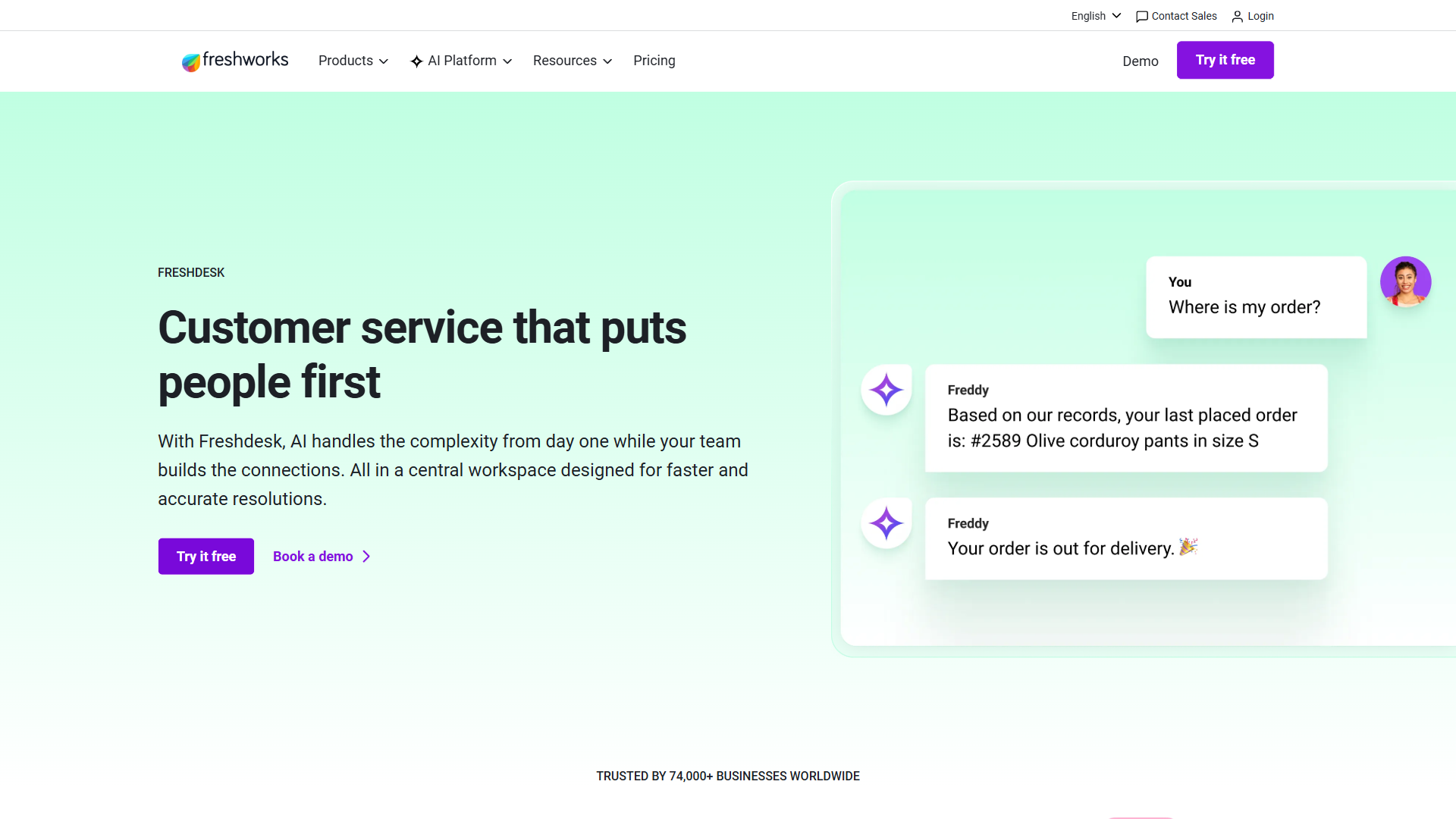
Both platforms have credible AI assistants. Freddy AI on Freshdesk handles ticket summarization, response suggestion, sentiment analysis, agent assist, and auto-triage, bundled with most paid Freshdesk plans. HubSpot Breeze AI covers similar ground and additionally surfaces CRM context - “this customer has 3 open deals” - because it reads the same record system that holds sales and marketing data. Breeze is gated to Service Hub Pro and Enterprise. Net: comparable AI assistance, but Breeze’s CRM-aware context wins if your sales and service data live in HubSpot; Freddy is the more accessible option earlier in Freshdesk’s pricing ladder.
Weaknesses: Freddy AI lacks the cross-system CRM context Breeze pulls automatically; Breeze AI is locked behind the Pro tier, so Starter users get none of the summarization or auto-reply features Freddy ships on Growth.
Knowledge Base, Self-Service, and Community
Freshdesk offers the stronger standalone knowledge base (multi-language plus multi-product on higher tiers), while HubSpot Service Hub offers the stronger CRM-tied knowledge base (article views attach to contact records and feed marketing and sales workflows). Freshdesk’s solution articles support multi-language; HubSpot’s knowledge base tracks which articles a contact viewed for downstream marketing or sales workflows.
For community forums, neither is best-in-class - both lag behind Discourse for community-led support. For self-service planning, the Atlassian ITSM guide to knowledge management best practices is a useful neutral reference.
Weaknesses: Freshdesk lacks contact-tracked article views for marketing workflows; HubSpot’s multi-product knowledge base support is weaker, so vendors with distinct product lines hit limits on HubSpot first.
Integrations and Ecosystem (Where HubSpot Pulls Ahead)
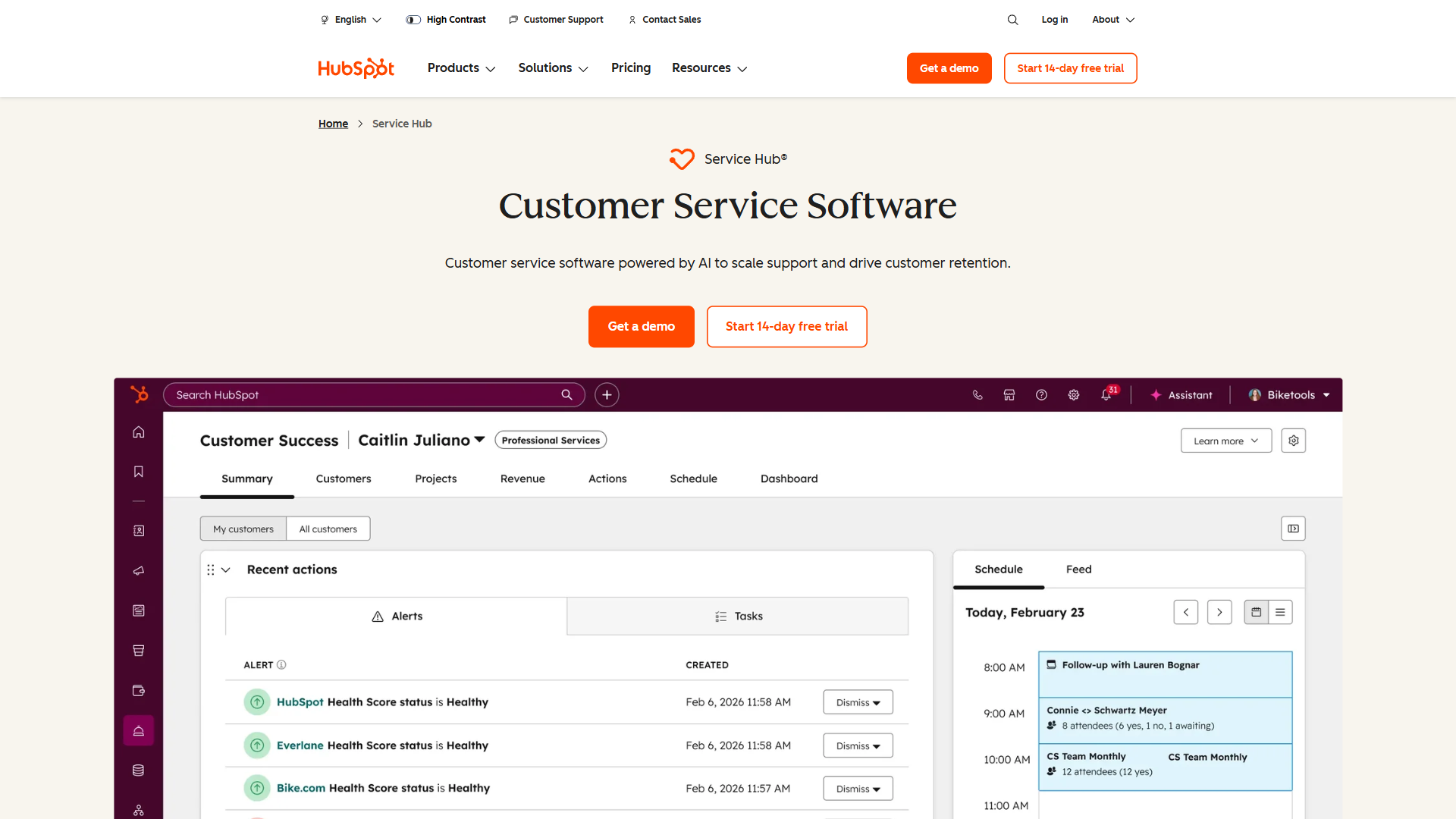
HubSpot Service Hub wins the ecosystem comparison outright because it plugs natively into HubSpot CRM, Marketing Hub, Sales Hub, Operations Hub, and CMS Hub with no connector. A support ticket can trigger a marketing workflow, a deal can show service history, and an NPS detractor can land in a sales playbook for proactive follow-up - none of which requires a third-party connector. Freshdesk’s ecosystem is Freshworks: Freshsales for CRM, Freshchat for live chat, Freshcaller for telephony. With a third-party CRM (Salesforce, Pipedrive, Zoho CRM), Freshdesk relies on integrations rather than native records.
According to Kate Leggett, VP and principal analyst at Forrester Research, “Customer service applications that share a data model with marketing and sales reduce customer-effort scores by surfacing context the agent would otherwise have to hunt for,” in her analysis of customer service technologies - which captures why the platform appeals to existing HubSpot customers. If your sales and marketing already live in HubSpot, Service Hub’s ecosystem advantage often justifies its higher per-seat price.
Weaknesses: Freshdesk lacks the cross-Hub workflows existing HubSpot customers rely on; HubSpot’s ecosystem advantage flips into a lock-in cost on exit, since data export is straightforward but recreating cross-Hub workflows elsewhere is not.
Reporting and Analytics
Freshdesk’s reporting is strong, with customizable dashboards covering SLA compliance, agent performance, ticket volume by channel, and CSAT trends; higher tiers add custom report builders. HubSpot inherits the broader HubSpot reporting engine - custom reports can combine support data with sales and marketing data in one dashboard, so for executives who want a single view of customer health, HubSpot wins. For support managers who want operational dashboards, both are sufficient.
Weaknesses: Freshdesk cannot blend support, sales, and marketing data in one dashboard the way HubSpot can; HubSpot’s custom report builder is locked behind higher tiers, leaving Starter customers with less flexibility than Freshdesk Growth at a similar price.
Customer Feedback (NPS, CSAT, Surveys)
HubSpot Service Hub offers the stronger customer-feedback stack, bundling NPS and CSAT on Professional with lifecycle-event automation and direct CRM sync. CSAT ships on most Freshdesk paid tiers; NPS is a Pro+ feature on Freshdesk and is less polished than dedicated NPS tools. For teams that take feedback workflows seriously, HubSpot is the better fit.
Weaknesses: Freshdesk’s NPS is less polished and lacks lifecycle-triggered automation; HubSpot’s NPS only unlocks at the Professional tier, raising the minimum spend above Freshdesk Pro.
Setup Speed and Onboarding
Freshdesk is faster to set up: a small team can be live on email, knowledge base, and basic ticketing in under an hour, and the free tier removes contract friction entirely. HubSpot Service Hub setup depends on whether you already have HubSpot CRM - if yes, Service Hub is essentially an upgrade flip; if no, expect to provision the broader HubSpot account, import contacts, and learn the CRM patterns (more a weekend project than an afternoon).
Weaknesses: Freshdesk’s fast setup trades away CRM richness; HubSpot’s slower onboarding is a real cost for teams without prior HubSpot experience - budget a weekend if Service Hub is your first Hub.
User Reviews & Ratings
Aggregated ratings give a high-level read on satisfaction, but verbatim reviews matter more - small teams and enterprises rate the same product very differently.
Freshdesk scores well for “ease of setup” and “quality of support”; HubSpot leads on “integration quality” because most reviewers also use other Hubs.
Across third-party review platforms, Freshdesk carries an aggregate score of 4.5 against HubSpot Service Hub’s 4.0 - a gap mostly reflecting Freshdesk’s stronger “ease of setup” sub-scores. Freshdesk is praised for ease of use, fast time to value, and ticketing UX; criticism focuses on price-creep once you outgrow the free tier. HubSpot earns praise for CRM-native context and ecosystem depth; criticism centers on per-seat cost and the ramp to Pro-tier AI features.
Weaknesses: Freshdesk trails HubSpot on “fit for enterprise” sub-scores; HubSpot trails Freshdesk on “ease of setup” for teams not already on HubSpot. Read the verbatim reviews for your team size before committing.
Choose Freshdesk if your team needs standalone ticketing
Freshdesk is the right choice for teams that need a standalone help desk with deep ticketing, a free tier for up to 10 agents, and fast time to first-ticket. Solo support engineers, SMBs without a CRM commitment, and product companies handling reactive support all fit this profile. Not for: teams already on HubSpot CRM where Service Hub’s integration value outweighs the per-seat premium, or teams needing deep NPS/CSAT workflows tied to revenue events.
Choose HubSpot Service Hub if you already use HubSpot CRM
HubSpot Service Hub is the right choice for teams already on HubSpot CRM that want ticket-to-deal context, NPS and CSAT workflows feeding sales follow-ups, and unified customer reporting across the funnel. Teams already paying for HubSpot Marketing Hub or Sales Hub get incremental value no standalone help desk can match. Not for: teams not on HubSpot today, where the per-seat premium is hard to justify just for ticketing, or cost-sensitive small teams under 10 agents where Freshdesk’s free tier eliminates the buying decision.
The Bottom Line
HubSpot Service Hub is the best ticketing tool for teams already on HubSpot because the integration value exceeds the per-seat premium; Freshdesk delivers better value for your money on price, ticketing depth, and free-tier generosity for everyone else. The AI gap between Breeze and Freddy is narrower than HubSpot’s marketing implies, so do not let it tilt the decision. Most teams making this call will save money and onboard faster on Freshdesk; teams making it inside an existing HubSpot account should not add a second help desk to save a few dollars per seat.
Frequently Asked Questions
Is Freshdesk better than HubSpot Service Hub?
Neither is universally better - the answer depends on your stack. Freshdesk is generally better for standalone support teams, SMBs that need a free tier, and ticketing-first workflows. HubSpot Service Hub is generally better for teams already using HubSpot CRM or Marketing Hub, where the native ecosystem context lifts support from reactive to proactive.
What is the price difference between Freshdesk and HubSpot Service Hub?
At small scale the gap is large: Freshdesk’s free tier supports up to 10 agents while HubSpot’s free service tools cap at very low limits. Freshdesk Growth starts around $15 per agent per month; HubSpot Service Hub Starter begins around $20 per seat. At Professional and Enterprise levels the per-seat prices converge, with HubSpot Service Hub Pro typically more expensive than Freshdesk Pro like-for-like.
Does Freshdesk have a free plan like HubSpot?
Yes - Freshdesk’s Free plan supports up to 10 agents with email ticketing, a basic knowledge base, and reporting. HubSpot’s Service Hub Free Tools work for very small teams but cap quickly on tickets and automation. For teams under 10 agents, Freshdesk’s free tier is the more practical choice.
Can you migrate from HubSpot Service Hub to Freshdesk?
Yes. Freshdesk’s import tool accepts CSV exports of tickets, contacts, companies, and knowledge base articles - all of which HubSpot exports natively. The migration is straightforward for ticket data but loses HubSpot CRM context (deal history, marketing touchpoints, lifecycle stage). Plan a parallel run so the team does not lose visibility into open conversations.
Related Reading
These internal guides cover Freshdesk, HubSpot Service Hub, and the adjacent CRM and help desk decisions most teams face alongside this comparison.
- Freshdesk - Full Freshdesk review.
- HubSpot - Full HubSpot review covering all Hubs.
- Zendesk vs HubSpot Service Hub - Adjacent comparison if Zendesk is on your shortlist.
- Freshdesk vs Zendesk - Freshdesk against the other help desk incumbent.
- Freshdesk Alternatives - Broader landscape if neither fits.
- Best CRM Software 2026 - Pick the CRM first, then the matching service tool.
External Resources
These external links are the canonical sources for verifying Freshdesk and HubSpot Service Hub pricing tiers and help desk best practices cited throughout this comparison.
- Freshdesk Pricing Page - Current per-agent pricing across all tiers.
- HubSpot Service Hub Pricing - Current per-seat pricing for Starter, Professional, Enterprise.
- Atlassian ITSM Knowledge Base best practices - Independent guide on help desk knowledge bases.