This guide covers confluence vs notion with hands-on analysis.
In 2026, when it comes to choosing between Confluence vs Notion for your team’s knowledge base, you’re comparing two fundamentally different philosophies. After managing documentation across both platforms for multiple teams, I’ve learned that this decision isn’t about which tool is “better” — it’s about which approach matches your team’s DNA.
Confluence represents the enterprise playbook: structured hierarchies, deep integrations with Atlassian tools, and governance controls that make compliance teams happy. Notion offers the startup manifesto: flexible databases, modern aesthetics, and an all-in-one workspace that blurs the line between wiki, project manager, and note-taking app.
I’ve watched engineering teams migrate from Confluence to Notion for the flexibility, only to migrate back when they hit 100+ users and needed enterprise controls. I’ve also seen marketing teams abandon Notion’s databases for Confluence’s simpler page structure. The right choice depends on factors most comparison articles ignore.
Quick Comparison
| Factor | Confluence | Notion |
|---|---|---|
| Rating | ||
| Starting Price | Free (up to 10 users) | Free (unlimited individual use) |
| Team Price | $6/user/month | $10/user/month |
| Best For | Enterprise teams, Jira users | Startups, flexible workflows |
| AI Features | Atlassian Intelligence (Premium+) | Notion AI (Business+ only) |
| Key Integration | Deep Jira integration | Zapier, API-first approach |
| Learning Curve | Moderate | Steep initially |
| Structure | Hierarchical spaces | Flexible databases |
What Is Confluence?
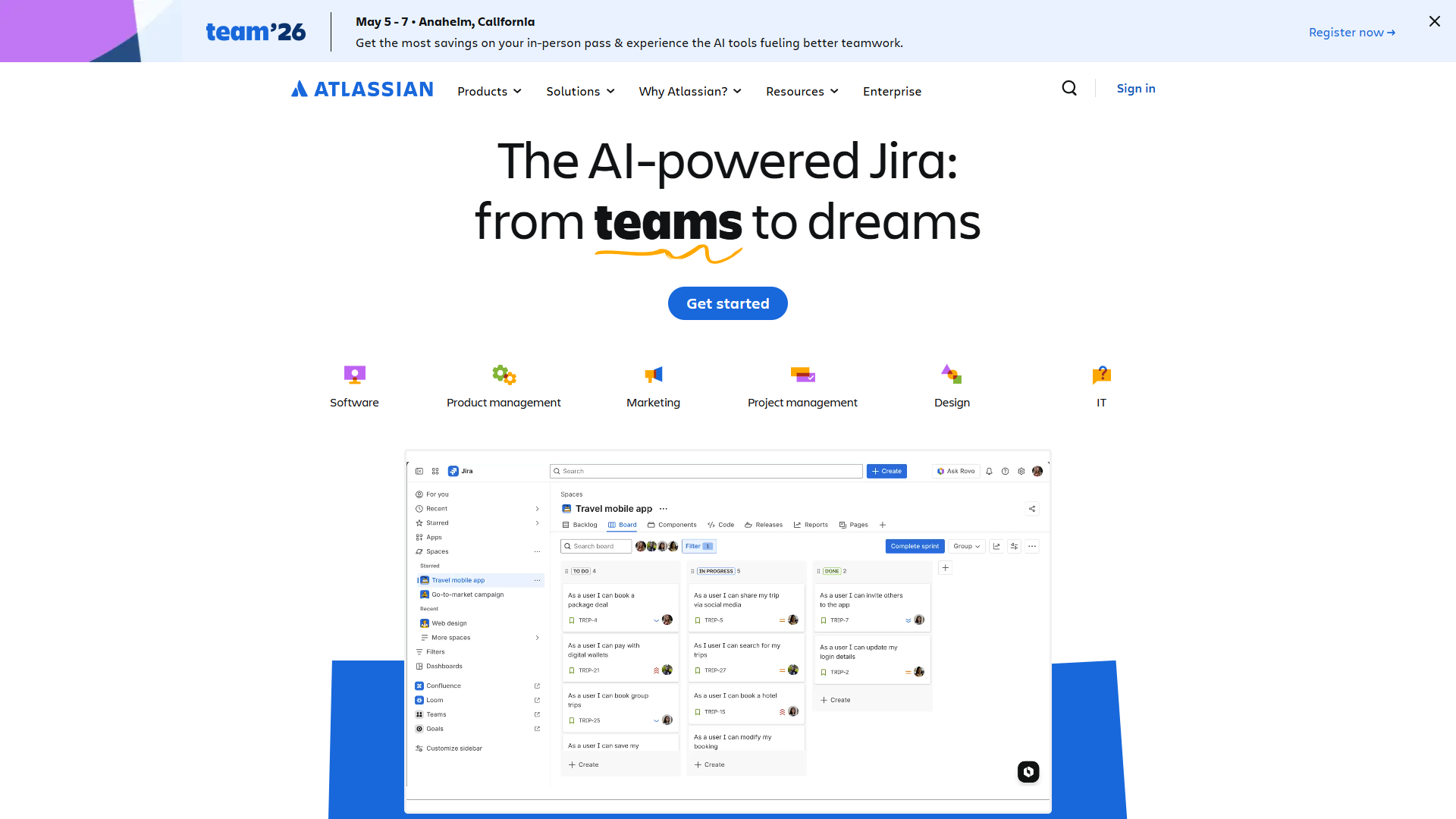
Confluence is Atlassian’s team workspace designed around the concept of “spaces” — dedicated areas for different projects, teams, or topics. Think of it as a traditional wiki evolved for modern remote work, with collaborative editing, page templates, and deep integration into the Atlassian ecosystem.
What makes Confluence distinct is its opinionated structure. Pages live in spaces, spaces have clear permissions, and everything connects to Jira issues, Trello boards, or other Atlassian products. This rigidity is either your biggest asset (for compliance-driven industries) or your biggest frustration (for teams that prize flexibility).
Atlassian Intelligence, the platform’s AI layer, launched in 2023 and became available in Premium plans in 2024. It generates summaries, answers questions about your knowledge base, and creates content from prompts. In my testing, it’s solid for summarizing long documentation but less impressive than standalone AI writing tools for creating new content from scratch.
The Standard plan at $6/user/month gets you 250GB storage, Jira integration, and 1,000 automation actions per user monthly. The Premium plan at $11.75/user/month unlocks unlimited storage, Atlassian Intelligence, and 99.9% uptime SLA — critical for teams that rely on documentation for operations.
Key strengths:
- Jira integration is unmatched (bi-directional linking, status updates in pages)
- Enterprise permissions and audit logs
- Page templates for standardized documentation
- Strong version history and page comparison tools
Notable limitations:
- Mobile experience lags behind Notion
- Page editor feels dated compared to modern block-based editors
- AI features only available in Premium tier
- Limited flexibility for non-documentation use cases
What Is Notion?
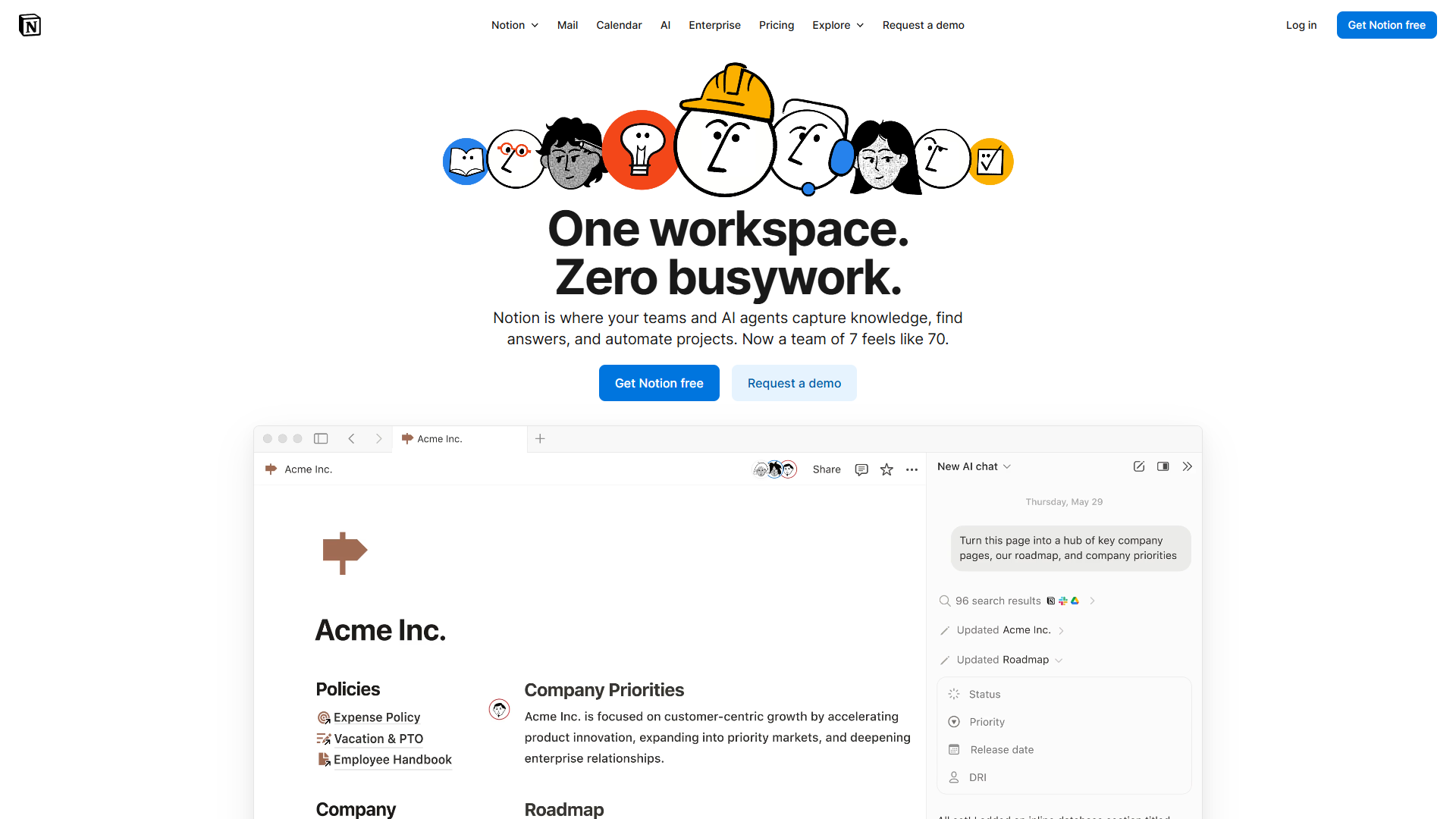
Notion is the all-in-one workspace that combines wiki, database, project manager, and notes into a single interface. Instead of Confluence’s rigid spaces, Notion gives you building blocks: pages, databases, embeds, and toggle lists that you arrange however makes sense for your workflow.
The “everything is a block” philosophy means you’re not just creating documentation — you’re building systems. I’ve seen teams use Notion databases to track feature requests, manage content calendars, and organize research, all within the same space as their documentation. This flexibility is intoxicating but comes with a cost: setup time.
Notion AI, bundled into the Business plan ($15/user/month annual), offers multi-model access to GPT-5, Claude Opus 4.1, and o3. In August 2025, Notion discontinued the standalone AI add-on for new Free and Plus users, making AI exclusively a premium feature. The autonomous agents feature lets you build workflows that execute tasks without constant prompting — think “update project status when deadline is today” rather than “write me a project update.”
The Plus plan at $10/user/month is the entry point for teams, offering unlimited blocks (the core unit of Notion content), 30-day version history, and up to 100 guests. The Business plan at $15/user/month adds unlimited Notion AI, advanced analytics, and SAML SSO.
Key strengths:
- Database functionality (filter, sort, link records across pages)
- Modern interface that users actually enjoy using
- Cross-platform consistency (desktop, web, mobile feel similar)
- Templates community with thousands of shared workflows
Notable limitations:
- Steep learning curve for teams unfamiliar with databases
- Performance can lag on pages with hundreds of blocks
- Enterprise controls less mature than Confluence
- No native integration with development tools like Jira
Templates and Page Organization
This is where the philosophical difference becomes tactical.
Confluence templates are prescriptive blueprints. When you create a “Product Requirements” page, you get predefined sections: Overview, User Stories, Success Metrics. You fill in the blanks. This structure enforces consistency — critical when 200 people are creating documentation — but feels restrictive if your project doesn’t fit the mold.
I used Confluence templates to standardize incident reports across engineering teams. Every outage got the same structure: Impact, Timeline, Root Cause, Action Items. When executives asked for incident data, every report had the same format. That consistency saved hours during quarterly reviews.
Notion templates are starting points, not blueprints. A project template might include a database, task list, and timeline, but you can completely reshape it. I’ve watched teams take a “Product Roadmap” template and morph it into a customer research tracker by adding fields, changing views, and linking to other databases.
The tradeoff: Confluence maintains consistency with less effort; Notion requires more initial setup but adapts to edge cases better.
Winner for standardization: Confluence Winner for customization: Notion
AI Capabilities Head-to-Head
When comparing Confluence vs Notion AI capabilities, both platforms launched assistants in 2023-2024, but the implementations diverge significantly.
Atlassian Intelligence (Confluence Premium, $11.75/user/month):
- Summarizes pages and generates answers from your knowledge base
- Creates content from prompts with awareness of your existing docs
- AI-powered automation (10+ triggers like “summarize comments” or “create Jira tickets from pages”)
- Page catch-up feature tracks changes since your last visit
- Whiteboard idea generation and theme organization
In practice, Atlassian Intelligence excels at consuming your existing documentation (summaries, Q&A) but produces generic content when creating from scratch. I tested the “generate product brief” prompt and got usable structure but bland copy that required heavy editing.
Notion AI (Business plan, $15/user/month):
- Multi-model access: GPT-5, Claude Opus 4.1, o3 (you choose the model)
- Autonomous agents that execute workflows (“update project statuses every Monday”)
- Inline writing assistance (continue writing, change tone, fix grammar)
- Database automation (AI fills in fields based on page content)
Notion AI’s inline approach feels more integrated into the writing flow. When I’m mid-sentence and need to elaborate on a concept, I highlight text and ask Notion AI to expand — it feels like pair programming for documentation. The autonomous agents are powerful for teams that invest time in setup; I built an agent that auto-tags customer feedback pages based on content sentiment.
The pricing catch: Both require premium tiers. If you’re on Confluence Standard or Notion Plus, you don’t get AI. This makes Confluence Premium ($11.75) a better AI value than Notion Business ($15), assuming you don’t need Notion’s database features.
Winner for AI content consumption: Confluence (better summaries, search) Winner for AI content creation: Notion (more flexible, better inline tools)
Integrations and Ecosystem
In the Confluence vs Notion debate, this is where your existing tech stack becomes the decision-maker.
Confluence lives in the Atlassian universe. If you use Jira for project management, Trello for boards, or Bitbucket for code, Confluence becomes your central documentation hub. Jira integration is bidirectional: embed Jira issues in Confluence pages, reference Confluence docs in Jira tickets, and sync status updates both ways.
I worked with a fintech team using Jira for compliance tickets. When auditors asked for documentation, every Jira issue linked directly to the Confluence page explaining the control. That two-way sync eliminated the “documentation drift” where docs and reality diverge.
Outside the Atlassian ecosystem? Confluence offers 3,000+ apps via the Atlassian Marketplace, but most integrations are shallow (embed a chart, link a task). If your team runs on Slack, Google Workspace, and HubSpot, Confluence feels like an island.
Notion takes the API-first approach. Over 100 official integrations via Notion’s integration gallery, plus thousands more through Zapier, Make, and direct API access. Notion databases can pull data from external tools, creating unified views.
Example: A content team used Notion databases to aggregate SEO data from Ahrefs, editorial calendar from Google Sheets, and publishing status from WordPress — all in one table. Try that in Confluence and you’re embedding three separate iframes.
The mobile caveat: Confluence mobile apps are functional but clunky. Editing rich content on mobile is frustrating; most users stick to comments and approvals. Notion’s mobile app mirrors the desktop experience — you can build databases on your phone if needed.
Winner for Atlassian users: Confluence (obviously) Winner for API/automation power users: Notion Winner for mobile productivity: Notion
Collaboration and Permissions
Both platforms handle real-time collaboration (multiple cursors, live updates), but permissions models differ fundamentally.
Confluence uses space-based permissions. You grant access to entire spaces, then optionally restrict individual pages. Three main roles:
- Space Admin: Full control over space settings, permissions, templates
- Can Edit: Create and modify pages within the space
- Can View: Read-only access
This works brilliantly for organizations with clear team boundaries (engineering space, marketing space, executive space). It breaks down when you need granular control — like allowing contractors to edit specific pages but not see the rest of the space. You can set page-level permissions, but managing dozens of exceptions gets messy.
Notion uses page-level permissions with inheritance. Every page can have its own permission set, and child pages inherit parent permissions by default. You can grant access to:
- Specific people
- Workspace groups
- Anyone with the link (public or private)
I’ve used Notion’s permission flexibility for client projects. Each client gets a dedicated page with view-only access to project deliverables. Sub-pages inherit those restrictions automatically, but I can override inheritance if needed. This granularity would be cumbersome in Confluence.
The guest user difference: Confluence Free allows 10 users total. Confluence Standard allows guests but they count toward your user limit. Notion Plus allows 100 guests who don’t count as paid users — a huge advantage for agencies or teams working with external partners.
Winner for enterprise governance: Confluence Winner for flexible client/partner access: Notion
Pricing: The Full Picture
The Confluence vs Notion pricing comparison reveals important nuances beyond advertised prices.
Confluence Pricing:
- Free: Up to 10 users, 2GB storage, unlimited pages (great for small teams)
- Standard: $6/user/month (annual), 250GB storage, Jira integration, 1,000 automations/user
- Premium: $11.75/user/month (annual), unlimited storage, AI features, 24/7 support
- Enterprise: Custom pricing (801+ users), 99.95% uptime SLA, analytics
The math favors Confluence for large teams. At 100 users, Standard is $600/month vs Notion Plus at $1,000/month. Even Confluence Premium ($1,175) undercuts Notion Business ($1,500) while offering AI.
Notion Pricing:
- Free: Unlimited pages (individual), limited blocks (teams), 10 guests
- Plus: $10/user/month (annual), unlimited blocks, 100 guests, no AI
- Business: $15/user/month (annual), unlimited AI (multi-model), advanced analytics, 250 guests
- Enterprise: Custom pricing, advanced security, audit logs, dedicated support
Notion’s guest model changes the economics. If you’re a 10-person team collaborating with 30 freelancers, Confluence charges for all 40 users ($240/month Standard). Notion charges for 10 users and gives you 100 guest slots ($100/month Plus). For agencies and consultant-heavy teams, this is a 50-60% cost difference.
Winner for large internal teams: Confluence Winner for teams with many external collaborators: Notion
Use Case Recommendations
After using both platforms across different team types, here’s where each shines:
Choose Confluence if you:
- Use Jira, Trello, or other Atlassian products (integration is killer feature)
- Work in regulated industries (finance, healthcare, government) needing audit logs
- Have 50+ employees requiring structured documentation
- Need enterprise SSO, compliance controls, and SLAs
- Prefer traditional wiki hierarchy over flexible databases
- Want lower per-user costs for large teams
Real example: A healthcare startup chose Confluence for their SOC 2 compliance documentation. Auditors required versioned, approval-gated documents with clear ownership. Confluence’s page approval workflow, detailed version history, and integration with Jira (for tracking remediation items) made compliance audits straightforward.
Choose Notion if you:
- Want an all-in-one workspace (wiki + project management + notes)
- Work with many contractors, clients, or external partners (generous guest access)
- Prize flexibility over standardization (databases vs rigid templates)
- Have strong mobile work requirements
- Need advanced automation and AI workflow tools
- Value modern UX and would benefit from higher user adoption
Real example: A distributed marketing agency used Notion for client deliverables. Each client got a dedicated page with view-only access to content calendars (Notion database), meeting notes, and brand guidelines. The 8-person team paid for Notion Plus ($80/month) but collaborated with 40+ clients as free guests. Confluence would’ve required paying for those guests.
The migration middle ground: Several teams I advise use both. Confluence for engineering documentation (integrated with Jira), Notion for marketing and content operations (databases for editorial calendars, campaign tracking). The tools serve different organizational needs rather than competing directly.
Migration Considerations
When migrating between Confluence vs Notion, switching isn’t technically difficult — both offer export tools — but the conceptual migration is harder than the technical one.
Confluence to Notion:
- Export Confluence spaces as HTML or XML
- Notion’s import tool handles Confluence exports reasonably well
- Challenge: Flat Confluence pages don’t map cleanly to Notion’s database paradigm
- Timeline: 2-4 weeks for 1,000+ pages including restructuring
I helped a team migrate 500 Confluence pages to Notion. The HTML export preserved content but lost all macros (embedded Jira issues, page trees, status indicators). We rebuilt these as Notion databases, which took longer than expected because we had to decide: Should this be a linked database or inline embed? That conceptual translation consumed more time than the actual migration.
Notion to Confluence:
- Export Notion pages as Markdown or HTML
- Confluence accepts Markdown imports via third-party tools
- Challenge: Notion databases have no Confluence equivalent; they become static tables
- Timeline: 1-3 weeks for most workspaces
The bigger loss going from Notion to Confluence is databases. A Notion content calendar with filters, views, and automation becomes a static table in Confluence. Teams often rebuild these as separate tools (Airtable, Notion databases, Google Sheets) rather than forcing them into Confluence.
Migration advice: Start with a pilot team. Migrate one space/workspace and run it for 4-6 weeks before committing company-wide. Both tools feel simple in demos but reveal complexity in daily use.
The Verdict: Context-Dependent Winner
There’s no universal winner in the Confluence vs Notion debate because they optimize for different values.
Confluence wins for: Teams already in the Atlassian ecosystem, enterprises needing governance, and organizations prioritizing documentation standardization over flexibility.
Notion wins for: Teams wanting an all-in-one workspace, startups prioritizing modern UX, and organizations with many external collaborators.
My personal choice: For pure knowledge management, Confluence’s focus makes it more effective at documentation. For teams needing a workspace that combines wiki, databases, and project management, Notion’s flexibility justifies the steeper learning curve.
The “which wiki wins” framing is wrong. Confluence is a wiki that integrated collaboration features. Notion is a workspace that can function as a wiki. They’re both excellent at their primary jobs and merely adequate when stretched beyond them.
Before choosing, audit your actual needs: Do you spend more time creating structured documentation or building flexible workflows? Is your team committed to Atlassian tools or platform-agnostic? Will you invest time in setup for long-term customization, or do you need immediate standardization?
Answer those questions honestly, and the right choice becomes obvious.