

Claude Team admins have access to usage metadata only - never the text of your conversations. The single path to chat content is an on-demand, audited organization data export that only the Primary Owner can run, and Anthropic does not train its models on Team conversations by default.
That answer settles the question most employees ask when a company rolls out AI: can my employer see my Claude chats?
We first covered this in our news brief on Claude’s Team plan admin visibility. This guide is the full picture - export mechanics, retention rules, and a playbook for keeping work and personal use separate. Our analysis draws on Anthropic’s current support, legal, and privacy-center documentation, not sponsored placement. AI Productivity may earn a commission from links on this page; editorial conclusions are independent.
- that score reflects the assistant itself; this article covers how the Team plan handles your data.
What Claude Team Admins Can See Day to Day
Claude Team admins have access to usage metadata only - never the text of prompts or Claude’s responses. Day-to-day visibility covers weekly and monthly active users, the utilization rate, and per-user reports of request counts, token consumption, and cost. Anthropic calls this layer usage analytics, and it is the only thing an owner sees without taking a deliberate, audited action.
According to Anthropic’s support center, each per-user report lists the member’s email, account UUID, the model used, request counts, token consumption, and cost. That is the entire picture an owner gets from the dashboard.
The analytics view contains no prompt text, no Claude responses, and no uploaded-file contents - only numbers about activity. An admin sees you sent 240 requests last week and which model handled them, but not what any of those requests said.
There is no live dashboard of conversations, no per-message “read” view, and no continuous monitoring of prompts as you type them. Usage analytics are visible to Team plan Owners and Primary Owners, alongside seat assignments and central billing - that is the full extent of routine visibility, like a phone bill’s call totals without the calls themselves.
The Data Export: The One Way Your Chats Become Visible
The organization data export is the single path by which conversation content on the Team plan becomes reachable. Understanding this mechanism is the core of Claude Team data privacy.
Only the Primary Owner of a Team or Enterprise workspace can run an organization data export - not automatic, not something a regular Owner or Member can trigger. Per Anthropic’s documentation, the Primary Owner initiates it in Organization settings, under Data and privacy, via Export Data.
The export may contain members’ conversations with Claude, uploaded files, and usage patterns. This is the only mechanism that surfaces actual chat content - on-demand and audited, not a continuous feed. Nothing is reported automatically; someone has to choose to run it.
A few mechanics shape how much an export actually captures:
- It is a snapshot, not a recording. Messages, files, and projects a member deleted before the export was initiated are not included - it reflects only what exists at the moment it runs.
- Deletion after the fact does not help. Once an export captures data, deleting it afterward does not remove it from the already-generated export file.
- Incognito chats are not exempt. Incognito mode keeps a conversation out of your own history; it does not put it beyond the Primary Owner’s reach.
- The download link is short-lived. It expires 24 hours after delivery, after which the Primary Owner must repeat the export.
The practical reading: your conversation content is not floating in front of admins. It sits behind a deliberate, owner-only, audited action - and anything you delete before that action runs never enters the export.
Who Holds the Power: The Primary Owner Role
The Primary Owner is the single Team plan role with the power to reach conversation content, because only the Primary Owner can run the organization data export. Anthropic’s support center defines the Primary Owner as the person who manages the Work account and all associated data, can run exports, remove access, and control which features members use. Additional Owners and ordinary Members handle billing, seat assignment, and day-to-day administration.
On the Team plan there is no separate “Admin” role that can read chats. An ordinary Owner managing seats and spend has the same content visibility as everyone else outside that one export - which is to say, none. The power to see chat content is concentrated in a single role and gated behind a single deliberate action.
Does Anthropic Train Its Models on Claude Team Conversations?
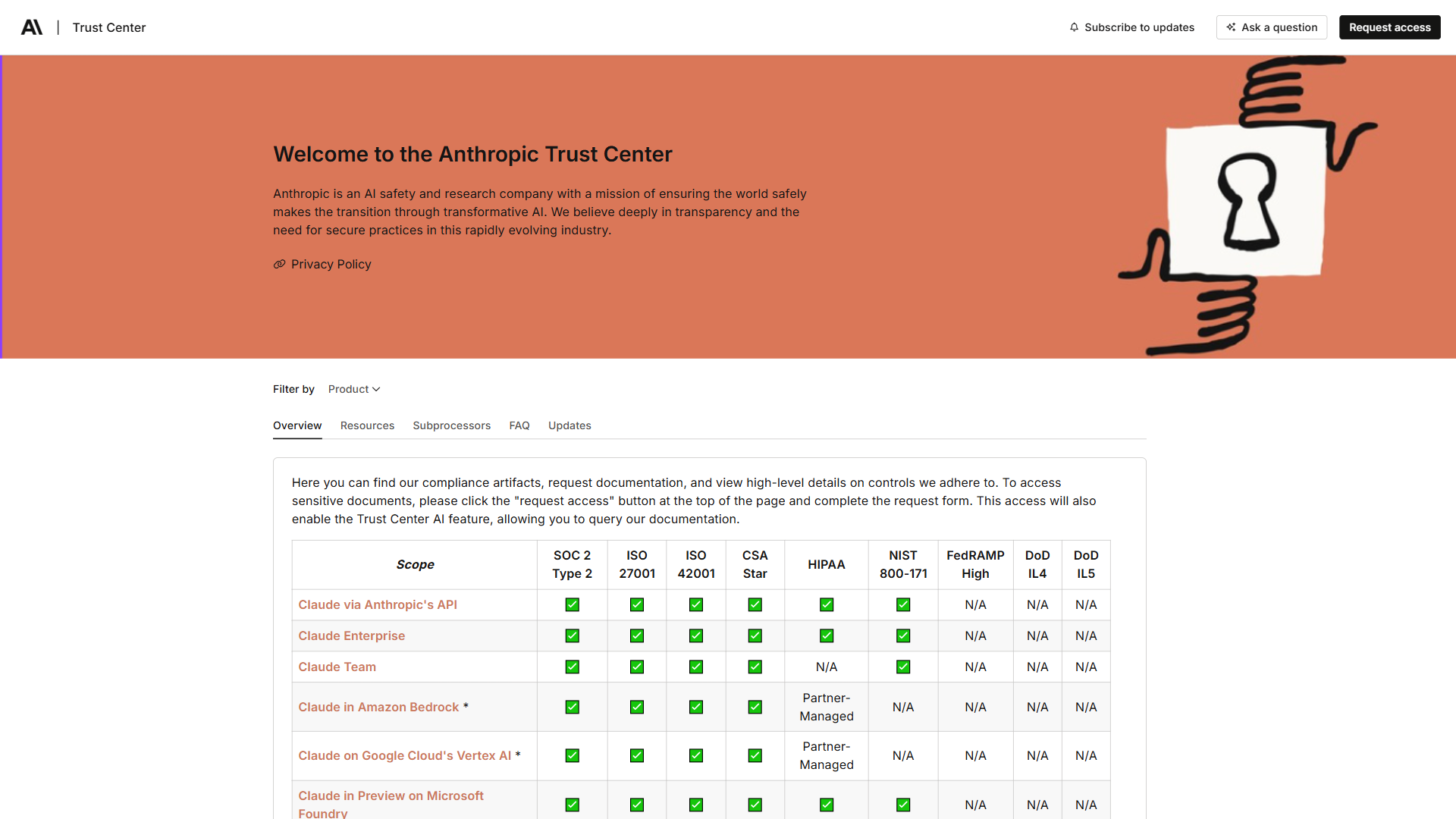
Anthropic has a firm policy that it does not train its models on Claude Team conversations. The Team plan is governed by Anthropic’s Commercial Terms of Service, which bar training on Customer Content, and the answer here is unambiguous.
Claude Team is a commercial product - part of “Claude for Work” - governed by Commercial Terms, not the Consumer Terms covering Free, Pro, and Max. According to Anthropic’s Commercial Terms of Service, the binding agreement covering every Team and Enterprise workspace, “We will not train our models on Customer Content from Services.” The customer organization keeps all rights to its inputs and owns the outputs.
For Team and Enterprise, Anthropic acts as a data processor rather than a data controller: the customer organization decides how data is used, and Anthropic handles it on the organization’s instructions. Claude’s pricing page lists “No model training on your content by default” as a Team and Enterprise feature, and Anthropic’s privacy center documents the same position.
This is a genuine differentiator. Anthropic’s consumer plans - Free, Pro, and Max - moved to an opt-in model-training setting for consumer chats in 2025. Team conversations sit outside that entirely: excluded from training by default under the commercial agreement, with no member-level toggle.
By default, Anthropic employees cannot access your conversations. Documented exceptions are narrow: explicit user consent such as submitting feedback, or a designated Trust and Safety team member reviewing content to enforce the Usage Policy on a need-to-know basis. Data is encrypted in transit and at rest, per Anthropic’s data-protection overview - encryption-at-rest is a baseline control in the U.S. National Institute of Standards and Technology’s data-protection guidance (SP 800-171).
Data Retention on the Team Plan
Data retention is where the Team plan shows a real limitation. A Team workspace retains its data indefinitely by default, with no setting to change that.
Custom data retention controls are an Enterprise-only feature. According to Anthropic’s documentation, Enterprise customers can configure a retention period of at least 30 days; when it expires, chats, projects, and artifacts are deleted at midnight UTC and cannot be recovered. A Team workspace has no equivalent control.
Audit logs are the same story - Enterprise-only. The Team plan does not have audit logs, so there is no record on Team showing who ran what administrative action and when.
The takeaway: on Team, content stays put by default. Automatic deletion schedules and admin-action paper trails live on Enterprise.
Team vs Max: Why the Plan You Are On Changes Everything
Claude Max is an individual plan with no organization, while Claude Team is the workspace plan that introduces a Primary Owner and the data-export capability - so the plan you are on decides whether anyone has admin visibility into your account at all.
Max - the 5x tier at $100 per month and the 20x tier at $200 per month (so $1,200 to $2,400 per year) - is an individual plan with no workspace, no admin, and no Primary Owner. A Max subscriber is the sole owner of their account, exactly like a Free or Pro user. Team, at $25 per seat per month with a 5-seat minimum (a workspace floor of $125 per month, or $1,500 per year), is the workspace plan that introduces a Primary Owner and the organization data-export capability.
“Admin visibility” applies to Team and Enterprise, not to Max. If your employer reimburses your personal Max or Pro subscription, that account still belongs to you - reimbursement is a payment arrangement, not an ownership transfer. The plan type, not who pays the invoice, determines who can reach your data.
How to Tell Whether You Are on a Work Seat or a Personal Account
You are on a work seat if your account belongs to a named workspace with Organization settings and central billing, and on a personal account if there is no workspace and your own payment method is on file. Run through this checklist to confirm which:
- Check how you signed in. A work seat is typically created through SSO or a company email domain.
- Look for a workspace name. Team and Enterprise accounts belong to a named workspace. A personal Pro, Max, or Free account has none.
- Check who is billed. On a work seat, billing is central. On a personal account, your own payment method is on file.
- Look at the settings you can reach. Visible Organization settings - including a Data and privacy section - mean you are inside a workspace.
- When unsure, ask. If signals are mixed, ask whoever set up the account whether it is a Team seat or a personal subscription.
If there is no workspace and no organization settings, you are on a personal account, and the admin-visibility discussion does not apply.
How Claude Team Plan Privacy Compares to ChatGPT, Copilot, and Gemini
Claude Team ranks behind Microsoft 365 Copilot and Claude Enterprise for admin oversight but ahead of ChatGPT Business. Team offers usage metadata and a Primary Owner data export, with no audit logs or custom retention. The table below summarizes admin visibility across five products.
| Product | Usage analytics | Conversation export | Audit logs | Custom retention | Live monitoring |
|---|---|---|---|---|---|
| Claude Team | Yes (metadata only) | Yes - Primary Owner data export | No | No | No |
| Claude Enterprise | Yes | Yes, plus a Compliance API | Yes | Yes | No |
| ChatGPT Business | Limited | No - export is Enterprise/Edu only | No | No | No |
| Microsoft 365 Copilot | Yes, via Admin Center | Governed by Microsoft 365 controls | Yes | Yes | No |
| Gemini for Workspace | Yes, via Workspace Admin console | Governed by Workspace controls | Yes (paid tiers) | Yes (paid tiers) | No |
Microsoft 365 Copilot offers the strongest routine admin oversight: the Microsoft Admin Center controls feature, user, and data-source access, enforces sensitivity labels and file permissions, and provides audit logs and retention policies. Claude Enterprise comes next, adding audit logs, a Compliance API, and custom retention to the Team feature set.
Claude Team gives admins usage analytics (metadata only) plus the Primary Owner data export, with no audit logs, no custom retention, and no live monitoring. ChatGPT Business has minimal admin visibility: an organization data export is not available on ChatGPT Business (it is Enterprise and Edu only), and the Compliance API is Enterprise-tier. Gemini for Workspace is administered through Google Workspace Admin, with Google’s governance tools such as Vault and retention policies on paid tiers.
The ranking for routine admin visibility: Microsoft Copilot first, then Claude Enterprise, then Claude Team and ChatGPT Business - both of which lack audit logs and live monitoring. Claude Team’s notable power is the Primary-Owner data export, which ChatGPT Business does not offer at its tier. None of these tools gives an admin a live, real-time view of conversations. If you are weighing the two assistants for work, our Claude versus ChatGPT comparison covers the wider trade-offs.
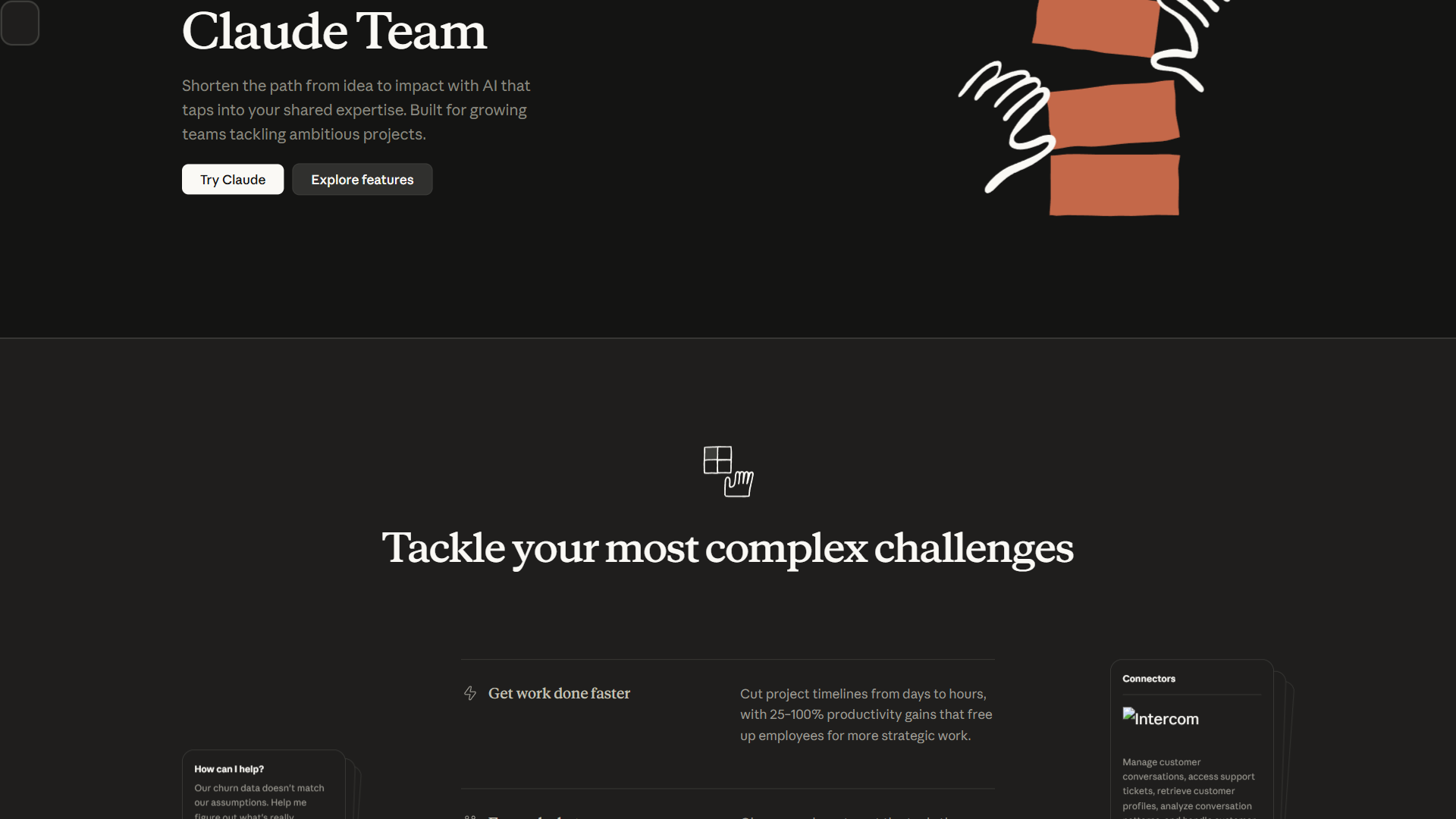
Team’s admin controls are sizable and easy to mistake for content surveillance: SSO and domain capture, just-in-time provisioning, role-based permissioning, spend controls, central billing, admin controls for connectors such as Google Drive, Gmail, GitHub, Microsoft 365, and Slack, and enterprise search. Every one of those governs who can join the workspace and what they can connect to it - none opens a window into live conversation content.
A Practical Privacy Playbook
Here is a straightforward approach to Claude Team plan privacy in day-to-day work.
Use the work seat for work. Treat a Team seat the way you would a corporate email account - appropriate for work, and reachable by the organization through the documented export path if a legitimate need arises.
Keep personal tasks on a personal account. A resume, a private matter, or anything unrelated to the job belongs on a separate personal Pro or Free account with no workspace and no Primary Owner above it. A personal account stays entirely yours regardless of who reimburses it.
A personal Pro subscription is far cheaper than a Team seat, and the Free plan costs nothing:
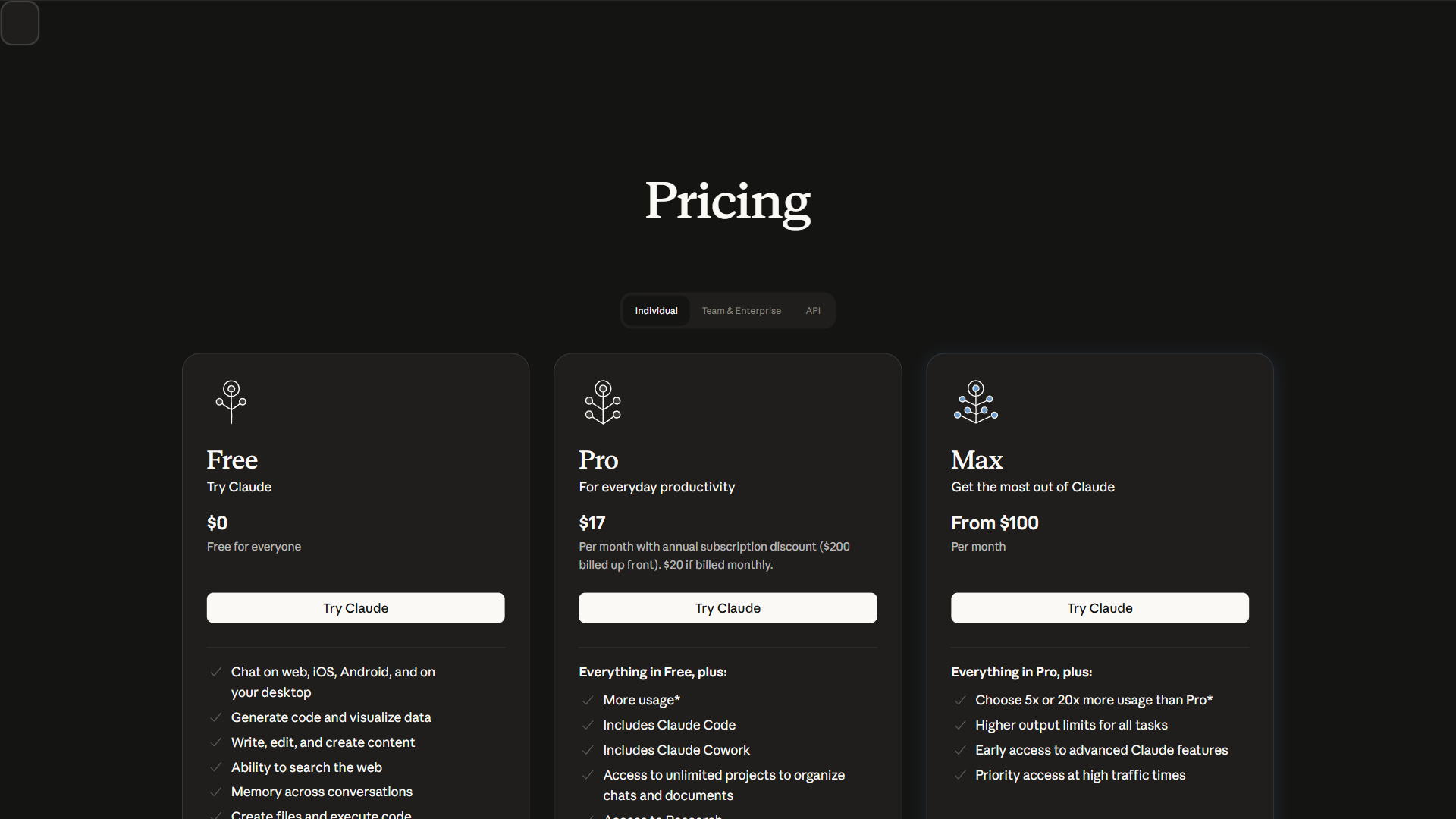
Pricing verified April 2026 from Claude's pricing page:
- Free: $0/mo
- Chat on web, iOS, Android, and desktop
- Generate code and visualize data
- Write, edit, and create content
- Pro: $17/user/mo annual ($20 monthly)
- Everything in Free, plus more usage
- Includes Claude Code
- Includes Claude Cowork
- Max 5x: $100/user/mo
- Everything in Pro, plus 5x more usage than Pro
- Higher output limits for all tasks
- Early access to advanced Claude features
- Max 20x: $200/user/mo
- Everything in Pro, plus 20x more usage than Pro
- Highest individual usage tier available
- Higher output limits for all tasks
- Team: $20/user/mo annual ($25 monthly)
- Standard seat: all Claude features with more usage than Pro ($20 annual / $25 monthly per seat)
- Premium seat: 5x usage of standard seat ($100 annual / $125 monthly per seat) including Claude Code and Cowork
- Connect Microsoft 365, Slack, and more
- Enterprise: Contact sales
- Seat price from $20/seat plus usage at API rates
- All Team plan features
- Admin-set user and org spend limits
Be deliberate about what goes into a work seat. Anything you would not want a Primary Owner to read in an export is best kept off the work seat - personal finances, health, job-search material, grievances about the employer. The export is audited and on-demand, but the safest content is content that was never entered.
Remember that incognito mode is not a shield at work. Incognito chats keep a conversation out of your own history but stay within reach of an organization export. For genuine separation, use a different account, not incognito mode on the same seat.
Treat device-level monitoring as a separate question. If a company installs monitoring software on a managed laptop, it can capture screen activity regardless of which app you use - a device-policy matter governed by IT, not by Claude. For the company side of policy across AI tools, see our enterprise data governance guide.
Frequently Asked Questions
Claude Team privacy questions are grouped here into three buckets: who can see your chats, whether Anthropic trains on them, and how to keep personal and work use separate. The answers below cover each in turn.
Can people see my chats on Claude Team?
Not routinely. Other members and ordinary owners cannot read your conversations, and there is no live view of chats. The single exception is the Primary Owner, who can run an on-demand, audited data export that may include members’ conversations and uploaded files.
Is the Claude Team plan private?
Largely, yes, with one documented limit. Admins see only usage metadata day to day, Anthropic does not train its models on Team conversations, and Anthropic employees cannot access your chats by default. The limit is the Primary Owner data export - a deliberate, audited path to conversation content.
Can my company see what I’m using Claude for?
Your company sees that you use Claude and how much - active-user counts, request volume, token usage, model, and cost - through plan analytics. Subject matter only becomes visible if the Primary Owner runs a data export, which is on-demand rather than continuous.
Does Claude Team use your data to train its models?
No. Claude Team is governed by Anthropic’s Commercial Terms of Service, under which Anthropic may not train models on Customer Content. Claude’s pricing page lists “No model training on your content by default” as a Team feature.
Can my boss read my Claude chats from my personal Pro account?
No. A personal Pro account is an individual plan with no organization and no Primary Owner above it. There is no employer-side export path into a personal account, even if your employer reimburses the subscription.
How do I keep my Claude conversations private from my employer?
Keep personal conversations on a separate personal Pro or Free account with no workspace and no Primary Owner. Use the company Team seat only for work. Incognito mode on a work seat does not help, since incognito chats still fall within an organization export.
Does the Claude desktop app change what admins can see?
No. Claude for Desktop is a client for the same account and does not create a separate privacy boundary. The same rules apply on web or desktop.
The Bottom Line
Claude Team plan privacy is more protective than the worst-case fear and more nuanced than “totally private.” Admins see usage metadata, never a live feed. Anthropic does not train its models on Team chats. The single honest caveat is the Primary Owner data export - a deliberate, audited action that can surface conversation content, including incognito chats, but excludes anything deleted before it runs.
Use the work seat for work, keep personal matters on a personal account, and remember that the plan type - not who pays - decides who can reach your data. Handle the work seat like a corporate email account and the privacy math takes care of itself.
Related Reading
Related guides include Claude pricing, the Claude versus ChatGPT trade-offs, and enterprise data-governance policy in more depth.
- What Your Admin Can Actually See on Claude’s Team Plan - our original news brief on this story
- Claude Pricing Explained: Free, Pro, Team & Max Compared
- Claude vs ChatGPT: Which AI Wins Your Workflow
- Enterprise Data Governance for AI Tools
- Claude
- Claude for Desktop
External Resources
External sources below are the primary Anthropic documentation pages that every claim in this guide cites.