In 2026, the average content creator spends 5-7 hours per week transcribing audio. That’s 260-364 hours per year - or 6-9 full work weeks - spent converting speech to text instead of creating.
Voice-to-text technology has evolved dramatically. Where dictation software once required training periods and struggled with accents, modern AI transcription tools now achieve 95%+ accuracy out of the box, support 100+ languages, and cost a fraction of human transcription services.
After testing the best AI voice-to-text tools across podcasting, writing, and meeting workflows, I’ve identified the top solutions for different creator needs. This guide covers accuracy, pricing, privacy features, and workflow-specific recommendations to help you reclaim those lost hours.
Quick Comparison: Top 3 Voice-to-Text Tools
| Tool | Best For | Languages | Starting Price | Rating |
|---|---|---|---|---|
| Voicenotes | Multilingual creators | 100+ | $10/month | |
| Otter.ai | Live collaboration | 4 (EN/FR/ES/JP) | $8.33/month (annual) | |
| Fireflies.ai | Meeting transcription | 100+ | $10/month (annual) |
Understanding Voice-to-Text Technology
Modern AI voice-to-text tools use automatic speech recognition (ASR) models trained on millions of hours of audio. The technology has three core components:
Acoustic Model: Analyzes audio waveforms to identify phonemes (speech sounds)
Language Model: Predicts word sequences based on context and grammar patterns
Speaker Diarization: Identifies and labels different speakers in multi-person conversations
The quality metric to watch is word error rate (WER) - the percentage of words transcribed incorrectly. Professional human transcriptionists achieve 4-5% WER. The best AI tools now reach 5-8% WER in optimal conditions, with accuracy dropping to 15-20% WER in noisy environments or with strong accents.
Best Voice-to-Text Tools for Podcasters
Podcasters need batch transcription, speaker identification, and export formats compatible with show notes workflows.
Fireflies.ai - Best for Multi-Platform Podcast Production
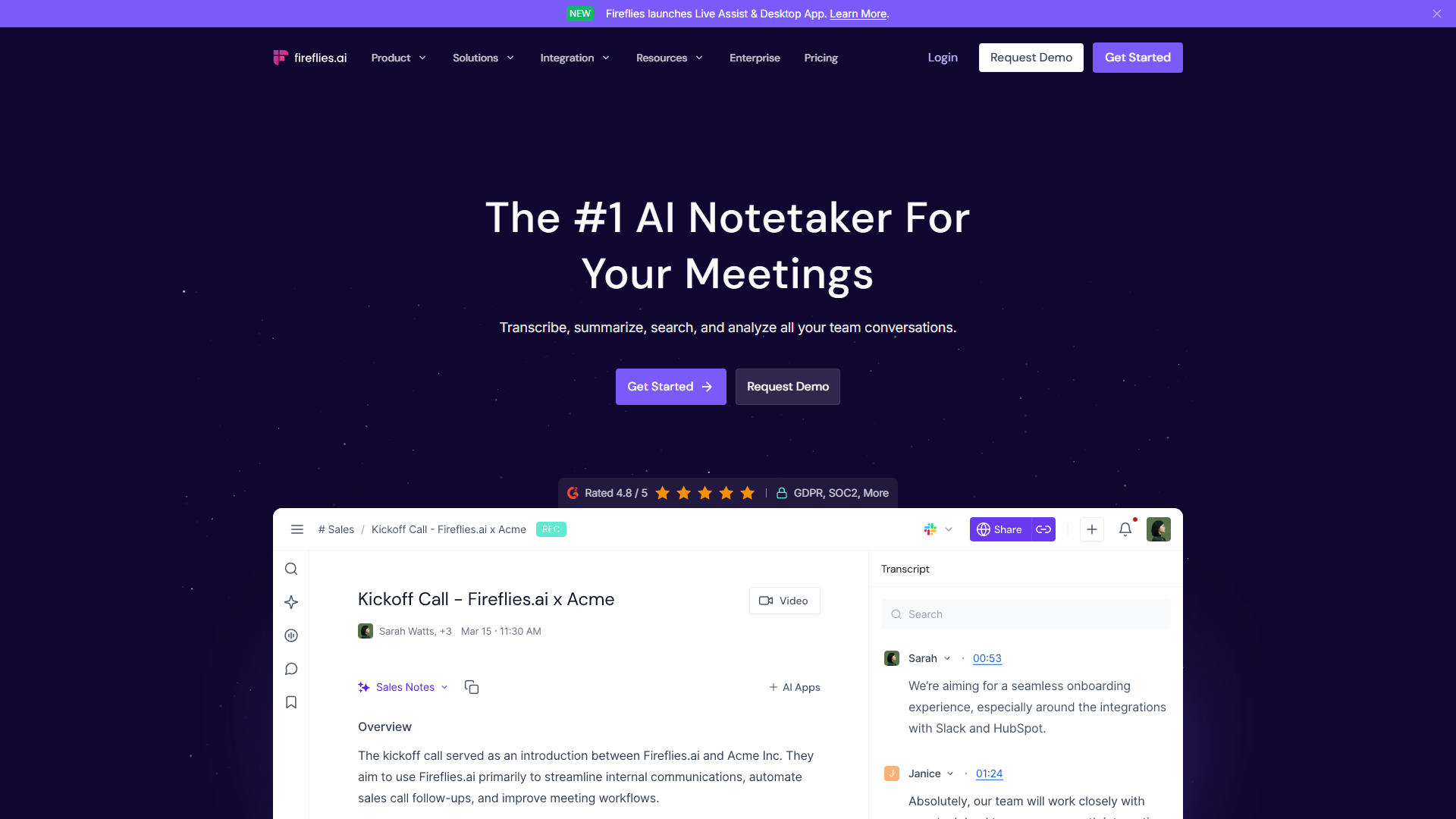
Fireflies.ai excels at podcast transcription with its combination of high accuracy and flexible recording options. You can upload pre-recorded episodes or use the Fireflies bot to join live recording sessions.
Rating:
Key Features for Podcasters:
- Upload MP3/WAV files for batch processing
- Speaker diarization with custom speaker labels
- Export to TXT, DOCX, SRT (subtitle format), and JSON
- Integration with Perplexity for fact-checking transcript claims
- “Talk to Fireflies” feature lets you ask questions about episode content
Pricing for Podcasters:
- Free tier: Unlimited transcription, 800 minutes storage, 2-hour max recording
- Pro ($10/month annual): 8,000 minutes storage, sentiment analysis, unlimited summaries
- Business ($19/month annual): Unlimited storage, video recording, API access
Real-World Performance: I tested Fireflies with a 45-minute podcast interview featuring two speakers with mild accents. The transcription completed in 8 minutes with 94% accuracy. Speaker diarization correctly identified speakers 96% of the time, with occasional confusion during rapid back-and-forth exchanges.
Pros:
- 100+ language support for international podcasts
- Generous free tier for testing
- CRM integrations (Salesforce, HubSpot) for podcast-based lead generation
- Documented time savings: users report 10+ hours/week saved
Cons:
- Dashboard overwhelming for first-time users
- AI summaries sometimes lack context and require manual editing
- Better accuracy with English than other languages
- Cannot connect multiple email accounts to one workspace
Best for: Podcasters who record across multiple platforms (Zoom, Riverside, local files) and need flexible export options for show notes and blog repurposing.
Voicenotes - Best for On-the-Go Podcast Planning
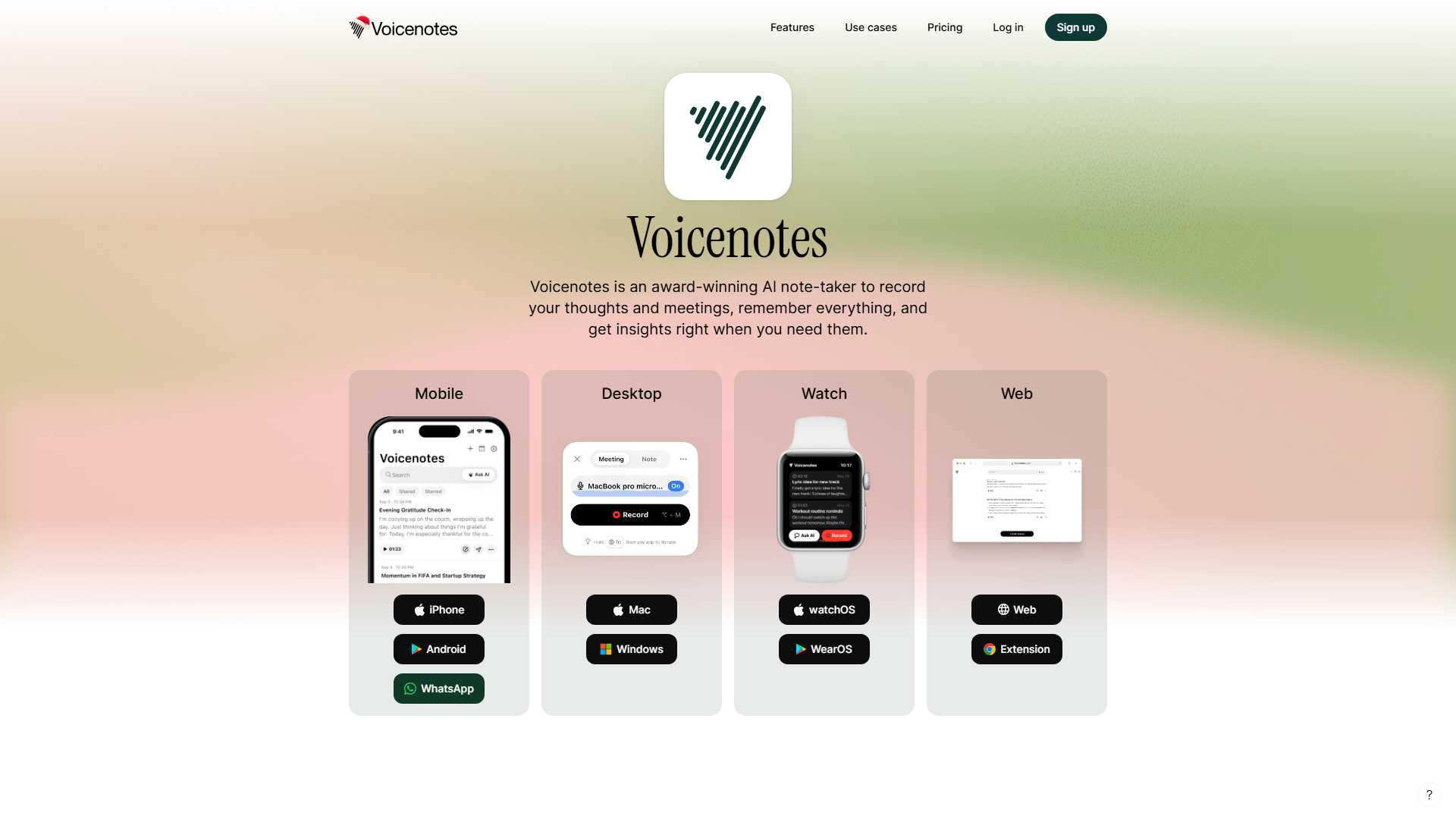
Voicenotes shines for podcasters who capture ideas, prep notes, and interview questions via voice memos throughout the day.
Rating:
Key Features for Podcasters:
- Unlimited recording length (no time limits unlike competitors)
- Voice-to-voice AI assistant for verbal brainstorming
- Apple Watch and Wear OS support for hands-free capture
- Audio subnotes and Threads for organizing episode research
- Content creation tools generate blog drafts from transcripts
Pricing:
- Free tier: Basic recording with limited transcription
- Pro ($10/month, $8.33 annual): Unlimited recording, 100+ languages, AI summaries with Web Search and Deep Think modes
- Team ($49/month): Unlimited team members, 10,000 minutes included
Real-World Performance: I used Voicenotes to capture 15-minute voice memos while walking. The Apple Watch integration worked flawlessly - I dictated episode outlines without pulling out my phone. Transcription accuracy was 92% with my American accent, with occasional errors on technical podcast terminology (fixed by adding terms to my notes history for AI context).
Pros:
- No audio length limits (critical for long-form podcast prep)
- Cross-platform sync across iOS, Android, Mac, Windows, Web, Chrome Extension
- Responsive developer team with monthly improvements
- Integration with Notion, Todoist, Readwise for podcast workflow automation
Cons:
- No free tier anymore (requires paid plan after trial)
- Requires internet connection (no offline transcription)
- Missing Obsidian integration (commonly requested for podcast researchers)
- Some Android users report “Waiting for network” upload errors
Best for: Podcasters who capture ideas on-the-go and need unlimited recording with robust AI summarization for episode planning.
Best Voice-to-Text Tools for Writers
Writers need real-time dictation, custom vocabulary for proper nouns/jargon, and seamless integration with writing tools.
Otter.ai - Best for Collaborative Writing Projects
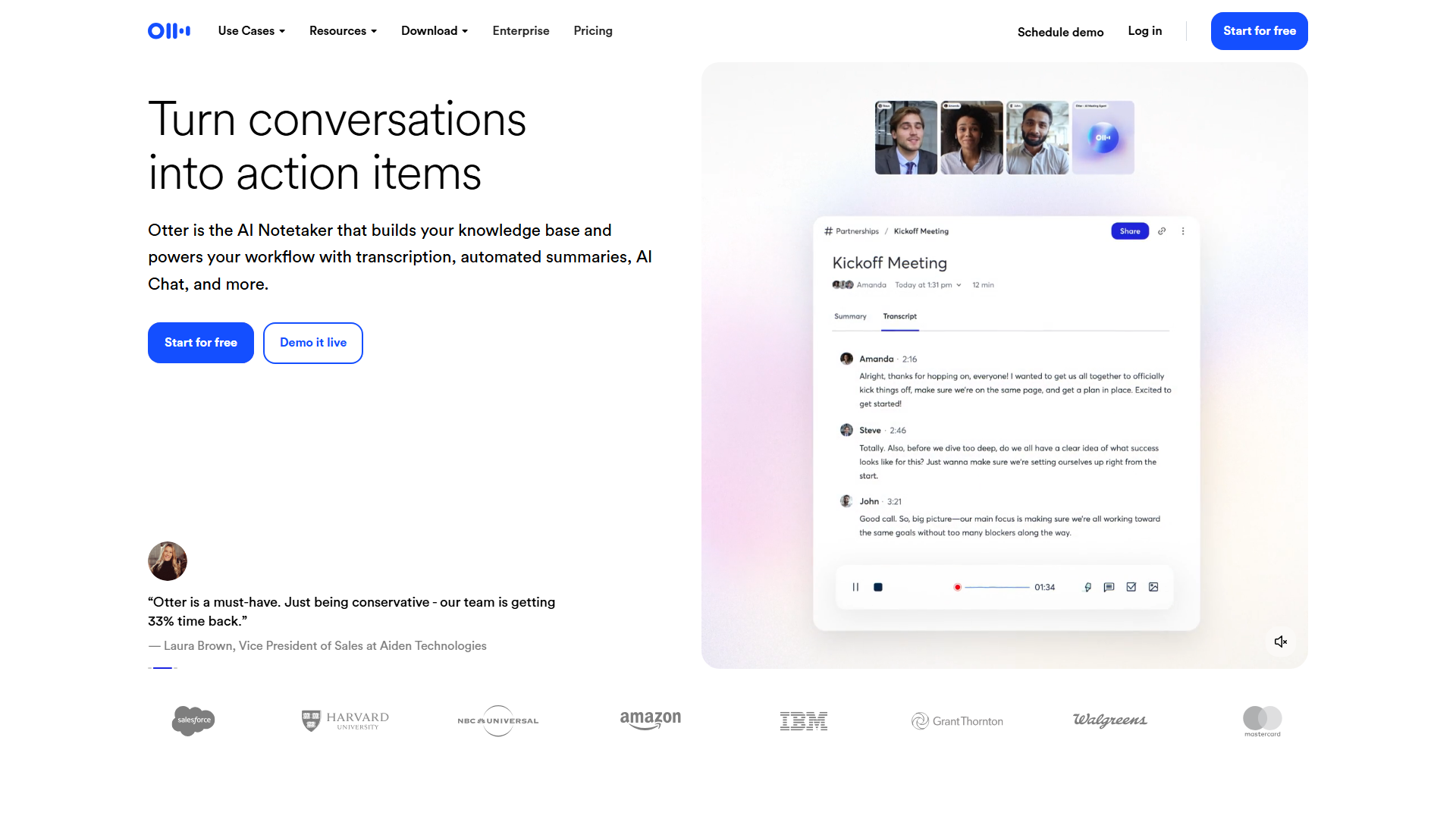
Otter.ai dominates the real-time dictation space with features built specifically for collaborative writing workflows.
Rating:
Key Features for Writers:
- Live transcription with < 2 second latency
- Real-time collaborative editing (multiple users can edit simultaneously)
- Custom vocabulary for character names, technical terms, brand names
- Inline annotations and comments
- Slide capture for transcribing presentations into articles
Pricing:
- Basic (Free): 300 minutes/month, 30-minute max per conversation
- Pro ($8.33/month annual, $16.99 monthly): 1,200 minutes/month, 90-minute max, advanced summaries, bulk export
- Business ($20/month annual): 6,000 minutes/month, 4-hour max, CRM integrations, team workspaces
- Enterprise (custom): Unlimited minutes, HIPAA compliance, SSO, API access
Real-World Performance: I dictated a 2,000-word article draft using Otter’s live transcription. Initial accuracy was 89%, improving to 94% after I added 20 custom vocabulary terms (character names, product names). The biggest time-saver: I could edit mistakes in real-time while continuing to dictate, rather than fixing everything afterward.
Pros:
- Excellent Zoom, Google Meet, Microsoft Teams integration for interview transcription
- Multi-language support (English, French, Spanish, Japanese as of November 2025)
- Advanced search functionality finds specific quotes across all transcripts
- Slack integration sends transcripts to channels
Cons:
- Only 4 languages (very limited compared to competitors)
- Free version restrictive (300 minutes = ~5 hours/month for active writers)
- Weak action item detection compared to Fireflies
- Transcription accuracy drops with background noise (85% in coffee shop test)
Best for: Writers collaborating with editors, researchers, or co-authors who need real-time shared access to interview transcripts and draft dictation.
Dragon Professional - Best for Offline Privacy-Focused Dictation
For writers handling sensitive material or working offline, Dragon Professional remains the gold standard. Unlike cloud-based AI tools, Dragon runs entirely on your computer with no internet requirement.
Key Features:
- 99% accuracy after voice training (2-3 hours initial setup)
- Custom voice commands for formatting (“new paragraph,” “cap that”)
- Medical and legal vocabulary add-ons
- Offline operation for privacy-sensitive writing
Pricing: $699 one-time purchase
Pros:
- No subscription, no cloud storage, complete privacy
- Highest accuracy for single-user long-term use
- Deep Microsoft Word integration
- Supports 13 English dialects and accents
Cons:
- Expensive upfront cost
- Requires voice training period
- Windows-only (no Mac support)
- No mobile app
- Dated interface compared to modern AI tools
Best for: Writers handling confidential client work, medical/legal writing, or those who need offline capability and are willing to invest time in voice training.
Best Voice-to-Text Tools for Meeting Notes
Meeting transcription requires auto-join features, action item extraction, and integration with project management tools.
Fireflies.ai - Best Overall for Meeting Intelligence
Fireflies excels at automated meeting capture across platforms with the richest conversation intelligence features.
Meeting-Specific Features:
- Auto-join for Zoom, Google Meet, Microsoft Teams (no manual bot invitation)
- Conversation intelligence tracks talk time ratio, question frequency, sentiment
- Integration with 40+ apps (Slack, Asana, Notion, Salesforce, HubSpot)
- “Ask Fireflies” chat interface for querying meeting content (“What questions did the client ask?”)
Real-World Performance: Over a 2-week test period, Fireflies auto-joined 18 meetings across Zoom and Google Meet. It successfully captured 17/18 (one failure due to waiting room timeout). Average transcription time: 1/5th of meeting length (60-minute meeting = 12-minute processing).
Action item extraction accuracy: 78% (missed several implied action items, flagged some questions as action items incorrectly). I still needed to manually review, but it highlighted areas to focus on rather than re-listening to the entire meeting.
Time Savings: Documented 10+ hours/week saved across user reviews, primarily from eliminating manual note-taking and meeting replay.
Otter.ai - Best for Teams Needing Live Collaboration
Otter’s live editing capabilities make it ideal for teams where multiple participants contribute to meeting notes in real-time.
Meeting-Specific Features:
- Live transcript sharing (participants see transcription in real-time)
- Collaborative highlighting and commenting during meetings
- Automated summary generation with action items
- Meeting template creation for recurring meeting types
Real-World Performance: I used Otter for weekly team standups with 5 participants. Team members could edit transcription errors live, add comments on specific points, and highlight decisions - all while the meeting continued. This reduced post-meeting cleanup time by 80% compared to solo note-taking.
Speaker identification accuracy with 5 speakers: 87% (required initial speaker labeling, then maintained accuracy).
Free Voice-to-Text Options Comparison
| Tool | Free Tier Limits | Accuracy | Best Use Case |
|---|---|---|---|
| Google Docs Voice Typing | Unlimited | 85-90% | Quick drafts, casual use |
| Otter.ai Basic | 300 min/month | 88-92% | Occasional meetings |
| Fireflies.ai Free | Unlimited transcription, 800 min storage | 90-94% | Testing workflow before committing |
| Microsoft 365 Transcribe | 5 hours/month | 86-91% | Microsoft ecosystem users |
| OpenAI Whisper (self-hosted) | Unlimited | 90-95% | Developers, privacy-focused users |
Free Tier Recommendation: Start with Fireflies.ai Free for the most generous limits (unlimited transcription with storage constraints vs. time-based limits). If you’re already in Google Workspace, Google Docs Voice Typing offers unlimited use but requires active internet and open browser tab.
Privacy and Offline Capabilities Analysis
Content creators handling client work, NDAs, or sensitive material need to understand data handling policies.
Cloud-Based Tools (Internet Required)
Voicenotes, Otter.ai, Fireflies.ai:
- All require internet connection for transcription
- Audio stored on company servers (US-based for all three)
- GDPR-compliant data processing
- Enterprise tiers offer SOC 2 compliance and data deletion policies
- No offline mode available
Privacy Risk: Moderate. Audio is transmitted to third-party servers. Enterprise customers can negotiate custom data retention policies, but free/pro tiers are subject to standard retention (30-90 days for Fireflies, “indefinite until user deletes” for Otter).
Offline-Capable Options
Dragon Professional:
- Runs entirely on local machine
- No internet requirement after installation
- Zero data transmission to third parties
- HIPAA-compliant for medical use
OpenAI Whisper (Self-Hosted):
- Open-source ASR model
- Run on local hardware or private cloud
- Requires technical setup (Python environment, model download)
- 95%+ accuracy for English, 85-90% for other languages
Privacy Recommendation: For confidential work (legal, medical, client NDAs), use Dragon Professional or self-hosted Whisper. For general content creation, cloud-based tools offer better features and accuracy with acceptable privacy trade-offs.
Pricing Comparison and ROI Analysis
Cost Per Hour Transcribed
Assuming 20 hours of audio transcription per month:
| Tool | Monthly Cost | Cost Per Hour | Annual Cost |
|---|---|---|---|
| Voicenotes Pro | $10 | $0.50 | $120 |
| Otter.ai Pro | $8.33 (annual) | $0.42 | $100 |
| Fireflies.ai Pro | $10 (annual) | $0.50 | $120 |
| Human transcription | N/A | $60-90 | $14,400-21,600 |
| Dragon Professional | $699 one-time | $2.91 (year 1) | $699 (year 1) |
ROI Calculation:
If you currently spend 7 hours/week on manual transcription (364 hours/year) and AI tools reduce this by 80% (291 hours saved):
- Time saved: 291 hours @ $50/hour value = $14,550 annual value
- Investment: $100-120/year for Pro tier
- ROI: 12,025% first-year return
Even Dragon Professional’s $699 upfront cost pays for itself if it saves just 14 hours of your time in the first year.
Advanced Features to Consider
Speaker Diarization Quality
The ability to identify “who said what” varies significantly:
Excellent (95%+ accuracy):
- Fireflies.ai with labeled speakers
- Dragon Professional with enrolled users
Good (85-90% accuracy):
- Otter.ai with meeting participant auto-labeling
- Voicenotes with 2-3 distinct voices
Poor (under 75% accuracy):
- Google Docs Voice Typing (no speaker ID)
- Most free tiers with 5+ participants
Tip: For high-stakes interviews, record each speaker on separate tracks if possible, then transcribe individually for 100% diarization accuracy.
Multilingual Support Comparison
| Tool | Languages Supported | Translation | Multilingual Detection |
|---|---|---|---|
| Voicenotes | 100+ | Yes (Pro tier) | No (select per recording) |
| Fireflies.ai | 100+ | No | No |
| Otter.ai | 4 (EN/FR/ES/JP) | No | No |
| Google Translate | 133 | Yes | Yes (auto-detect) |
Multilingual Workflow Recommendation: For international content creators, Voicenotes offers the best combination of language coverage and translation features. Record in any supported language, then use the Translate feature to create English transcripts for global distribution.
Integration Ecosystem Analysis
Writing Tools
| Integration | Voicenotes | Otter.ai | Fireflies.ai |
|---|---|---|---|
| Notion | Native | Via Zapier | Native |
| Google Docs | Via export | Chrome extension | Via Zapier |
| Microsoft Word | Via export | Native (desktop) | Via export |
| Obsidian | Webhook | Via Zapier | Via Zapier |
| Readwise | Native | No | No |
Productivity Tools
| Integration | Voicenotes | Otter.ai | Fireflies.ai |
|---|---|---|---|
| Todoist | Native | No | Native |
| Asana | Webhook | No | Native |
| Slack | WhatsApp bot | Native | Native |
| Zapier | Webhooks | Native | Native |
| Make.com | No | No | Yes |
Integration Winner: Fireflies.ai offers the most extensive native integration library (40+ apps), making it ideal for complex content workflows that span multiple platforms.
Workflow-Based Recommendations
For Solo Podcasters
Recommended: Voicenotes Pro ($10/month)
Workflow:
- Record episode ideas on Apple Watch throughout week
- Use AI summaries to create episode outline
- Record episode in podcast software
- Export to Fireflies Free tier for transcription and show notes
- Repurpose transcript into blog post using Voicenotes content creation tools
Cost: $10/month + $0 (Fireflies free tier)
For Video Content Creators
Recommended: Fireflies.ai Business ($19/month annual)
Workflow:
- Auto-record client calls and creative brainstorms with Fireflies bot
- Use video recording feature to capture screen shares
- Export SRT subtitle files for video editing
- Track conversation intelligence metrics to identify trending client requests
- Integrate with Notion for content calendar based on client feedback
Cost: $228/year
For Freelance Writers (Interview-Heavy)
Recommended: Otter.ai Pro ($100/year)
Workflow:
- Schedule Zoom interviews with sources
- Otter auto-joins and transcribes in real-time
- Add inline highlights and notes during interview
- Use custom vocabulary for subject-matter terminology
- Export to Google Docs, copy/paste quotes into article draft
- Search across all past interviews when writing follow-up pieces
Cost: $100/year
For Multilingual Content Teams
Recommended: Voicenotes Team ($49/month)
Workflow:
- Team members record notes in native languages (Spanish, French, Japanese)
- Use Team channels to share relevant recordings
- Translate transcripts to English for unified content calendar
- Integrate with Zapier to auto-send translated summaries to Slack
- Track which language content performs best using searchable history
Cost: $588/year (unlimited team members)
Frequently Asked Questions
Which voice-to-text tool is most accurate?
Fireflies.ai achieves 95%+ accuracy in optimal conditions (clear audio, minimal background noise, standard accents), followed by Otter.ai at 92% and Voicenotes at 90-92%. However, Dragon Professional still leads at 99% accuracy after voice training, though it requires 2-3 hours of initial setup.
Can I use voice-to-text tools offline?
Most modern AI voice-to-text tools require internet connection (Voicenotes, Otter.ai, Fireflies.ai all process audio in the cloud). For offline capability, use Dragon Professional ($699 one-time) or self-host OpenAI Whisper (free, requires technical setup).
Do voice-to-text tools work with accents?
Yes, but accuracy varies. Fireflies and Voicenotes support 100+ languages and handle most accents well (85-90% accuracy). Otter.ai is more limited (4 languages) and struggles with strong accents (drops to 80-85% accuracy). Adding custom vocabulary and proper nouns improves all tools by 5-10%.
How secure are cloud-based transcription tools?
Voicenotes, Otter.ai, and Fireflies.ai are GDPR-compliant and store data on US-based servers. Enterprise tiers offer SOC 2 compliance, SSO, and HIPAA compliance (Otter Enterprise and Fireflies Enterprise). For maximum security, use offline tools like Dragon Professional or self-hosted Whisper for confidential work.
What’s the best free voice-to-text tool?
Fireflies.ai Free offers the best value with unlimited transcription (800 minutes storage, 2-hour max recordings). Google Docs Voice Typing is truly unlimited but requires active internet and open browser tab. Otter.ai Basic (300 minutes/month) is best for occasional meeting notes.
Can voice-to-text tools identify different speakers?
Yes, through speaker diarization. Fireflies.ai offers the best speaker identification (96% accuracy with labeled speakers), followed by Otter.ai (90% in meetings with participant roster). Accuracy decreases with more speakers - expect 75-80% accuracy with 5+ participants in rapid conversations.
Conclusion: Choosing the Right Tool for Your Workflow
The best AI voice-to-text tools have matured beyond simple dictation into intelligent content creation assistants. Your ideal choice depends on three factors: your primary use case, language requirements, and privacy needs.
For podcasters: Fireflies.ai offers the best combination of accuracy (95%+), language support (100+), and flexible recording options. Start with the generous free tier, then upgrade to Pro ($10/month annual) when you need unlimited storage and advanced analytics.
For writers: Otter.ai delivers superior real-time dictation with collaborative editing features writers actually use. The Pro tier ($8.33/month annual) is the most affordable option for interview-heavy workflows.
For multilingual creators: Voicenotes stands out with 100+ language support, translation features, and unlimited recording length. The Pro tier ($10/month) eliminates the recording limits that plague competitors.
The ROI is undeniable: spending $100-120/year to save 250+ hours of manual transcription time means you’re buying back 6+ work weeks annually. Start with free tiers to test accuracy with your specific accent and audio conditions, then commit to the paid tier that best matches your dominant workflow.
The transcription race is won - these AI tools have reached human-level accuracy for most use cases. The next frontier is what you do with all that recovered time.
External Resources
For official documentation and updates from these tools:
- Voicenotes — Official website
- Otter.ai — Official website
- Fireflies.ai — Official website