This guide covers best ai code assistants 2026 with hands-on analysis.
The landscape of software development has fundamentally changed. According to recent industry surveys, 84-92% of developers now use AI coding assistants in their daily work, with 78% reporting measurable productivity gains. Stack Overflow’s 2025 Developer Survey found that 65% of developers use AI tools weekly, and organizations are seeing 40-60% reductions in code review time.
But here’s the challenge: with dozens of AI coding assistants flooding the market, choosing the right one for your team isn’t straightforward. The wrong choice can mean wasted budget, friction with your existing toolchain, or worse — security and privacy concerns that could put your codebase at risk.
This comparison cuts through the marketing hype to give you real-world insights into the top AI code assistants for 2026. We’ll cover pricing (actual numbers, not vague tiers), feature sets, ecosystem fit, and who each tool is genuinely best for. Whether you’re a solo developer, leading a small team, or managing enterprise-scale development, you’ll find actionable recommendations here.
Quick Comparison: AI Code Assistants at a Glance
When exploring best ai code assistants 2026, consider the following.
Before we dive deep, here’s how the major players stack up:
| Tool | Starting Price | Best For | Standout Feature | Rating |
|---|---|---|---|---|
| Gemini Code Assist | Free (6K requests/day) | Google Cloud teams | 1M token context window | |
| GitHub Copilot | $10/month | Most developers | Largest ecosystem | N/A |
| Cursor | $20/month | Fast-moving teams | Multi-model flexibility | N/A |
| Amazon Q Developer | Free (50 chats/month) | AWS users | IP indemnity coverage | N/A |
| Tabnine | $12/month | Privacy-conscious orgs | Air-gapped deployment | N/A |
Each of these tools takes a different approach to AI-assisted coding. Let’s break down what makes each one tick.
Gemini Code Assist: Google’s Enterprise Play
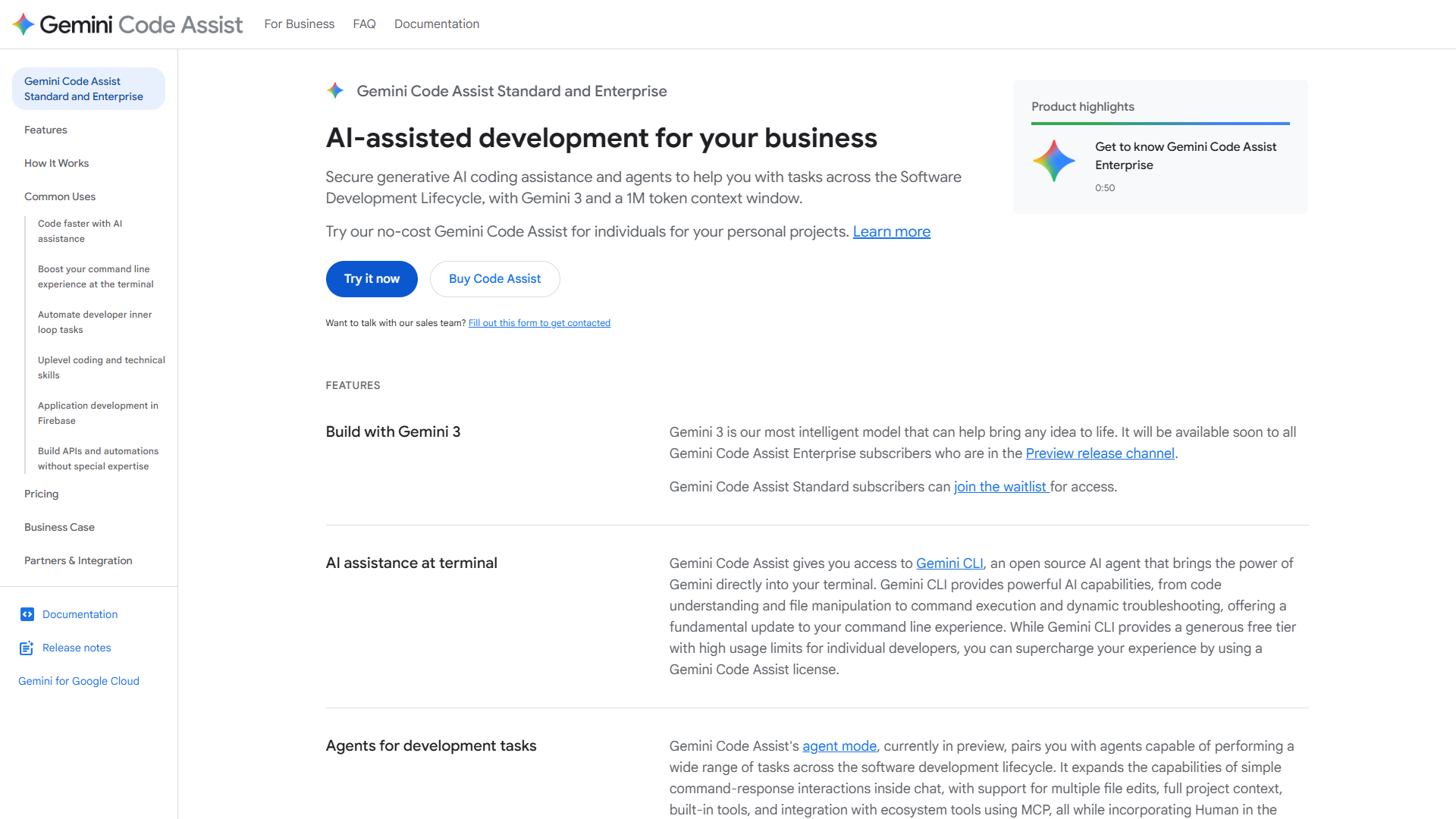
Google entered the AI coding assistant race later than GitHub, but Gemini Code Assist brings some serious technical advantages that make it worth considering, especially if you’re already in the Google Cloud ecosystem.
Key Features and Capabilities
The headline feature is the 1 million token context window. While other tools analyze a few files at a time, Gemini Code Assist can ingest your entire codebase — including documentation, API specs, and internal wikis — to provide contextually aware suggestions. This is particularly valuable for large monorepos or projects with extensive documentation.
Gemini Code Assist also supports Model Context Protocol (MCP), allowing you to connect external data sources like internal APIs, databases, or custom documentation. This means the AI can reference your team’s specific coding standards, architecture decisions, and internal libraries when making suggestions.
The tool integrates directly with VS Code, JetBrains IDEs, and Google Cloud console. You get inline code completions, chat-based coding assistance, and the ability to explain, refactor, or generate entire functions from natural language descriptions.
Pricing Structure (January 2026)
Gemini Code Assist offers three tiers:
- Free tier: 6,000 code requests per day, which is remarkably generous for experimentation or light usage
- Standard ($19/month): Unlimited code completions and chat, priority support
- Enterprise ($45/user/month): Everything in Standard plus enhanced security controls, admin console, and Google Cloud integration
The free tier is one of the most generous among major providers, making it easy to test-drive before committing.
Current Rating and Performance
Users particularly praise the context window for understanding complex codebases and the quality of suggestions for Google Cloud APIs (unsurprisingly). The main criticism is that it’s newer to market than GitHub Copilot, so the community resources and third-party integrations aren’t as mature yet.
Best For
Gemini Code Assist is ideal for teams that:
- Use Google Cloud Platform extensively
- Work with large monorepos where broad context is valuable
- Want to integrate internal documentation and standards into AI suggestions
- Value a generous free tier for testing or small-scale usage
If you’re not in the Google ecosystem, you might find less value here compared to more ecosystem-agnostic tools like Cursor or GitHub Copilot.
GitHub Copilot: The Incumbent Leader
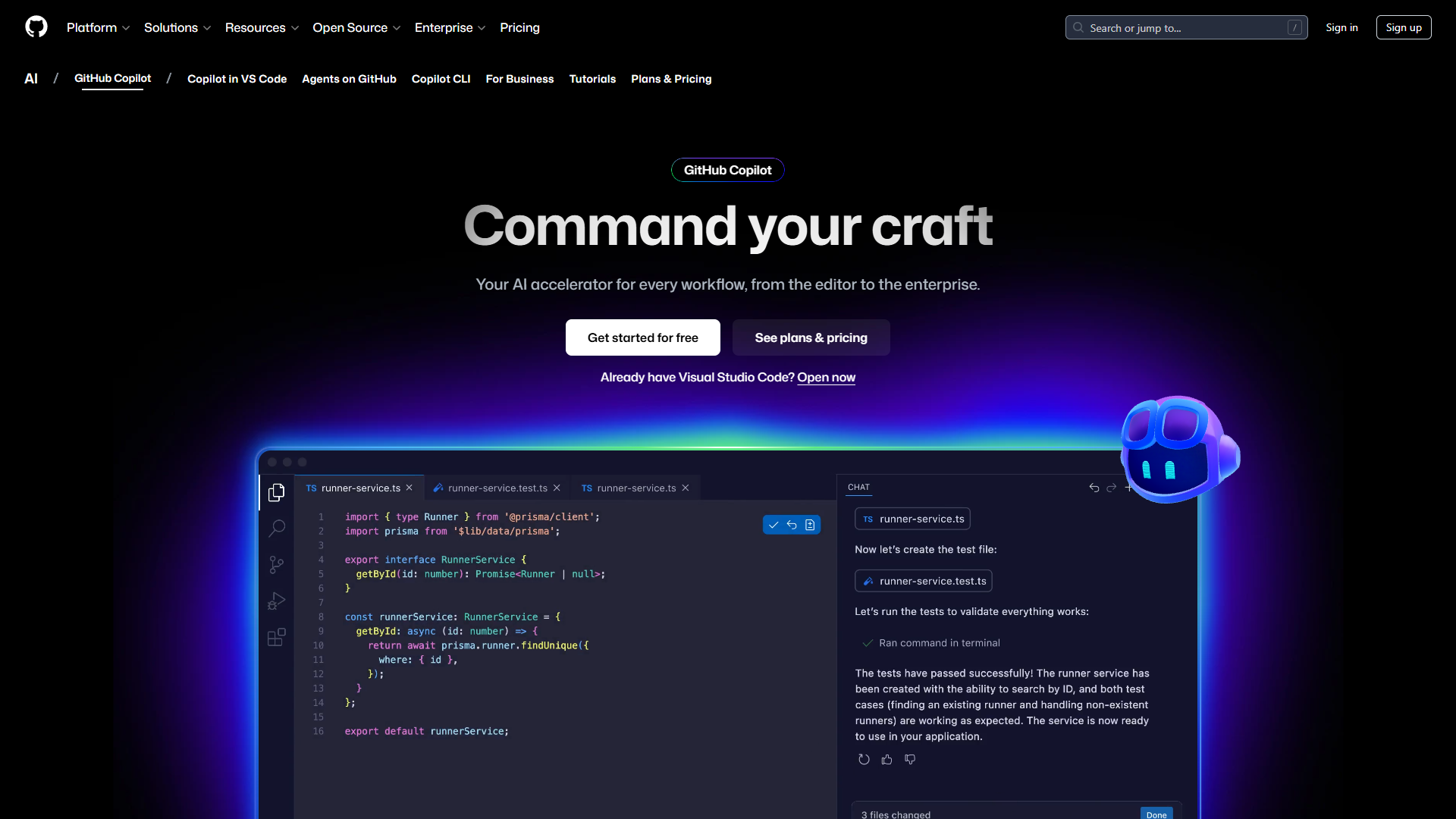
GitHub Copilot launched in 2021 and has had years to refine its models, build integrations, and establish itself as the default choice for many developers. It’s the most mature option available and benefits from Microsoft’s deep integration with developer tooling.
Key Features and Capabilities
Copilot offers inline code completions that feel almost psychic when they work well, chat-based assistance for explaining code or generating boilerplate, and GitHub Copilot Workspace for AI-assisted issue resolution. The tool works across virtually every popular IDE through official extensions.
One significant advantage is the community. With millions of users, you’ll find extensive documentation, troubleshooting guides, and shared tips. The model has been trained on a massive corpus of public code from GitHub, so it’s particularly strong with popular frameworks and libraries.
Recent updates added voice coding support, vulnerability scanning for AI-generated code, and improved context awareness by analyzing your open files and recent commits.
Pricing Breakdown (January 2026)
GitHub Copilot comes in four tiers:
- Free: Limited features for verified students, teachers, and open-source maintainers
- Individual ($10/month): Full code completion and chat features for personal use
- Business ($19/user/month): Everything in Individual plus centralized policy management and enterprise-grade security
- Enterprise ($39/user/month): Business features plus Copilot Workspace, fine-tuned models on your codebase, and advanced admin controls
The Individual tier at $10/month is the lowest entry price among feature-complete options, making it accessible for solo developers.
Strengths and Weaknesses
GitHub Copilot excels at:
- Broad language support (dozens of programming languages)
- Integration with the GitHub workflow (pull requests, issues, actions)
- Community resources and troubleshooting
- Mature model with years of refinement
However, it has limitations:
- You’re locked into OpenAI’s models (no model choice)
- Privacy concerns for some organizations due to Microsoft’s data policies
- Can be overly confident with suggestions that don’t quite fit your context
- Higher enterprise pricing compared to some competitors
Best For
GitHub Copilot makes sense for:
- Teams already using GitHub for source control
- Developers who want the most battle-tested option
- Organizations with budget for per-user licensing
- Projects using mainstream languages and frameworks
It’s the safe choice — you’re unlikely to regret it, but you might miss out on some cutting-edge features offered by newer entrants.
Cursor: The Developer Favorite
Cursor has quickly become the darling of the developer community, particularly among early adopters and fast-moving startups. It’s built from the ground up as an AI-first code editor, rather than bolting AI onto an existing editor.
What Makes Cursor Different
Cursor’s standout feature is multi-model support. You can switch between GPT-4, Claude 3.5, and other models depending on the task. Some developers use GPT-4 for code generation, Claude for refactoring, and lighter models for simple completions. This flexibility is unprecedented among major tools.
The Composer feature lets you describe changes across multiple files in natural language, and Cursor will generate the necessary edits everywhere. This is particularly powerful for architectural changes that touch many files — refactoring, renaming, or updating patterns across your codebase.
Cursor also offers codebase indexing that’s faster than most competitors, and it works offline for basic completions (though chat requires an internet connection).
Pricing and Value
Cursor’s pricing is straightforward:
- Free/Hobby: Limited usage (2,000 completions, 50 slow premium requests)
- Pro ($20/month): Unlimited basic completions, 500 fast premium requests, access to all models
- Teams: Custom pricing based on team size
At $20/month for Pro, Cursor is competitively priced considering you get multi-model access. Some competitors charge more and lock you into a single model family.
Trade-offs to Consider
Cursor’s advantages come with some compromises:
- It’s a standalone editor (fork of VS Code), so you need to switch from your current setup
- Smaller community compared to established tools
- Some enterprise features (SSO, admin controls) are still maturing
- No official JetBrains support (VS Code-based only)
The multi-model flexibility is powerful, but it also means you need to understand which model works best for which tasks. There’s a learning curve.
Best For
Cursor is ideal for:
- Developers comfortable trying bleeding-edge tools
- Teams that value speed and iteration velocity
- Projects where different AI models excel at different tasks
- Developers who can switch their entire editor environment
If you’re risk-averse or need rock-solid enterprise features, you might want to wait. But if you value innovation and flexibility, Cursor is worth serious consideration.
Amazon Q Developer and Tabnine: Strong Alternatives
While Gemini Code Assist, GitHub Copilot, and Cursor dominate mindshare, two other tools deserve attention depending on your specific needs.
Amazon Q Developer: The AWS Specialist
Amazon Q Developer (formerly CodeWhisperer) is Amazon’s entry into AI coding assistants, and it’s tightly integrated with AWS services.
Key features:
- Free tier: 50 IDE chat conversations per month plus unlimited code suggestions
- Pro tier ($19/user/month): Unlimited chat, enhanced security scanning, and AWS reference tracker
- IP indemnity: Amazon provides legal protection if AI-generated code infringes on third-party IP
- AWS expertise: Particularly strong with AWS SDKs, CloudFormation, and AWS-specific patterns
The IP indemnity is a genuine differentiator. If you’re in a risk-averse industry (finance, healthcare), having Amazon backing the code suggestions adds legal protection that other vendors don’t offer.
Amazon Q Developer is best for teams heavily invested in AWS infrastructure. If you’re using Azure or Google Cloud, you’ll find less value here.
Tabnine: Privacy-First Coding
Tabnine takes a fundamentally different approach by prioritizing privacy and security over cutting-edge features.
Key features:
- Air-gapped deployment: Run Tabnine entirely on-premises with no cloud connectivity
- Zero data retention: Your code never leaves your infrastructure
- Flexible hosting: Cloud, self-hosted, or fully local models
- Pricing: Professional at $12/user/month, Enterprise at $39/user/month
The air-gapped option is critical for organizations with strict data sovereignty requirements (government contractors, healthcare, finance). You get AI assistance without ever sending code to external servers.
The trade-off is that local models aren’t as powerful as cloud-based GPT-4 or Claude. You’re sacrificing some capability for complete privacy control.
Tabnine is best for:
- Organizations with strict data residency requirements
- Companies in regulated industries
- Teams where security trumps cutting-edge features
- On-premises infrastructure setups
How to Choose: Decision Framework
The “best” AI code assistant depends entirely on your context. Here’s how to narrow down your choice.
By Team Size
Solo developers and freelancers: Start with GitHub Copilot Individual ($10/month) for the most mature option, or Gemini Code Assist’s free tier (6,000 requests/day) if you want to experiment without cost. Cursor Pro ($20/month) is worth it if you value cutting-edge features and multi-model flexibility.
Small teams (2-10 developers): GitHub Copilot Business ($19/user) gives you centralized management at a reasonable price. Cursor’s team pricing can be competitive if you don’t need enterprise features yet. Gemini Code Assist Standard ($19/month) works well if you’re in Google Cloud.
Enterprise (50+ developers): Evaluate GitHub Copilot Enterprise ($39/user), Gemini Code Assist Enterprise ($45/user), or Tabnine Enterprise ($39/user) based on ecosystem fit and security requirements. Run pilots with 5-10 developers before committing to organization-wide rollout.
By Budget
Tightest budget: Gemini Code Assist’s free tier (6,000 requests/day) is the most generous free option. Amazon Q Developer offers 50 chats/month free with unlimited suggestions.
Mid-range budget ($10-20/user/month): GitHub Copilot Individual ($10), Tabnine Professional ($12), or Gemini Code Assist Standard ($19) all deliver solid value at this price point.
Enterprise budget ($30-50/user/month): At this level, compare feature sets rather than price. The ROI from reduced code review time and faster development typically justifies the cost.
By Ecosystem
Google Cloud users: Gemini Code Assist’s tight integration and 1M token context for Cloud APIs makes it the natural choice.
AWS users: Amazon Q Developer’s AWS expertise and IP indemnity are compelling for AWS-heavy workloads.
GitHub-centric teams: GitHub Copilot integrates seamlessly with pull requests, issues, and actions.
Multi-cloud or cloud-agnostic: Cursor or GitHub Copilot offer the most flexibility without vendor lock-in.
Strict security requirements: Tabnine’s air-gapped deployment is the only option for true data sovereignty.
By Use Case
Large monorepos: Gemini Code Assist’s 1M token context window handles massive codebases better than competitors.
Fast-moving startups: Cursor’s multi-model support and Composer feature enable rapid iteration.
Open source projects: GitHub Copilot offers free access for OSS maintainers.
Regulated industries: Tabnine’s on-premises deployment and Amazon Q’s IP indemnity address compliance concerns.
Final Recommendations
After evaluating features, pricing, and real-world usage, here are our top picks for 2026:
Best Overall: GitHub Copilot strikes the best balance of maturity, ecosystem support, and pricing for most teams. It’s not the flashiest, but it’s reliable and well-supported.
Best for Innovation: Cursor edges ahead with multi-model support and cutting-edge features. If you’re comfortable being an early adopter, Cursor offers capabilities others don’t.
Best for Google Cloud Teams: Gemini Code Assist’s 1M token context window and Cloud integration make it the obvious choice if you’re in the Google ecosystem.
Best for Privacy: Tabnine’s air-gapped deployment is unmatched for organizations with strict data sovereignty requirements.
Best Value: Gemini Code Assist’s free tier (6,000 requests/day) delivers remarkable value for solo developers or small teams testing the waters.
The AI coding assistant market is still evolving rapidly. What works best for your team today might change in six months as these tools continue improving. Start with a pilot program, measure actual productivity impact (not just developer satisfaction), and be willing to switch if a better option emerges.
Ready to dive deeper into Gemini Code Assist? Check out our detailed Gemini Code Assist review for hands-on testing, real-world benchmarks, and configuration guides for Google Cloud integration.
For more information about best ai code assistants 2026, see the resources below.
External Resources
For official documentation and updates:
- Gemini Code Assist — Official website
- GitHub — Additional resource