This guide covers async video communication tools with hands-on analysis.
In 2026, the average remote worker spends 1.7 hours per week just scheduling meetings. Add in the actual meeting time, context switching, and timezone juggling, and you’re looking at a massive productivity drain. But there’s a better way: asynchronous video communication.
Teams using async video messaging tools report saving 8+ hours weekly by replacing unnecessary real-time meetings with video messages that teammates can watch and respond to on their own schedule. In this comprehensive guide, you’ll learn how to implement async video communication in your team, when to use it versus live meetings, and how to choose the right tool for your needs.
What is Asynchronous Video Communication?
When exploring async video communication tools, consider the following.
Asynchronous video communication means recording video messages that recipients watch and respond to at their convenience, rather than requiring everyone to be available simultaneously. Think of it as voicemail for the visual age — but far more powerful.
Unlike traditional meetings, async video:
- Eliminates scheduling overhead - No more calendar Tetris
- Respects timezone differences - Perfect for distributed teams
- Creates automatic documentation - Every message is searchable and referenceable
- Reduces meeting fatigue - People engage when they’re most focused
- Enables thoughtful responses - Recipients can pause, research, and reply deliberately
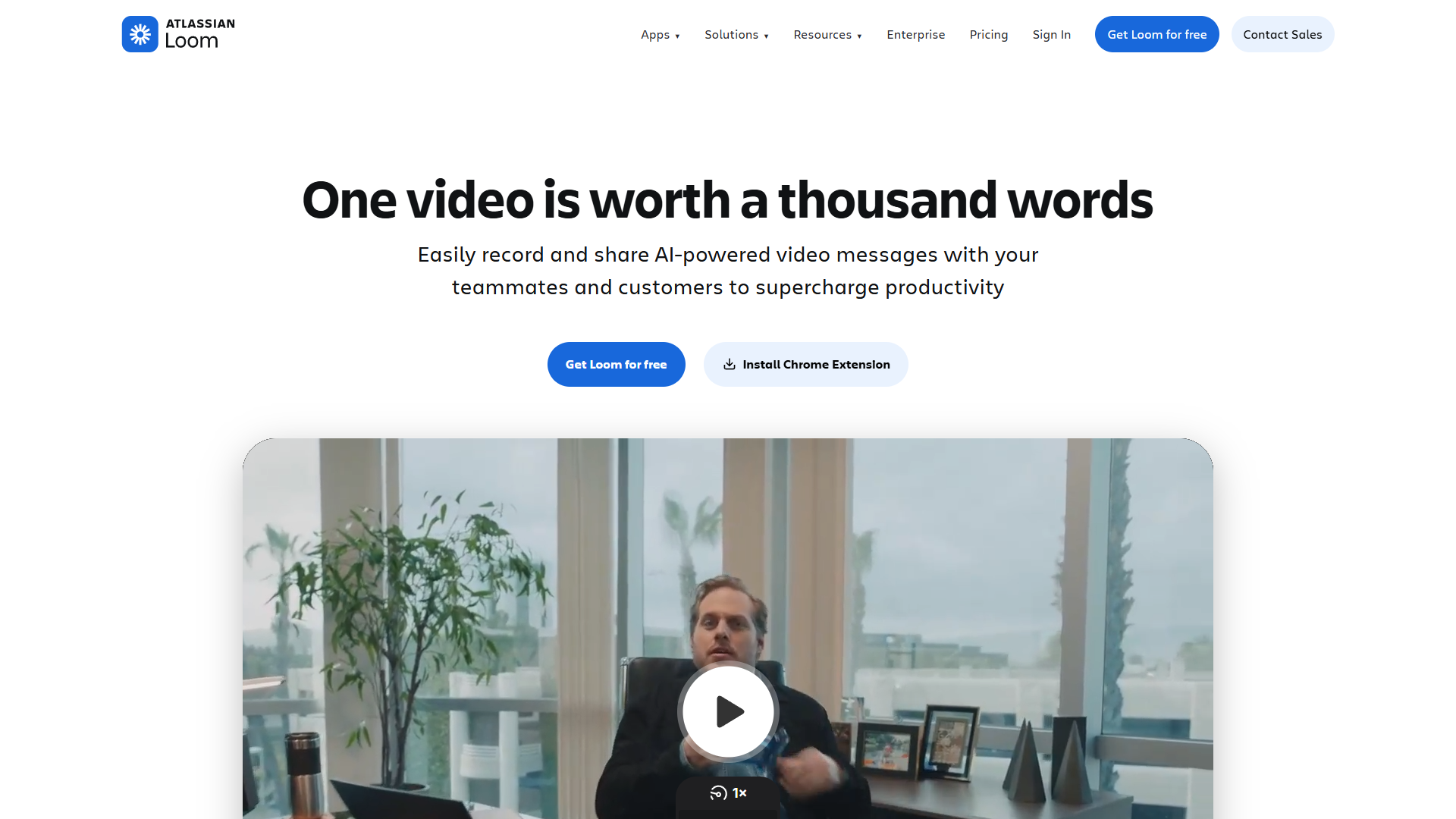
The most popular platform for this is Loom, which has become the de facto standard for async video messaging in remote teams.
When to Use Async Video vs. Real-Time Meetings
Not every meeting should be replaced with async video. Here’s a decision framework to help you choose:
Perfect for Async Video
Project Updates & Status Reports When you need to share progress, demos, or blockers without requiring immediate feedback. Record a 5-minute walkthrough instead of scheduling a 30-minute meeting.
Training & Onboarding Documentation is great, but video adds personality and clarity. Create a library of onboarding videos that new hires can watch at their own pace.
Code Reviews & Design Feedback Screen recordings with voiceover are far more effective than written comments. Show exactly what you mean by clicking through the interface.
Client Updates Send weekly progress videos to clients. They can watch when convenient and reply with questions on their own timeline.
Sales Prospecting Personalized video messages have 3x higher open rates than email. Record a quick intro showing you understand their business.
Stick with Real-Time Meetings
Brainstorming & Creative Work The spontaneous back-and-forth of live collaboration is hard to replicate asynchronously.
Sensitive Conversations Performance reviews, conflict resolution, or emotional topics require real-time empathy and the ability to read body language.
Urgent Decisions If you need an answer in the next hour, schedule a quick call. Async video works best when there’s no time pressure.
Complex Negotiations Multi-party discussions with lots of variables benefit from live interaction and rapid iteration.
Deep Dive: Loom for Async Video Communication
Loom has become the market leader for async video messaging, and for good reason. With a rating, it’s trusted by teams at companies from startups to enterprises.
Core Features
Instant Recording Click the browser extension or desktop app and you’re recording in seconds. Choose from:
- Screen + camera
- Screen only
- Camera only
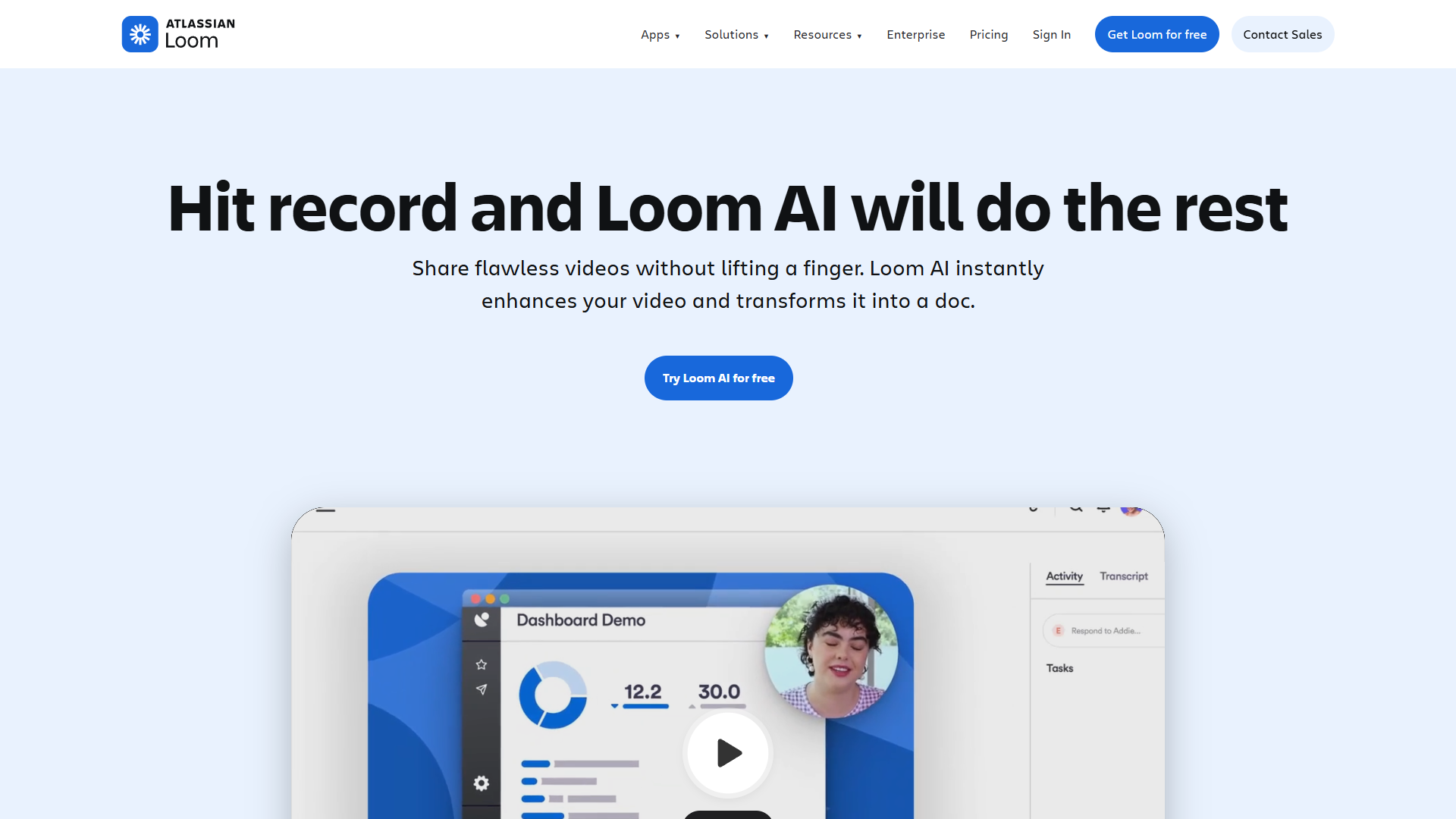
AI-Powered Transcription Every video is automatically transcribed, making content searchable and accessible. The AI also generates automatic titles and chapters.
Interactive Elements Add clickable CTAs, emoji reactions, and timestamped comments directly in videos.
Video Editing Trim mistakes, remove filler words, and add custom thumbnails — all in the browser without needing separate editing software.
Advanced Analytics See who watched your video, how much they watched, and where they dropped off. Perfect for measuring engagement on training content or sales outreach.
Pricing Breakdown
Loom offers flexible pricing for teams of all sizes:
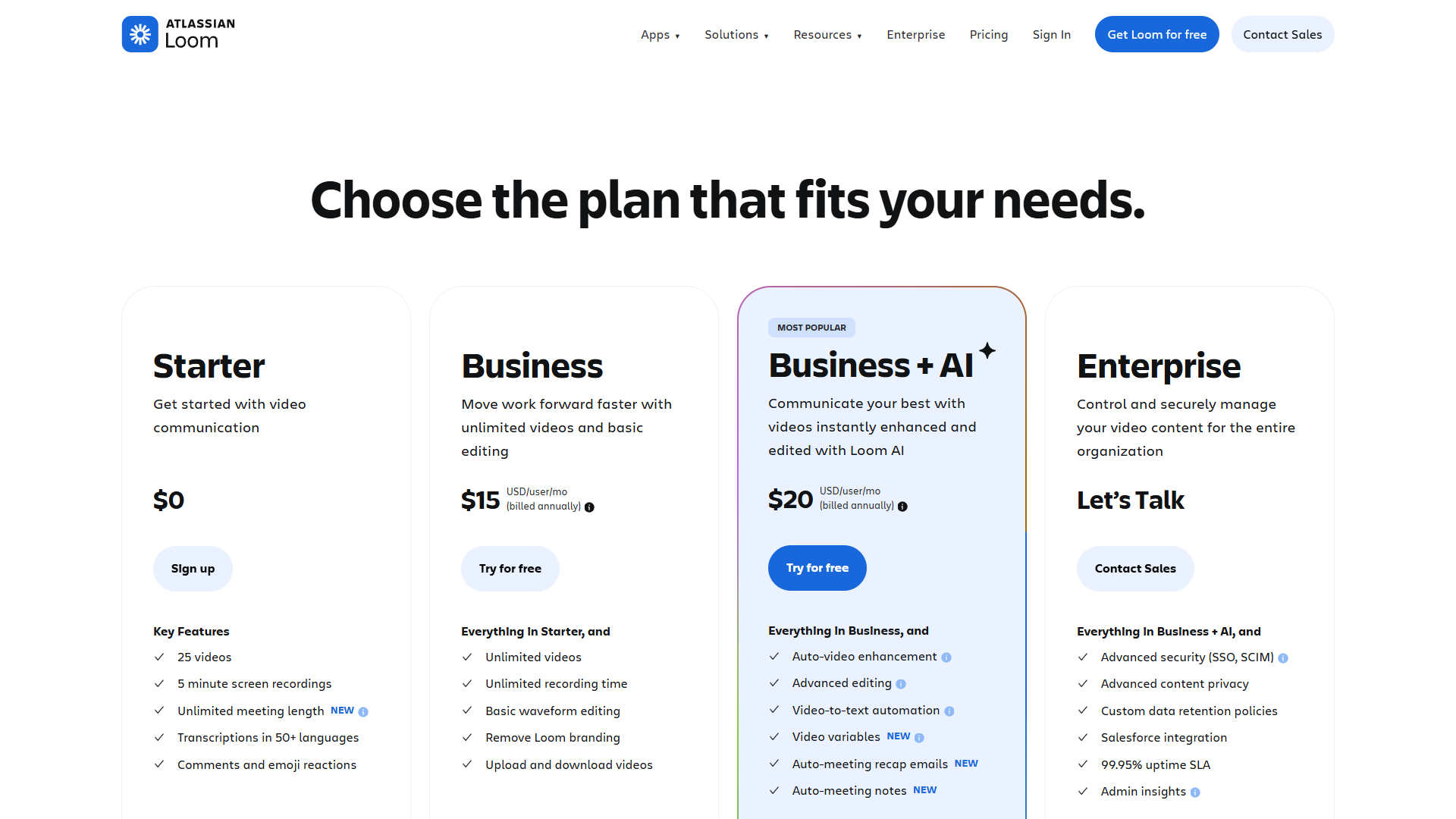
Free Plan - Great for individuals getting started
- 25 videos total
- 5-minute max length per video
- Basic editing and trimming
- Video transcription
Business ($15/month per user)
- Unlimited videos
- No time limits
- Custom branding
- Video analytics
- Workspace management
- Priority support
Business + AI ($20/month per user)
- Everything in Business
- AI-generated video titles
- AI-powered filler word removal
- Auto-generated chapters
- Enhanced transcription accuracy
For most remote teams, the Business plan at $15/month per user offers the best value. The 5-minute limit on the free plan is too restrictive for detailed updates or training videos.
Best Use Cases for Loom
Remote Team Standups Replace daily sync meetings with 3-minute video updates. Each team member records their progress, blockers, and plans — everyone watches at their convenience.
Customer Success Instead of scheduling 30-minute calls to answer client questions, record 5-minute personalized responses showing exactly how to solve their issue.
Sales Prospecting Send personalized video introductions to prospects. Mention something specific about their business and explain how you can help — conversion rates increase dramatically compared to text emails.
Bug Reports & Feature Requests Show developers exactly what’s broken by recording your screen while reproducing the issue. Include commentary explaining expected vs actual behavior.
Training Documentation Create a library of how-to videos for common tasks. New hires can binge-watch them during onboarding instead of waiting for live training sessions.
How to Implement Async Video in Your Team
Moving from a meeting-heavy culture to async video communication requires intentional adoption. Here’s a proven roadmap:
Phase 1: Start with Status Updates (Weeks 1-2)
Goal: Get everyone comfortable recording and watching videos
Action Steps:
- Install Loom on all team computers
- Replace one recurring status meeting with async video updates
- Set expectations: 3-5 minute videos, casual tone is fine
- Lead by example: Managers record first
Success Metrics:
- 80% of team records at least one video
- Average watch completion rate above 70%
Phase 2: Expand to Documentation (Weeks 3-4)
Goal: Build a library of reusable content
Action Steps:
- Identify 10 most commonly explained processes
- Have subject matter experts record walkthrough videos
- Add videos to your wiki or knowledge base
- Encourage linking to videos in Slack/Teams instead of re-explaining
Success Metrics:
- 10+ evergreen training videos created
- 50% reduction in “how do I…” questions
Phase 3: Replace Informational Meetings (Weeks 5-8)
Goal: Cut meeting time by at least 30%
Action Steps:
- Before scheduling any meeting, ask: “Could this be a Loom?”
- Implement “default to async” policy for:
- Project updates
- Sprint reviews
- Client status reports
- Reserve synchronous time for collaboration and discussion
Success Metrics:
- 30%+ reduction in weekly meeting hours
- Team satisfaction scores increase
Phase 4: Optimize and Scale (Month 3+)
Goal: Make async video the default communication method
Action Steps:
- Create video templates for common scenarios
- Establish quality standards (lighting, audio, structure)
- Build custom video workflows for different departments
- Measure ROI: time saved, faster decision-making, improved documentation
Success Metrics:
- 50%+ reduction in meeting hours
- 8+ hours saved per person per week
- Improved cross-timezone collaboration
Best Practices for Effective Async Video Messages
Creating engaging async video content requires different skills than running live meetings. Follow these best practices:
Keep It Concise
The Rule: If you can’t explain it in under 5 minutes, you need multiple videos or a different format.
- Respect viewers’ time
- Break long topics into a series
- Get to the point in the first 15 seconds
Structure Your Content
Use This Framework:
- Hook (0:00-0:15): “In this video, I’ll show you how to…”
- Context (0:15-0:45): Why this matters
- Main Content (0:45-4:00): The actual information
- Call to Action (4:00-4:30): What you need from viewers
Optimize Production Quality
You don’t need professional equipment, but avoid these common mistakes:
Audio: Use headphones with a microphone. Room echo kills engagement.
Lighting: Face a window or lamp. Dark videos feel unprofessional.
Background: Tidy up or use Loom’s background blur. Messy spaces are distracting.
Energy Level: Speak 20% more energetically than normal. Camera recording drains perceived enthusiasm.
Make Videos Actionable
Bad: “Here’s a demo of the new feature.”
Good: “Here’s the new feature. Watch this, then add your feedback as timestamped comments by Friday.”
Always tell viewers what to do next: review, comment, approve, or implement.
Leverage Async Video Features
- Timestamps: Add chapters for long videos
- Emoji Reactions: Enable quick feedback without requiring comments
- Calls to Action: Use Loom’s CTA buttons to link to forms, docs, or next steps
- Speed Controls: Viewers can watch at 1.5x or 2x speed — design for that
Common Mistakes to Avoid
Even experienced teams stumble when adopting async video. Watch out for these pitfalls:
Mistake 1: Recording Everything
Not every communication needs video. Quick updates still work fine in Slack. Reserve video for:
- Anything requiring visual demonstration
- Complex topics that benefit from tone and expression
- Personal messages where human connection matters
Mistake 2: No Response Deadline
Async video doesn’t mean infinite timeline. Always include:
- When you need a response
- What type of response (comment, approval, action)
- Who needs to respond
Mistake 3: Forgetting Accessibility
Not everyone can watch video immediately. Always:
- Use auto-transcription
- Add written summary in the description
- Include key links and resources in comments
Mistake 4: Over-Producing
Spending 30 minutes editing a 5-minute video defeats the efficiency gains. Embrace imperfection:
- One take is usually fine
- Simple trim is enough editing
- Personality > polish
Mistake 5: No Engagement Loop
Async video is communication, not broadcasting. Create feedback mechanisms:
- Ask specific questions
- Use timestamped comments
- Follow up on non-responses
- Track watch completion rates
Alternative Async Video Tools
While Loom dominates the market, other tools serve specific niches:
| Tool | Best For | Pricing |
|---|---|---|
| Loom | General async video communication | $15/mo per user |
| Vidyard | Sales prospecting with CRM integration | $19/mo per user |
| BombBomb | Real estate & high-touch sales | $33/mo per user |
| Soapbox (Wistia) | Marketing & product teams | $7/mo per user |
| Screencastify | Education & training | $49/year |
Loom () leads the market with its combination of ease of use, robust features, and reasonable pricing. For most remote teams, the Business plan at $15/month per user delivers the best value.
Measuring the ROI of Async Video
Track these metrics to quantify the impact of async video communication:
Time Savings
Before Async Video:
- Average weekly meeting time: 15 hours
- Time spent scheduling: 1.7 hours
- Total time investment: 16.7 hours
After Async Video (8 weeks in):
- Meeting time: 7 hours (53% reduction)
- Recording time: 2 hours
- Watching time: 3 hours
- Total time investment: 12 hours
Net Savings: 4.7 hours per person per week (28% productivity gain)
Quality Improvements
- Documentation: Every video becomes searchable knowledge
- Onboarding Speed: New hires ramp up 40% faster with video libraries
- Cross-Timezone Collaboration: No more 6am or 10pm meetings
- Decision Quality: Thoughtful async responses beat rushed live reactions
Team Satisfaction
Survey your team monthly on:
- Meeting fatigue (should decrease)
- Work-life balance (should improve)
- Communication clarity (should increase)
- Time zone friction (should decrease)
The Future of Async Video Communication
Async video is rapidly evolving with AI capabilities that will make it even more powerful:
AI Editing: Automatic removal of pauses, filler words, and mistakes Smart Summaries: AI-generated key points and action items Auto-Translation: Real-time translation for global teams Interactive Transcripts: Click any word to jump to that timestamp Video Search: Find specific topics across your entire video library
Loom is already implementing many of these features in their Business + AI plan at $20/month per user.
Getting Started Today
Ready to reduce meeting overload and reclaim your time? Here’s your immediate action plan:
This Week:
- Sign up for Loom (start with free plan to test)
- Record your first async video: a weekly update or project demo
- Send it to your team and ask for feedback
This Month:
- Replace one recurring meeting with async video updates
- Create 3-5 training videos for common processes
- Measure time saved and team satisfaction
This Quarter:
- Implement async video as default for status updates, demos, and training
- Build a video library in your knowledge base
- Calculate and share ROI metrics with leadership
The teams seeing the biggest productivity gains from async video are the ones who commit fully to the transition. Start small, measure results, and expand from there.
Asynchronous video communication isn’t just a productivity hack — it’s a fundamental shift in how remote teams work together. With the right tools like Loom and intentional adoption practices, you can eliminate meeting overload, respect your team’s time, and build a more sustainable remote work culture.
Ready to save 8+ hours per week and transform how your team communicates? Start with Loom’s Business plan at $15/month per user and watch your productivity soar.
For more information about async video communication tools, see the resources below.
External Resources
For official documentation and updates:
- Loom — Official website
- YouTube Creator Academy — Additional resource