


AI social media automation tools cut manual scheduling time by 50-80%, saving teams between 7 and 24 hours per week. Instead of manually writing posts, picking posting times, and compiling analytics, AI handles the repetitive work so you can focus on strategy and creative output.
Not all automation tools are created equal - some are glorified schedulers with a sprinkle of AI; others are enterprise-grade platforms that transform how you manage social media at scale.
Research and user feedback highlight three platforms that deliver real results: Sprout Social (saves 24 hours/week for teams), Hootsuite (10 hours/week for agencies), and Buffer (7 hours/week for solopreneurs). Our analysis draws on current vendor documentation, published pricing pages, and independent research rather than sponsored placement; AI Productivity may earn a commission from links on this page, but our rankings are editorially independent.
What is AI Social Media Automation?
AI social media automation is the use of artificial intelligence to handle repetitive social media tasks - content creation, scheduling, posting, and analytics - that teams would otherwise do manually. Instead of writing every post, choosing posting times, and analyzing performance by hand, AI handles the heavy lifting.
Modern AI social media automation covers five core capabilities:
Content creation: AI generates post copy, suggests hashtags, and creates visual content. Tools like Hootsuite’s OwlyWriter AI and Buffer’s AI Assistant use GPT-4o to write posts based on your brand voice and audience data.
Intelligent scheduling: AI analyzes audience engagement patterns and recommends optimal posting times. Sprout Social’s Optimal Send Times algorithm learns from your historical data to predict when your audience is most active.
Automated posting: Once content is approved, the system publishes across multiple platforms - Instagram, Facebook, LinkedIn, Twitter/X, TikTok, and more - so you write once and distribute everywhere.
Performance analytics: AI tracks engagement metrics, identifies top-performing content, and explains what is working in plain English.
Sentiment analysis: Tools use natural language processing to gauge audience sentiment. Hootsuite’s Blue Silk AI and Sprout Social’s BERT-based analysis monitor brand mentions and flag issues before they escalate.
The real power is in how these capabilities work together - building a month’s content calendar in an afternoon, letting AI optimize posting times, and getting alerts when content underperforms - saving 10-24 hours per week.
Best AI Social Media Automation Tools 2026
The best AI social media automation tools in 2026 are Sprout Social for enterprise teams, Hootsuite for agencies, and Buffer for solopreneurs and small businesses. As a 2026 Buffer resources guide notes, “AI is best used as a co-pilot for content creation, not a replacement for human judgment” - a principle that holds across every tool here.
Sprout Social: Enterprise-Grade AI for Serious Teams
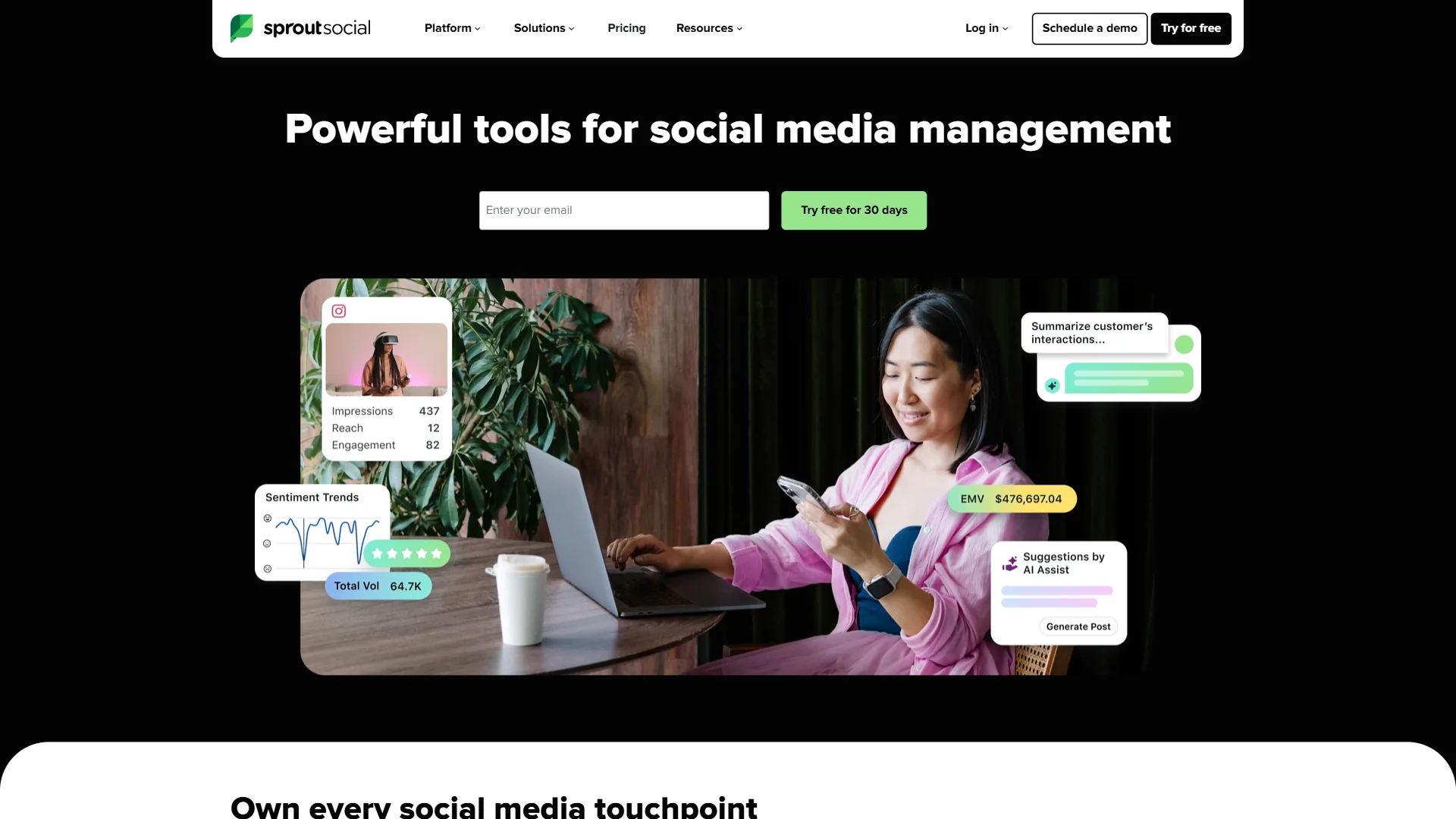
Sprout Social is the heavyweight of social media management, built for marketing teams at scale - enterprise brands, multi-client agencies, and companies managing 5+ social accounts.
AI Features:
- AI Assist: Generates multiple post variations, analyzes competitor content, or summarizes weeks of engagement data into actionable insights
- Sentiment analysis: BERT-based language model that categorizes mentions as positive, negative, or neutral with high accuracy
- Smart Categories: Automatically tags and organizes inbound messages by topic
- Optimal Send Times: Machine learning algorithm that learns from your account history to recommend the best posting times
Pricing (December 2026) - monthly / annual-billing rate:
- Standard: ~$249 / ~$199 per user per month
- Professional: ~$399 / ~$299 per user per month
- Advanced: ~$499 / ~$399 per user per month
- Enterprise: Custom pricing
All plans include AI Assist and unlimited scheduling; Professional adds competitor analysis and custom reporting, and Advanced unlocks social listening and chatbot automation.
ROI: Sprout Social customers achieved a 268% ROI over three years, according to a Forrester Total Economic Impact study commissioned by the vendor. Teams report saving 24 hours per week on social media management - roughly $30,000+ in annual labor savings for a mid-sized marketing team.
Best for: Enterprise social media teams managing multiple brands, agencies serving 5+ clients, or companies with dedicated social media managers who need advanced analytics.
Not ideal for: Solopreneurs or small businesses on a tight budget. At around $199 a month minimum, Sprout Social only makes sense at serious scale.
Hootsuite: Multi-Brand Powerhouse for Agencies
Hootsuite has been in social media management since 2008, and its AI features reflect that experience. The platform shines for agencies managing multiple clients or brands with complex approval workflows.
AI Features:
- OwlyGPT AI assistant: Custom AI model that understands social media context - create a week of posts, analyze competitors, or suggest content themes
- OwlyWriter AI: Social-media content generation that writes captions, suggests hashtags, and repurposes long-form content into social posts
- Blue Silk AI: Sentiment analysis engine that monitors brand mentions and flags conversations requiring attention
- AI image generation (beta): Create custom visuals directly in the platform
Pricing (December 2026):
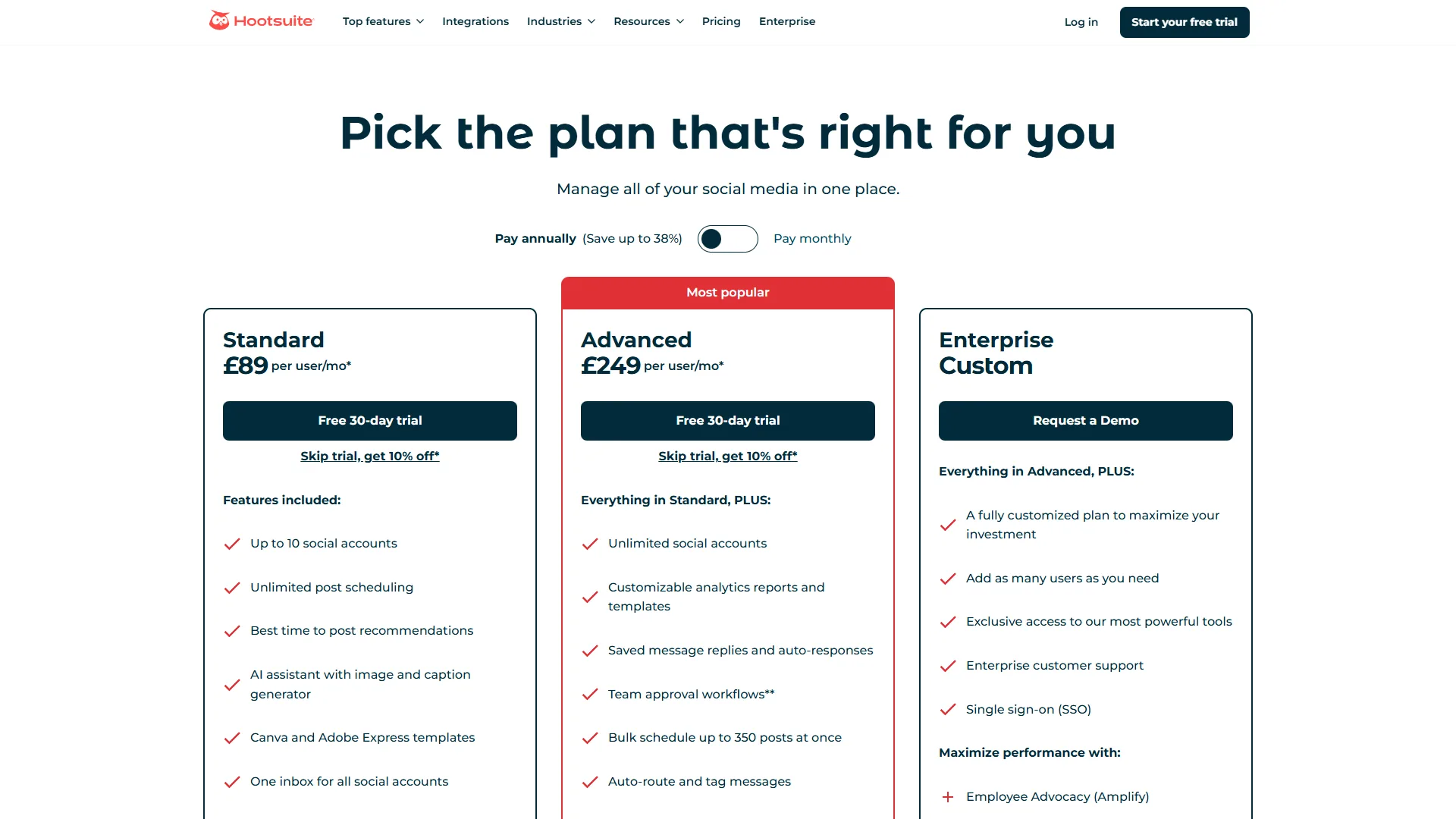
- Professional: ~$99/mo - 1 user, 10 social accounts
- Team:
$249/mo ($169/mo annual) - 3 users, 20 social accounts - Business:
$739/mo ($249 per user/mo annual, 3+ users) - unlimited users, 35 social accounts - Enterprise: Custom pricing
The Professional plan is the entry point, but most agencies need at least the Team plan for multi-user collaboration; the Business tier adds advanced analytics and custom workflows.
Time savings: Users report saving approximately 10 hours per week on content creation and scheduling. For a social media manager billing at $75/hour, that is roughly $3,000 a month in reclaimed time.
Best for: Marketing agencies managing 5-20 client accounts, multi-brand enterprises with complex approval workflows, or teams needing robust collaboration with granular permissions.
Not ideal for: Individual creators or businesses managing 1-2 social accounts - you will pay for capabilities you will not use.
Buffer: Affordable AI for Solopreneurs and Small Teams
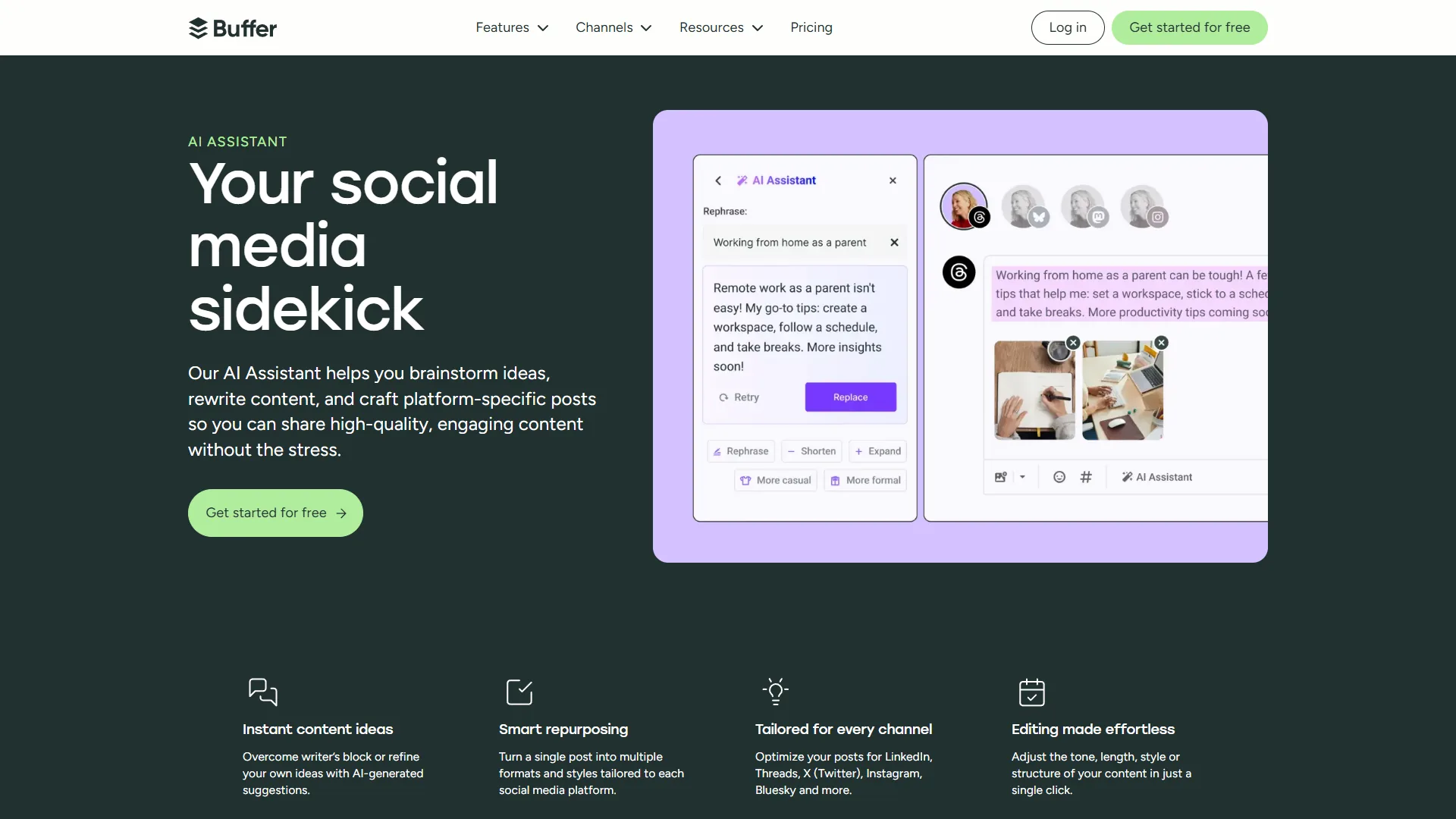
Buffer punches above its weight class. For solopreneurs, freelancers, or small businesses managing 1-5 social accounts, Buffer delivers strong AI features at a fraction of the cost of enterprise platforms.
AI Features:
- AI Assistant (GPT-4.0): Powered by OpenAI’s GPT-4o model, it generates post variations, repurposes content across platforms, and suggests engagement improvements
- AI reply suggestions: Context-aware response suggestions for comments and DMs
- Content recycling: Identifies evergreen content from your archive and suggests optimal times to reshare
- Hashtag recommendations: Suggests relevant hashtags based on your content and industry
Pricing (December 2026):
- Free: $0 - 3 channels, 10 scheduled posts
- Essentials: ~$6/mo per channel - unlimited posts, landing page builder
- Team: ~$12/mo per channel - unlimited team members, engagement tools
- Agency: ~$120/mo for 10 channels - client management, white-label reports
The pricing model is unique - you pay per channel, not per user. Managing Instagram, Facebook, and LinkedIn means 3 channels at roughly $6 to $12 each, totaling around $18 to $36 monthly.
Time savings: Buffer users report saving about 7 hours per week on social media tasks. For a freelancer billing at $100/hour, that is roughly $2,800 a month in reclaimed time.
Best for: Solopreneurs, freelancers, small businesses, personal brands, and anyone managing 1-5 social accounts on a budget.
Not ideal for: Large teams needing advanced collaboration, agencies managing 10+ clients, or enterprises requiring detailed analytics and approval workflows.
Feature Comparison: What You Actually Get
Sprout Social leads on analytics depth and enterprise features, Hootsuite balances power and price for agencies, and Buffer delivers the most platform coverage at the lowest entry price. The side-by-side breakdown below covers the features that matter most.
| Feature | Sprout Social | Hootsuite | Buffer |
|---|---|---|---|
| AI Content Generation | AI Assist (advanced) | OwlyWriter AI + OwlyGPT | AI Assistant (GPT-4.0) |
| Sentiment Analysis | BERT-based LLM | Blue Silk AI | Not included |
| Optimal Posting Times | ML-powered algorithm | Manual scheduling + suggestions | Queue-based auto-scheduling |
| Visual Content Creation | Integration only | AI image gen (beta) | Integration only |
| Social Listening | Advanced tier ($399+) | Business tier ($249+) | Not included |
| Team Collaboration | Advanced workflows | Detailed permissions | Basic team features |
| Supported Platforms | Instagram, Facebook, LinkedIn, Twitter/X, Pinterest, TikTok, YouTube, Google Business Profile | Instagram, Facebook, LinkedIn, Twitter/X, Pinterest, TikTok, YouTube, WhatsApp | Instagram, Facebook, LinkedIn, Twitter/X, Pinterest, TikTok, YouTube Shorts, Threads, Bluesky |
| Analytics Depth | Enterprise-grade | Comprehensive | Basic metrics |
| Mobile App Quality | Excellent | Good | Excellent |
| API Access | All tiers | Business tier+ | Not included |
| Starting Price | $199/month | $99/month | $18/month (3 channels) |
The clear pattern: Sprout Social wins on depth, Hootsuite balances power and price for agencies, and Buffer delivers strong AI at budget pricing.
Pricing Breakdown: What’s Actually Worth Paying For
AI social media automation costs from $18 a month for an individual on Buffer to over $1,000 a month for an enterprise team on Sprout Social, depending on use case.
| Use case | Best value | Cost | Other options |
|---|---|---|---|
| Solopreneur, 3-4 accounts | Buffer Essentials | ~$18-24/mo | Sprout Social ~$199 (overkill); Hootsuite Pro ~$99 (too expensive) |
| Small team, 2-3 people, 5-8 accounts | Hootsuite Team | ~$169/mo (3 users) | Sprout Social Standard ~$398-597; Buffer Team ~$48-96 |
| Agency, 10+ client accounts | Sprout Social Pro (deep analytics) or Hootsuite Business (approval workflows) | ~$597-897 / ~$747/mo | Buffer Agency ~$120 (lacks client management) |
| Enterprise, 20+ accounts | Sprout Social Advanced | from ~$1,197/mo | Hootsuite Enterprise (custom); Buffer not suitable |
The pricing sweet spot is clear: Buffer for individuals and small businesses, Hootsuite for agencies and mid-sized teams, Sprout Social for enterprise brands that need the absolute best.
How to Get Started with AI Social Media Automation
Getting started with AI social media automation takes about four weeks - audit and setup, content calendar and AI training, scheduling and optimization, then analysis and refinement. The roadmap below breaks each step down.
Week 1: Audit & Setup - Track how many hours you spend on social media tasks, connect your 2-3 most important platforms, and write a 1-page brand guidelines doc covering voice, topics to avoid, and compliance requirements. AI needs guardrails.
Week 2: Content Calendar & AI Training - Build a content calendar template, feed the AI your top 10-20 performing posts so it learns what resonates, then generate two weeks of posts. Review everything before scheduling.
Week 3: Scheduling & Optimization - Schedule your first week using AI-recommended posting times, set up batch scheduling to create a month of content at once, and configure engagement notifications without automating replies yet.
Week 4: Analyze & Refine - Compare engagement rates to your pre-AI baseline, adjust AI settings based on results, and expand to additional platforms once one or two are running smoothly.
Common implementation mistakes to avoid:
- Publishing AI content without human review (AI sometimes misses context or makes factual errors)
- Over-automating engagement (personal replies build stronger connections than AI responses)
- Ignoring analytics (AI optimization only works if you act on the insights)
- Not setting posting limits (flooding followers destroys engagement)
Start small - master one platform, prove the ROI, then expand.
ROI: Is AI Social Media Automation Worth It?
AI social media automation pays for itself many times over at every business size, because reclaimed labor far outweighs the subscription cost. Three worked examples make the math concrete:
| Use case | Tool & cost | Time saved | Labor value reclaimed | Net monthly gain |
|---|---|---|---|---|
| Solopreneur | Buffer Essentials, ~$24/mo | 7 hrs/wk at $100/hr | ~$2,800/mo | ~$2,776/mo |
| Marketing manager | Hootsuite Team, ~$169/mo | 10 hrs/wk at $75/hr | ~$3,000/mo | ~$2,831/mo |
| Enterprise team (3 users) | Sprout Social Pro, ~$897/mo | 24 hrs/wk at $65/hr | ~$6,240/mo | ~$5,343/mo |
The Forrester Total Economic Impact study on Sprout Social found customers achieved a 268% three-year ROI - and that measures efficiency gains alone, not the value of better content and deeper insights.
Additional benefits beyond time savings:
- Consistency: AI keeps you posting regularly even during vacations, launches, or crises
- Cross-platform presence: Maintain active accounts on 5-8 platforms without hiring extra staff
- Better timing: AI-optimized posting times can boost engagement by 30-50%
- Scalability: Growing from 3 to 10 social accounts does not require proportional headcount
The question is not whether AI automation is worth it - it is which tool delivers the best ROI for your situation. For broader picks, see our best social media management tools roundup.
Best Practices & Common Mistakes
The single biggest factor separating success from failure with social media automation is treating AI as a drafting tool rather than a replacement for human judgment. The practices below cover what works and what to avoid.
Do This:
- Maintain brand authenticity. Use AI as a drafting tool and edit its output to match your voice.
- Review before publishing. Set up approval workflows - AI occasionally produces tone-deaf or factually incorrect content.
- Mix AI and human content. The most successful accounts use AI for 60-70% of posts and human-created content for 30-40%.
- Use AI insights for strategy. The analytics features are often more valuable than content generation.
- Respond personally to comments. Automate posting, but keep engagement human.
Don’t Do This:
- Fully automate engagement. Copy-pasting robotic responses damages your brand; use AI suggestions as starting points.
- Ignore platform-specific culture. A LinkedIn post should not read like a TikTok caption.
- Over-schedule content. Quality beats quantity - posting 2-3 times daily is plenty for most accounts.
- Skip A/B testing. Try different post formats, times, and content types, and act on the data AI provides.
Social listening best practices: Set up keyword alerts for brand mentions, competitor names, and industry trends; review sentiment analysis weekly to spot patterns; use negative sentiment as an early warning system; and escalate concerning conversations to a human immediately. The businesses seeing the best results treat AI as a productivity multiplier, not a replacement for human strategy and creativity.
Conclusion
The right AI social media automation tool saves 7-24 hours per week by eliminating tedious, repetitive tasks, freeing you for strategy and creative work. Choose Buffer if you are a solopreneur or small business managing 1-5 accounts - at around $18 to $36 a month, it delivers GPT-4o-powered AI features at a price that fits smaller operations, and you can start with the free plan.
Choose Hootsuite if you are an agency or mid-sized marketing team needing collaboration features - the ~$169/month Team plan gets you OwlyGPT, approval workflows, and enough seats, with current pricing here. Choose Sprout Social if you are an enterprise brand needing advanced analytics and social listening - at roughly $199 to $399 per user per month it is expensive, but the 24 hours/week savings and 268% three-year ROI justify it at scale. Review Sprout Social’s plans to find your fit.
Pick the tool that matches your needs and budget, implement the 4-week roadmap above, and start reclaiming your time.
FAQ
Q: What is the 5 5 5 rule on social media?
The 5 5 5 rule is a posting balance guideline: share 5 pieces of your own content, 5 pieces of curated content from others, and 5 personal or engagement-focused posts. AI social media automation tools make the rule easier to follow by helping schedule and recycle content in the right mix.
Q: What are the best free AI tools for social media content creation?
Buffer’s Free plan is the strongest free option, covering 3 channels and 10 scheduled posts with access to its GPT-4o AI Assistant. For an AI social media post generator free of charge, ChatGPT’s free tier can draft captions and hashtag ideas that you then schedule in a separate tool.
Q: Is there an AI social media manager that can run accounts?
An AI social media manager cannot fully run accounts unsupervised, but tools like Sprout Social, Hootsuite, and Buffer act as an AI social media assistant - drafting posts, scheduling at optimal times, and flagging engagement. Human review remains essential because AI can miss context or make factual errors.
Q: How much time does AI social media automation save?
AI social media automation cuts manual scheduling time by 50-80%. Sprout Social saves 24 hours per week for teams, Hootsuite saves 10 hours per week for agencies, and Buffer saves 7 hours per week for solopreneurs.
Q: What does AI social media automation actually do?
AI social media automation handles content creation, intelligent scheduling, automated posting, and performance analytics - generating copy, suggesting hashtags, recommending posting times, publishing across platforms, and explaining what is working in plain English.
Related Reads
The tools and guides below cover AI social media automation tools, scheduling platforms, and related marketing software in more depth.
Tools covered in this article:
- Sprout Social - Enterprise social media management with AI analytics
- Hootsuite - Multi-brand social media platform with OwlyWriter AI
- Buffer - Affordable AI-powered scheduling for solopreneurs
- ChatGPT - AI assistant for social media copy and content ideation
More social media and automation guides:
- Best Social Media Management Tools 2026
- Best Instagram Scheduler 2026
- Social Media ROI Calculator
- Best LinkedIn Growth Tools 2026
- Later vs Hootsuite: Which Tool Is Better in 2026?
- Best Email Marketing Tools 2026
External Resources
The primary research and industry data sources below informed this comparison.