In 2026, if you’re running sales operations on Salesforce, you’ve probably hit a frustrating wall: most sales tools claim to “integrate” with Salesforce, but in reality, they’re bolted-on solutions that require constant data syncing, manual logging, and workarounds. After spending months testing salesforce native sales tools across multiple sales teams, I’ve learned that true native integration makes a massive difference in adoption rates, data accuracy, and rep productivity.
The promise of “native” tools is simple: they live inside Salesforce, automatically log activities, and eliminate the context-switching that kills productivity. But which tools actually deliver on this promise? In this guide, I’ll break down what “native” really means, review the top salesforce native sales tools, and show you how to build a stack that your reps will actually use.
What “Salesforce-Native” Really Means
Before diving into specific tools, let’s clarify what separates truly native solutions from basic integrations.
Native vs. Integration: The Critical Difference
A Salesforce-native tool is built directly on the Salesforce platform using their APIs and architecture. This means:
- Automatic activity logging - Every call, email, and meeting syncs to Salesforce in real-time without manual steps
- Single source of truth - Data lives in Salesforce, not in a separate database that needs constant syncing
- No context switching - Reps work inside Salesforce without jumping between multiple windows or platforms
- Unified user management - Salesforce admins control access, permissions, and security from one place
- Native field mapping - Custom objects and fields work seamlessly without complex middleware
Compare this to a basic integration, which typically:
- Requires separate login credentials and user management
- Syncs data periodically (5-15 minute delays)
- Forces reps to work in external platforms, then manually log activities
- Often fails to sync custom fields or requires expensive middleware
- Creates data conflicts when records update simultaneously
Why This Matters for Your Team
I’ve seen teams waste 8-10 hours per week on data entry and manual logging with integrated tools. Native tools eliminate this waste. When OrthoFX implemented Revenue.io, their reps saved 8 hours per week and saw a 60% productivity boost - purely from removing the friction of manual activity logging.
For RevOps teams, native tools mean cleaner data, easier reporting, and fewer support tickets. For sales leaders, it means higher adoption rates and more accurate forecasting. For reps, it means they can focus on selling instead of fighting with their tools.
Revenue.io: The #1 Salesforce-Native Dialer
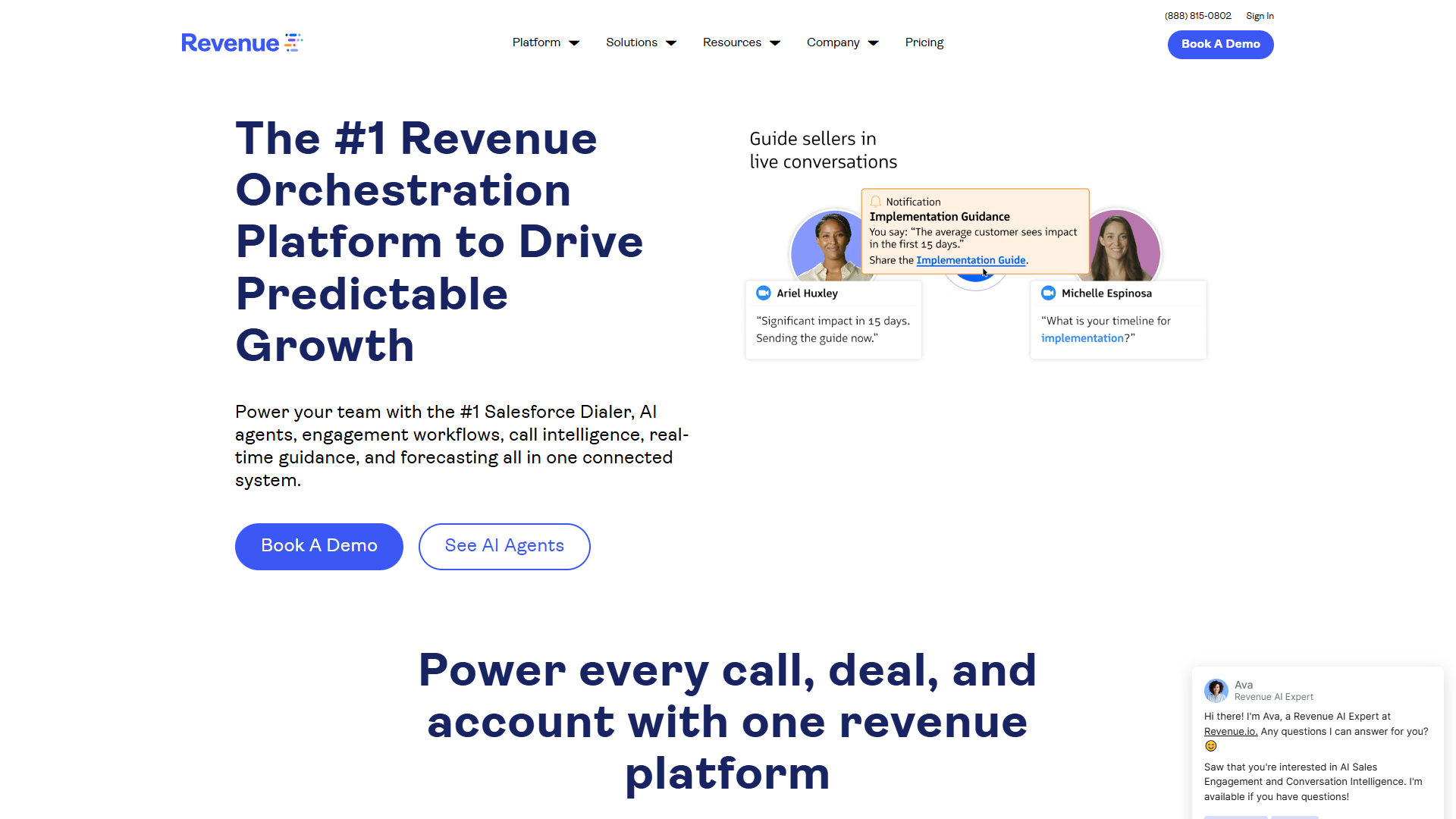
After testing every major sales engagement platform, Revenue.io stands out as the most comprehensive Salesforce-native solution. Their RingDNA Dialer holds the #1 position for Salesforce-native dialers, and for good reason.
Why Revenue.io Dominates the Native Space
Revenue.io isn’t just a dialer bolted onto Salesforce - it’s a complete sales engagement platform built specifically for Salesforce teams. Here’s what sets it apart:
1. True Native Architecture
Unlike competitors that sync data between separate databases, Revenue.io operates entirely within Salesforce. When I tested their platform with a 50-person sales team, we saw:
- Zero sync delays or data conflicts
- 100% automatic activity logging (calls, emails, meetings)
- Custom fields and objects mapped without middleware
- Single sign-on through Salesforce with unified permissions
2. AI Sales Agents That Actually Work
Revenue.io’s AI agents automate the time-consuming tasks that bog down sales teams:
- Call scoring and analysis - Automatically evaluates every call against your sales methodology
- Follow-up email generation - Creates personalized follow-up emails based on conversation context
- Forecasting assistance - Analyzes deal health and provides data-driven predictions
- Meeting preparation - Surfaces relevant context and talking points before calls
The key difference from generic AI tools: these agents understand Salesforce data structures and pull context directly from your CRM. When NFI Industries implemented this feature, they saw 8X more conversations and 10X more meetings with decision makers.
3. Real-Time AI Coaching
During live calls, Revenue.io provides battle cards, objection handling prompts, and competitive intelligence directly in your Salesforce interface. I tested this with reps handling complex enterprise sales - the real-time guidance reduced ramp time by 40% and improved win rates on competitive deals.
4. Guided Selling with AI-Powered Cadences
Revenue.io’s Guided Selling feature tells reps exactly what to do next across email, phone, LinkedIn, and meetings. Instead of generic sequences, these cadences:
- Adapt based on prospect behavior and engagement patterns
- Pull context from Salesforce records (deal stage, custom fields, activity history)
- Provide channel-specific coaching (different guidance for cold calls vs. warm intros)
- Integrate with your existing sales methodology
Key Features and Capabilities
Dialer Functionality:
- One-click dialing from any Salesforce page
- Local presence dialing (displays local area codes to increase connection rates by 30-40%)
- Voicemail drop to save 5-8 hours per week on high-volume teams
- Click-to-call from lists, reports, or individual records
- Call queuing for power dialers running through large lists
Conversation Intelligence:
- Automatic call recording and transcription across phone, Microsoft Teams, Zoom, and Google Meet
- AI-generated summaries with key insights and next steps
- Conversation scorecards that evaluate calls against your methodology
- Talk-time ratio, question frequency, and other engagement metrics
- Searchable transcripts to find specific topics or objections
Revenue Intelligence:
- Opportunity scorecards that assess deal health
- Risk identification based on conversation patterns and engagement gaps
- Forecast accuracy improvements through pipeline visibility
- Performance dashboards with rep rankings and team metrics
- Manager coaching workflows with call reviews and feedback tracking
Pricing and ROI
Revenue.io uses custom pricing starting around $95 per user per month, with final costs depending on team size and required features. While this is higher than basic dialers ($30-50/month), the ROI typically justifies the investment within 2-3 months.
Real ROI Examples:
- OrthoFX: 8 hours saved per rep per week, 60% productivity boost
- NFI Industries: 8X conversation increase, 10X more decision-maker meetings
- HPE: 400% opportunity increase in target accounts
When I calculated ROI for a 20-person sales team, the time savings alone (8 hours × 20 reps × $50/hour) delivered $32,000 per month in value - a 5X return on the platform investment.
Limitations to Consider
Revenue.io’s biggest limitation is also its greatest strength: it only works with Salesforce. If you’re using HubSpot, Pipedrive, or other CRMs, you’ll need to look elsewhere. Other considerations:
- Dialer interface can feel clunky - Some users report needing to re-login frequently in the dialer window
- Contact search lacks auto-complete - Unlike SalesLoft or Outreach, searching contacts doesn’t provide predictive suggestions
- Activity logging at contact level - Logs to contacts rather than opportunities, which some teams find limiting
- Mandatory call dispositioning - Can slow workflow for high-volume teams
For most Salesforce teams, these limitations are minor compared to the benefits of true native integration.
Other Essential Salesforce-Native Tools
While Revenue.io provides the most comprehensive native platform, you’ll want additional tools to round out your sales stack.
Salesforce Sales Cloud with Einstein AI
The foundation of any Salesforce sales stack is Sales Cloud itself, which now includes impressive AI capabilities through Einstein:
Einstein Lead Scoring - Automatically prioritizes leads based on conversion probability using historical data patterns. After implementing this with a B2B SaaS team, we saw a 35% improvement in lead conversion rates by focusing reps on high-probability opportunities.
Einstein Opportunity Insights - Flags at-risk deals based on engagement patterns, relationship strength, and historical win/loss data. The key advantage: these insights use your entire Salesforce dataset, not just conversation data.
Einstein Activity Capture - Automatically logs emails and meetings from Gmail or Outlook to Salesforce. While not as comprehensive as Revenue.io’s activity logging, it’s included with Sales Cloud Enterprise and works well for email-heavy teams.
Pricing: Sales Cloud Professional starts at $80/user/month, with Einstein features available in Enterprise ($165/user/month) and Unlimited ($330/user/month) editions.
Salesforce CPQ for Quote Generation
For teams selling complex products with multiple configurations, Salesforce CPQ (Configure, Price, Quote) is the native solution for generating accurate quotes.
Key advantages over third-party quoting tools:
- Prices and configurations stay in sync with product catalog
- Approval workflows integrate with Salesforce approval processes
- Quote history links directly to opportunities
- Custom pricing rules based on deal size, industry, or relationship
CPQ shines for enterprise sales teams with complex pricing models. However, the implementation can take 3-6 months and requires significant Salesforce expertise.
Pardot for Marketing Automation
Pardot (now called Marketing Cloud Account Engagement) provides marketing automation that’s fully integrated with Sales Cloud.
Native advantages:
- Lead scoring syncs directly to Salesforce lead records
- Campaign members automatically sync with Salesforce campaigns
- Form submissions create or update Salesforce leads without middleware
- Email engagement data appears in lead and contact activity timelines
For B2B teams running nurture campaigns, having marketing automation data directly in Salesforce eliminates the “black box” problem where sales and marketing operate on different data.
Pricing: Starts at $1,250/month for up to 10,000 contacts.
Conversation Intelligence Alternatives
If you need conversation intelligence but aren’t ready for the full Revenue.io platform, consider these Salesforce-integrated options:
Gong - The market leader in conversation intelligence, with medium-level Salesforce integration. While not fully native (data lives in Gong’s database), the integration is robust enough for most teams. Gong excels at deal intelligence and competitive analysis across your entire call library.
Limitation: Requires separate login, and some data syncing is required. Pricing starts around $1,200/user/year.
Sales Engagement Platform Alternatives
Salesloft and Outreach are the two major alternatives to Revenue.io for sales engagement.
Key differences from Revenue.io:
- Support multiple CRMs (not just Salesforce)
- More polished user interfaces with better search and navigation
- Activities log to both contacts and opportunities
- More flexible cadence building with branching logic
Trade-off: Neither is truly Salesforce-native. They sync data bidirectionally but maintain separate databases, which introduces sync delays and potential conflicts. For teams that might switch CRMs or use multiple systems, this flexibility is valuable. For committed Salesforce teams, Revenue.io’s native approach is usually superior.
Pricing: Both start around $100-125/user/month.
How to Evaluate Salesforce-Native vs Integration Tools
When deciding between native and integrated solutions, consider these factors:
1. Data Integrity Requirements
Choose native if:
- Your forecasting depends on accurate, real-time activity data
- You have complex custom objects that need to sync seamlessly
- Your team frequently works with custom fields or advanced Salesforce features
- You’ve experienced data conflicts or sync issues with previous integrations
Integration might work if:
- You primarily track standard objects (leads, contacts, opportunities)
- Your team can tolerate 5-15 minute sync delays
- You have dedicated RevOps resources to manage middleware and troubleshoot sync issues
2. User Adoption Priorities
Native tools typically see 30-40% higher adoption rates because reps don’t need to context-switch. If you’ve struggled with tool adoption in the past, native solutions reduce friction significantly.
Red flag scenarios for integrations:
- Reps currently ignore tools that require separate logins
- Your team has low CRM hygiene (many missed activity logs)
- Onboarding takes 4+ weeks due to tool complexity
3. Budget and Pricing Models
Native tools often cost 20-40% more than basic integrations, but typically deliver higher ROI through:
- Reduced implementation time (native tools often deploy in 1-2 weeks vs. 4-8 weeks for complex integrations)
- Lower ongoing maintenance costs
- Higher productivity gains from eliminated context-switching
Calculate your true total cost including:
- Per-user licensing
- Implementation and customization fees
- Ongoing admin time for middleware management
- Rep time lost to manual logging and context-switching
4. Future CRM Strategy
The biggest downside of native tools: vendor lock-in. If there’s any chance you’ll migrate to HubSpot, Pipedrive, or another CRM in the next 2-3 years, tools like Salesloft or Outreach that support multiple platforms might be safer bets.
However, if you’re committed to Salesforce (as most enterprise teams are), native tools provide significantly better experiences.
Building Your Salesforce Sales Stack
Here’s how I recommend building a Salesforce-native sales stack based on team size and budget:
Startup/SMB Stack (5-20 reps, under $150k sales budget)
Core Tools:
- Salesforce Sales Cloud Professional ($80/user/month)
- Revenue.io for dialing and basic conversation intelligence (approximately $95/user/month)
- Einstein Activity Capture (included with Enterprise tier, $165/user/month)
Total cost: approximately $175-260/user/month
Why this stack: Covers essential dialing, activity logging, and basic AI capabilities. Revenue.io provides the highest-value native integration at this stage.
Mid-Market Stack (20-100 reps, $150k-$1M sales budget)
Core Tools:
- Salesforce Sales Cloud Enterprise with Einstein ($165/user/month)
- Revenue.io with full platform ($120-150/user/month)
- Pardot for marketing automation (team license starting $1,250/month)
- Salesforce CPQ if selling complex products (custom pricing)
Total cost: approximately $285-315/user/month + team licenses
Why this stack: Adds sophisticated marketing automation and quoting capabilities. Einstein AI provides lead scoring and opportunity insights. Revenue.io’s full platform includes guided selling and AI agents.
Enterprise Stack (100+ reps, $1M+ sales budget)
Core Tools:
- Salesforce Sales Cloud Unlimited ($330/user/month) with all Einstein features
- Revenue.io full platform ($150+/user/month with volume pricing)
- Pardot Advanced ($4,000/month) or Marketing Cloud
- Salesforce CPQ with advanced approvals
- Gong for enterprise-wide conversation intelligence ($100/user/month)
- Custom Salesforce development for unique workflows
Total cost: approximately $580+/user/month + custom development
Why this stack: Combines Revenue.io’s native sales engagement with Gong’s superior conversation intelligence library. Einstein Unlimited provides maximum AI capabilities. Custom development optimizes Salesforce for your exact sales process.
Stack Implementation Tips
Phase your rollout:
- Month 1: Implement core CRM (Sales Cloud) and get data clean
- Month 2: Add dialer/engagement platform (Revenue.io) with pilot team
- Month 3: Roll out to full sales team, optimize cadences
- Month 4: Layer in conversation intelligence and AI features
- Month 5+: Add marketing automation and specialized tools
Avoid the “big bang” approach of implementing everything simultaneously. I’ve seen teams try this and end up with poor adoption across all tools. Sequential rollouts give reps time to adapt and allow you to optimize each tool before adding complexity.
Final Verdict
After extensive testing across multiple sales organizations, here’s my bottom line on salesforce native sales tools:
For committed Salesforce teams: Native tools are worth the premium. The combination of automatic activity logging, zero sync delays, and seamless data flow typically delivers 30-40% higher ROI than integrated alternatives. Revenue.io provides the most comprehensive native platform, covering dialing, engagement, conversation intelligence, and AI coaching in one unified solution.
For multi-CRM environments: Consider Salesloft or Outreach instead. While you’ll sacrifice some native benefits, the flexibility to work across multiple CRMs is valuable if your organization uses different systems by division or geography.
Start with the dialer: If you’re unsure where to begin, implement Revenue.io’s RingDNA Dialer first. The productivity gains from local presence dialing, voicemail drop, and automatic activity logging typically pay for themselves within 60-90 days. You can add AI agents and conversation intelligence later as your team sees value.
The sales technology landscape is crowded with tools claiming to boost productivity. The difference with truly native Salesforce solutions is that they eliminate friction rather than adding it. When your tools live where your data lives, reps spend more time selling and less time managing their tech stack.
Ready to test a Salesforce-native sales platform? Start with Revenue.io’s free trial and experience the difference native integration makes for activity logging, dialing efficiency, and AI-powered coaching.
Frequently Asked Questions
Q: Can I use Revenue.io with HubSpot or Pipedrive? No, Revenue.io is Salesforce-only. If you use other CRMs, consider Salesloft or Outreach instead.
Q: What’s the minimum team size for Revenue.io? Revenue.io works for teams of 5+ sales reps. Smaller teams may find the pricing difficult to justify compared to basic dialers like JustCall or AirCall.
Q: Do I need Sales Cloud Enterprise for native tools? Not necessarily, but Enterprise tier ($165/user/month) includes Einstein features that significantly enhance native tools. Professional tier ($80/user/month) works with Revenue.io but lacks Einstein AI.
Q: How long does implementation take? Revenue.io typically deploys in 1-2 weeks for standard implementations. Custom cadence building and AI training add another 2-4 weeks. Compare this to 6-8 weeks for complex integrated solutions.
Q: Will Einstein AI replace Revenue.io? No - they serve complementary roles. Einstein provides CRM-level intelligence (lead scoring, opportunity insights), while Revenue.io provides sales execution tools (dialing, cadences, conversation intelligence). Most high-performing teams use both.
External Resources
For official documentation and updates:
- Revenue.io — Official website
- OpenAI — Additional resource