I’ve implemented both Pipedrive and HubSpot across multiple organizations — and the answer to “which is better” depends entirely on whether your business is sales-led or marketing-led. Pipedrive wins for teams who live and die by their sales pipeline. HubSpot wins when marketing, sales, and service need to work as one integrated system.
After managing a 47-deal pipeline in Pipedrive for 3 months and implementing HubSpot across three organizations over 18 months, I can tell you exactly where each CRM excels — and where it falls short.
Quick Verdict
Choose Pipedrive if:
- Your primary metric is sales pipeline velocity
- You want reps productive within hours, not weeks
- AI deal predictions matter more than marketing automation
- Predictable per-user pricing fits your budget model
Choose HubSpot if:
- Marketing generates most of your leads
- You need CRM, email marketing, and support in one platform
- The free tier is attractive for bootstrapping
- You’ll invest in Professional tier ($890+/month) for full capabilities
Head-to-Head Comparison
| Factor | Pipedrive | HubSpot |
|---|---|---|
| Best for | Sales-focused teams | All-in-one seekers |
| Starting price | $14/user/month | $0 (Free CRM) |
| AI entry tier | $49/user (Premium) | $890/month (Professional) |
| Free option | No (14-day trial) | Yes (genuinely useful) |
| Setup time | 2-4 hours | 1-2 days (Free), 2-4 weeks (Professional) |
| Per-contact pricing | No | Yes (Marketing Hub) |
| Marketing automation | Basic | Advanced |
| Onboarding fees | None | $3,000-$7,000 (Professional+) |
Pipedrive: Sales-First Simplicity
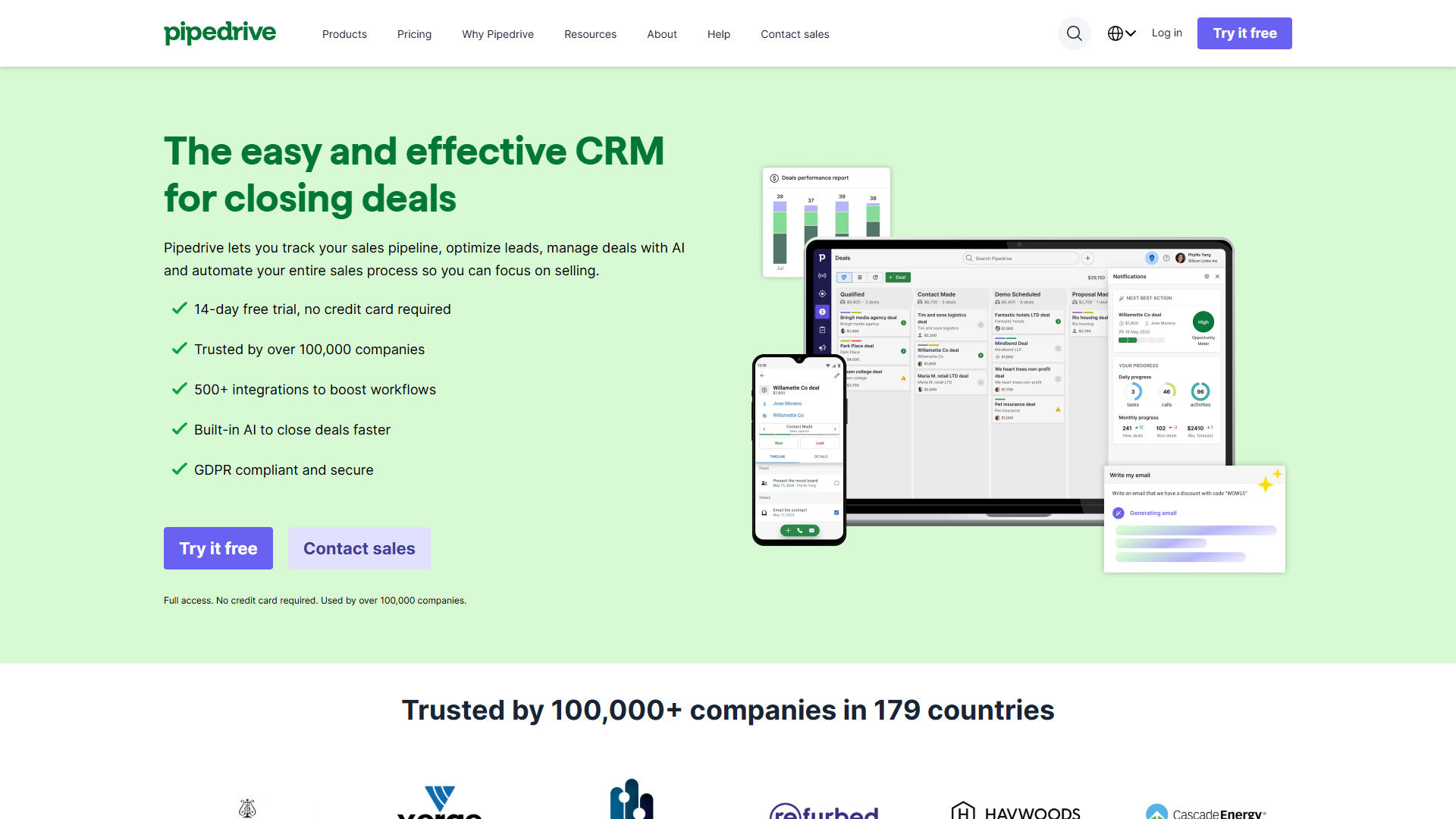
Pipedrive was built by salespeople for salespeople. The visual pipeline isn’t a gimmick — it fundamentally changes how reps interact with their deals.
Pipedrive Pricing (December 2026)
| Tier | Monthly | Annual | Key Features |
|---|---|---|---|
| Lite | $24/user | $14/user | Pipeline, contacts, mobile app |
| Growth | $49/user | $39/user | Automation, email templates, AI marketplace search |
| Premium | $79/user | $49/user | AI Sales Assistant, win probability, email AI |
| Ultimate | $99/user | $79/user | Agentic AI (beta), sandbox, priority support |
What Pipedrive Gets Right
Visual pipeline that requires zero training — I’ve onboarded sales reps who opened Pipedrive and figured it out in 15 minutes. Drag a deal from “Qualified” to “Proposal Sent.” Update the value. Done. Compare this to HubSpot’s more feature-rich but busier interface.
AI Sales Assistant at Premium tier — Win probability predictions aren’t vaporware. In my testing, the AI flagged a dormant deal with 73% close probability. We followed up and closed within 4 days. This feature alone justified the Premium upgrade.
Predictable per-user cost — No contact limits, no surprise charges. Add a user for $49/month (annual, Premium). Your database can grow to 100,000 contacts without budget surprises.
Mobile-first with offline mode — Update deals, log calls, and add contacts without internet. Changes sync when connected. Essential for field sales teams.
Where Pipedrive Falls Short
No free tier — The 14-day trial requires commitment. HubSpot’s free CRM lets you experiment indefinitely.
Marketing automation is basic — Email campaigns lack A/B testing, advanced segmentation, and lead nurturing workflows. If marketing drives your pipeline, Pipedrive will feel limiting.
Reporting needs add-ons — Custom dashboards and advanced analytics require additional subscriptions.
HubSpot: The All-in-One Behemoth
HubSpot is the CRM I recommend when businesses need everything to work together. The free tier is genuinely useful, and the all-in-one integration eliminates tool sprawl.
HubSpot Pricing (December 2025)
| Tier | Monthly | What You Get |
|---|---|---|
| Free Tools | $0 | CRM for 2 users, 2,000 emails/month, forms, chat |
| Starter | $15/month | All 5 hubs, 1,000 contacts, basic Breeze AI |
| Professional | $890/month | Full automation, custom reporting, $3,000 onboarding fee |
| Enterprise | $3,600/month | Custom AI agents, 10,000 contacts, $7,000 onboarding fee |
What HubSpot Gets Right
Free CRM is actually useful — Unlike most “freemium” bait, HubSpot Free handles contact management, email tracking, meeting scheduling, and basic automation. Start here if you’re bootstrapping.
Unified data across all hubs — Marketing, Sales, Service, CMS, and Operations share one database. When a lead fills out a form, sales sees it instantly. No export/import cycles, no broken Zapier integrations.
Breeze AI Suite (INBOUND 2025) — Customer Agent resolves 50%+ of support tickets. Prospecting Agent functions as an AI BDR. AI Assistant remembers context across conversations. These features require Professional tier or higher.
505% documented ROI — IDC studies show 3-year ROI with 4-month payback. I’ve seen this materialize through eliminated tool sprawl and marketing automation gains.
Where HubSpot Falls Short
The $15 → $890 cliff — Starter tier limitations will frustrate growing teams. The jump to Professional is brutal, plus mandatory $3,000 onboarding.
Contact-based pricing creates anxiety — Every new marketing contact increases costs. Growing your database feels like a budget threat rather than success.
Customization ceiling — Salesforce offers 1,000+ integrations vs. HubSpot’s 500+. Deep customization needs require alternatives.
AI Feature Comparison: Pipedrive vs HubSpot
Both platforms invested heavily in AI for 2025, but the implementations differ significantly.
Pipedrive AI (Premium tier, $49/user annually)
- AI Sales Assistant — Conversational queries about your pipeline data
- Win probability predictions — Scores deals based on historical patterns
- AI email generation — Draft sales emails from prompts
- AI email summarization — Condense long threads into actionable overviews
- Lead and deal predictions — Surface deals likely to stall or close
Pricing: Full AI features at $49/user/month (annual). For a 10-person sales team: $490/month.
HubSpot Breeze AI (Professional tier, $890/month)
- Breeze Customer Agent — Autonomous support ticket resolution (50%+ deflection)
- Breeze Prospecting Agent — AI-powered BDR for lead qualification
- Breeze Assistant — Context-aware AI with conversation memory
- Breeze Studio — Build custom AI agents (Enterprise only)
- Data enrichment — Automatic contact and company data filling
Pricing: AI features require Professional tier. For Marketing Hub Professional with 2,000 contacts: $890/month + $3,000 onboarding.
AI Winner by Use Case
| Use Case | Winner | Reasoning |
|---|---|---|
| Deal predictions | Pipedrive | Purpose-built for sales forecasting |
| Support automation | HubSpot | Breeze Customer Agent genuinely deflects tickets |
| Lead qualification | HubSpot | Prospecting Agent acts as AI BDR |
| Email writing | Tie | Both offer AI email generation |
| Value for money | Pipedrive | Full AI at $49/user vs. $890+ base |
Implementation Time: Reality Check
One of the biggest hidden costs is implementation. Here’s what I’ve experienced:
Pipedrive
- Initial setup: 30 minutes
- Pipeline configuration: 1-2 hours
- Team training: Minimal (interface is self-explanatory)
- Full team productive: 2-4 hours
HubSpot Free/Starter
- Initial setup: 1-2 hours
- Contact import: 1-2 hours
- Basic workflows: 2-4 hours
- Full team productive: 1-2 days
HubSpot Professional
- Initial setup: 2-3 days
- Automation workflows: 1-2 weeks
- Custom reporting: 1 week
- Full team productive: 2-4 weeks
- Mandatory onboarding: Adds complexity
Verdict: Pipedrive wins decisively on implementation speed. HubSpot Professional requires significant investment before realizing value.
Pricing Deep Dive: What Does Each Actually Cost?
Scenario 1: 5-Person Sales Team
| Item | Pipedrive Premium | HubSpot Starter |
|---|---|---|
| Monthly cost | $245 (5 × $49) | $15 |
| Annual cost | $2,940 | $180 |
| AI features | Full AI Sales Assistant | Basic Breeze AI |
| Contacts | Unlimited | 1,000 (Marketing) |
| Onboarding | None | None |
Winner: Pipedrive if you need AI. HubSpot if $180/year gets the job done.
Scenario 2: 10-Person Team with Marketing Needs
| Item | Pipedrive Premium + Mailchimp | HubSpot Professional |
|---|---|---|
| CRM cost | $490/month (10 × $49) | $890/month |
| Marketing tool | $100/month (Mailchimp) | Included |
| Annual cost | $7,080 | $10,680 + $3,000 onboarding |
| Total Year 1 | $7,080 | $13,680 |
Winner: Pipedrive + separate marketing tool saves $6,600 in Year 1.
Scenario 3: 25-Person Company, Full Suite
| Item | Pipedrive + Integrations | HubSpot Professional |
|---|---|---|
| CRM cost | $1,225/month (25 × $49) | $890/month base |
| Additional seats | Included | +$45/user/month (Sales Pro) |
| Marketing contacts | N/A | +$45/1,000 contacts |
| Annual estimate | $14,700 | $25,000-40,000 |
Winner: Pipedrive remains more predictable; HubSpot costs scale unpredictably.
When to Choose Pipedrive
Pipedrive is your best choice when:
- Sales is your primary motion — Revenue comes from outbound sales, not inbound marketing
- You want reps productive today — The visual pipeline requires zero training
- AI deal predictions matter — Win probability scoring at Premium tier ($49/user)
- Predictable pricing is essential — No per-contact charges, no surprise escalation
- Marketing is handled elsewhere — You have Mailchimp, ActiveCampaign, or similar
Real example: A 12-person SaaS sales team I worked with chose Pipedrive. Reps were productive within 2 hours. The AI Sales Assistant flagged a stalled $50K deal — they closed it after follow-up. Annual cost: $5,880 for full AI features across the team.
When to Choose HubSpot
HubSpot is your best choice when:
- Marketing generates your pipeline — Inbound leads from content, SEO, and campaigns
- You need everything in one platform — CRM, email marketing, chat, support, CMS
- The free tier fits your stage — Bootstrapping with plans to upgrade later
- Support automation matters — Breeze Customer Agent deflects 50%+ of tickets
- You’ll invest in Professional — Budget for $890+/month and $3,000 onboarding
Real example: A marketing-led B2B company I implemented HubSpot for consolidated 4 separate tools (CRM, email, chat, scheduling) into one platform. The unified database eliminated 5+ hours weekly of data sync work. They started on Free, graduated to Starter, and eventually invested in Professional when the ROI justified it.
The Verdict: Pipedrive vs HubSpot
After using both platforms extensively:
Pipedrive wins for sales-focused teams who want the shortest path to productivity. The visual pipeline, AI deal predictions (Premium tier), and predictable per-user pricing make it the optimal choice for organizations where sales performance is the primary metric.
HubSpot wins for marketing-led organizations who need everything in one platform. The free tier is genuinely useful for bootstrapping, and the all-in-one integration eliminates tool sprawl. But budget carefully — costs escalate quickly beyond Starter tier.
My Recommendation
For most small to mid-sized businesses without complex marketing needs: Start with Pipedrive Growth or Premium. Add separate marketing tools (Mailchimp, ActiveCampaign) as needed. Total cost is lower, implementation is faster, and sales teams will actually use it.
For marketing-first businesses with budget: Start with HubSpot Free to validate fit. Graduate to Starter when you need more contacts. Only jump to Professional when the math works — that $890/month + $3,000 onboarding needs to deliver measurable ROI.
The “best” CRM is the one your team will actually use every day. For pure sales focus, that’s Pipedrive. For all-in-one integration, that’s HubSpot.
For more information about pipedrive vs hubspot, see the resources below.
External Resources
For official documentation and updates from these CRM platforms:
- Pipedrive Blog — Sales pipeline strategies and AI Sales Assistant feature updates
- HubSpot Blog — Marketing automation guides and Breeze AI announcements
For more productivity insights, explore our guides on Best Workflow Automation Tools 2025.