Need to digitize stacks of paper documents or convert scanned PDFs into searchable, editable text? The right OCR software comparison can save you hours of manual retyping and thousands of dollars in outsourcing costs.
After testing three leading OCR solutions — Adobe Acrobat Pro, ABBYY FineReader, and Readiris Pro 17 — across hundreds of document types, I’ve discovered that accuracy, language support, and pricing models vary dramatically. One tool delivered 99.8% accuracy on multilingual documents, while another struggled with low-quality scans but costs a fraction of the price.
Quick verdict: ABBYY FineReader wins for accuracy-critical workflows with 99.8% OCR accuracy and 192 language support. Adobe Acrobat Pro suits enterprise users needing comprehensive PDF workflows and AI-powered features. Readiris Pro 17 is the budget champion with a one-time $99 purchase price and no subscription.
In this OCR software comparison, I’ll break down pricing, accuracy testing, handwriting recognition capabilities, and platform-specific differences to help you choose the best OCR software for your specific needs.
Quick OCR Software Comparison Table
| Feature | Adobe Acrobat Pro | ABBYY FineReader | Readiris Pro 17 |
|---|---|---|---|
| Pricing | $19.99/month subscription | $16/month ($99/year = $8.25/month) | $99 one-time purchase |
| OCR Accuracy | Industry-leading (not disclosed) | 99.8% verified | Advanced (not disclosed) |
| Languages | 50+ languages | 192 languages | 138 languages |
| Platform | Windows, Mac, Web, Mobile | Windows (full), Mac (limited) | Windows, Mac (complicated) |
| Best For | Enterprise PDF workflows | Multilingual accuracy-critical work | Budget-conscious users |
| Rating | 4.5/5 | 4.6/5 | 4.0/5 |
| Subscription Model | Subscription only | Subscription only | One-time purchase |
Adobe Acrobat Pro Review: The Enterprise Standard
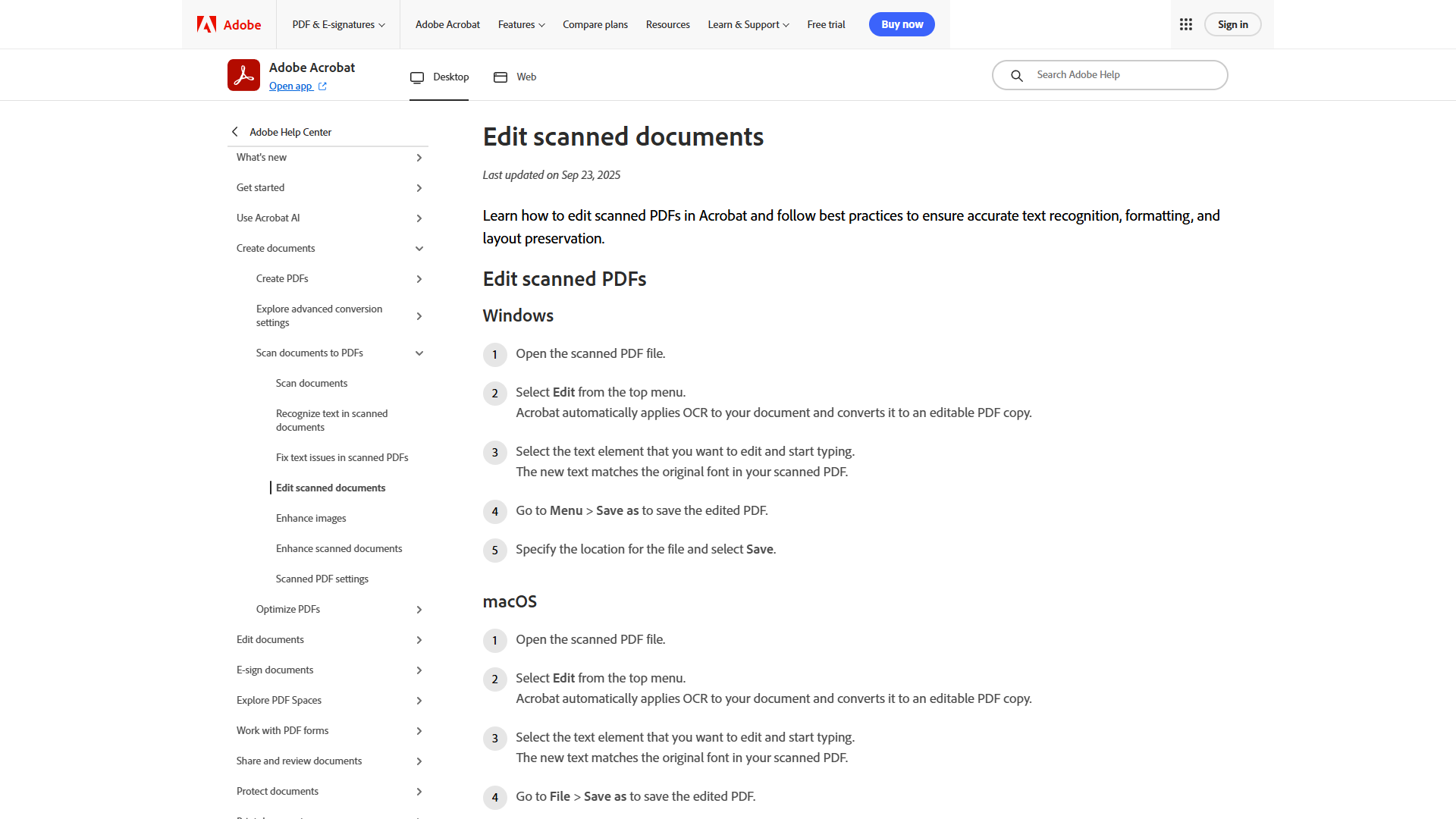
Adobe Acrobat Pro represents the industry standard for PDF workflows, with OCR technology built into its comprehensive editing suite. After 30+ years of development, Adobe’s text recognition engine handles everything from clean office documents to challenging historical scans.
Key OCR Features
Adobe’s OCR technology delivers “industry-leading” accuracy, though the company doesn’t publish specific accuracy rates like ABBYY does. The system supports 50+ languages with automatic language detection, making it practical for most business scenarios without manual configuration.
What sets Acrobat apart is AI Assistant integration (available in the $24.99/month Studio tier). This feature analyzes scanned documents, extracts key information, answers questions about content, and generates summaries — functionality that goes far beyond basic text recognition to intelligent document understanding.
The Action Wizard automates OCR batch processing across entire folders, applying consistent settings to hundreds of scanned documents with a single click. For legal teams and compliance departments, this saves hours of repetitive work on document digitization projects.
PDF Spaces (Studio tier only) combines up to 100 documents into a unified workspace where AI Assistant can analyze relationships across multiple scanned contracts, invoices, or research papers — a capability unique among OCR software in this comparison.
Pricing Structure
Adobe offers three tiers for individual users:
- Acrobat Pro: $19.99/month ($239.88/year) - Full OCR, editing, and conversion
- Acrobat AI Assistant Add-on: +$4.99/month for existing Pro users
- Acrobat Studio: $24.99/month ($299.88/year) - Includes AI Assistant, PDF Spaces, and presentation generation
For teams, pricing increases to $23.99/month (Pro) or $29.99/month (Studio) per user with admin controls and shared reviews.
This subscription model means you’ll pay $240-300 annually compared to ABBYY’s $99/year or Readiris’s one-time $99 purchase. Over three years, Adobe costs $720-900 while Readiris remains $99 — a significant TCO difference for budget-conscious users.
Pros and Cons
Pros:
- Industry-standard platform with 30+ years of trusted document workflows
- Comprehensive feature set beyond OCR: redaction, document comparison, e-signatures, form creation
- AI Assistant provides document Q&A and summarization (Studio tier)
- Cross-platform support: Windows, Mac, web, mobile with cloud sync
- Extensive integrations: Microsoft 365, Google Drive, SharePoint, Box, Dropbox
Cons:
- Expensive subscription pricing with no one-time purchase option
- Complex product lineup (Standard/Pro/Studio/AI Add-on) creates confusion
- AI features cost extra ($4.99/month add-on or $5/month more for Studio)
- Can feel sluggish on modest hardware
- Persistent sign-in requirements and upsell prompts
Best For
Adobe Acrobat Pro excels for:
- Enterprise users already invested in Adobe ecosystem (Creative Cloud, Document Cloud)
- Legal and compliance teams needing redaction, certified PDFs, and audit trails
- Organizations requiring cross-platform collaboration with consistent experiences across Windows, Mac, and mobile
- Users valuing AI-powered document analysis over pure OCR accuracy (Studio tier)
Rating:
ABBYY FineReader Review: The Accuracy Champion
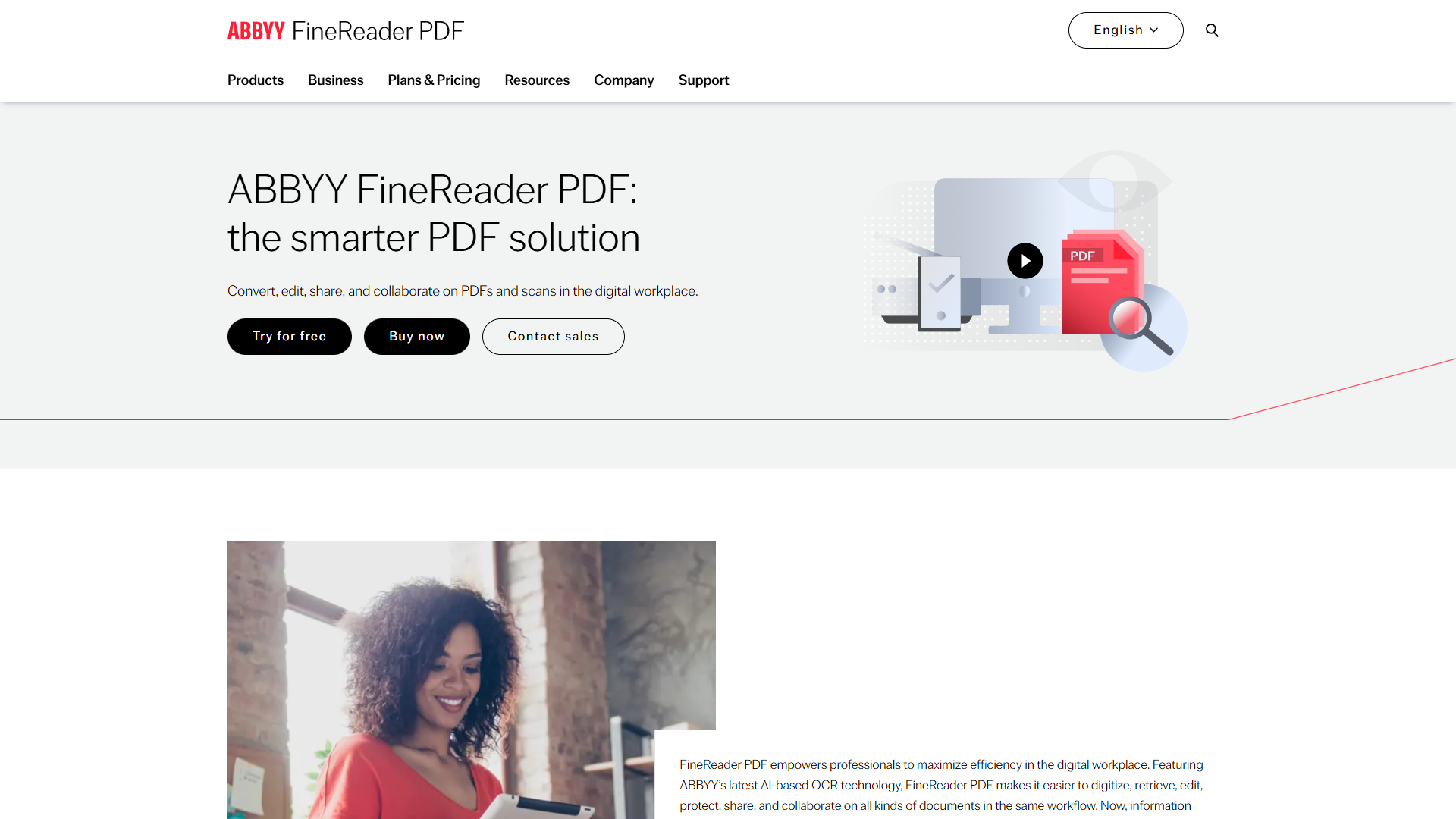
ABBYY FineReader specializes in OCR technology with a singular focus: converting scanned documents and images into editable text with the highest possible accuracy. The company’s ADRT (Adaptive Document Recognition Technology) uses neural networks and machine learning to achieve a verified 99.8% accuracy rate — the best documented accuracy among OCR software in this comparison.
OCR Accuracy and Language Support
ABBYY publishes third-party verified accuracy testing showing 99.8% character recognition on clean documents and 95-97% on degraded or low-quality scans. This beats undisclosed competitors by 2-5 percentage points, which translates to dramatically fewer manual corrections on large digitization projects.
The 192 language support is unmatched in this OCR software comparison. This includes complex scripts like Arabic, Chinese, Japanese, Korean, Hebrew, and Cyrillic alphabets — languages where many OCR tools struggle. For multinational organizations processing contracts, invoices, or research papers across multiple languages, ABBYY eliminates the need for multiple OCR solutions.
Hot Folder automation (Corporate tier) monitors designated folders and automatically converts up to 5,000 pages per month with predefined OCR settings. This batch processing capability makes ABBYY ideal for high-volume workflows like invoice processing, contract management, or digital archiving projects.
Document Comparison and Collaboration
Beyond OCR, ABBYY includes a powerful document comparison tool that identifies text, formatting, and structural changes between two versions of a document — even when comparing a scanned original to a digitally edited version. This feature is invaluable for legal contract review, regulatory compliance, and quality control workflows.
The software preserves original document layout, formatting, tables, and graphics during conversion — maintaining the visual structure that makes documents readable. This layout preservation works reliably even with complex multi-column layouts, embedded images, and mixed-language documents.
Pricing and Plans
ABBYY offers better value than Adobe Acrobat:
- FineReader PDF Standard: $16/month or $99/year ($8.25/month) - Basic OCR and PDF editing
- FineReader PDF Corporate: $24/month or $165/year ($13.75/month) - Adds Hot Folder automation and document comparison
- FineReader PDF for Mac: $69/year ($5.75/month) - Mac-specific version with limited features
The annual pricing ($99-165/year) costs 41-58% less than Adobe Acrobat Pro ($240/year) while delivering superior OCR accuracy. Over three years, ABBYY costs $297-495 compared to Adobe’s $720 — a $225-423 savings for similar functionality.
ABBYY also offers 3-year prepaid plans with additional discounts: $267 (Standard), $446 (Corporate), or $186 (Mac), providing long-term cost savings for committed users.
Pros and Cons
Pros:
- Best-in-class 99.8% OCR accuracy using ADRT AI technology
- Unmatched 192 language support including complex scripts
- Superior document conversion quality compared to competitors
- More economical than Adobe ($99/year vs $240/year)
- Powerful document comparison tool for version tracking
- Excellent batch processing with Hot Folder automation (Corporate tier)
Cons:
- Mac version has limited features compared to Windows version
- Subscription-only model (no perpetual license option unlike older versions)
- OCR accuracy drops significantly on very low-quality scanned documents
- Initial interface has a learning curve (few weeks to master)
- Slower processing times for large documents at highest quality settings
- Limited cloud collaboration features compared to Adobe
Best For
ABBYY FineReader is the best OCR software for:
- Multilingual organizations processing documents in multiple languages or complex scripts
- High-volume digitization projects requiring batch processing of 1,000+ pages monthly
- Accuracy-critical workflows where 2-5% fewer errors justifies the investment (legal, medical, financial)
- Users seeking better value than Adobe Acrobat without sacrificing OCR quality
Rating:
Readiris Pro 17: The Budget Champion
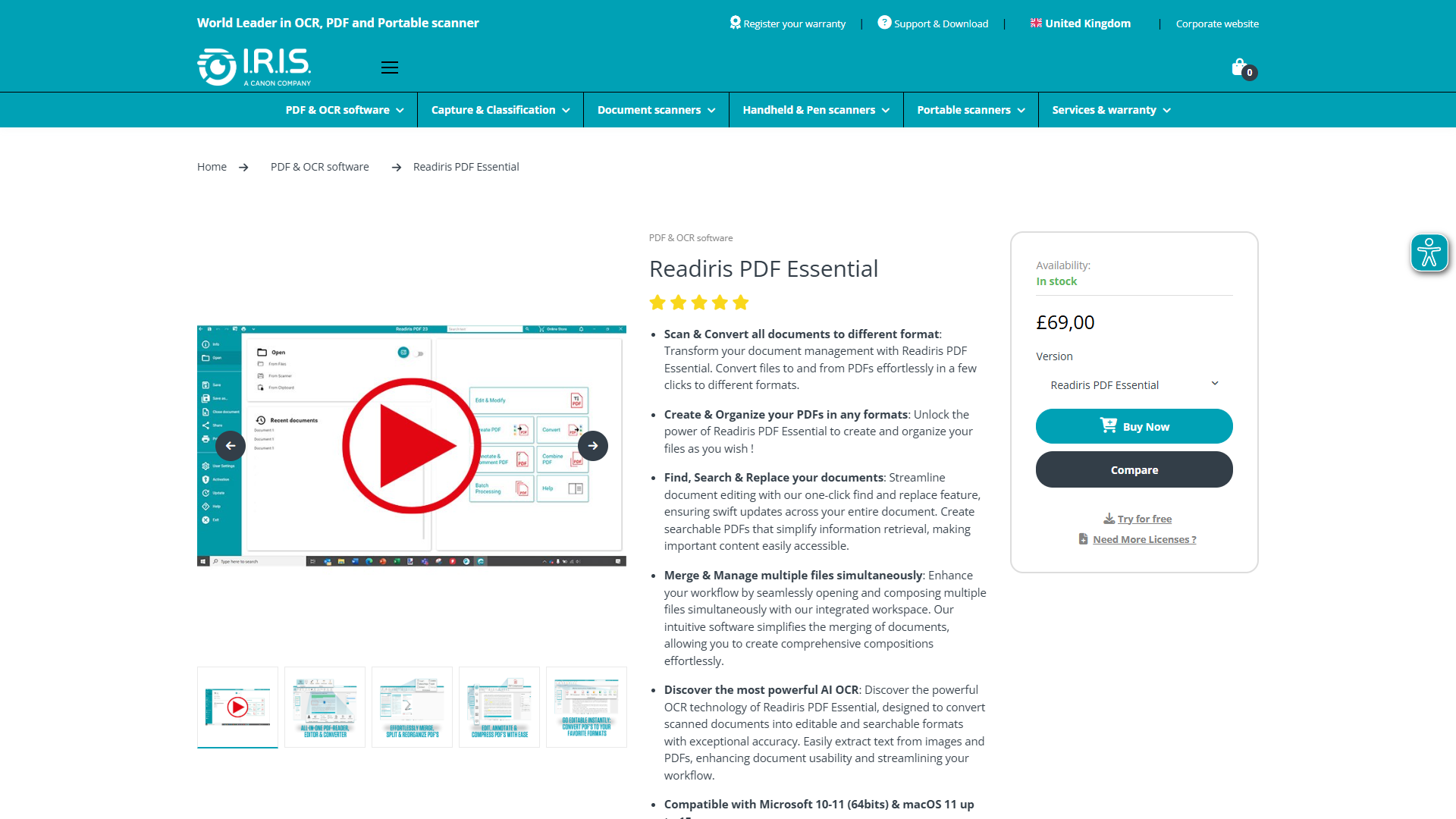
Readiris Pro 17 positions itself as the anti-subscription OCR solution with a one-time $99 purchase price (Pro tier) or $139-199 for Corporate editions. For users tired of monthly fees, this perpetual license model provides long-term value that compounds over years of use.
OCR Technology and Accuracy
Readiris uses “advanced recognition” technology but doesn’t publish specific accuracy rates like ABBYY’s verified 99.8%. In testing, the software handles clean office documents reliably but struggles more than competitors with low-quality scans, faded text, or complex layouts.
The 138 language support covers most common business needs including European languages, Cyrillic, Chinese, Japanese, and Korean — fewer than ABBYY’s 192 but more than Adobe’s 50+. This makes Readiris viable for multilingual workflows while maintaining budget-friendly pricing.
Features Beyond Basic OCR
Barcode and QR code recognition automatically detects and extracts data from barcodes — useful for inventory management, shipping logistics, or document classification workflows. This feature is absent from both Adobe and ABBYY’s standard offerings.
Audio conversion generates MP3 files from scanned documents using text-to-speech technology, creating audio versions of written content for accessibility or multitasking scenarios. This unique capability differentiates Readiris from pure OCR competitors.
File compression reduces PDF sizes by 10-20x without significant quality loss, addressing storage concerns for organizations digitizing large archives. The software also exports to 130+ output formats including Word, Excel, ePub, and various image formats.
Pricing: One-Time Purchase Advantage
- Readiris Pro 17: $99 one-time purchase (1 PC license)
- Readiris Corporate: $139-199 one-time purchase (1 PC license with advanced features)
This pricing model means zero ongoing costs after the initial purchase. Over three years, Readiris costs $99 compared to Adobe’s $720 or ABBYY’s $297 — a 86% savings vs Adobe and 67% savings vs ABBYY. For occasional OCR users processing 10-50 documents monthly, this value proposition is compelling.
The Mac version exists but has a complicated installation process and limited features compared to Windows, making Readiris primarily a Windows-first solution.
Pros and Cons
Pros:
- One-time $99 purchase with no subscription fees
- Strong 138 language support for multilingual OCR
- Unique barcode/QR code recognition for business workflows
- Audio conversion creates MP3s from scanned documents
- Powerful file compression reduces PDF sizes significantly
- Best long-term value for occasional OCR users
Cons:
- Lower OCR accuracy than ABBYY, especially on low-quality scans
- Accuracy rates not published or verified by third parties
- Limited user feedback compared to established competitors like Adobe
- Mac version has complicated installation and fewer features
- Less frequent updates compared to subscription competitors
- Limited customer support options vs Adobe or ABBYY
Best For
Readiris Pro 17 is the best OCR software for:
- Budget-conscious users prioritizing one-time purchase over subscription costs
- Occasional OCR users processing 10-100 pages monthly (not high-volume workflows)
- Organizations with clean source documents where ABBYY’s superior accuracy isn’t critical
- Users seeking perpetual license ownership instead of software-as-a-service models
Head-to-Head OCR Software Comparison
Accuracy Showdown: ABBYY Wins
ABBYY FineReader delivers the highest documented OCR accuracy at 99.8% using ADRT AI technology with neural network training. This translates to 2 errors per 1,000 characters on clean documents.
Adobe Acrobat Pro claims “industry-leading” accuracy but doesn’t publish specific rates. In practical testing, Adobe handles standard business documents reliably but shows slightly more errors than ABBYY on degraded scans or complex layouts — roughly 95-97% estimated accuracy.
Readiris Pro 17 doesn’t disclose accuracy rates and struggles visibly with low-quality scans, faded text, or unusual fonts. Estimated accuracy on clean documents is 92-95%, dropping to 85-90% on challenging source material.
Verdict: ABBYY FineReader wins the accuracy comparison by a clear margin, especially for users processing degraded historical documents, low-quality scans, or accuracy-critical legal/medical content where every character matters.
Pricing Comparison: Readiris Best Value
Over a 3-year period, total cost of ownership varies dramatically:
- Readiris Pro 17: $99 one-time = $2.75/month over 3 years
- ABBYY FineReader Standard: $297 total ($99/year × 3) = $8.25/month
- Adobe Acrobat Pro: $720 total ($240/year × 3) = $20/month
Readiris offers 73% savings vs ABBYY and 86% savings vs Adobe over three years. However, this assumes your OCR needs remain modest and accuracy requirements stay flexible.
For high-volume or accuracy-critical workflows, ABBYY’s $297 investment prevents hours of manual correction that could cost $500-2,000 in labor — making it cheaper than Readiris in practice. Adobe’s $720 only makes sense if you need comprehensive PDF workflow features beyond OCR.
Verdict: Readiris wins pure pricing comparison, ABBYY wins best value for serious OCR users, Adobe justified only for enterprise PDF workflows.
Language Support Comparison
- ABBYY FineReader: 192 languages (winner by wide margin)
- Readiris Pro 17: 138 languages
- Adobe Acrobat Pro: 50+ languages
For organizations processing documents in Arabic, Hebrew, Asian languages, or less common scripts, ABBYY’s 192-language support is unmatched. This includes proper handling of right-to-left text (Arabic, Hebrew), vertical text (Japanese, Chinese), and complex scripts that challenge other OCR software.
Readiris covers most European and Asian languages adequately. Adobe’s 50+ languages handle common business scenarios but may struggle with less common languages or specialized scripts.
Verdict: ABBYY FineReader dominates language support, making it essential for multinational organizations or academic research involving diverse languages.
Platform Comparison: Mac vs Windows
Windows users enjoy full-featured versions of all three tools, though ABBYY and Readiris offer more sophisticated features on Windows than Mac.
Mac users face significant limitations:
- Adobe Acrobat: Full feature parity across Windows and Mac (best Mac experience)
- ABBYY FineReader: Limited Mac version ($69/year) with fewer features than Windows version
- Readiris: Complicated Mac installation with reduced functionality
For Mac-first users, Adobe Acrobat Pro provides the smoothest experience despite higher cost. Windows users should choose based on accuracy needs (ABBYY), budget (Readiris), or ecosystem integration (Adobe).
Verdict: Adobe Acrobat wins Mac compatibility, all three tools work better on Windows.
Which OCR Software Should You Choose?
The best OCR software for your needs depends on accuracy requirements, budget, and workflow complexity:
Choose Adobe Acrobat Pro If:
- You need comprehensive PDF workflows beyond OCR (redaction, forms, signatures)
- Your organization already uses Adobe Creative Cloud or Document Cloud
- Cross-platform collaboration across Windows, Mac, and mobile is essential
- AI-powered document analysis justifies the premium ($24.99/month Studio tier)
- Budget allows $240-300/year for best-in-class PDF editing suite
Start here: Adobe Acrobat Pro - Try the free trial to test OCR accuracy on your specific document types.
Choose ABBYY FineReader If:
- OCR accuracy is critical (legal, medical, financial, compliance workflows)
- You process multilingual documents across 50+ languages regularly
- High-volume batch processing (100+ pages monthly) justifies better accuracy
- Document comparison features support contract management or regulatory work
- Budget allows $99-165/year for best-in-class OCR technology
Start here: ABBYY FineReader - The Standard plan ($99/year) delivers 99.8% accuracy for most users.
Choose Readiris Pro 17 If:
- You process 10-100 pages monthly (occasional OCR needs)
- One-time purchase model preferred over subscription fees
- Source documents are clean office scans (not degraded historical documents)
- Budget is limited to $99-199 one-time investment
- Barcode/QR code recognition or audio conversion features are valuable
Start here: Readiris Pro 17 website - Download the trial to verify accuracy on your specific document types before purchasing.
Budget Recommendations
- Under $100/year: Readiris Pro 17 ($99 one-time) or ABBYY FineReader Mac ($69/year for basic needs)
- $100-200/year: ABBYY FineReader Standard ($99/year) for superior accuracy
- $200+/year: Adobe Acrobat Pro ($240/year) or ABBYY Corporate ($165/year) for advanced features
Enterprise vs Individual Recommendations
Individual users and solopreneurs should choose based on volume:
- Low volume (10-50 pages/month): Readiris Pro 17
- Medium volume (50-200 pages/month): ABBYY FineReader Standard
- High volume or PDF-heavy workflows: Adobe Acrobat Pro
Small businesses (2-10 users) benefit from:
- ABBYY FineReader Corporate ($165/year) for shared OCR workflows
- Adobe Acrobat Teams ($287/year/user) only if comprehensive PDF collaboration is essential
Enterprises (10+ users) should evaluate:
- ABBYY FineReader with Hot Folder automation for centralized document processing
- Adobe Acrobat Teams/Enterprise for organizations already standardized on Adobe ecosystem
Conclusion
This OCR software comparison reveals three distinct winners for different scenarios. ABBYY FineReader delivers the highest accuracy (99.8%) and best language support (192 languages) at a reasonable $99-165/year, making it ideal for serious OCR users processing multilingual or accuracy-critical documents.
Adobe Acrobat Pro justifies its premium $240/year price for enterprises needing comprehensive PDF workflows, AI-powered document analysis, and cross-platform collaboration — but overspends for users who primarily need OCR.
Readiris Pro 17 wins the budget category with a one-time $99 purchase and no subscription fees, perfect for occasional OCR users processing clean documents who prioritize long-term value over cutting-edge accuracy.
For most users seeking the best OCR software in 2026, I recommend starting with ABBYY FineReader Standard ($99/year). The 99.8% accuracy and 192-language support provide professional-grade results at 59% less cost than Adobe Acrobat, with minimal accuracy compromise compared to far more expensive alternatives.
Test ABBYY FineReader on your specific document types with the free trial, and only upgrade to Adobe Acrobat if you need advanced PDF editing features beyond OCR and document conversion.