This guide covers greenhouse implementation guide with hands-on analysis.
Implementing a new Applicant Tracking System (ATS) can feel overwhelming. You’re migrating years of recruiting data, training your team on new workflows, and trying to avoid disruption to active hiring pipelines. But with the right plan, your Greenhouse rollout can be smooth, strategic, and surprisingly fast.
This guide provides a day-by-day blueprint for implementing Greenhouse in 30 days or less. Whether you’re a 50-person startup or a 500-employee scale-up, this tactical roadmap will help you launch confidently — without the chaos most teams experience.
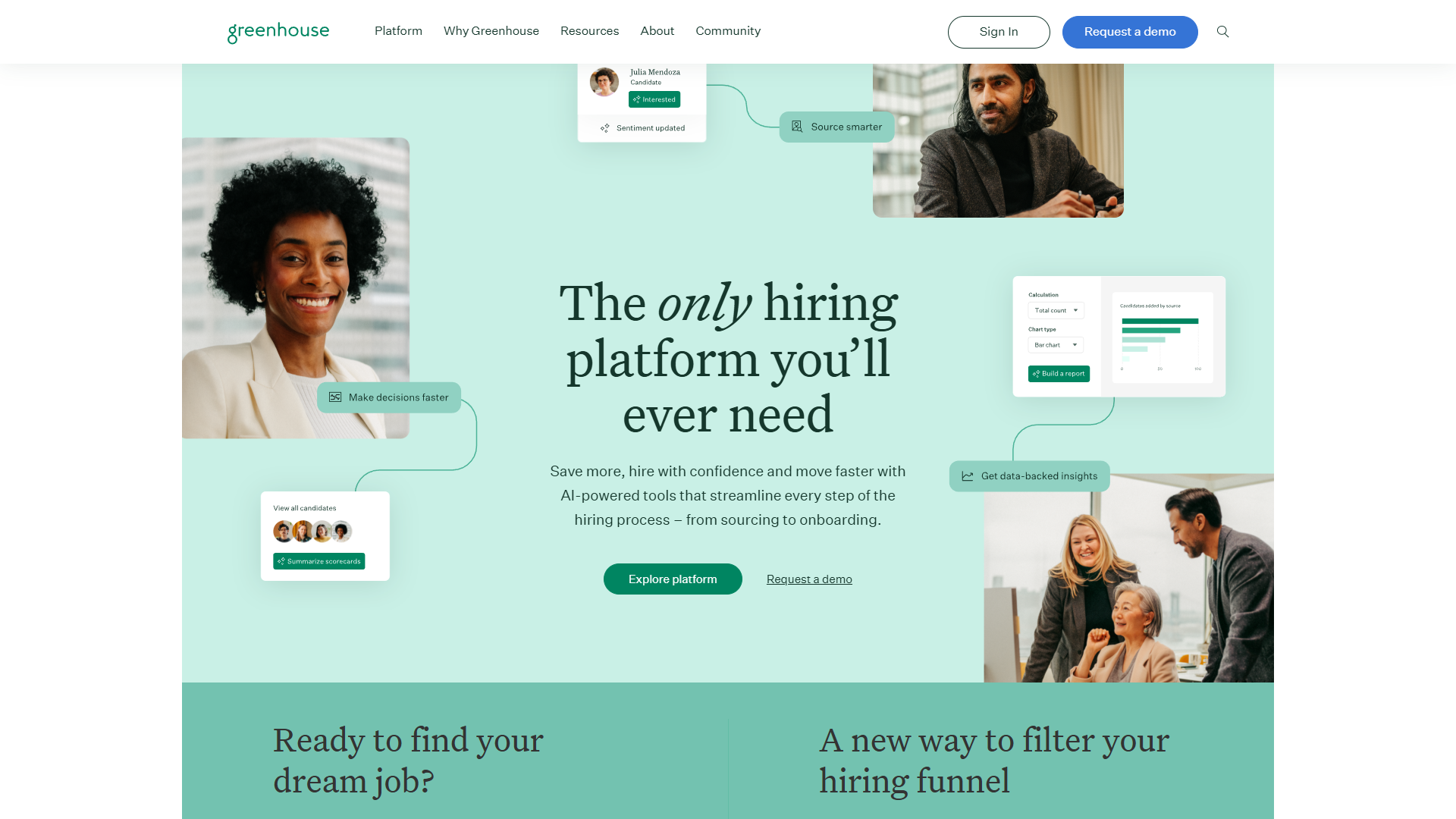
Why Greenhouse Implementation Requires Structure
Unlike basic recruiting tools, Greenhouse is built around structured hiring methodology. This means you’re not just uploading job descriptions — you’re architecting interview stages, building scorecards, defining approval chains, and creating data-driven workflows.
Most teams underestimate the planning required. They rush through setup, skip workflow design, and launch with inconsistent processes. Three months later, they’re debugging messy data and retraining hiring managers who never adopted scorecards.
The 30-day framework in this guide prevents those mistakes by frontloading the strategic work in weeks 1-2, then executing migration and training in weeks 3-4. You’ll launch with clean data, trained users, and workflows that match your actual hiring process.
Pre-Implementation Checklist
Before you start Day 1, gather these resources and stakeholders:
Required Access & Permissions:
- Admin access to Greenhouse (Owner or Site Admin role)
- Email domain verification completed
- Single Sign-On (SSO) configured (if using SAML/Okta)
- Billing and subscription tier confirmed
Stakeholder Alignment:
- Executive sponsor identified (typically VP/Head of People)
- Core implementation team assigned (1-2 recruiters + 1 HRIS lead)
- Hiring manager representatives from 2-3 departments
- IT/Security approval for data migration and integrations
Data & Process Inventory:
- List of active job openings (with stages and candidate counts)
- Legacy ATS export files (candidates, applications, jobs)
- Current interview process documentation (if it exists)
- List of tools requiring integration (HRIS, calendar, Slack, etc.)
Time Commitment:
- Implementation lead: 20-25 hours over 4 weeks
- Core team members: 8-10 hours over 4 weeks
- Hiring managers: 2-3 hours for training in week 4
If you’re missing any of these, address them before starting Day 1. A delayed start is better than a chaotic rollout.
Week 1: Foundation & Configuration
The first week establishes your system architecture. This is where you define user roles, configure email templates, and map your organization structure. Resist the urge to rush — mistakes here multiply across every job posting.
Days 1-2: System Setup & User Management
Day 1 Morning: Configure Company Settings
- Complete company profile (name, logo, career page domain)
- Set default language and timezone for all users
- Configure privacy settings and GDPR compliance options
- Enable candidate data retention policies (recommend 3 years for sourced candidates)
Day 1 Afternoon: Build User Roles & Permissions Greenhouse has four primary permission levels. Map your team to these roles:
- Site Admin: Implementation lead + 1 backup (full system access)
- Job Admin: Recruiters and coordinators (create jobs, manage pipelines)
- Hiring Manager: Department leads (view assigned jobs only, limited editing)
- Basic User: Interviewers (view candidates, submit scorecards)
Create custom permission sets for special cases (e.g., executives who need read-only access to all jobs). Test each role by logging in as that user type.
Day 2: Email Integration & Templates
- Connect email via IMAP/SMTP or Gmail/Outlook API
- Configure “Reply-To” addresses for candidate emails
- Customize email signature with recruiting team branding
- Edit default email templates for these touchpoints:
- Application confirmation
- Interview invitation
- Rejection (generic and post-interview versions)
- Offer letter placeholder
Pro tip: Write rejection emails in your brand voice now. Most teams use Greenhouse’s generic templates and regret it when candidates complain about robotic tone.
Days 3-4: Organization Structure & Job Boards
Day 3: Department & Office Hierarchy Build the organizational structure that will organize all future jobs:
- Create departments matching your company structure
- Add offices/locations (even if fully remote, create one “HQ” location)
- Assign department heads as default approvers
- Configure hiring lead defaults for each department
This structure feeds into reporting. If you create jobs without department tags, you’ll have incomplete pipeline analytics later.
Day 4: Career Page & Job Boards
- Design career page using Greenhouse’s page builder or embed code
- Add company description, culture photos, and employee testimonials
- Connect to free job boards (LinkedIn, Indeed, Glassdoor)
- Configure premium job board integrations if applicable
- Test application flow from job post to “application submitted” confirmation
Use a test job posting to verify the entire candidate experience. Apply as a candidate yourself — check mobile responsiveness, load times, and email confirmations.
Days 5-7: Core System Configuration
Day 5: Candidate Sources & Referral Program
- Create source tags for all candidate origins (referral, LinkedIn, company website, etc.)
- Configure employee referral program if offering referral bonuses
- Set up source reporting to track channel effectiveness
- Add UTM parameters to job posts for attribution tracking
Day 6: Custom Fields & Demographics Greenhouse allows custom fields for candidates, applications, and jobs. Add fields you’ll actually use:
- Candidate fields: LinkedIn URL, portfolio link, salary expectations
- Application fields: Work authorization status, remote preference
- Job fields: Budget range, headcount justification, urgency level
Avoid the temptation to add 20 custom fields. Each field creates data entry burden. Start minimal and add more later if needed.
Day 7: Week 1 Audit & Documentation
- Review all settings with implementation team
- Document any deviations from standard Greenhouse setup
- Create internal wiki page with login instructions and role definitions
- Schedule Week 2 kickoff with hiring managers
Week 2: Job Architecture & Workflows
Week 2 is where Greenhouse transforms from a database into a structured hiring machine. You’ll build interview stages, scorecards, and approval chains that enforce consistency across every hire.
Days 8-10: Interview Plan Architecture
Day 8: Define Standard Interview Stages Create reusable stage templates for common roles. Most companies use 4-6 stages:
- Application Review (recruiter screens resumes)
- Recruiter Phone Screen (30 min qualification call)
- Hiring Manager Interview (1 hour role-specific conversation)
- Team Interview / Panel (2-3 hours with cross-functional team)
- Reference Check (call 2-3 references)
- Offer (extend offer and negotiate)
For each stage, configure:
- Stage name and description
- Who can advance candidates (recruiter, hiring manager, or both)
- Automated emails to send when entering/exiting stage
- Required scorecards or feedback forms
Day 9: Build Interview Scorecards Scorecards are Greenhouse’s superpower — but only if you design them well. Create scorecards for each interview stage with 4-6 focus areas:
Example: Recruiter Phone Screen Scorecard
- Communication clarity (1-4 scale: Poor to Excellent)
- Role alignment (Does the candidate understand the role?)
- Compensation expectations (Within budget? Yes/No)
- Availability timeline (Immediate, 2 weeks, 1 month, 3+ months)
- Overall recommendation (Strong Yes, Yes, No, Strong No)
Avoid the mistake of asking 15 generic questions. Scorecards should take 3-5 minutes to complete or interviewers won’t use them.
Day 10: Configure Interview Kits Interview kits are pre-packaged sets of stages + scorecards + interviewers. Build kits for your 3-5 most common roles (e.g., “Engineering IC,” “Sales AE,” “Marketing Manager”).
Each kit should include:
- Complete stage sequence from application to offer
- Assigned interviewers for each stage
- Linked scorecards with role-specific focus areas
- Estimated timeline for each stage (e.g., “Recruiter screen: 1-2 days”)
When you post a new job, you’ll clone an interview kit instead of rebuilding stages from scratch.
Days 11-13: Approval Workflows & Automation
Day 11: Job Approval Chains Configure who must approve job openings before posting:
- Hiring manager submits job request
- Department head approves headcount
- Finance approves budget
- Executive team approves senior roles (Director+)
Test the approval chain by creating a dummy job requisition and walking it through each approval stage.
Day 12: Offer Approval Workflows Set up multi-stage offer approvals with required fields:
- Hiring manager proposes offer (salary, equity, start date)
- Recruiter adds offer letter template
- Finance approves compensation
- Executive approves offers above $150K (or your threshold)
Make critical fields required to prevent incomplete offers. Common required fields: base salary, equity grant, start date, work location.
Day 13: Automated Workflows & Alerts Configure email alerts for key events:
- Notify hiring manager when candidate enters “Team Interview” stage
- Alert recruiter if candidate sits in a stage >5 days without activity
- Send weekly pipeline summary to department heads
- Notify coordinators when interview is scheduled
Greenhouse’s automation rules prevent candidates from falling through cracks. Set up 3-5 critical alerts now — you can add more later.
Day 14: Week 2 Review & Testing
- Run a full mock hiring process with test candidate
- Verify scorecards appear correctly for each interview stage
- Confirm approval chains trigger emails to correct stakeholders
- Document any workflow adjustments needed before launch
Week 3: Data Migration & Integration
Week 3 is execution-heavy. You’ll migrate legacy data, connect your tech stack, and stress-test the system with real job postings.
Days 15-17: Data Migration
Day 15: Export Legacy ATS Data Export CSV files from your old system:
- All active candidates (with current stage and notes)
- Job postings from last 12 months
- Archived candidates (if retention policies require)
Clean the data before importing. Remove duplicate candidates, fix formatting issues (phone numbers, email domains), and standardize stage names.
Day 16: Import Data to Greenhouse Use Greenhouse’s CSV import tool or API for bulk uploads:
- Import candidates to correct jobs and stages
- Import user accounts (recruiters, hiring managers, coordinators)
- Import historical jobs as closed requisitions (for reporting continuity)
Import in batches of 50-100 candidates to catch errors early. Verify the first batch before uploading thousands of records.
Day 17: Data Audit & Cleanup
- Spot-check 20 random candidate profiles for accuracy
- Verify all active candidates are in correct stages
- Confirm no duplicate candidate records
- Tag candidates with source attribution
Days 18-20: Integrations & Tech Stack
Day 18: Connect Core Integrations Greenhouse offers 500+ integrations. Prioritize these first:
-
Calendar Integration (Google Calendar or Outlook)
- Enables one-click interview scheduling
- Syncs interviewer availability in real-time
-
Slack Integration
- Posts candidate updates to recruiting channel
- Allows recruiters to share profiles with hiring teams
-
HRIS Integration (BambooHR, Rippling, Workday)
- Auto-creates employee record when offer is accepted
- Eliminates duplicate data entry
-
Background Check (Checkr, Sterling)
- Triggers background check from Greenhouse
- Updates candidate stage when results return
Day 19: Configure Advanced Integrations If your subscription includes these, set up:
- LinkedIn Recruiter (import candidate profiles directly)
- Video interview platforms (Zoom, Teams, HireVue)
- Skills assessment tools (Codility, HackerRank for engineering)
- CRM/Sourcing tools (Gem, Beamery)
Test each integration with a dummy candidate to verify data flows correctly.
Day 20: API & Custom Integrations For custom tools or internal systems:
- Generate API keys for developers
- Document required API endpoints (candidate creation, stage updates)
- Build webhooks for real-time event notifications
- Test API connections in sandbox environment
Day 21: Week 3 System Stress Test
- Post 2-3 real job openings with full interview kits
- Schedule test interviews using calendar integration
- Run candidate through full pipeline (application to offer)
- Verify all integrations trigger correctly
- Document any bugs or broken workflows
Week 4: Training & Launch
The final week focuses on user adoption. Even perfect workflows fail if hiring managers don’t know how to use scorecards or recruiters skip approval steps.
Days 22-24: User Training
Day 22: Recruiter & Coordinator Training (2 hours) Cover these workflows in live demo:
- Creating and posting new jobs
- Reviewing applications and advancing candidates
- Scheduling interviews via calendar integration
- Submitting scorecards after interviews
- Generating offer letters and managing approvals
Provide written guides and record the training session for future reference.
Day 23: Hiring Manager Training (1.5 hours) Focus on the interviewer experience:
- Accessing assigned candidates
- Completing scorecards within 24 hours of interviews
- Viewing pipeline status and team feedback
- Participating in debrief meetings via Greenhouse
- Approving offers and job requisitions
Emphasize that scorecards are mandatory. Show examples of good vs. poor scorecard feedback.
Day 24: Interviewer Onboarding (30 min) For all employees who conduct interviews:
- How to access interview schedules
- Reviewing candidate resumes and previous feedback
- Submitting timely scorecards (with 3-5 minute completion time)
- Using mobile app for on-the-go feedback
Create a 5-minute training video for this group — most won’t attend live sessions.
Days 25-27: Pilot Launch
Day 25: Soft Launch with 1-2 Jobs
- Post 2 high-priority jobs with engaged hiring managers
- Monitor candidate flow and identify friction points
- Check scorecard completion rates (target: >80% within 24 hours)
- Gather feedback from recruiters and hiring managers
Day 26: Expand to 5-10 Jobs
- Add more job postings across departments
- Test different interview kits and workflows
- Monitor system performance and load times
- Address any integration errors or email delivery issues
Day 27: Pilot Retrospective
- Survey pilot users for feedback (5-minute form)
- Identify top 3 pain points or confusion areas
- Document workarounds or configuration changes needed
- Plan quick fixes before full launch
Days 28-30: Full Launch & Optimization
Day 28: Full System Launch
- Announce Greenhouse as official ATS to entire company
- Migrate all active jobs from legacy system
- Decommission old ATS (or set to read-only mode)
- Send launch announcement with training resources
Day 29: Monitor Adoption Metrics Track these KPIs in the first week:
- Scorecard completion rate (target: 80%+)
- Average time-in-stage for each interview phase
- Candidate drop-off rate between stages
- User login frequency (ensure hiring managers are active)
Day 30: 30-Day Review & Roadmap
- Review system analytics and adoption rates
- Identify power users and early champions
- Document lessons learned and implementation wins
- Plan next phase: advanced reporting, sourcing tools, AI features
Common Pitfalls to Avoid
Even with a solid plan, these mistakes derail implementations:
1. Over-Using Free-Text Fields
The Mistake: Allowing interviewers to write paragraphs of unstructured feedback.
Why It Fails: Text fields don’t produce comparable data. You can’t report on “cultural fit” if every interviewer defines it differently.
The Fix: Use dropdown menus and 1-4 rating scales wherever possible. Reserve text fields for specific examples or clarifying comments.
2. Making Offer Fields Optional
The Mistake: Not requiring salary, start date, or equity fields in offer templates.
Why It Fails: Recruiters skip fields when rushing, leading to incomplete offers that delay signatures.
The Fix: Mark all critical offer fields as required in Greenhouse. Force data entry before offers can be sent.
3. Inadequate Hiring Manager Training
The Mistake: Assuming hiring managers will “figure it out” after a 30-minute training.
Why It Fails: Hiring managers revert to email-based hiring, bypassing Greenhouse entirely.
The Fix: Conduct role-specific training with real examples from their jobs. Require scorecards for interview completion — no exceptions.
4. Launching Without Audits
The Mistake: Skipping the Day 21 stress test and going straight to launch.
Why It Fails: Production bugs surface during critical hires, creating firefighting chaos.
The Fix: Always run a full test candidate through the entire pipeline before launch. Fix broken automation before it impacts real candidates.
5. Ignoring Mobile Experience
The Mistake: Designing workflows that only work on desktop.
Why It Fails: Interviewers submit feedback late (or never) because they can’t access Greenhouse on mobile.
The Fix: Test the mobile app with interviewers. Ensure scorecards load quickly and are thumb-friendly.
Post-Launch Checklist: First 30 Days
Your launch isn’t complete at Day 30 — the next month determines long-term success.
Week 5-6: Adoption Monitoring
- Send weekly reminders about scorecard deadlines
- Highlight top users who complete scorecards within 24 hours
- Address non-compliance with hiring managers directly
- Share early wins: “We filled 3 roles 40% faster than before”
Week 7-8: Optimization & Scaling
- Review time-to-hire metrics by department
- Identify stages with longest delays (optimize those first)
- Add more interview kits for additional roles
- Explore advanced features: candidate rediscovery, sourcing CRM, AI screening
Week 9-12: Advanced Features
- Enable Greenhouse’s Real Talent AI for candidate recommendations
- Build custom reports for executive dashboard
- Integrate advanced sourcing tools (LinkedIn Recruiter, Gem)
- Train team on diversity analytics and EEOC reporting
For more productivity insights, explore our guides on Best Ai Recruiting Tools 2026, Best Ats Software 2026. For alternative ATS platforms, compare Workable for small teams or explore Notion for lightweight candidate tracking.
Conclusion: From Setup to Strategic Hiring
When evaluating Greenhouse Implementation Guide, A successful Greenhouse implementation isn’t about flipping a switch — it’s about building a structured hiring system that scales with your company. By following this 30-day roadmap, you’ve avoided the chaos of rushed rollouts and set your team up for long-term recruiting success.
The real payoff comes in month 2 and beyond: faster time-to-hire, consistent interviewer feedback, and data-driven hiring decisions. Your recruiters will spend less time on admin work and more time building relationships with candidates. Hiring managers will finally have visibility into their pipelines without constant Slack messages.
Most importantly, you’ll have the foundation to implement structured hiring methodology — the core philosophy that makes Greenhouse a recruiting powerhouse.
Next Steps:
- Bookmark this guide and share with your implementation team
- Download Greenhouse’s official implementation checklist (available in their help center)
- Schedule your Day 1 kickoff meeting this week
- Join Greenhouse’s user community for ongoing best practices
Your 30-day rollout starts now. Follow the plan, skip the shortcuts, and launch confidently.
For more information about greenhouse implementation guide, see the resources below.
External Resources
For official documentation and updates:
- Greenhouse — Official website
- OpenAI — Additional resource