If you’re processing thousands of documents monthly, you’ve probably experienced sticker shock from cloud OCR bills. When I recently compared document AI cost options for a client processing 50,000 invoices per month, the price differences were staggering — ranging from $50 to $3,250 for identical workloads.
This document ai cost comparison breaks down real pricing across four major platforms: Mistral OCR 3, Google Document AI, AWS Textract, and Azure Document Intelligence. I’ll show you exactly how much you’ll pay at different volumes and where you can save up to 97% on OCR processing costs.
Why Document AI Pricing Matters
Document processing costs scale linearly with volume. Process 10,000 pages monthly and you might barely notice the expense. Scale to 100,000 or 1 million pages, and those per-page fees compound into budget-breaking costs that CFOs scrutinize closely.
The document AI market has fragmented dramatically in 2025-2026. Legacy enterprise providers (AWS, Google, Azure) charge premium prices justified by ecosystem integration and enterprise features. Meanwhile, new AI-native platforms like Mistral OCR 3 (launched December 2025) undercut incumbents by 90%+ while matching or exceeding accuracy.
Most comparisons focus on features and accuracy. This guide focuses on cost — because even the best OCR platform doesn’t matter if your budget can’t sustain it.
Document AI Pricing Comparison Table
Here’s how the four major platforms stack up for common document processing scenarios:
| Platform | Basic OCR | Forms/Tables | Custom Models | Free Tier | Volume Discounts |
|---|---|---|---|---|---|
| Mistral OCR 3 | $2/1K pages | $2/1K pages | $2/1K pages | Le Chat free | $1/1K (batch) |
| Google Document AI | $1.50/1K pages | $10/1K pages | $30/1K pages | $300 credit | After 1M pages |
| AWS Textract | $1.50/1K pages | $65/1K pages | N/A | 1K/mo (3 mo) | After 1M pages |
| Azure Document Intelligence | $1.50/1K pages | $10/1K pages | $30/1K pages | 500/month | Commitment tier |
The pricing spread is dramatic. For simple text extraction, the platforms cluster around $1.50-$2 per 1,000 pages. But for complex documents with forms and tables — the use case most businesses actually need — AWS charges 32x more than Mistral ($65 vs $2).
Mistral OCR 3: The Cost Efficiency Leader
Mistral OCR 3 (December 2025 release) disrupts document AI pricing with two simple tiers:
- Standard API: $2 per 1,000 pages
- Batch Processing: $1 per 1,000 pages (50% discount)
No complex feature add-ons. No hidden hosting fees. Same price whether you’re extracting plain text or processing complex forms with tables, handwriting, and mathematical formulas. The batch pricing tier is particularly compelling for archival digitization projects — you get 97% cost savings versus AWS Textract for identical functionality.
Mistral Cost Breakdown (Real Numbers)
Let’s calculate real costs for typical workloads:
10,000 pages/month (small business):
- Standard API: $20/month
- Batch API: $10/month
100,000 pages/month (mid-market):
- Standard API: $200/month
- Batch API: $100/month
1,000,000 pages/month (enterprise):
- Standard API: $2,000/month
- Batch API: $1,000/month
Mistral’s free tier (Le Chat) offers limited testing, but the paid tiers start so low that even small businesses can afford production use immediately. There’s no commitment tier required — just pay-as-you-go pricing that scales linearly.
When Mistral Makes Sense
Mistral OCR 3 is the obvious choice if you:
- Process high volumes (100K+ pages monthly) where cost efficiency compounds
- Need complex document handling (forms, tables, handwriting) without premium pricing
- Want multilingual accuracy (99%+ across 90+ languages) at budget prices
- Don’t require custom model training or specialized processors
The platform excels at batch processing workflows where you can tolerate slight delays (minutes, not seconds) for 50% cost savings. Financial services, legal firms, and research institutions processing archival documents report massive ROI improvements.
Google Document AI: Premium Features at Premium Prices
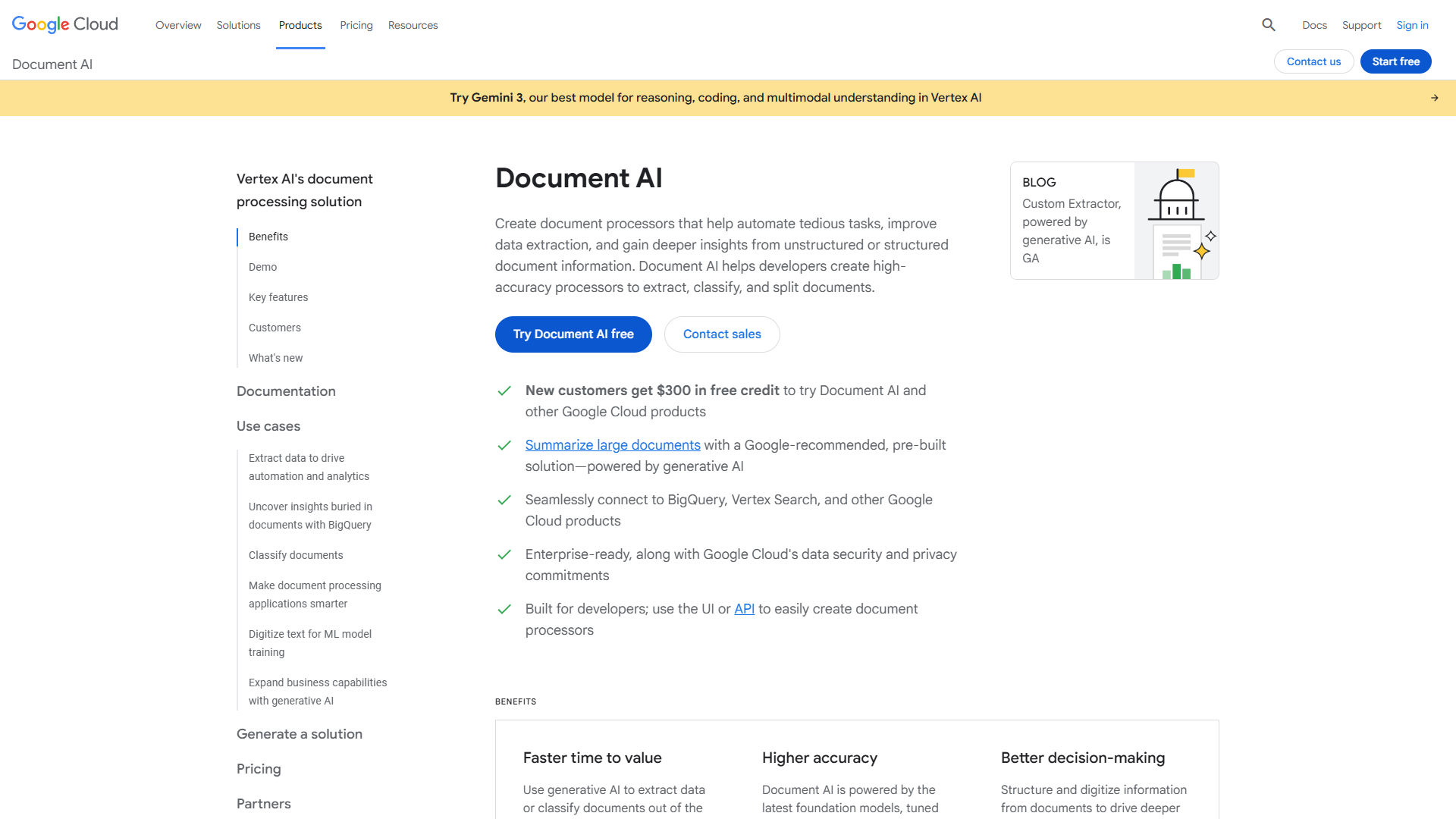
Google Document AI uses tiered pricing that escalates based on processor type:
- Enterprise OCR: $1.50 per 1,000 pages (basic text extraction)
- Layout Parser: $10 per 1,000 pages (tables and structure)
- Custom Extractor: $30 per 1,000 pages (trained models)
- Processor Hosting: $0.05/hour per deployed version
The Gemini Layout Parser (November 2025) delivers exceptional table extraction accuracy, but you’ll pay 20x more than Mistral for that capability. The $300 free credit is generous for testing — enough for 200,000 basic OCR pages or 10,000 custom extractor pages.
Google Cost Breakdown (Real Numbers)
10,000 pages/month (small business):
- Basic OCR: $15/month
- Custom Extractor: $300/month + hosting fees
100,000 pages/month (mid-market):
- Basic OCR: $150/month
- Custom Extractor: $3,000/month + hosting fees
1,000,000 pages/month (enterprise):
- Basic OCR: $1,200/month (after volume discounts)
- Custom Extractor: $25,000/month + hosting fees
Hosting fees add $36/month per deployed processor version (24/7 deployment). For organizations running 5-10 custom processors, this adds $180-$360 monthly regardless of page volume.
When Google Makes Sense
Google Document AI justifies its premium pricing if you:
- Already use Google Cloud Platform (BigQuery, Vertex AI, Cloud Storage)
- Need custom few-shot training for specialized document types
- Require best-in-class layout preservation for downstream LLM processing
- Can leverage the $300 free credit for meaningful production testing
The Gemini-powered processors handle poor-quality scans exceptionally well. If your documents are faded receipts, skewed invoices, or watermarked contracts, Google’s OCR accuracy often beats competitors — worth the 15-30x price premium for critical workflows.
AWS Textract: Enterprise with AWS Lock-In
AWS Textract pricing follows the typical AWS pattern: simple base tier, expensive advanced features:
- Detect Document Text API: $1.50 per 1,000 pages (basic OCR)
- Analyze Document (Tables): $15 per 1,000 pages
- Analyze Document (Forms): $65 per 1,000 pages
- Analyze Document (Forms + Custom Queries): $65 per 1,000 pages base + $25 per 1,000 for queries
The free tier offers 1,000 pages monthly for 3 months (new AWS customers only). Volume discounts kick in after 1 million pages, dropping costs by 33-40% — but you need serious scale to benefit.
AWS Cost Breakdown (Real Numbers)
10,000 pages/month (small business):
- Basic OCR: $15/month
- Forms/Tables: $650/month
100,000 pages/month (mid-market):
- Basic OCR: $150/month
- Forms/Tables: $6,500/month
1,000,000 pages/month (enterprise):
- Basic OCR: $1,200/month (after volume discounts)
- Forms/Tables: $50,000/month (after volume discounts)
The forms/tables pricing is where AWS becomes prohibitively expensive for most use cases. At $65 per 1,000 pages, processing 50,000 invoices monthly costs $3,250 — compared to $50 with Mistral batch pricing (97% savings).
When AWS Makes Sense
AWS Textract is the right choice if you:
- Already run infrastructure on AWS (S3, Lambda, Step Functions)
- Need tight integration with Amazon Bedrock for LLM workflows
- Process primarily simple text documents (not forms/tables)
- Have budget for premium pricing in exchange for AWS ecosystem benefits
The 2025 accuracy improvements for superscript, subscript, and rotated text are valuable for scientific and technical documents. But unless you’re deeply embedded in AWS, the pricing is hard to justify.
Azure Document Intelligence: Microsoft Ecosystem Play
Azure Document Intelligence (formerly Form Recognizer) offers pricing competitive with Google:
- Read Model: $1.50 per 1,000 pages (basic OCR)
- Prebuilt Models: $10 per 1,000 pages (invoices, receipts, IDs)
- Custom Extraction: $30 per 1,000 pages
- Commitment Tier: $375-$4,200/month (500K-8M pages)
The free tier provides 500 pages monthly ongoing — better than AWS’s 3-month limit but less generous than Google’s $300 credit. The commitment tier offers discounts up to 65% for organizations willing to commit to fixed monthly volumes.
Azure Cost Breakdown (Real Numbers)
10,000 pages/month (small business):
- Basic OCR: $15/month
- Custom Extraction: $300/month
100,000 pages/month (mid-market):
- Basic OCR: $150/month
- Custom Extraction: $3,000/month
1,000,000 pages/month (enterprise):
- Basic OCR: $530/month (commitment tier)
- Custom Extraction: $3,150/month (commitment tier)
The commitment tier dramatically reduces costs at scale. Processing 1 million pages monthly drops from $1,500 (pay-as-you-go) to $530 (commitment tier) — a 65% discount. But you’re locked into that monthly commitment regardless of actual usage.
When Azure Makes Sense
Azure Document Intelligence is ideal if you:
- Use Microsoft Azure, Power Platform, or Dynamics 365
- Need prebuilt models for common documents (invoices, receipts, contracts)
- Can commit to consistent monthly volumes for discounted pricing
- Want faster custom model training (30 minutes vs 1 hour on competitors)
The AI Builder integration with Power Platform is particularly valuable for organizations building low-code document workflows. If your team already uses Power Automate and SharePoint, Azure’s ecosystem integration justifies the mid-tier pricing.
Real-World Document AI Cost Comparison Scenarios
This document ai cost comparison reveals dramatic pricing differences across realistic usage scenarios:
Scenario 1: Small Business (10,000 pages/month, forms + tables)
- Mistral OCR 3 (batch): $10/month
- Azure Document Intelligence: $100/month
- Google Document AI: $100/month
- AWS Textract: $650/month
Winner: Mistral saves $90-640/month (90-98% cost reduction)
Scenario 2: Mid-Market (100,000 pages/month, custom extraction)
- Mistral OCR 3 (batch): $100/month
- Azure Document Intelligence: $3,000/month
- Google Document AI: $3,000/month
- AWS Textract: $6,500/month
Winner: Mistral saves $2,900-6,400/month (97-98% cost reduction)
Scenario 3: Enterprise (1,000,000 pages/month, complex documents)
- Mistral OCR 3 (batch): $1,000/month
- Azure Document Intelligence: $3,150/month (commitment)
- Google Document AI: $25,000/month (custom extractors)
- AWS Textract: $50,000/month (forms/tables)
Winner: Mistral saves $2,150-49,000/month (68-98% cost reduction)
Scenario 4: Enterprise (1,000,000 pages/month, basic OCR only)
- Azure Document Intelligence: $530/month (commitment tier)
- Mistral OCR 3 (batch): $1,000/month
- Google Document AI: $1,200/month
- AWS Textract: $1,200/month
Winner: Azure commitment tier beats Mistral for basic OCR at massive scale
This document ai cost comparison makes the pattern clear: Mistral OCR 3 dominates for complex document processing. Azure wins for basic OCR at enterprise scale with commitment pricing. AWS and Google justify their premiums only through ecosystem lock-in.
When to Choose Each Platform
Choose Mistral OCR 3 if you need:
- Best value for money across all document types
- High-volume processing (100K+ pages monthly)
- Complex documents (forms, tables, handwriting) without premium pricing
- Multilingual accuracy (99%+ across 90+ languages)
- Batch processing workflows where slight delays are acceptable
Choose Google Document AI if you need:
- Best layout preservation for downstream LLM processing
- Integration with Google Cloud Platform (BigQuery, Vertex AI)
- Custom few-shot training for specialized document types
- Exceptional accuracy on poor-quality scans
- $300 free credit for extensive testing before committing
Choose AWS Textract if you need:
- Tight AWS ecosystem integration (S3, Lambda, Bedrock)
- Simple text extraction (not forms/tables)
- Serverless document processing on AWS infrastructure
- Analyze Lending API for mortgage document workflows
Choose Azure Document Intelligence if you need:
- Microsoft ecosystem integration (Power Platform, Dynamics 365)
- Commitment tier discounts for predictable volumes
- Prebuilt models for common documents
- Fastest custom model training (30 minutes)
- AI Builder low-code workflows
The Verdict: Best Value for Document AI in 2026
After analyzing real-world costs across four major platforms, Mistral OCR 3 delivers unbeatable value for most document processing workflows. The 97% cost savings versus AWS Textract and 93% versus Google Document AI aren’t marketing fluff — they’re real numbers that compound at scale.
For a mid-market company processing 100,000 invoices monthly, switching from AWS Textract to Mistral OCR 3 saves $76,800 annually. That’s budget for an entire FTE, redirected from cloud bills to productive work.
My recommendation:
- High-volume workloads (100K+ pages): Mistral OCR 3 batch processing at $1 per 1,000 pages
- Enterprise basic OCR (1M+ pages): Azure Document Intelligence commitment tier at $0.53 per 1,000 pages
- Complex layouts + GCP ecosystem: Google Document AI custom extractors (accept the premium pricing)
- AWS-native applications: AWS Textract (only if already on AWS infrastructure)
The document AI market is fragmenting fast. Legacy cloud providers (AWS, Google, Azure) still command premium pricing through ecosystem lock-in and enterprise features. But AI-native platforms like Mistral OCR 3 prove that world-class accuracy doesn’t require enterprise pricing.
Start with the free tiers to validate accuracy on your specific documents. Then run a 30-day cost analysis with real production volumes. The savings might surprise you.
Further reading:
- Mistral AI Documentation - Technical details on OCR 3 capabilities and API usage
- Gartner Intelligent Document Processing Market Guide - Independent analysis of enterprise document AI platforms
External Resources
For official documentation and updates from these tools:
- Mistral OCR — Official website
- Google Document AI — Official website
- AWS Textract — Official website
- Azure Document Intelligence — Official website