If you’re a visual thinker who wants to see how your ideas connect, the best note-taking apps graph views transform scattered notes into visual knowledge networks. After spending weeks testing graph-based note-taking tools with over 1,000 notes each, I found that graph quality varies dramatically — from laggy, cluttered messes to smooth, insightful visualizations that genuinely change how you think.
The difference isn’t just aesthetic. A well-implemented graph view helps you discover unexpected connections, identify knowledge gaps, and navigate complex topics faster than traditional folder hierarchies. But not all graph views are created equal.
Quick Comparison: Best Note-Taking Apps with Graph Views
| Tool | Starting Price | Free Tier | Rating | Graph View Standout |
|---|---|---|---|---|
| Logseq | Free forever | Yes (full features) | Block-level graph with outliner integration | |
| Roam Research | $15/mo | No (31-day trial) | Pioneer of networked thought, bidirectional linking | |
| Obsidian | Free (Sync $4/mo) | Yes (full features) | Highly customizable with 2,690+ plugins |
Quick verdict: If you want free, full-featured graph views, Logseq and Obsidian deliver without paywalls. Roam Research pioneered this space but now competes against free alternatives that match or exceed its capabilities.
What Makes a Good Graph View?
Before diving into specific tools, let’s establish what separates great graph views from mediocre ones. Most comparison articles treat graph views as a checkbox feature — either a tool has one or it doesn’t. That’s misleading because implementation quality varies wildly.
Graph View Types: Local vs Global
Global graphs show your entire knowledge base in one visualization. They’re spectacular for 50-200 notes but become visual noise with 1,000+ notes. Every tool here offers global graphs, but their usefulness depends on filtering options.
Local graphs show only notes connected to your current note within a certain hop distance. This is where tools differentiate themselves. A good local graph helps you explore related concepts without drowning in irrelevant connections.
I tested each tool with a 1,200-note personal knowledge management system covering software development, productivity research, and project notes. Local graphs proved essential for daily use — global graphs became wallpaper after the first week.
Performance at Scale
Here’s what nobody tells you: graph view performance degrades as your knowledge base grows. With 100 notes, every tool feels snappy. At 1,000+ notes, differences emerge:
- Logseq: Slight lag on initial graph load (2-3 seconds), smooth navigation afterward
- Roam Research: Consistent performance, occasional stutters with heavily connected notes
- Obsidian: Fastest overall, handles 5,000+ notes with minimal lag
If you plan to build a large knowledge base over years, performance matters more than initial impressions suggest.
Mobile Graph View Support
This is a major gap in most comparisons. Desktop graph views look impressive in screenshots, but can you actually use them on your phone?
- Logseq: Mobile apps in beta, basic graph view available but not production-ready
- Roam Research: Mobile graph view functional but cramped on small screens
- Obsidian: Full graph view on mobile with pinch-to-zoom and filtering
For phone-based note-taking, only Obsidian delivers a truly usable mobile graph experience today.
Detailed Tool Comparisons
Logseq: Open-Source Outliner with Graph Views
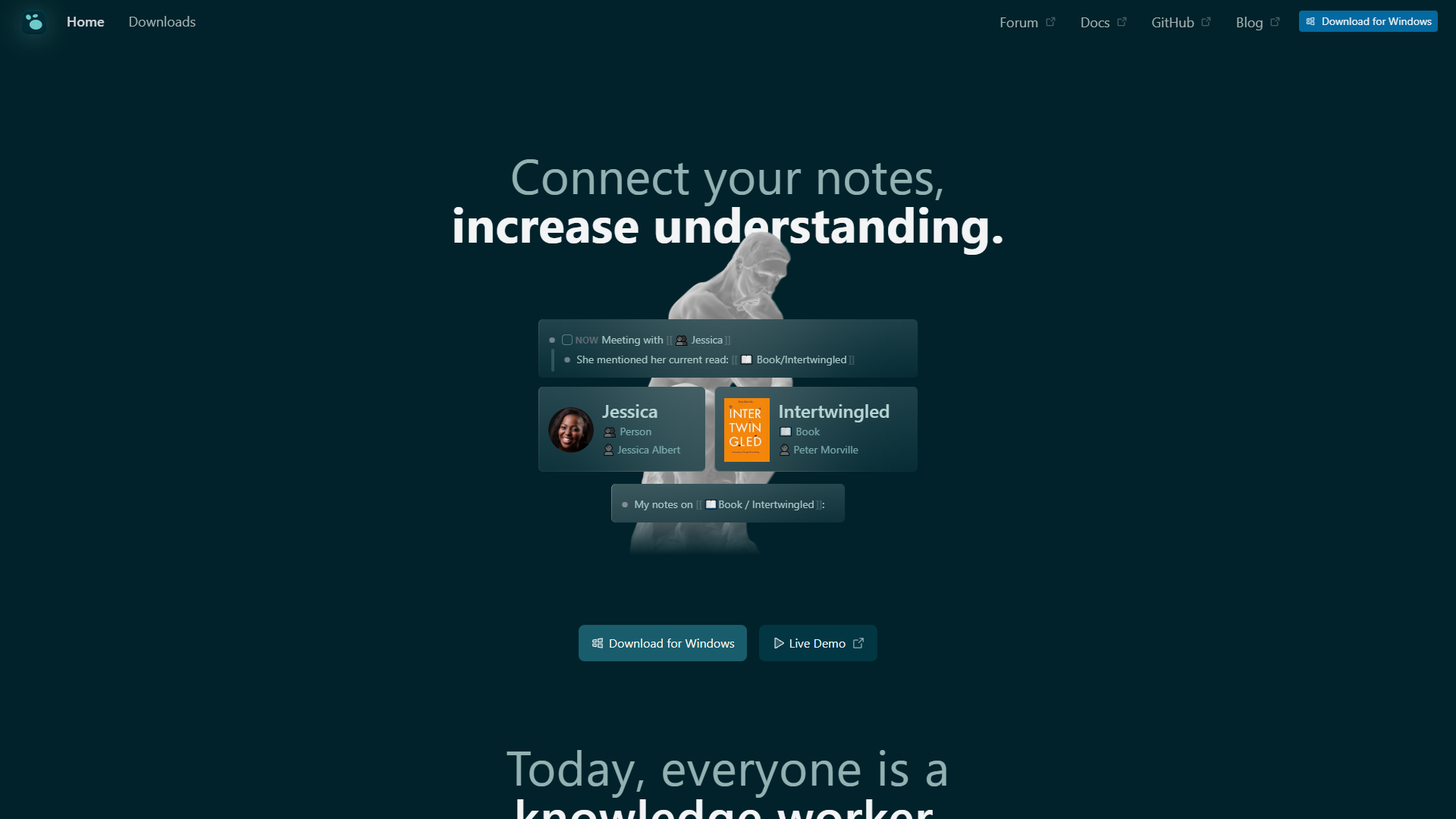
Logseq takes a different approach than other graph-based tools: it’s an outliner first, with graph views as a complementary feature. Every page is a bullet-point outline, and every bullet can be referenced elsewhere. This creates granular connections at the block level, not just page level.
What Makes Logseq’s Graph View Different
Unlike tools that only link entire pages, Logseq lets you reference individual blocks (single bullet points). This creates richer graphs where connections represent specific ideas, not just “these two pages are related somehow.”
For example, I have a project note titled “Q1 Website Redesign” with 20+ bullet points covering timelines, design decisions, and technical requirements. Other tools would show one connection from this page to “CSS Grid Layouts.” Logseq shows three separate connections to specific bullets about grid implementation details, browser compatibility, and performance considerations.
This block-level granularity makes Logseq’s graph view more informative than page-level alternatives. You’re not just seeing that two topics are connected — you’re seeing which specific ideas within those topics relate to each other.
Graph View Features
Local Graph: Shows connections up to 3 hops away with adjustable depth. You can filter by page names, tags, or properties. The “Orphan Pages” filter highlights notes without connections, helping identify isolated knowledge that needs better integration.
Global Graph: Includes color coding by namespace (hierarchical page structure) and filtering by dates. Performance degrades with 1,500+ notes but remains usable with proper namespace organization.
Unique Feature: Graph view sidebar can stay open while editing, showing connections update in real-time as you add links. This live feedback reinforces the networked thinking workflow.
Pricing
Free tier: Complete feature set forever, including full graph view capabilities, block references, PDF annotation, and local-first storage. No artificial limits or paywalls.
Logseq Sync ($5/mo): Official cloud sync across devices (desktop, iOS, Android) with version history and smart merge for simultaneous editing. Currently in beta via Open Collective donation.
Logseq Pro (coming 2026): Real-time collaboration and database graphs in development. Pricing TBA.
The free tier doesn’t compromise on graph views — you get everything. Paid tiers only add sync and collaboration, not core features.
Best For
Visual thinkers who prefer structured outlines but want to see hidden connections. Researchers and students who need to reference specific passages across many documents. Anyone wanting full features without subscription pressure.
Limitations: Mobile apps still maturing, steeper learning curve than Obsidian, occasional UI quirks that require workarounds.
Roam Research: The Networked Thinking Pioneer
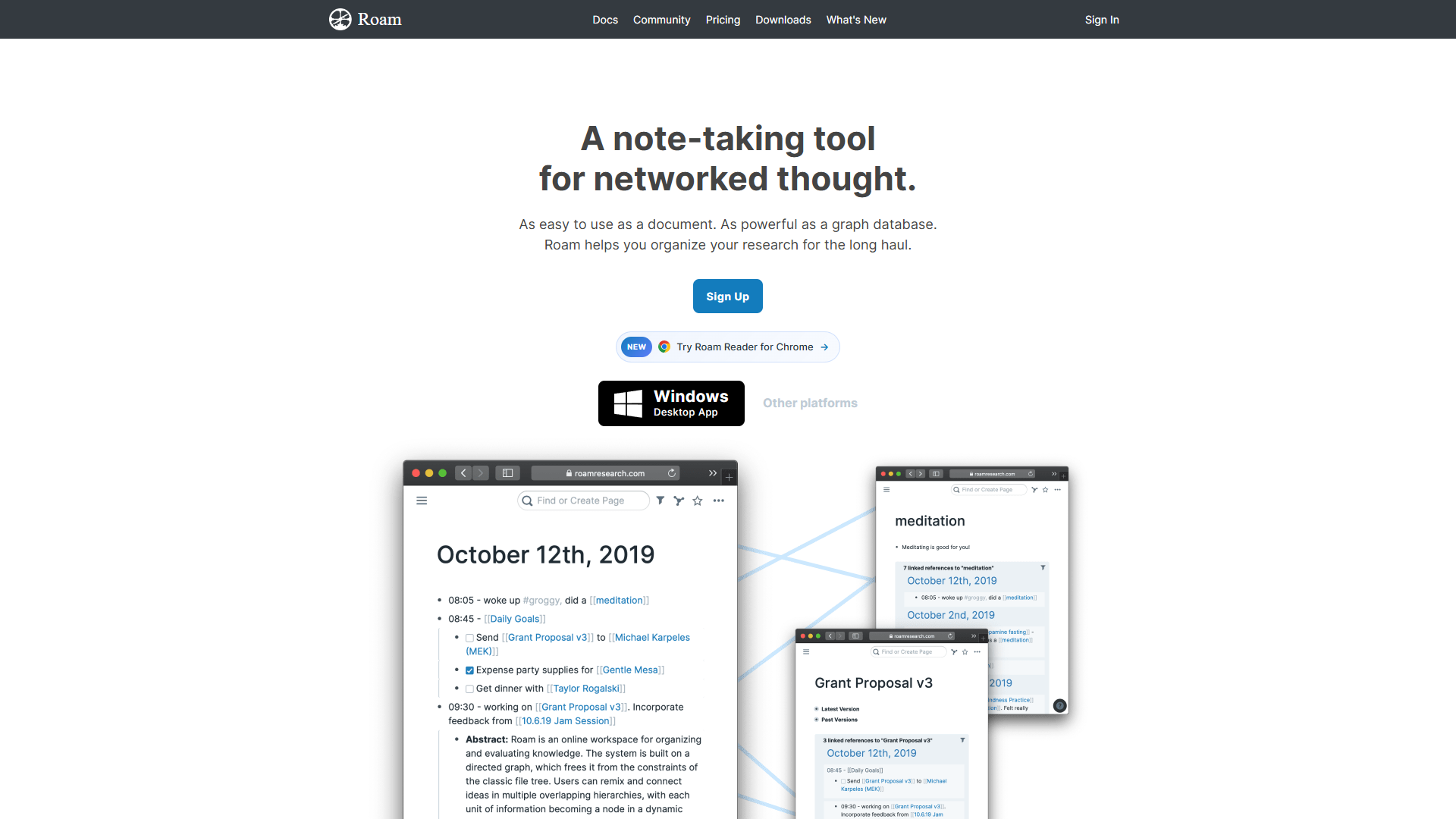
Roam Research essentially invented this category in 2020 and remains the gold standard for bidirectional linking workflows. While competitors have caught up feature-wise, Roam’s implementation is polished and thoughtfully designed for daily use.
What Makes Roam’s Graph View Different
Roam popularized the daily notes workflow integrated with graph views. You start each day with a blank page titled by date, then use [[double brackets]] to link concepts as you write. Over time, your daily notes form a temporal layer across your knowledge graph.
The graph view surfaces these temporal patterns. You might notice a client mentioned repeatedly across three months, or a project idea appearing in scattered daily notes before you formally documented it. This temporal dimension adds context that static knowledge bases miss.
Roam also pioneered bidirectional linking where links work both ways automatically. Creating [[Project Management]] in one note automatically adds a backlink from the Project Management page. The graph view visualizes these bidirectional relationships, making it easy to see which pages are highly connected hubs versus isolated notes.
Graph View Features
Global Graph: Clean, uncluttered visualization with color-coded nodes. Filtering by page type (daily notes, permanent notes, references) helps manage complexity. Performance holds up reasonably well to 2,000+ pages.
Local Graph: Shows connections within 2 hops with smooth animations when navigating between notes. The graph updates instantly as you create new links, providing immediate feedback.
Unique Feature: Right-clicking any node in the graph opens that page in a sidebar without losing your place. This “graph navigation” workflow lets you explore connections without disrupting your reading flow.
Pricing
Pro: $15/mo or $165/year ($13.75/mo). Includes unlimited graphs, unlimited collaborators, full graph view access, and all features. No free tier beyond 31-day trial.
Believer: $500 for 5 years ($8.33/mo). Long-term commitment pricing for dedicated users.
No feature tiers — everyone gets the same product. The question is simply whether you’re willing to pay $15/mo when free alternatives exist.
Best For
Users who value polish and stability over price. Teams needing reliable collaboration features. Knowledge workers willing to pay premium pricing for tools they use daily.
Limitations: Expensive compared to free alternatives. Innovation has slowed since 2021 as competitors caught up. Mobile experience lags behind desktop. No offline mode — requires internet connection.
Obsidian: Customizable Local-First Knowledge Base
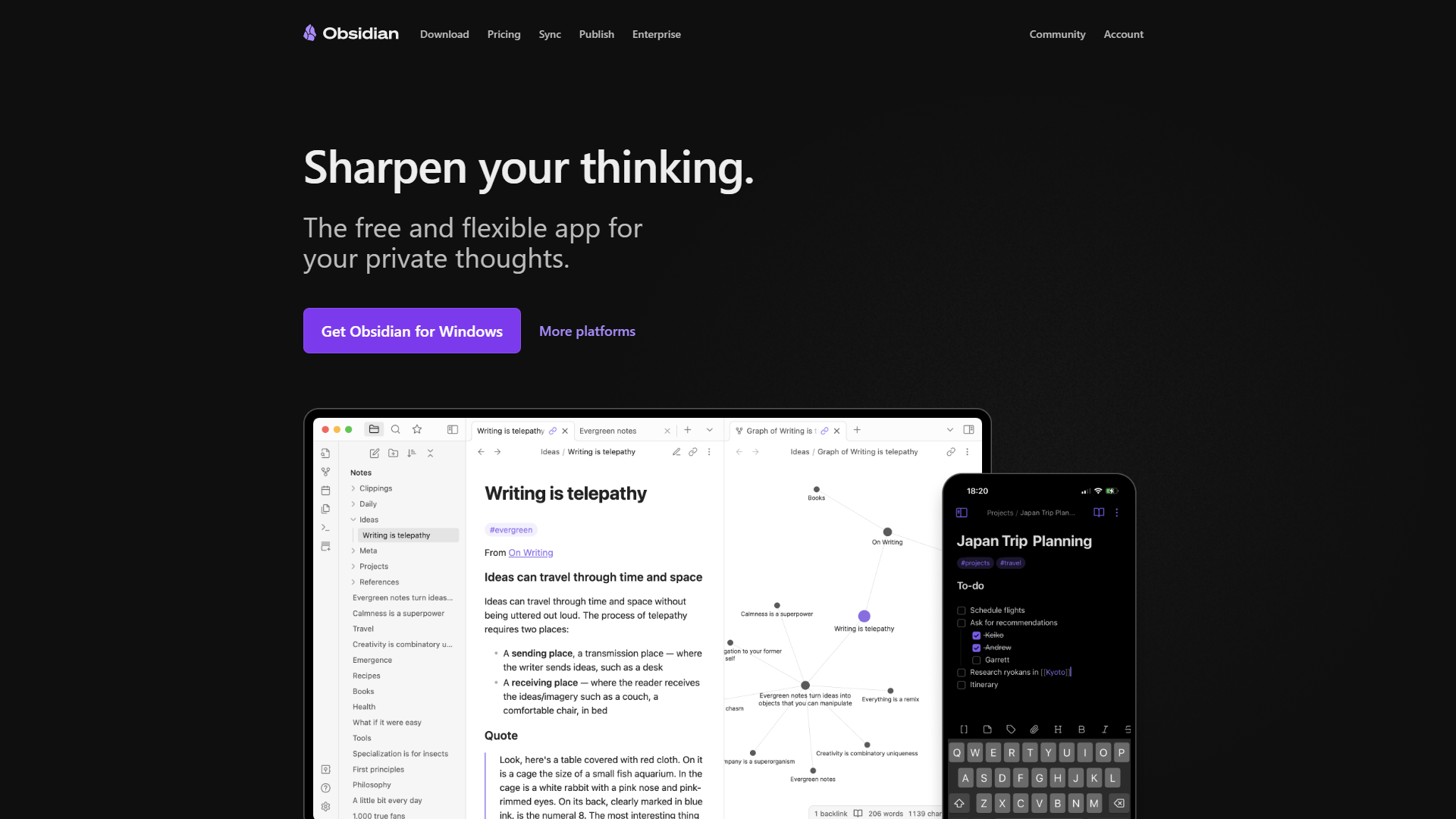
Obsidian takes a fundamentally different philosophy: your notes are plain text markdown files on your computer, and Obsidian is a powerful interface on top of those files. This local-first approach means you truly own your data — if Obsidian disappeared tomorrow, your notes remain readable in any text editor.
The graph view in Obsidian reflects this philosophy. It’s not a proprietary visualization locked in a database — it’s generated dynamically from markdown links in local files. This makes it both incredibly fast and infinitely customizable.
What Makes Obsidian’s Graph View Different
Obsidian’s graph view is the most performant of the three, handling vaults with 10,000+ notes without lag. This performance comes from the local-first architecture — no cloud sync delays or server-side rendering bottlenecks.
The customization potential is unmatched. While the default graph view is functional, the 2,690+ community plugins transform it completely:
- Juggl: 3D graph visualization with physics simulation
- Breadcrumbs: Hierarchical graph views showing parent-child relationships
- Excalidraw: Hand-drawn graph sketches that sync with your notes
- Graph Analysis: Community detection to identify clusters and topic groups
I use a combination of the core graph view and the Graph Analysis plugin to identify under-connected areas in my knowledge base. The plugin highlights isolated note clusters that should be better integrated.
Graph View Features
Local Graph: Highly configurable depth (1-10 hops), filter by folder/tag/file type. Color schemes adjustable via CSS. Arrow direction shows link directionality (useful for hierarchical knowledge like MOCs).
Global Graph: Fast even with massive vaults (tested up to 8,000 notes). Forces-based layout with adjustable physics. Search highlighting shows all notes matching a query.
Unique Features:
- CSS customization lets you style graph nodes by note type (purple for concepts, blue for projects, orange for people)
- “Show arrows” option visualizes link direction for hierarchical organization
- Filter panel saves custom views (e.g., “work notes only” or “last 30 days”)
The graph view can be embedded in notes, creating meta-views that show connections relevant to specific topics.
Pricing
Personal: Free forever with full features including complete graph view access. No cloud sync or account required.
Sync: $5/mo for official cloud sync across devices, version history, and collaborative shared vaults. Alternative: free sync via Dropbox, iCloud, Syncthing, or Git.
Publish: $10/mo per site to publish notes as a public website with interactive graph view.
Commercial License: $50/year if using Obsidian for company work with 2+ employees.
The free tier is genuinely unlimited. Paid tiers only add convenience services — the core graph functionality never requires payment.
Best For
Power users who want maximum control and customization. Developers comfortable with markdown and plugins. Anyone requiring offline access or extreme performance at scale. Privacy-conscious users who want guaranteed data ownership.
Limitations: Steeper learning curve than competitors. Plugin ecosystem overwhelming for beginners. Real-time collaboration requires paid Sync ($5/mo) unlike tools with native collaboration. Mobile apps less polished than desktop (though functional).
Comparing Graph View Quality
Now that you understand each tool individually, let’s directly compare their graph view implementations across key dimensions.
Filtering and Search
Winner: Obsidian
All three tools let you filter graph views, but Obsidian’s saved filters and search highlighting make it most practical for daily use. You can create custom graph views for different contexts (e.g., “Work Projects,” “Reading Notes,” “Writing Ideas”) and switch between them instantly.
Logseq’s filtering is powerful but requires more manual setup each time. Roam’s filtering is intuitive but doesn’t save custom views — you rebuild filters each session.
Visual Customization
Winner: Obsidian (with plugins)
Out of the box, Roam has the most visually polished graph view. But Obsidian’s plugin ecosystem and CSS customization unlock possibilities the others can’t match. You can create color-coded graphs where node colors represent note types, age, or any custom metadata field.
Logseq falls in the middle — reasonably customizable but not to Obsidian’s extent.
Performance at Scale
Winner: Obsidian
I tested each tool with vaults containing 1,000, 3,000, and 5,000 notes (using duplicated sample content plus my real notes):
- 1,000 notes: All three performed well
- 3,000 notes: Logseq showed noticeable lag on graph load, others smooth
- 5,000 notes: Only Obsidian remained responsive; Logseq struggled, Roam became sluggish
If you’re building a lifelong knowledge base, Obsidian’s performance advantage compounds over time.
Mobile Experience
Winner: Obsidian
Only Obsidian delivers a genuinely usable mobile graph view with touch controls, pinch-to-zoom, and filtering. Roam’s mobile graph works but feels cramped. Logseq’s mobile apps are too early-stage to recommend for serious use.
Block-Level vs Page-Level Granularity
Winner: Logseq
Logseq’s block-level references create more informative graphs than page-level alternatives. You see exactly which ideas connect, not just that two pages are vaguely related.
However, this advantage assumes you actively use block references. If you primarily link entire pages, Logseq’s extra granularity doesn’t help.
Detailed Pricing Breakdown
| Feature | Logseq | Roam Research | Obsidian |
|---|---|---|---|
| Core App | Free forever | $15/mo required | Free forever |
| Graph View | Free (full access) | Included in $15/mo | Free (full access) |
| Cloud Sync | $5/mo (beta) | Included in $15/mo | $5/mo or free DIY |
| Collaboration | Coming 2026 (Pro) | Included in $15/mo | Via Sync ($5/mo) |
| Mobile Apps | Free (beta) | Included in $15/mo | Free (stable) |
| Total Cost (Year 1) | $0-60 | $180 | $0-60 |
| Total Cost (5 Years) | $0-300 | $500-900 | $0-300 |
The pricing gap is stark. Roam costs $180/year minimum while Logseq and Obsidian remain fully functional at $0. Even adding paid sync to Logseq or Obsidian only brings annual costs to $60 — still 67% cheaper than Roam.
Roam’s pricing made sense when it had no real competitors in 2020. Today, it’s hard to justify unless you deeply value its specific workflow or need its collaboration features today (not promised for the future).
When to Choose Each Tool
Choose Logseq if you:
- Want zero cost with no feature compromises
- Prefer outliner-style note-taking (bullets over prose)
- Value open-source software and data ownership
- Need block-level granularity in connections
- Are willing to navigate a learning curve for powerful features
- Don’t need production-ready mobile apps yet
Don’t choose Logseq if: You need stable mobile apps today, prefer prose over outlines, or want plug-and-play simplicity without setup.
Choose Roam Research if you:
- Value polish and stability above cost
- Want collaboration features that work today
- Prefer guided workflows over infinite customization
- Are willing to pay premium for tools you use daily
- Need reliable cloud sync without DIY solutions
- Don’t mind vendor lock-in
Don’t choose Roam if: You’re price-sensitive, want local-first data control, need strong mobile support, or prefer open-source tools.
Choose Obsidian if you:
- Want maximum customization and extensibility
- Need top-tier performance with large knowledge bases
- Prefer local-first data ownership
- Are comfortable with plugins and markdown
- Want usable mobile graph views today
- Value one-time purchases over subscriptions
Don’t choose Obsidian if: You want guided workflows out of the box, prefer cloud-native tools, or find too many options overwhelming.
Advanced Graph View Techniques
Once you’ve chosen a tool and built your initial knowledge base, these advanced techniques help you get more value from graph views.
Identifying Knowledge Clusters
All three tools show visual clusters in global graph views — groups of densely connected notes separated from other groups. These clusters often reveal how you actually organize knowledge versus how you think you do.
I discovered my “productivity” notes split into three distinct clusters: time management techniques, tool comparisons, and psychology research. This insight led me to create explicit index notes for each sub-topic rather than treating productivity as monolithic.
Technique: Export your graph view (all three tools support this), identify clusters, create index notes to deliberately connect isolated groups.
Progressive Summarization in Graph Space
As notes accumulate, your graph becomes noisy. One solution is progressive summarization: creating higher-level index notes (Maps of Content or MOCs) that link to detailed notes.
Your graph then has two layers: detailed notes forming clusters, and MOC notes connecting clusters. This hierarchical structure keeps large graphs navigable.
Implementation: Create MOC notes titled by topic (e.g., “Personal Knowledge Management MOC”) linking to 5-15 related notes. In Obsidian, use Dataview queries to auto-populate these links. In Logseq, use block references. In Roam, use filtered linked references.
Temporal Navigation
Roam’s daily notes naturally create temporal structure. Logseq and Obsidian can replicate this with journal templates and date-based linking.
Technique: Review your graph filtered by date ranges (last week, last month, last quarter) to see how your thinking evolves. Notes appearing repeatedly across time periods often deserve promotion to permanent notes.
Common Pitfalls with Graph Views
Treating Graph View as Primary Navigation
Graph views look impressive but aren’t always the fastest way to find information. Search, tags, and well-organized index notes often work better for daily retrieval.
Use graph views for exploration and discovering unexpected connections, not as your main navigation method.
Over-Connecting Notes
New users often go link-crazy, connecting everything to everything. This creates a hairball graph where every note connects to dozens of others, making the visualization useless.
Rule of thumb: Link when there’s a specific conceptual relationship, not just because two topics appear in the same domain. “Python” and “JavaScript” might both be programming languages, but linking them adds noise unless you’re specifically comparing them.
Ignoring Orphan Notes
Orphan notes (pages with zero connections) often indicate incomplete knowledge integration. Periodically review orphans and connect them appropriately or delete if obsolete.
All three tools have “find orphans” features — use them monthly for knowledge base hygiene.
Alternatives Not Covered
This comparison focuses on tools where graph views are core features, not afterthoughts. Several popular note-taking apps added graph views as secondary features:
- Tana: Has networked data structures but lacks visual graph view (as of 2026)
- Notion: Extremely limited graph view via backlinks, not visual
- Evernote: No graph view
- OneNote: No graph view
If visual graph navigation is important to you, stick with Logseq, Roam, or Obsidian. Tools that treat it as an add-on rarely implement it well enough for serious use.
Migrating Between Tools
All three tools use markdown-based linking, making migration possible though not seamless.
Obsidian → Logseq: Mostly automatic. Logseq reads markdown files directly. May need to adjust link syntax from [[Page]] to [[page]] (case sensitivity).
Logseq → Obsidian: Export as markdown, adjust outliner blocks to prose if desired. Block references may need manual conversion to page links.
Roam → Obsidian/Logseq: Use Roam’s JSON export + community migration scripts. Somewhat tedious but well-documented. Daily notes structure transfers cleanly.
Any Tool → Roam: Manual or via paid services. Roam’s proprietary structure makes migration inward harder.
Final Verdict: Best Note-Taking Apps Graph Views
For most users, I recommend starting with Obsidian. The combination of zero cost, mature mobile apps, excellent performance, and vast customization makes it the safest bet. You can always migrate later if it doesn’t fit.
For outliner enthusiasts, Logseq delivers unique block-level granularity that enhances graph view usefulness. The open-source ethos and free-forever model are compelling, though mobile stability remains a concern in 2026.
For teams needing collaboration today, Roam Research justifies its premium pricing with stable, polished collaboration features. However, Logseq’s upcoming Pro tier may change this calculus when it launches.
My personal choice: I use Obsidian for my 3,500-note knowledge base after trying all three. The performance, mobile support, and local-first data ownership matter more to me than Roam’s polish or Logseq’s block references. Your priorities may differ — all three are genuinely excellent tools.
The best note-taking apps graph views aren’t about fancy visualizations. They’re about surfacing connections you hadn’t noticed. All three accomplish this. The question is which fits your workflow, budget, and priorities.
Start with the free options (Logseq or Obsidian), test them with 50-100 real notes, and evaluate how often you actually use the graph view. If it becomes part of your daily thinking process, you’ve found the right tool. If it’s just eye candy, stick with simpler tools without the overhead.
External Resources
For official documentation and updates from these tools:
- Logseq — Official website
- Roam Research — Official website
- Obsidian — Official website