Creating presentations used to mean hours of fiddling with slide layouts, hunting for stock images, and wrestling with alignment. The best AI presentation tools 2025 have changed that completely. After testing dozens of AI-powered presentation makers, I found that the right tool can cut deck creation time from hours to minutes while producing more polished results.
In this guide, you’ll discover which AI presentation tools actually deliver on their promises, complete with real pricing, honest pros and cons, and guidance on choosing the right one for your specific needs. Whether you’re a solopreneur creating pitch decks or a marketing team churning out client presentations, there’s an AI presentation maker built for your workflow.
Quick Comparison: Top 3 AI Presentation Tools
| Tool | Best For | Starting Price | Rating | Key Strength |
|---|---|---|---|---|
| Gamma | Quick AI generation from scratch | $8/mo (Plus) | Fastest prompt-to-deck workflow | |
| Beautiful.ai | Teams needing on-brand presentations | $12/mo (Pro) | Smart Slides auto-formatting | |
| Canva | All-in-one design platform | $12.99/mo (Pro) | 140M+ assets and multi-format design |
What Makes a Great AI Presentation Tool in 2026?
Not all AI presentation generators are created equal. After evaluating over 20 tools, I found the standouts share these characteristics:
AI Content Generation Quality: The best tools understand context and generate relevant text, not generic filler. I tested each by providing the same presentation brief about quarterly sales results. Tools like Gamma produced specific, actionable slide content, while weaker competitors returned vague platitudes about “driving growth” and “maximizing synergies.”
Smart Design Automation: True AI presentation tools go beyond templates. They analyze your content and automatically adjust layouts, reposition elements when you add text, and suggest design improvements. Beautiful.ai’s Smart Slides technology genuinely adapts as you work — add three bullet points and the layout flows naturally; add ten and it switches to a more compact design automatically.
Brand Consistency: For teams, the ability to enforce brand guidelines automatically is non-negotiable. The tools below all support custom color palettes, fonts, and logo placement, but they differ significantly in how easily teams can share and enforce these standards.
Integration Ecosystem: Your presentation tool needs to play nicely with your existing workflow. Export to PowerPoint and PDF is table stakes, but the best tools also integrate with Google Workspace, offer web sharing with analytics, and support collaborative editing.
I evaluated each tool against these criteria, plus real-world factors like pricing transparency, learning curve, and whether the “AI” features are genuine automation or just marketing hype.
Best AI Presentation Tools 2025
1. Gamma - Best for Quick AI Generation from Scratch
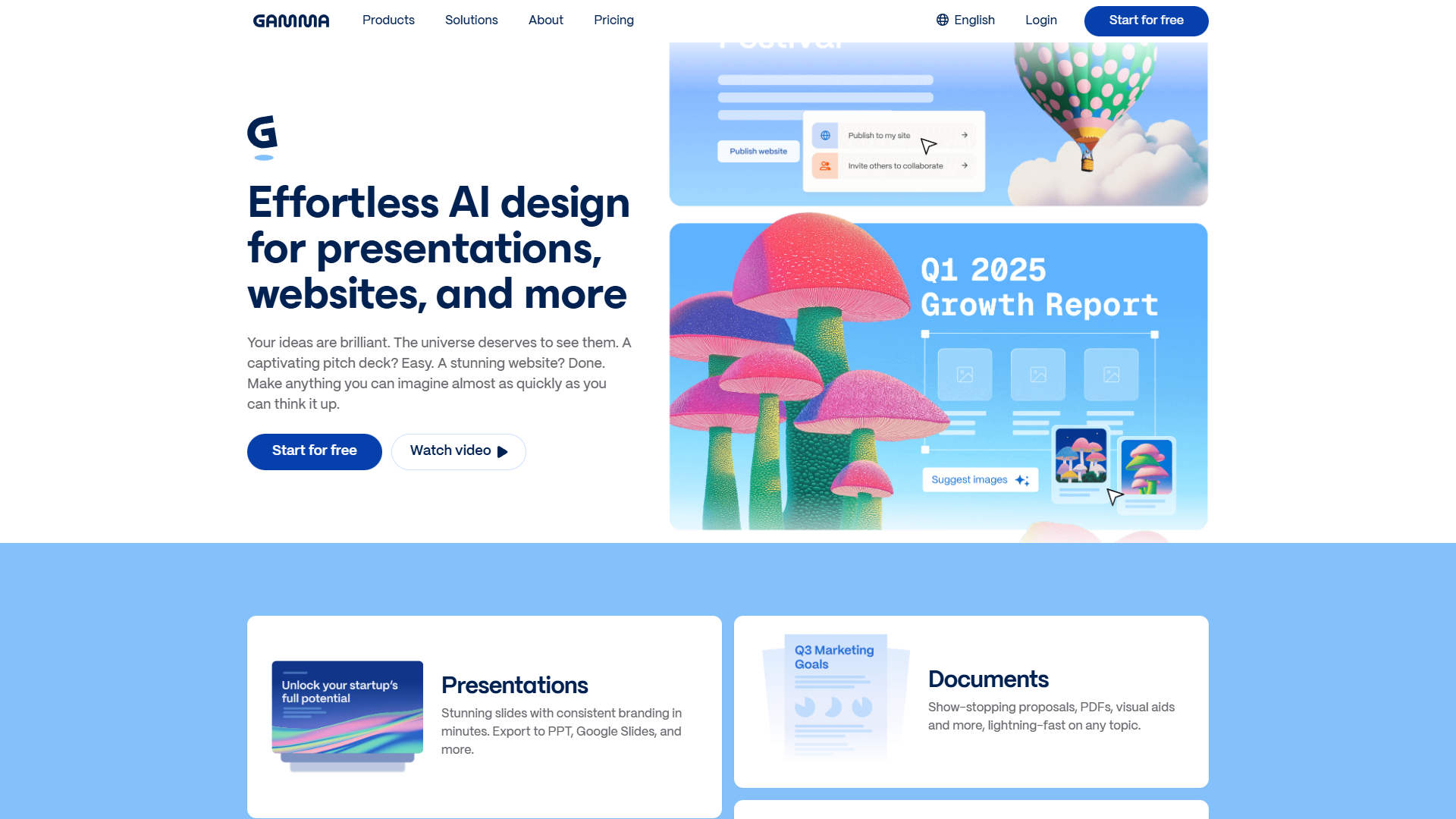
Gamma represents the current pinnacle of prompt-to-presentation technology. Instead of starting with a blank slide or template, you describe what you need in plain English, and Gamma’s AI generates a complete deck, webpage, or document in under a minute.
What Sets Gamma Apart
The Mobile Gamma Generation Tool, launched in April 2025, brought the full AI creation workflow to smartphones. I tested creating a 10-slide product launch deck on my iPhone during a commute — the experience was surprisingly fluid, with the AI understanding context from a brief voice-to-text prompt.
Gamma’s web-native format is a strategic differentiator. Unlike traditional slide tools that export to static files, Gamma presentations live on the web by default. This means no version control nightmares, built-in analytics showing exactly which slides engaged viewers, and the ability to update a shared presentation without resending files.
Key Features
- AI-Powered Generation: Describe your presentation in 2-3 sentences and receive a complete multi-slide deck with relevant content, images, and layouts
- Unlimited Presentations (on paid plans): Create as many decks as needed without artificial project limits
- Premium Templates: Access professionally designed themes that adapt to your content
- Mobile Creation: Full AI generation capability on iOS and Android through the native mobile tool
- Advanced AI Models: Pro tier includes access to Imagen, Luma, and Dall-E 3 for high-quality image generation
- API Access: Programmatic deck generation for automating presentation creation (50 generations/month on Pro)
Pricing Breakdown
Gamma uses a credit-based system that can confuse new users. Here’s what you actually get:
- Free: 400 one-time AI credits at signup (enough for about 8-10 basic presentations), 50K input tokens per generation, basic templates, export to PPT/Google Slides/PDF
- Plus ($8/month annual, $10/month monthly): 400 monthly renewable AI credits, 100K input tokens, unlimited AI usage with standard models, remove Gamma branding, up to 20 cards simultaneously, 30-day change history
- Pro ($15/month annual, $20/month monthly): Unlimited AI creation, advanced AI models (Imagen, Luma, Dall-E 3), Gamma Agent AI design partner, API access, detailed analytics, custom domains, custom fonts, up to 60 slides per generation, unlimited change history
Rating:
Pros:
- Fastest path from idea to finished presentation
- Web-native format eliminates file management headaches
- Generous free tier for testing the platform
- Mobile creation tool works better than expected
- API access enables workflow automation
Cons:
- Credit system confusing for casual users
- Web-first format means offline access requires exports
- Advanced AI models locked behind Pro tier
- Limited collaboration features compared to team-focused tools
Best For: Solo creators, consultants, and small teams who need to generate presentation decks quickly from minimal input and prefer web-based sharing over traditional file formats.
2. Beautiful.ai - Best for Teams Needing On-Brand Presentations
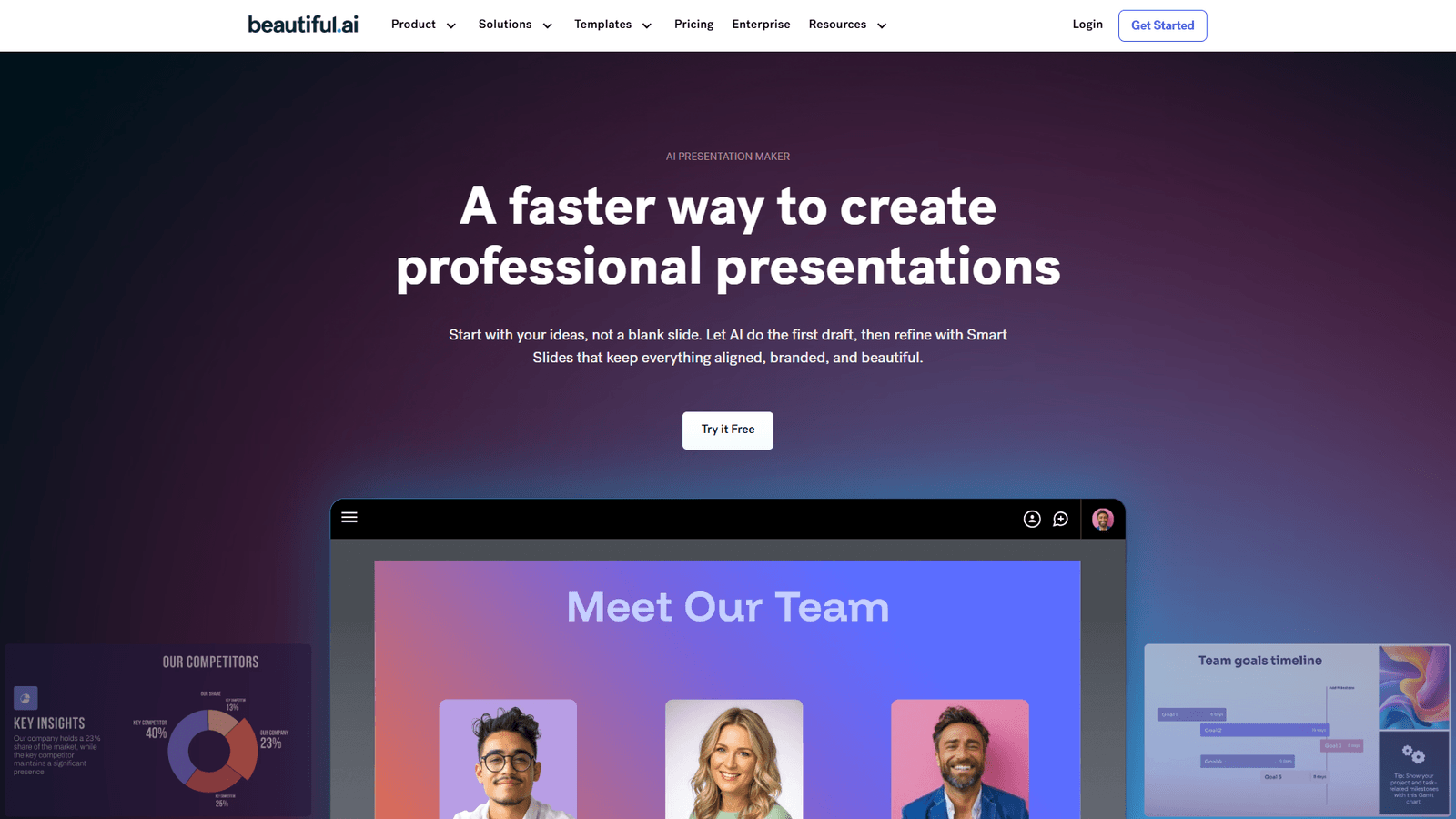
Beautiful.ai tackles the specific pain point of maintaining visual consistency across team presentations. Their Smart Slides technology is the most sophisticated auto-design system I’ve tested — it genuinely feels like having a designer watching over your shoulder, adjusting alignment and spacing as you work.
What Sets Beautiful.ai Apart
The October 2025 editor redesign brought AI features that go beyond content generation. The AI writing assistant doesn’t just fill slides with text; it analyzes your existing content and suggests improvements for clarity and impact. During testing, it caught a slide where I’d buried my key message in the third bullet point and recommended restructuring to lead with the insight.
Beautiful.ai’s AI language translation sets it apart for global teams. I tested the feature with a 15-slide deck, translating from English to Spanish, French, and Japanese. The AI preserved formatting perfectly and, more impressively, adapted idioms rather than translating literally — “hit the ground running” became culturally appropriate equivalents in each language.
Key Features
- Smart Slides Auto-Design: 300+ intelligent layouts that automatically adjust as you add or remove content
- Unlimited AI Content Generation: Create unlimited AI-powered text across all slides without credit limits
- AI Image Generation: Generate custom images from text prompts directly within presentations
- AI Writing Assistant: Real-time suggestions for improving slide clarity and impact
- AI Language Translation: One-click translation to multiple languages with formatting preservation
- Custom Brand Builder: Create and enforce brand themes with custom colors, fonts, and styling rules
- PowerPoint Import/Export: Seamless compatibility with Microsoft PowerPoint
- Viewer Analytics: Track who viewed your presentation and which slides engaged them most
- Real-Time Collaboration (Team tier): Multiple team members can edit simultaneously
Pricing Breakdown
- Pro (Individual): $12/month annual ($45/month if billed monthly), 1 user, unlimited slides, all AI features, custom brand styling, PowerPoint import/export, viewer analytics
- Teams: $40/user/month annual ($50/user/month if billed monthly), 2-20 users, all Pro features plus real-time collaborative editing, centralized slide library, version control, shared asset library, engagement tracking, admin tools, export controls
- Enterprise: Custom pricing for 20+ users, all Team features plus dedicated onboarding, top-tier security certifications, SSO, priority support, advanced user permissions, audit logs
Rating:
Pros:
- Smart Slides genuinely reduce design work without sacrificing quality
- Unlimited AI content generation (no credit limits)
- AI translation feature is remarkably accurate for global teams
- Strong collaboration features on Team tier
- PowerPoint compatibility is seamless bidirectionally
Cons:
- Significantly more expensive for teams than competitors
- Learning curve to understand Smart Slides behavior
- Limited template variety compared to Canva
- AI image generation quality lags behind Dall-E 3 and Midjourney
- Monthly pricing is steep if you don’t commit annually
Best For: Marketing teams, agencies, and enterprises that need multiple people creating on-brand presentations consistently, especially if you’re managing a global team requiring translation capabilities.
3. Canva - Best All-in-One Design Platform
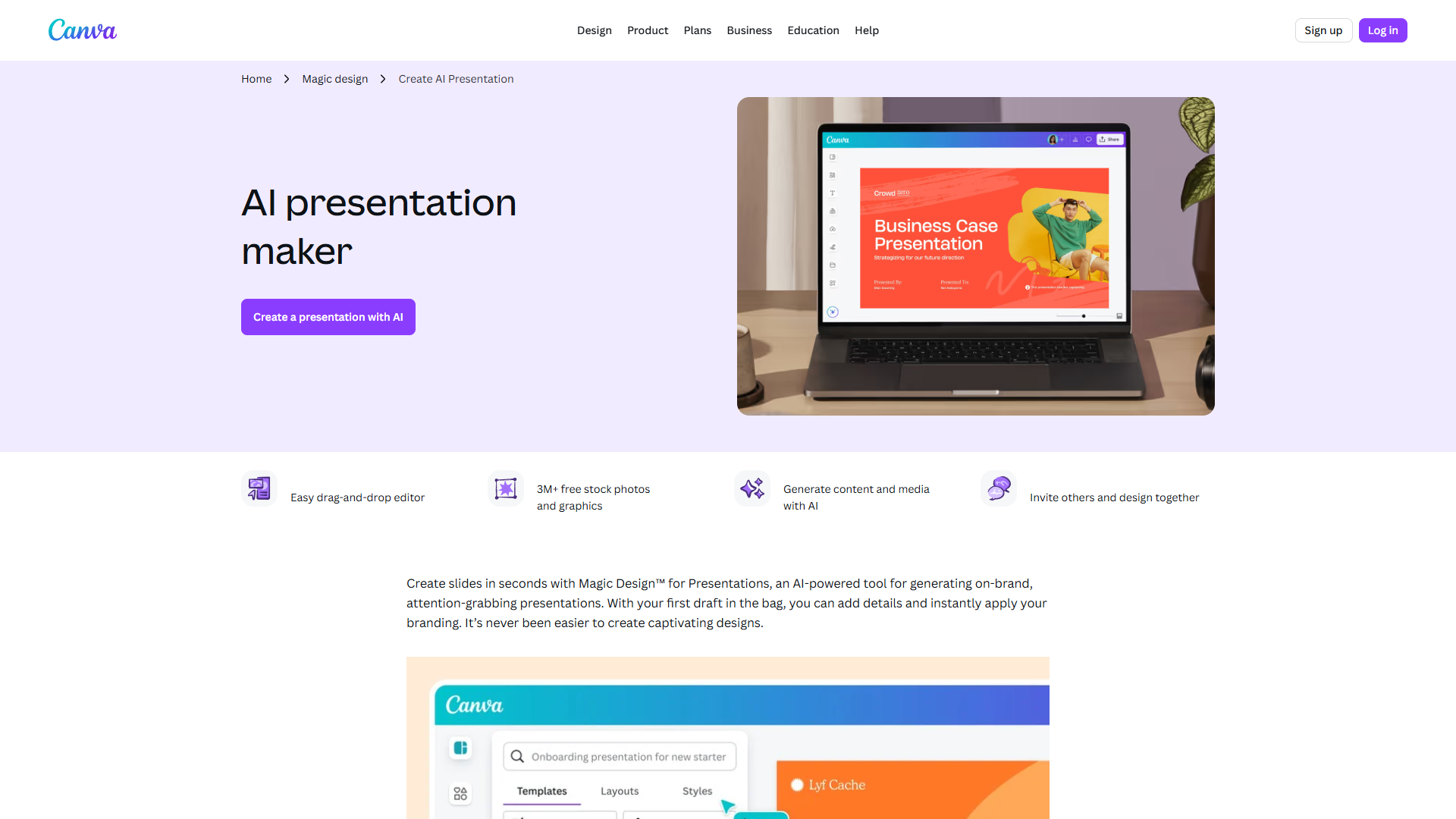
Canva is the Swiss Army knife of design platforms, and its AI presentation maker capabilities have matured significantly in 2025. While it doesn’t match Gamma’s prompt-to-deck workflow or Beautiful.ai’s Smart Slides sophistication, Canva’s strength is versatility — create your presentation deck, design matching social graphics, and produce a video teaser all in the same platform.
What Sets Canva Apart
Canva’s 140 million+ premium assets mean you’ll almost never hit a dead end looking for the right stock photo, icon, or illustration. I tested this by creating presentations on niche topics (quantum computing, specialty coffee roasting, municipal water systems) and found relevant, high-quality visuals for each without leaving the platform.
The Magic Studio AI suite, while spread across multiple tools rather than unified, offers capabilities missing from pure presentation tools. Background Remover let me quickly extract a product image from a busy photo. Magic Resize instantly adapted my 16:9 presentation to Instagram stories, LinkedIn posts, and Twitter headers. For teams juggling multiple content formats, this multi-platform workflow is invaluable.
Key Features
- 140M+ Premium Assets: Stock photos, videos, music, graphics, and illustrations across virtually every topic
- Magic Studio AI (Pro tier): 500 monthly AI writing credits, 500 AI image generations, background removal, magic eraser, smart resize
- Magic Write with Brand Voice: AI text generation that matches your organization’s tone and style
- Brand Kits: Up to 1,000 brand kits for managing multiple clients or sub-brands
- Content Planner: Schedule presentations and social content to 8 platforms directly from Canva
- 1TB Cloud Storage (Pro tier): Store all presentations, images, and brand assets in one place
- Drag-and-Drop Simplicity: Genuinely intuitive interface with minimal learning curve
- Multi-Format Design: Create presentations, then instantly adapt to social posts, documents, videos
Pricing Breakdown
- Free: $0, 2M+ templates, basic editor, stock photos and graphics, limited AI tools (25 Magic Write uses), 5GB storage, collaboration features
- Pro: $12.99/month annual ($119.99/year), 1TB storage, 140M+ premium assets, premium templates and fonts, Brand Kit access, background remover, Magic Resize, Magic Studio (500 monthly credits for AI writing and image generation), Content Planner (schedule to 8 platforms), 30-day free trial, 24/7 priority support
- Business: $20/user/month annual, unlimited storage, all Pro features, team templates and shared folders, brand controls and governance, workflow and approval tools, advanced analytics, premium AI integrations (Leonardo.Ai Apprentice, Flourish Presenter)
- Enterprise: Custom pricing, all Business features plus SSO (SAML), SCIM provisioning, audit logs, advanced brand governance, dedicated customer success manager, custom integrations and API access, 99.99% uptime SLA
Rating:
Pros:
- Unmatched asset library saves hours of image hunting
- Multi-format workflow eliminates tool switching for content teams
- Magic Resize is genuinely magical for adapting content across platforms
- Most intuitive interface for non-designers
- Generous free tier for individual users
Cons:
- AI presentation features less sophisticated than specialized tools
- Magic Studio credits run out quickly for heavy AI users
- Can feel overwhelming due to sheer number of features
- Presentation-specific features lag behind Beautiful.ai and Gamma
- Performance can lag with complex multi-page designs
Best For: Content creators, social media managers, and small businesses that need to create presentations alongside other visual content (social graphics, videos, marketing materials) and value having everything in one platform.
Pricing Comparison Table
| Tool | Free Tier | Entry Paid Plan | Team Plan | Best Value For |
|---|---|---|---|---|
| Gamma | 400 one-time credits | Plus: $8/mo | Team: $20/mo | Solo creators needing unlimited AI generation ($15/mo Pro) |
| Beautiful.ai | 14-day trial only | Pro: $12/mo | Teams: $40/user/mo | Individual power users at Pro tier; teams need Team plan |
| Canva | Generous free plan | Pro: $12.99/mo | Business: $20/user/mo | Free tier for casual users; Pro for serious individual designers |
Key Pricing Insights:
- Best Free Option: Canva’s free tier is genuinely usable for basic presentations, though you’ll hit AI credit limits quickly
- Best Individual Value: Gamma Pro at $15/month offers unlimited AI creation without per-presentation charges
- Best Team Value: Canva Business at $20/user/month beats Beautiful.ai Teams ($40/user/month) if you need multi-format design capabilities
- Hidden Costs: Gamma’s credit system can lead to surprise limits on free tier. Beautiful.ai has no true free plan beyond 14-day trial
How to Choose the Right AI Presentation Tool
Your ideal tool depends primarily on your workflow and team structure. Here’s how to decide:
Choose Gamma if:
- You frequently create presentations from scratch and value speed above all
- You prefer web-based tools over desktop software
- You need API access to automate presentation generation
- You’re a solo creator or small team (2-5 people)
- You’re comfortable with web-native formats and don’t need PowerPoint compatibility constantly
Choose Beautiful.ai if:
- You manage a team creating frequent presentations
- Brand consistency across team members is critical
- You need robust collaboration features (simultaneous editing, version control)
- You frequently translate presentations for global audiences
- PowerPoint compatibility is mandatory for your workflow
Choose Canva if:
- You create presentations alongside other visual content (social media, marketing materials, videos)
- You need access to a massive stock asset library
- You’re supporting multiple brands or clients
- You value having one platform for all design needs over specialized presentation features
- You need to frequently adapt presentation content to other formats
Decision Framework by User Type:
Solopreneurs/Consultants: Start with Gamma’s free tier to test AI generation speed. If you create 5+ presentations monthly, upgrade to Gamma Pro ($15/month) for unlimited creation. If you need more design flexibility and create other content types, Canva Pro ($12.99/month) offers better overall value.
Small Teams (2-10 people): If presentations are your primary output, Beautiful.ai Teams ($40/user/month) provides the strongest collaboration features. If you create diverse content types, Canva Business ($20/user/month) costs half as much while covering presentation needs adequately.
Enterprises: Beautiful.ai Enterprise offers the most robust governance and security features for presentation-specific needs. Canva Enterprise provides stronger cross-platform capabilities if presentations are part of a broader content creation workflow.
Integration Guide: Fitting AI Presentations Into Your Tech Stack
One of the most common questions I hear: “Will this work with my existing tools?” Here’s how each platform integrates with popular workplace software:
Google Workspace Compatibility:
- Gamma: No direct Google Slides integration, but exports to Google Slides format maintain most formatting
- Beautiful.ai: No native integration; use PowerPoint export then import to Google Slides
- Canva: Direct integration — edit Canva presentations in Google Drive and import Google Slides into Canva
Microsoft 365 Compatibility:
- Gamma: Export to PowerPoint preserves most layouts; some web-native features don’t translate
- Beautiful.ai: Seamless PowerPoint import/export in both directions with high formatting fidelity
- Canva: PowerPoint import/export available; some advanced Canva features simplified in conversion
Workflow Recommendations:
If your organization is Google Workspace-based, Canva offers the smoothest integration experience. Gamma works well if you’re willing to use web-native presentations and only export to Google Slides for final distribution.
If you’re in a Microsoft 365 environment, Beautiful.ai provides the most seamless PowerPoint interoperability. You can genuinely use Beautiful.ai as your primary editor and share PowerPoint files with full confidence in formatting preservation.
For hybrid environments (some team members on Google, others on Microsoft), Canva’s multi-platform export capabilities make it the safest choice, though you’ll sacrifice some of the AI presentation-specific features of Gamma and Beautiful.ai.
Frequently Asked Questions
What’s the best free AI presentation tool?
Canva offers the most generous free tier with 2M+ templates and basic AI features (25 Magic Write uses). Gamma provides 400 one-time AI credits at signup, which is enough to create 8-10 basic presentations before needing to upgrade. Beautiful.ai only offers a 14-day trial, not a permanent free plan.
Can AI presentation tools create slides from scratch?
Yes, but quality varies dramatically. Gamma excels at this — describe your presentation in 2-3 sentences and receive a complete deck with relevant content and images. Beautiful.ai and Canva offer AI content generation, but you’ll typically start with a template and use AI to fill sections rather than generating complete decks from prompts alone.
Do these tools work offline?
Gamma requires internet connection as it’s web-based. Beautiful.ai’s desktop app offers limited offline editing. Canva requires internet for full functionality but has an offline mode that lets you work on previously opened projects with reduced features. For true offline work, export presentations to PowerPoint or PDF.
How do AI presentation tools handle brand consistency?
Beautiful.ai leads here with Brand Controls that enforce color palettes, fonts, and styling rules automatically. Canva’s Brand Kits (up to 1,000 on Pro tier) let you save and apply brand assets easily. Gamma supports custom themes but lacks the enforcement mechanisms of Beautiful.ai — team members can deviate from brand guidelines more easily.
Can I use these for client presentations or just internal decks?
All three are suitable for client-facing presentations. Beautiful.ai’s viewer analytics show exactly which slides engaged clients most. Gamma’s web-native sharing provides a modern presentation experience with no downloads required. Canva’s massive asset library ensures professional polish. For high-stakes pitches, Beautiful.ai or Canva offer more conservative, PowerPoint-compatible options.
What about data privacy and security?
Beautiful.ai Enterprise and Canva Enterprise both offer SOC 2 Type II compliance, SSO/SAML integration, and dedicated security features. Gamma’s security documentation is less comprehensive for enterprise needs. If you’re in a regulated industry or handling sensitive data, Beautiful.ai Enterprise or Canva Enterprise provide stronger security guarantees.
Conclusion
The best AI presentation tools 2025 have evolved far beyond simple template libraries with AI-generated stock text. Gamma delivers the fastest prompt-to-deck workflow I’ve tested, turning ideas into complete presentations in under a minute. Beautiful.ai provides the most sophisticated auto-design technology and team collaboration features for maintaining brand consistency. Canva offers unmatched versatility for teams creating presentations alongside other visual content.
For most solo creators and small teams, I recommend starting with Gamma’s free tier to experience true AI-powered generation, then upgrading to Gamma Pro ($15/month) if you create presentations regularly. Teams prioritizing brand consistency should invest in Beautiful.ai Teams despite the higher price point. Content teams juggling multiple formats will find Canva Business provides the best overall value.
The bottom line: These AI presentation makers genuinely save hours per deck while producing more polished results than traditional tools. The time you’d spend manually adjusting layouts and hunting for stock images? Now redirected to refining your message and insights — which is where it should have been all along.
Ready to transform your presentation workflow? Try Gamma’s free tier, Beautiful.ai’s 14-day trial, or Canva’s generous free plan to find your ideal AI presentation tool.