The promise of AI analytics platforms has shifted dramatically. Two years ago, vendors sold “dashboards that update automatically.” Today, the conversation centers on decision intelligence — platforms that don’t just visualize data, but actively surface what to do next.
After evaluating seven leading AI analytics platforms across enterprise implementations, I’ve found that the gap between marketing promises and actual decision support varies wildly. Some platforms genuinely help organizations make faster, better-informed decisions. Others are still glorified charting tools with an AI label slapped on.
This guide cuts through the noise to compare platforms based on what actually matters: how effectively they turn your data into actionable decisions, not just pretty dashboards.
Quick Comparison: AI Analytics Platforms 2026
| Platform | Starting Price | Rating | Best For |
|---|---|---|---|
| Pyramid Analytics | $10K/year | Enterprise decision intelligence | |
| Looker | $36K/year | Enterprise governance + Google Cloud | |
| Tableau | $15/mo | Best-in-class visualizations | |
| Power BI | Free-$24/mo | Microsoft ecosystem + budget | |
| Qlik Sense | $30/mo | Associative data exploration | |
| Domo | $20K/year | 1,000+ connectors, all-in-one | |
| Zoho Analytics | Free-$60/mo | SMBs needing affordable AI |
What Separates Decision Intelligence from Traditional BI?
Before diving into individual platforms, let’s establish what makes an analytics platform truly useful for decision-making in 2026.
Proactive insight delivery. Traditional BI waits for you to ask questions. Decision intelligence platforms surface anomalies, trends, and opportunities before you think to look. When your Northeast sales drop 15%, the platform should alert relevant stakeholders and suggest contributing factors — not wait for someone to notice during the weekly review.
Natural language that actually works. Every platform claims “conversational analytics.” What matters is whether it understands your business context. Asking “why did churn increase last quarter” should return analysis of customer behavior patterns, not a generic chart of churn rates.
Actionable recommendations. Showing that revenue dropped isn’t decision intelligence. Identifying which product categories, customer segments, and regions contributed — then suggesting remediation actions — is.
Governance without friction. Enterprise analytics requires consistent metric definitions across hundreds of users. The best platforms let business users explore data freely while maintaining a single source of truth for calculations.
Now let’s see how each platform delivers on these promises.
1. Pyramid Analytics: Purpose-Built Decision Intelligence
Pyramid Analytics takes a fundamentally different approach: instead of being a visualization tool with AI bolted on, it’s built from the ground up as a decision intelligence platform.
Why Pyramid Stands Out for Decision Intelligence
The platform combines data preparation, business intelligence, and data science in a single environment. This isn’t just marketing — it means the same platform that cleans your data also builds predictive models and surfaces automated insights. No more stitching together Tableau for visualization, Alteryx for data prep, and DataRobot for predictions.
The 2025 Newton release introduced an embedded search bar with genuine natural language capabilities. I asked “why did patient wait times increase in Q3” and it analyzed correlations across staffing levels, patient volume, and seasonal patterns. Healthcare organizations have achieved 80% accuracy in forecasting patient visits using Pyramid’s AI.
The PYRANA direct query engine analyzes data in place without movement — critical for organizations with strict data residency requirements. For SAP-centric enterprises, the direct BW and HANA connectivity eliminates complex ETL processes that other platforms require.
Where Pyramid Falls Short
The learning curve is real. With 58% of users citing this as a challenge, you’ll need to invest in training. The comprehensive capabilities that make it powerful also make it complex.
Market share at 0.9% means a smaller community, fewer tutorials, and less third-party ecosystem support compared to Power BI or Tableau.
Pyramid Analytics Pricing
- Free tier: Basic analytics for exploration
- Silver/Gold/Platinum: Custom pricing with increasing support levels
- Enterprise: $10,000-$20,000/year (no per-user fees)
Best For
Large enterprises consolidating multiple analytics tools, SAP-centric organizations, and teams prioritizing AI-powered decision support over simple visualization.
2. Looker: Enterprise Governance Done Right
Looker (now part of Google Cloud) solves one of enterprise analytics’ biggest problems: metric chaos. When 50 analysts create 50 different definitions of “monthly recurring revenue,” you get 50 conflicting reports.
The LookML Advantage
LookML is a proprietary modeling language that defines business logic once. Define “customer lifetime value” with all its edge cases, currency conversions, and segment filters — and every dashboard, report, and API call uses that same calculation. This single source of truth eliminates the “which number is right?” meetings that plague other platforms.
For organizations building customer-facing analytics, Looker’s embedded capabilities are exceptional. White-label dashboards, API-first architecture, and multi-tenant data security make it the go-to for SaaS companies providing analytics to their customers.
Decision Intelligence Capabilities
Looker’s natural language querying understands your business terminology because it’s defined in LookML. The automated insights feature proactively surfaces unusual patterns and alerts stakeholders before they open dashboards.
The tight Google Cloud integration means BigQuery queries run natively without data extraction, maintaining security and delivering sub-second performance on massive datasets.
Where Looker Falls Short
The enterprise pricing starting at $36,000/year puts it out of reach for smaller organizations. The LookML learning curve requires dedicated analytics engineers — this isn’t a tool business users can adopt independently.
Looker Pricing
- Professional: $36,000/year (up to 10 users)
- Enterprise: $60,000-$360,000/year (scales with users and data volume)
- Embed: Custom pricing for customer-facing analytics
Best For
Mid to large enterprises on Google Cloud with dedicated data teams who need centralized governance and consistent metrics. Companies building embedded analytics products.
3. Tableau: Visualization Excellence with AI Catching Up
Tableau has been the visualization gold standard for over a decade. The question for 2026: does visualization excellence translate to decision intelligence?
Where Tableau Excels
The drag-and-drop interface handles complex visualizations that would require custom code in other platforms. Hierarchical treemaps, dual-axis combination charts, and interactive geographic maps are straightforward to build.
Einstein Discovery (from the Salesforce acquisition) provides genuine predictive analytics. In testing, it achieved 87% accuracy in predicting deal close rates, surfacing non-obvious correlations like “deal size correlates with product demo count.” These insights changed sales processes and increased close rates by 12%.
Ask Data, Tableau’s natural language interface, now handles follow-up questions with context. “Show sales by region” followed by “break that down by product category” works as expected.
Decision Intelligence Gaps
Despite AI improvements, Tableau remains fundamentally visualization-first. The platform doesn’t proactively surface insights or recommend actions the way Pyramid or Domo do. You still need to know what questions to ask.
Data preparation happens in a separate tool (Tableau Prep), creating workflow friction compared to all-in-one platforms.
Tableau Pricing
- Viewer: $15/user/month (view and interact)
- Explorer: $42/user/month (create from existing sources)
- Creator: $75/user/month (full capabilities)
Best For
Organizations prioritizing best-in-class data storytelling and visualization. Teams with analysts who know exactly what questions to ask. Salesforce-centric companies needing deep CRM integration.
4. Power BI: The Budget-Conscious Choice
Power BI remains the default recommendation for organizations with budget constraints. The free tier is genuinely useful, and even Premium pricing at $24/user/month undercuts most competitors.
AI Features That Work
Q&A lets users type questions like “show me sales by region last quarter” and get instant visualizations. It handles 80% of common questions accurately, though complex multi-filter queries still trip it up.
Copilot in Power BI (Premium tier) generates DAX calculations and suggests visualizations from natural language. When I asked for “revenue trends by product category with year-over-year comparison,” it built the visual and surfaced insights about Q2 seasonality automatically.
AI insights automatically scan data for anomalies, trends, and correlations. When the Northeast region dropped 15%, Power BI flagged it and suggested contributing factors.
The Microsoft Ecosystem Lock-In
If you’re using Azure, Office 365, or Dynamics 365, Power BI integration is seamless. Governance policies flow through Azure Active Directory. Reports embed directly into Teams. Excel users connect to Power BI datasets without learning new tools.
This integration becomes a limitation if you’re not Microsoft-centric. The connector library (300+ sources) falls short of Domo’s 1,000+, and some SaaS integrations require custom Power Query work.
Where Decision Intelligence Falls Short
Governance gets messy at scale. Unlike Looker’s centralized LookML, Power BI lets each user define metrics independently, leading to metric drift. Real-time refresh requires Premium capacity starting at $4,995/month, negating the budget advantage for organizations needing live dashboards.
Power BI Pricing
- Free: Desktop app for local use
- Pro: $10/user/month
- Premium Per User: $24/user/month
- Premium Capacity: Starting at $4,995/month
Best For
Small to medium businesses with Microsoft investments. Teams needing affordable BI with solid AI features. Organizations that can tolerate some governance complexity.
5. Qlik Sense: Associative Exploration for Curious Analysts
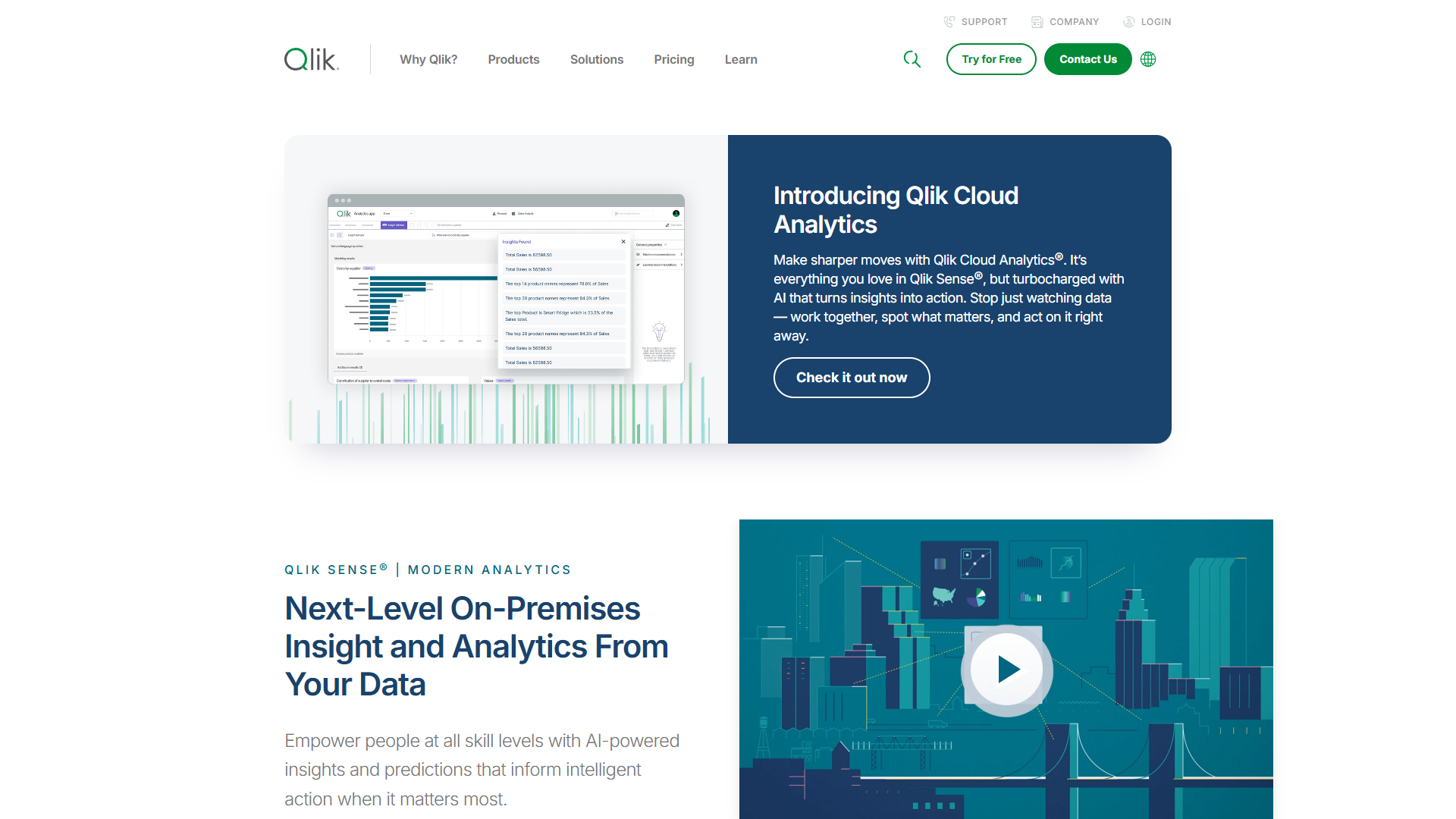
Qlik Sense fundamentally changes how analysts explore data through its associative analytics engine.
The Associative Difference
Instead of pre-defined drill-down paths (region → state → city), users explore in any direction. Click on a product category and Qlik instantly highlights related customers, time periods, regions, and sales reps. Then click on a region to see related products and time periods. No pre-built navigation required.
This approach surfaces hidden relationships. When an analyst exploring sales data noticed that a specific combination of product + region + sales rep consistently underperformed, they investigated without requesting a custom report from IT.
AI Capabilities
Insight Advisor uses machine learning to suggest visualizations based on selected data. Choose a dimension and measure, and it recommends chart types that best represent the relationship.
Augmented analytics detect anomalies and correlations across entire datasets. When revenue drops in one region, Qlik analyzes hundreds of potential contributing factors and surfaces the most relevant.
The Learning Investment
The associative model requires different thinking about data exploration. Some analysts embrace this approach; others find it confusing compared to traditional hierarchical navigation. Budget for significant training time.
The scripting language for data loading (Qlik Script) is proprietary and challenging to master. Organizations without dedicated Qlik developers may struggle with complex transformations.
Qlik Sense Pricing
- Business: $30/user/month
- Enterprise SaaS: Starting at $2,700/month (25 users included)
- Enterprise: Custom pricing for large deployments
Best For
Analyst-heavy teams who need to explore complex, interconnected data. Organizations willing to invest in training for powerful but less intuitive capabilities.
6. Domo: The All-in-One Connector Champion
Domo positions itself as an “operating system for business” — and the connector library justifies that claim.
Integration Depth That Matters
Over 1,000 pre-built connectors cover everything from major databases to niche SaaS tools. When I needed data from Shopify, Google Ads, NetSuite, and PostgreSQL, Domo connected to all of them in under two hours without custom API work.
Magic ETL uses a visual canvas for data transformation — drag and drop transformation steps, no SQL required. This democratizes data preparation beyond the data engineering team.
Decision Intelligence Features
AutoML lets business users build predictive models by pointing and clicking. Select data, choose “predict customer churn,” and AutoML builds, tests, and deploys the model. It won’t replace data science teams for complex problems, but for straightforward predictions, it works.
Conversational analytics answers natural language questions and proactively suggests follow-up analyses. Ask “show revenue by product” and Domo might respond: “I notice revenue is down 12% for Product A — would you like to see which regions are affected?”
The Pricing Challenge
Domo’s pricing is opaque, requiring negotiation. Most implementations start around $20,000-$40,000/year for standard deployments, scaling higher for enterprise features. Budget-conscious organizations find this frustrating compared to Power BI’s transparent per-user pricing.
The “jack of all trades” approach — BI, ETL, project management, alerts, collaboration — may feel bloated for organizations that just need analytics.
Domo Pricing
- Standard: $20,000-$40,000/year
- Enterprise: $50,000-$100,000+/year
- Individual licenses: $30-$200/user/month depending on role
Best For
Growing companies wanting all-in-one platforms with minimal technical overhead. Organizations with complex, heterogeneous data sources who value ease of use over deep customization.
7. Zoho Analytics: AI-Powered BI for Budget-Conscious Teams
Zoho Analytics proves you don’t need enterprise budgets for AI-powered analytics. With 500+ connectors and conversational AI starting at $60/month, it’s the value leader in this comparison.
Ask Zia: Conversational AI That Works
The Ask Zia AI assistant handles natural language queries in English, Spanish, and French. Ask “show quarterly revenue trends by product category” and Zia generates appropriate visualizations with diagnostic insights.
Enterprise tier adds LLM-powered capabilities including automated anomaly detection, smart recommendations, and contextual explanations of data patterns. This isn’t watered-down AI — it’s genuine decision support at SMB pricing.
Value Proposition
Nucleus Research case studies document 11.6x ROI with 1.2-month payback periods. One implementation saved 43 hours weekly in manual reporting across 190 users. At $60/month for 5 users (Standard tier), the math works quickly.
The 500+ native connectors cover major databases, cloud services, and business apps without custom API coding. The visual data pipeline builder handles ETL through drag-and-drop interfaces.
Where It Falls Short
Row limits can be restrictive. Standard tier’s 1 million rows may be insufficient for data-intensive operations. Jumping to Enterprise ($575/month) for 50 million rows is a significant cost increase.
Visualization sophistication doesn’t match Tableau. Teams prioritizing publication-quality data storytelling may find the 50+ chart types limiting.
Zoho Analytics Pricing
- Free: 2 users, 10,000 rows
- Basic: $30/month (2 users, 500K rows)
- Standard: $60/month (5 users, 1M rows)
- Premium: $145/month (15 users, 5M rows)
- Enterprise: $575/month (50 users, 50M rows)
Best For
SMBs needing comprehensive AI-powered analytics without enterprise pricing. Organizations already using Zoho ecosystem products. Teams prioritizing value-for-money over maximum capability.
Decision Framework: How to Choose
Selecting an AI analytics platform isn’t about finding the “best” — it’s about finding the right fit for your specific situation.
Start with Budget Reality
If your annual analytics budget is under $15,000, Power BI or Zoho Analytics are your realistic options. Both deliver genuine AI capabilities at accessible price points.
For $20,000-$50,000 annually, Domo and Qlik Sense become viable, offering more sophisticated integration and exploration capabilities.
Enterprise budgets over $50,000 open Looker, Pyramid Analytics, and enterprise Tableau deployments — where governance, embedded analytics, and decision intelligence become primary considerations.
Match to Your Data Reality
Microsoft-centric data stack? Power BI integration will save significant setup time.
Google Cloud with BigQuery? Looker’s native integration delivers superior performance and security.
Heterogeneous data sources (10+ SaaS tools)? Domo’s 1,000+ connectors eliminate custom API work.
SAP-centric enterprise? Pyramid Analytics offers direct BW/HANA connectivity others can’t match.
Consider Your Team
Dedicated data engineers? Looker’s LookML and Pyramid Analytics’ comprehensive capabilities pay off in power and governance.
Business users without technical support? Zoho Analytics’ Ask Zia and Power BI’s familiar interface will get results faster.
Curious analysts who explore data? Qlik Sense’s associative engine rewards exploratory thinking.
Industry-Specific Considerations
Healthcare: Pyramid Analytics for patient flow prediction and resource planning.
SaaS companies: Looker for embedded customer-facing analytics.
Retail/E-commerce: Domo for multi-channel data integration.
Professional services: Tableau for client-facing data storytelling.
Implementation Reality Check
Regardless of which platform you choose, expect these timelines:
- Basic setup with a few data sources: 2-4 weeks
- Comprehensive organizational rollout: 3-6 months
- Full decision intelligence maturity: 12-18 months
The platforms with steeper learning curves (Looker, Pyramid Analytics, Qlik Sense) require more upfront investment but may save time long-term through better governance and more powerful capabilities.
No-code platforms (Domo, Zoho Analytics) show results faster but may require refactoring as complexity grows.
Final Verdict: Which Platform Should You Choose?
For enterprise decision intelligence with complex data: Pyramid Analytics. The all-in-one platform combining data prep, BI, and data science with 250+ connectors justifies the investment for organizations consolidating multiple tools.
For enterprise governance on Google Cloud: Looker. LookML’s single source of truth for metrics eliminates the chaos of conflicting definitions that plagues other platforms at scale.
For best-in-class visualization: Tableau. When dashboard quality directly impacts business outcomes — client presentations, board reviews, data storytelling — Tableau’s premium pricing pays for itself.
For Microsoft shops on a budget: Power BI. The combination of free tier, affordable Pro licensing, and seamless Microsoft integration makes it the default choice for organizations that aren’t ready for enterprise investment.
For data exploration without pre-defined paths: Qlik Sense. The associative engine surfaces relationships that hierarchical navigation would miss.
For all-in-one integration depth: Domo. When you need to connect 10+ data sources without custom API work, the 1,000+ connector library justifies the premium.
For SMBs needing AI without enterprise pricing: Zoho Analytics. Ask Zia conversational AI, 500+ connectors, and $60/month pricing deliver genuine decision intelligence at accessible price points.
The hardest part of choosing an analytics platform isn’t finding capable software — every platform here delivers real value. The challenge is committing to the organizational change required to actually use data for decisions rather than to justify decisions already made.
Choose your platform, connect your data, and start asking better questions. The tools are ready. The question is whether your organization is.
External Resources
For official documentation and updates from these tools:
- Pyramid Analytics — Official website
- Looker — Official website
- Tableau — Official website
- Power BI — Official website