If you’re spending 15+ hours a week manually scheduling social media posts, you’re working too hard. In 2026, AI social media automation tools can cut that time by 50-80%, freeing you to focus on strategy and creative work that actually moves the needle.
But here’s the thing: not all automation tools are created equal. Some are glorified schedulers with a sprinkle of AI. Others are enterprise-grade platforms that genuinely transform how you manage social media at scale.
After testing the leading platforms, I’ve found three that deliver real results: Sprout Social (saves 24 hours/week for teams), Hootsuite (10 hours/week for agencies), and Buffer (7 hours/week for solopreneurs). In this guide, I’ll show you exactly what each tool does, what it costs, and how to choose the right one for your business.
What is AI Social Media Automation?
AI social media automation combines traditional scheduling tools with artificial intelligence to handle repetitive social media tasks. Instead of manually writing every post, choosing posting times, and analyzing performance, AI handles the heavy lifting.
Here’s what modern AI social media automation actually does:
Content creation: AI generates post copy, suggests hashtags, and even creates visual content. Tools like Hootsuite’s OwlyWriter AI and Buffer’s AI Assistant use GPT-4.0 to write engaging posts based on your brand voice and audience data.
Intelligent scheduling: Rather than guessing when to post, AI analyzes your audience’s engagement patterns and recommends optimal posting times. Sprout Social’s Optimal Send Times algorithm learns from your historical data to predict when your specific audience is most active.
Automated posting: Once content is approved, the system publishes to multiple platforms automatically. Cross-platform publishing means you write once and distribute everywhere — Instagram, Facebook, LinkedIn, Twitter/X, TikTok, and more.
Performance analytics: AI tracks engagement metrics, identifies top-performing content, and provides actionable insights. Sprout Social’s AI Assist can analyze months of data in seconds and explain what’s working (and what’s not) in plain English.
Sentiment analysis: Advanced tools use natural language processing to gauge audience sentiment. Hootsuite’s Blue Silk AI and Sprout Social’s BERT-based sentiment analysis monitor brand mentions and flag potential issues before they escalate.
The real power isn’t in any single feature — it’s in how these capabilities work together. You can create a content calendar for the month in an afternoon, let AI optimize posting times, and get alerts when content underperforms. That’s the workflow automation that saves 10-24 hours per week.
Best AI Social Media Automation Tools 2025
Let’s break down the three tools that actually deliver on their promises, starting with detailed feature comparisons and real pricing data.
Sprout Social: Enterprise-Grade AI for Serious Teams
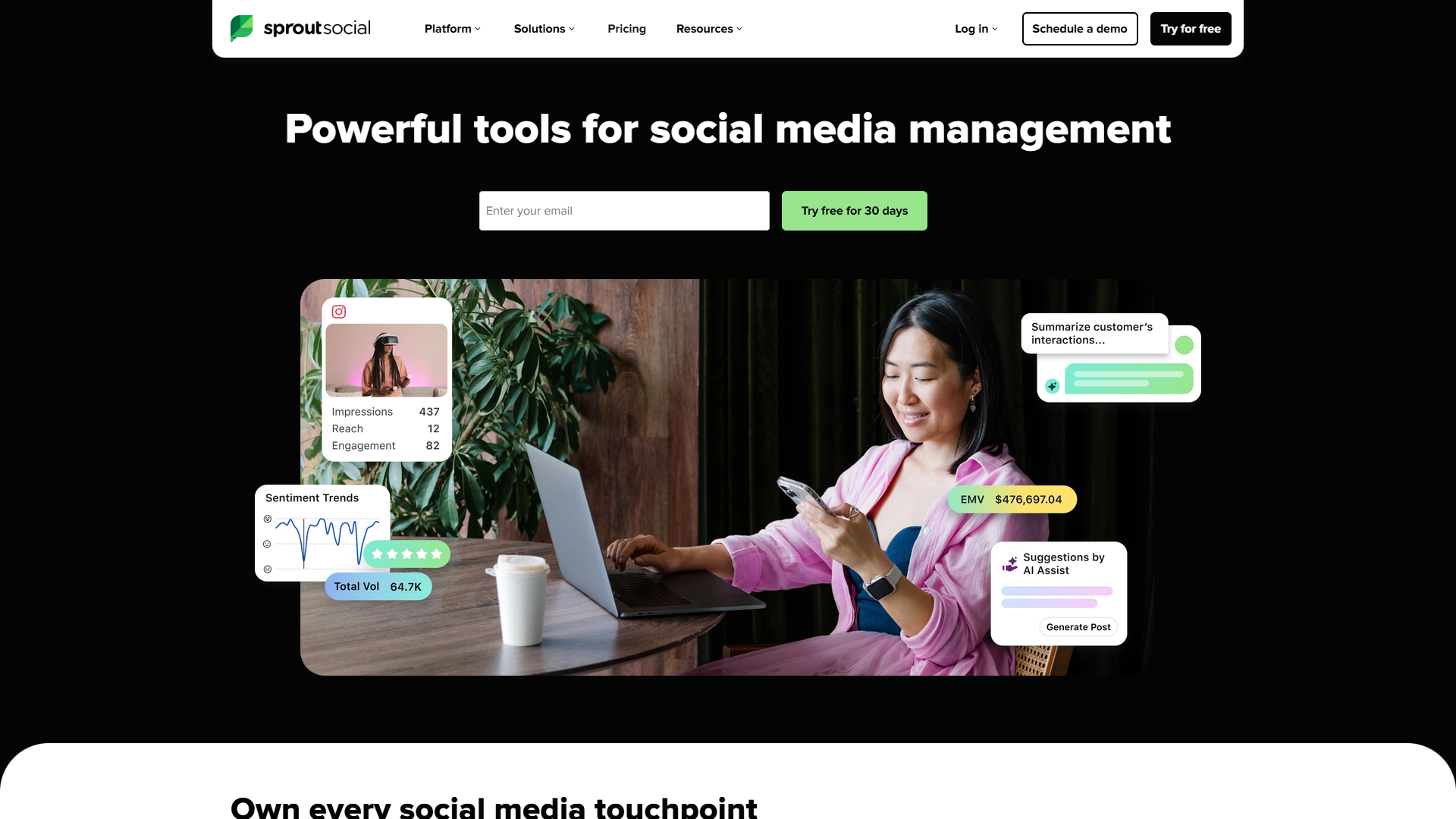
Sprout Social is the heavyweight champion of social media management. If you’re running a marketing team at scale — think enterprise brands, agencies with multiple clients, or companies managing 5+ social accounts — this is the platform built for you.
AI Features:
- AI Assist: The standout feature. Click a button and AI generates multiple post variations based on your topic, analyzes competitor content, or summarizes weeks of engagement data into actionable insights
- Sentiment analysis: BERT-based language model that categorizes mentions as positive, negative, or neutral with impressive accuracy
- Smart Categories: Automatically tags and organizes inbound messages by topic, making it easy to spot trends
- Optimal Send Times: Machine learning algorithm that learns from your account’s history to recommend the best posting times for maximum engagement
Pricing (December 2025):
- Standard: $249/user/month (annual: $199/month)
- Professional: $399/user/month (annual: $299/month)
- Advanced: $499/user/month (annual: $399/month)
- Enterprise: Custom pricing
All plans include AI Assist and unlimited scheduling. The Professional tier adds competitor analysis and custom reporting. Advanced tier unlocks social listening and chatbot automation.
Rating:
ROI: According to a 2025 Forrester Total Economic Impact study, Sprout Social customers achieved a 268% ROI over three years. Teams report saving 24 hours per week on social media management, which translates to roughly $30,000+ in annual labor savings for a mid-sized marketing team.
Best for: Enterprise social media teams managing multiple brands, agencies serving 5+ clients, or companies with dedicated social media managers who need advanced analytics and collaboration features.
Not ideal for: Solopreneurs or small businesses on a tight budget. At $199/month minimum, Sprout Social is a significant investment that only makes sense if you’re managing social media at serious scale.
Hootsuite: Multi-Brand Powerhouse for Agencies
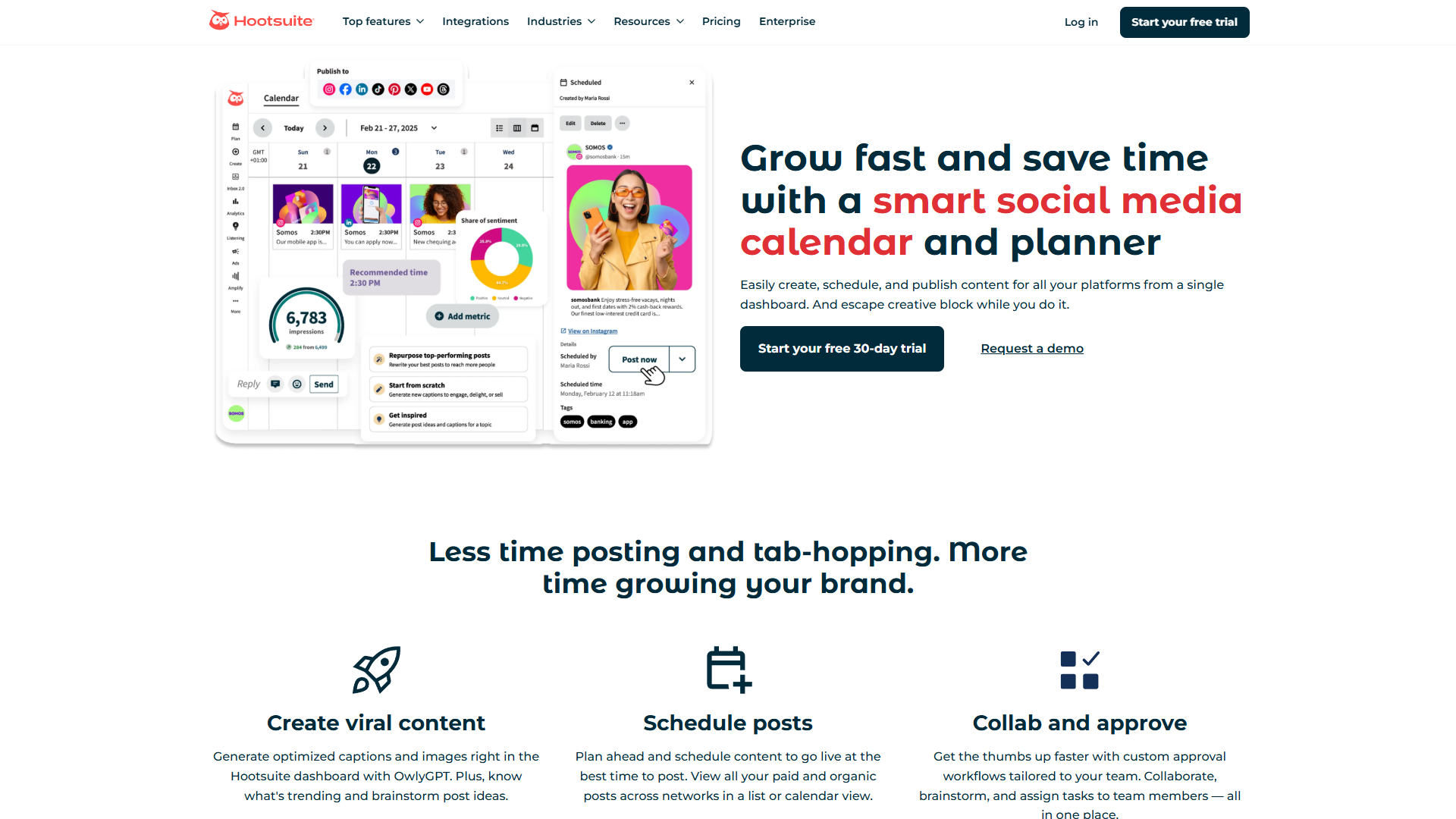
Hootsuite has been in the social media management game since 2008, and their AI features reflect decades of learning what actually works. The platform shines for agencies managing multiple clients or brands with complex approval workflows.
AI Features:
- OwlyGPT AI assistant: Hootsuite’s custom AI model that understands social media context better than generic tools. Ask it to create a week of posts, analyze competitors, or suggest content themes
- OwlyWriter AI: Content generation specifically for social media. It writes captions, suggests hashtags, and can repurpose long-form content into bite-sized social posts
- Blue Silk AI: Sentiment analysis engine that monitors brand mentions across platforms and flags conversations requiring attention
- AI image generation (beta): Create custom visuals directly in the platform — useful for quick graphics when you don’t have design resources
Pricing (December 2025):
- Professional: $99/month (annual: $99/month) - 1 user, 10 social accounts
- Team: $249/month (annual: $169/month) - 3 users, 20 social accounts
- Business: $739/month (annual: $249/month per user, 3+ users) - Unlimited users, 35 social accounts
- Enterprise: Custom pricing
The Professional plan is the entry point, but most agencies need at least the Team plan for multi-user collaboration. Business tier adds advanced analytics and custom workflows.
Rating:
Time savings: Users report saving approximately 10 hours per week on content creation and scheduling. For a social media manager billing at $75/hour, that’s $3,000/month in reclaimed time — a strong ROI even at the Business tier pricing.
Best for: Marketing agencies managing 5-20 client accounts, multi-brand enterprises with complex approval workflows, or marketing teams that need robust collaboration features with granular permissions.
Not ideal for: Individual creators or businesses managing 1-2 social accounts. The features are powerful, but you’ll pay for capabilities you won’t use.
Buffer: Affordable AI for Solopreneurs and Small Teams
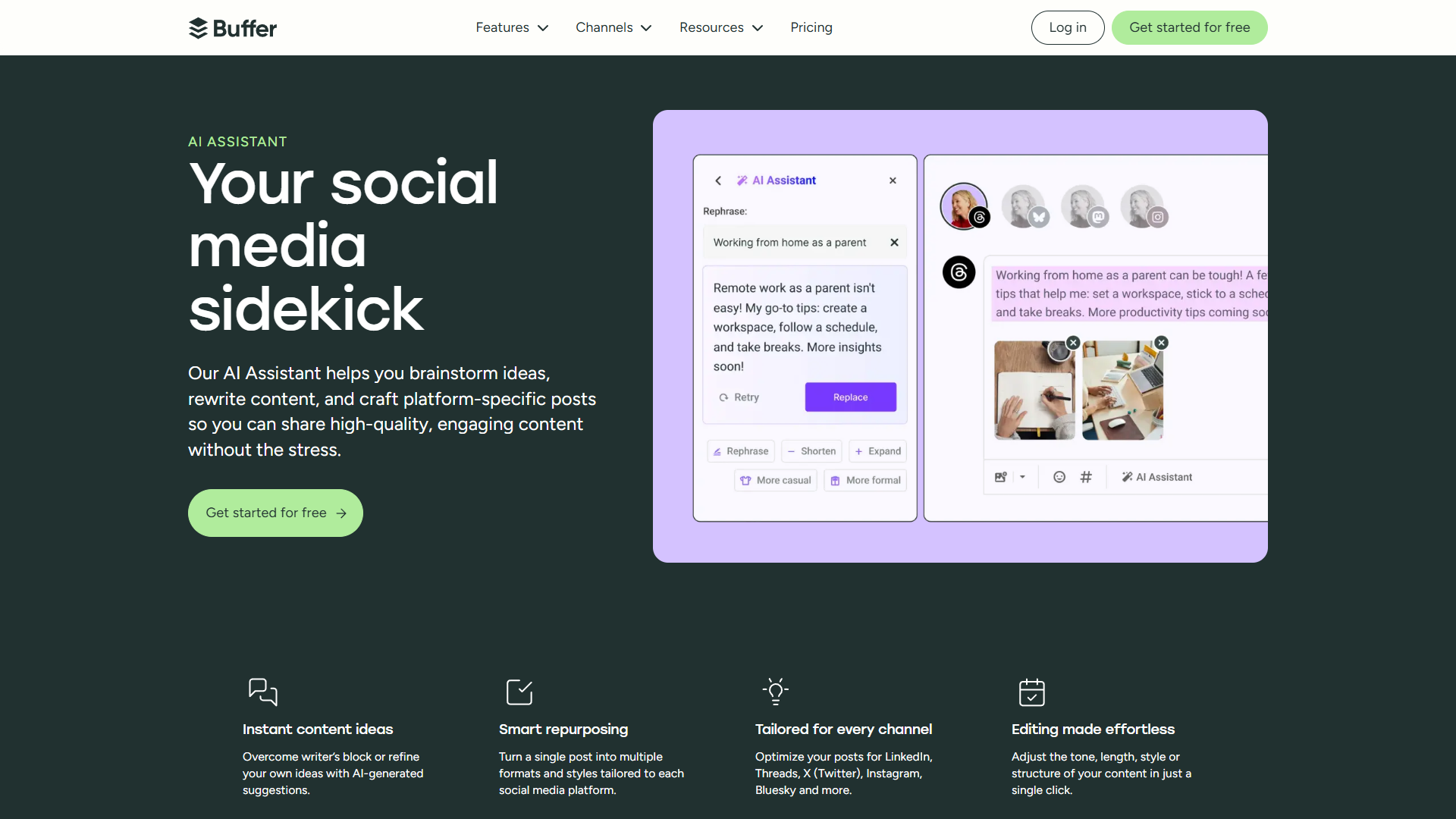
Buffer is the scrappy underdog that punches above its weight class. If you’re a solopreneur, freelancer, or small business managing 1-5 social accounts, Buffer delivers impressive AI features at a fraction of the cost of enterprise platforms.
AI Features:
- AI Assistant (GPT-4.0): Powered by OpenAI’s latest model, it generates post variations, repurposes content across platforms, and suggests improvements to increase engagement
- AI reply suggestions: For comments and DMs, Buffer’s AI suggests context-aware responses to save time on engagement
- Content recycling: AI identifies evergreen content from your archive and suggests optimal times to reshare
- Hashtag recommendations: Based on your content and industry, AI suggests relevant hashtags to increase discoverability
Pricing (December 2025):
- Free: $0 - 3 channels, 10 scheduled posts
- Essentials: $6/month per channel - Unlimited posts, landing page builder
- Team: $12/month per channel - Unlimited team members, engagement tools
- Agency: $120/month for 10 channels - Client management, white-label reports
The pricing model is unique — you pay per channel, not per user. So if you manage Instagram, Facebook, and LinkedIn, that’s 3 channels at $6-12 each = $18-36/month total.
Rating:
Time savings: Buffer users report saving about 7 hours per week on social media tasks. For a freelancer billing at $100/hour, that’s $2,800/month in reclaimed time — far exceeding the $36/month cost.
Best for: Solopreneurs, freelancers, small businesses (1-10 employees), personal brands, and anyone managing 1-5 social accounts on a budget.
Not ideal for: Large teams needing advanced collaboration features, agencies managing 10+ clients, or enterprises requiring detailed analytics and approval workflows.
Feature Comparison: What You Actually Get
Here’s a side-by-side breakdown of what matters most:
| Feature | Sprout Social | Hootsuite | Buffer |
|---|---|---|---|
| AI Content Generation | AI Assist (advanced) | OwlyWriter AI + OwlyGPT | AI Assistant (GPT-4.0) |
| Sentiment Analysis | BERT-based LLM | Blue Silk AI | Not included |
| Optimal Posting Times | ML-powered algorithm | Manual scheduling + suggestions | Queue-based auto-scheduling |
| Visual Content Creation | Integration only | AI image gen (beta) | Integration only |
| Social Listening | Advanced tier ($399+) | Business tier ($249+) | Not included |
| Team Collaboration | Advanced workflows | Detailed permissions | Basic team features |
| Supported Platforms | Instagram, Facebook, LinkedIn, Twitter/X, Pinterest, TikTok, YouTube, Google Business Profile | Instagram, Facebook, LinkedIn, Twitter/X, Pinterest, TikTok, YouTube, WhatsApp | Instagram, Facebook, LinkedIn, Twitter/X, Pinterest, TikTok, YouTube Shorts, Threads, Bluesky |
| Analytics Depth | Enterprise-grade | Comprehensive | Basic metrics |
| Mobile App Quality | Excellent | Good | Excellent |
| API Access | All tiers | Business tier+ | Not included |
| Starting Price | $199/month | $99/month | $18/month (3 channels) |
The clear pattern: Sprout Social wins on depth and enterprise features, Hootsuite balances power and price for agencies, and Buffer delivers surprising AI capabilities at budget pricing.
Pricing Breakdown: What’s Actually Worth Paying For
Let’s talk real numbers. Here’s what you’ll actually spend based on typical use cases:
Solopreneur managing 3-4 accounts:
- Sprout Social: $199/month (overkill, don’t buy)
- Hootsuite Professional: $99/month (too expensive)
- Buffer Essentials: $18-24/month ✓ Best value
Small marketing team (2-3 people, 5-8 accounts):
- Sprout Social Standard: $398-597/month (2-3 users)
- Hootsuite Team: $169/month for 3 users ✓ Best value
- Buffer Team: $48-96/month (limited collaboration)
Agency managing 10+ client accounts:
- Sprout Social Professional: $597-897/month (3+ users) ✓ Best for deep analytics
- Hootsuite Business: $747/month (3 users) ✓ Best for approval workflows
- Buffer Agency: $120/month for 10 channels (lacks client management)
Enterprise (5+ team members, 20+ accounts):
- Sprout Social Advanced: $1,197+/month ✓ Industry standard
- Hootsuite Enterprise: Custom pricing ✓ Strong competitor
- Buffer: Not suitable at this scale
The pricing sweet spot is clear: Buffer for individuals and small businesses, Hootsuite for agencies and mid-sized teams, Sprout Social for enterprise brands that need the absolute best.
How to Get Started with AI Social Media Automation
Ready to implement AI automation? Here’s a proven 4-week roadmap based on what actually works:
Week 1: Audit & Setup
- Audit your current process. Track how many hours you spend on social media tasks this week. Break it down: content creation, scheduling, engagement, analytics.
- Connect your accounts. Start with your 2-3 most important platforms. Don’t try to automate everything at once.
- Set brand guidelines. Write a 1-page doc with your brand voice, topics to avoid, and any compliance requirements. AI needs guardrails.
Week 2: Content Calendar & AI Training
- Create a content calendar template. Map out content themes for each day/week. AI works best when it knows the structure.
- Feed AI your best content. Upload or link to your top 10-20 performing posts. Let the AI learn what resonates with your audience.
- Generate your first batch of content. Use AI to create 2 weeks of posts. Review everything before scheduling — AI makes mistakes.
Week 3: Scheduling & Optimization
- Schedule your first week using AI-recommended posting times. Track engagement carefully.
- Set up batch scheduling. Block 2-3 hours to create a month of content at once. This is where AI saves massive time.
- Configure engagement notifications. Don’t automate replies yet — monitor how AI suggests responses first.
Week 4: Analyze & Refine
- Review performance metrics. Compare engagement rates to your pre-AI baseline.
- Adjust AI settings based on results. If AI-generated posts underperform, tweak the tone or provide better examples.
- Expand to additional platforms. Once one or two platforms are running smoothly, add others.
Common implementation mistakes to avoid:
- Publishing AI content without human review (AI sometimes misses context or makes factual errors)
- Over-automating engagement (personal replies build stronger connections than AI responses)
- Ignoring analytics (AI optimization only works if you actually use the insights)
- Not setting posting limits (flooding followers with content destroys engagement)
The key is starting small. Don’t try to automate your entire social media presence in week one. Master one platform, prove the ROI, then expand.
ROI: Is AI Social Media Automation Worth It?
Let’s do the math with real numbers from actual implementations:
Scenario 1: Solopreneur (Buffer Essentials - $24/month)
Before automation:
- 12 hours/week on social media tasks
- Freelance rate: $100/hour
- Monthly opportunity cost: 48 hours × $100 = $4,800
After automation:
- 5 hours/week on social media tasks (7 hours saved)
- Tool cost: $24/month
- Time saved: 28 hours/month × $100 = $2,800
- Net gain: $2,776/month
ROI: 11,567% (You reclaim $2,800 in billable time for a $24 investment)
Scenario 2: Marketing Manager (Hootsuite Team - $169/month)
Before automation:
- 20 hours/week on social media management
- Salary equivalent: $75/hour
- Monthly labor cost: 80 hours × $75 = $6,000
After automation:
- 10 hours/week on strategic work (10 hours saved)
- Tool cost: $169/month
- Labor saved: 40 hours/month × $75 = $3,000
- Net gain: $2,831/month
ROI: 1,675% (You save $3,000 in labor for a $169 investment)
Scenario 3: Enterprise Team (Sprout Social Professional - $897/month for 3 users)
Before automation:
- 3 social media managers at 25 hours/week each = 75 hours/week
- Average salary: $65/hour
- Monthly labor cost: 300 hours × $65 = $19,500
After automation:
- 3 managers at 17 hours/week each = 51 hours/week (24 hours saved)
- Tool cost: $897/month
- Labor saved: 96 hours/month × $65 = $6,240
- Net gain: $5,343/month
ROI: 596% (You save $6,240 in labor for an $897 investment)
The pattern is clear: AI automation pays for itself many times over across all business sizes. The Forrester Total Economic Impact study on Sprout Social found customers achieved a 268% three-year ROI — and that’s just measuring efficiency gains, not the value of better content and deeper insights.
Additional benefits beyond time savings:
- Consistency: AI ensures you post regularly even during vacations, product launches, or crises
- Cross-platform presence: Maintain active accounts on 5-8 platforms without hiring additional staff
- Better timing: AI-optimized posting times can boost engagement by 30-50%
- Data-driven decisions: Analytics that would take hours to compile manually are instant
- Scalability: Growing from 3 to 10 social accounts doesn’t require proportional headcount
The question isn’t whether AI automation is worth it — it’s which tool delivers the best ROI for your specific situation.
Best Practices & Common Mistakes
After helping dozens of businesses implement social media automation, here’s what separates success from disaster:
Do This:
- Maintain brand authenticity. Use AI as a drafting tool, not a replacement for human judgment. Edit AI-generated content to match your unique voice.
- Review before publishing. Set up approval workflows, even if it’s just you. AI occasionally produces tone-deaf or factually incorrect content.
- Mix AI and human content. The most successful accounts use AI for 60-70% of posts and human-created content for 30-40%. This balance maintains authenticity while saving time.
- Use AI insights for strategy. The analytics features are often more valuable than content generation. Let AI tell you what’s working.
- Respond personally to comments. Automate posting, but keep engagement human. People can tell when they’re talking to a bot.
Don’t Do This:
- Fully automate engagement. AI reply suggestions are helpful, but copy-pasting robotic responses will damage your brand. Use suggestions as starting points.
- Ignore platform-specific best practices. AI can generate content, but it doesn’t always understand platform culture. A LinkedIn post shouldn’t read like a TikTok caption.
- Over-schedule content. Just because you can queue 100 posts doesn’t mean you should. Quality beats quantity. Posting 2-3 times daily is plenty for most accounts.
- Neglect content recycling. Your best content deserves multiple lives. Use AI to identify evergreen posts and reshare them strategically.
- Skip A/B testing. Try different post formats, times, and content types. AI provides the data — you need to act on it.
The authenticity balance: This is where most businesses struggle. AI can write grammatically perfect posts that get zero engagement because they lack personality. Here’s the fix:
- Feed AI examples of your most authentic, high-performing content
- Set tone guidelines (casual vs. professional, humor vs. serious, etc.)
- Always add personal touches — an anecdote, a specific example, or a unique perspective
- Use AI for structure and efficiency, not as a complete replacement for human creativity
Social listening and sentiment analysis best practices:
- Set up keyword alerts for brand mentions, competitor names, and industry trends
- Review sentiment analysis weekly, not daily — you’re looking for patterns, not reacting to individual comments
- Use negative sentiment as an early warning system for product issues or PR problems
- When AI flags concerning conversations, escalate to a human immediately
The businesses seeing the best results treat AI as a productivity multiplier, not a replacement for human strategy and creativity.
Conclusion
AI social media automation isn’t about eliminating the human element — it’s about eliminating the tedious, repetitive tasks that drain your time and energy. The right tool can save you 7-24 hours per week, giving you time to focus on strategy, creative work, and actually growing your business.
Here’s my recommendation:
Choose Buffer if you’re a solopreneur, freelancer, or small business managing 1-5 accounts. At $18-36/month, it delivers impressive AI features (powered by GPT-4.0) at a price that makes sense for smaller operations. The 7 hours/week time savings far exceeds the cost. Start with the free plan to test the platform.
Choose Hootsuite if you’re an agency managing multiple clients or a mid-sized marketing team needing collaboration features. At $169/month for the Team plan, you get OwlyGPT AI assistant, approval workflows, and enough seats for your team. The 10 hours/week savings make the ROI obvious. Check current Hootsuite pricing here.
Choose Sprout Social if you’re an enterprise brand with dedicated social media staff or need advanced analytics and social listening. At $199-399/month per user, it’s expensive — but the 24 hours/week savings and 268% three-year ROI justify the investment at scale. Review Sprout Social’s plans to find your fit.
The best time to start was six months ago. The second-best time is today. Pick the tool that matches your current needs and budget, implement the 4-week roadmap above, and start reclaiming your time.
Next steps:
- Calculate your current time investment in social media (be honest)
- Start a free trial with your chosen platform
- Set up your first week of automated posts
- Measure the time savings after week one
- Scale up as you prove the ROI
Social media doesn’t have to consume your entire workweek. With the right AI automation tool, you can maintain a strong presence across multiple platforms while focusing on the creative and strategic work that actually moves your business forward.