Your customer service team is drowning in repetitive questions. Wait times are climbing. Customers expect 24/7 support, but staffing round-the-clock coverage is burning through budget.
Sound familiar? You’re not alone. IBM research shows that 80% of customer service inquiries are routine questions that don’t require human expertise. That’s where AI chatbots for customer service come in.
But here’s the problem: most setup guides are either tool-specific marketing materials or overly technical documentation that skips the practical details. This guide takes a different approach. I’ll walk you through a platform-agnostic setup framework that works whether you’re using a no-code tool or building custom integrations.
By the end, you’ll know how to configure an AI customer service chatbot that handles routine questions autonomously, escalates complex issues to humans intelligently, and actually improves over time.
What Are AI Customer Service Chatbots?
AI customer service chatbots are conversational AI systems that use Natural Language Processing and machine learning to understand customer questions and provide relevant answers without human intervention.
Unlike the rule-based chatbots of the past (which followed rigid decision trees like “Press 1 for billing”), modern AI chatbots use context-aware understanding. They can interpret variations of the same question, handle multi-turn conversations, and even detect sentiment to route frustrated customers to human agents.
The evolution in a nutshell:
- 2010s: Rule-based bots with keyword matching (frustrating, limited)
- 2020-2023: Intent-based bots with basic NLP (better, still brittle)
- 2024-2025: RAG-powered AI agents with context memory (game-changing)
Today’s systems use Retrieval-Augmented Generation (RAG) to pull answers from your knowledge base, CRM, and product documentation in real-time. This means they can answer questions you didn’t explicitly program them to handle.
Why Set Up an AI Chatbot in 2025-2026?
The business case for AI chatbots customer service setup is stronger than ever in 2026. Here’s the data:
Cost reduction: Klarna, the payments company, deployed an AI chatbot that handled 2.3 million customer conversations in its first month. That’s the equivalent work of 700 full-time agents. Average resolution time? 2 minutes.
24/7 availability: Unlike human teams, chatbots don’t need sleep. Customers get instant responses at 3 AM without premium night-shift wages.
Scalability: During product launches or Black Friday traffic spikes, chatbots handle thousands of simultaneous conversations without degrading response quality.
Consistency: Every customer gets the same accurate information from your knowledge base. No more “it depends on which agent you reach” experiences.
Human augmentation, not replacement: The goal isn’t eliminating your support team. It’s freeing them from repetitive questions so they can handle complex issues that require empathy, negotiation, and creative problem-solving.
Gartner predicts that by 2029, 80% of customer service interactions will be automated through conversational AI. The question isn’t whether to adopt chatbots, but how to implement them effectively.
The 6-Step AI Chatbot Setup Framework
This framework works across platforms, whether you’re using ProProfs Chat, Intercom Fin, Zendesk, or building custom solutions with Chatbase. The principles remain the same.
Step 1: Define Goals & Success Metrics
Before touching any software, answer these questions:
What should the chatbot handle?
- Order status checks and tracking updates
- Password resets and account access
- Product information and specifications
- Billing and payment questions
- Hours, locations, and basic info
- Returns and refunds policy
- Technical troubleshooting (Level 1)
What should escalate to humans?
- Complex technical issues requiring diagnosis
- Billing disputes over $X amount
- Angry customers (detected via sentiment analysis)
- Multi-step problem-solving
- Custom requests outside standard policies
Success metrics to track:
- Autonomous resolution rate: Percentage of conversations resolved without human handoff (target: 60-80%)
- Average resolution time: Time from first message to issue resolved (target: under 5 minutes)
- Customer satisfaction (CSAT): Post-chat ratings (target: 4.0+/5.0)
- Escalation accuracy: Percentage of escalations that actually needed human help (target: 85%+)
- Cost per conversation: Total support cost / conversations handled (benchmark against human-only baseline)
Write these down. They’ll guide every configuration decision in the next steps.
Step 2: Prepare Your Knowledge Base
This is the most underestimated step in AI chatbot setup for customer support. Your bot is only as good as the data it learns from.
Audit your existing content:
- Help center articles and FAQs
- Product documentation and user guides
- Internal support wiki and runbooks
- Email templates your team uses
- Common Slack/Teams responses
Best practices for knowledge base preparation:
Use clear question-and-answer format: Instead of long narrative articles, structure content as Q&A pairs. “How do I reset my password?” is easier for AI to match than a 2,000-word “Account Management Guide.”
Remove outdated information: That 2019 pricing page still in your help center? Delete it. AI chatbots don’t inherently know which information is current.
Add metadata and tags: Tag articles by topic (billing, technical, shipping) and customer type (free tier, premium, enterprise). This helps the bot route conversations appropriately.
Include edge cases and variations: If customers ask “Where’s my order?” and “Track my package” and “Shipment status?”, create entries for all variations pointing to the same resolution flow.
Document escalation triggers: Create explicit rules like “If customer mentions ‘lawyer’ or ‘sue’, immediately escalate to management.”
Pro tip: Start with your top 20 support tickets by volume. If your chatbot can handle those reliably, you’ll automate 60-70% of your total ticket volume.
Step 3: Choose Your Platform
Now that you know what you need, pick a platform that fits your technical resources and budget.
Key decision factors:
No-code vs. custom development:
- No-code platforms (ProProfs Chat, Tidio, Intercom): Faster setup, lower technical requirements, great for small-medium businesses
- Custom solutions (Chatbase, Rasa): More flexibility, requires developer resources, ideal for complex enterprise needs
Integration requirements:
- Does it connect with your existing CRM (Salesforce, HubSpot)?
- Can it pull data from your e-commerce platform (Shopify, WooCommerce)?
- Does it integrate with your help desk (Zendesk, Freshdesk)?
Omnichannel support:
- Live chat widget on your website
- WhatsApp Business integration
- Facebook Messenger
- SMS/text messaging
- Email support
Budget considerations:
- Free tiers (good for testing, limited operators)
- Per-operator pricing ($10-50/month per agent seat)
- Conversation-based pricing (pay per interaction)
- Enterprise custom pricing (unlimited, dedicated support)
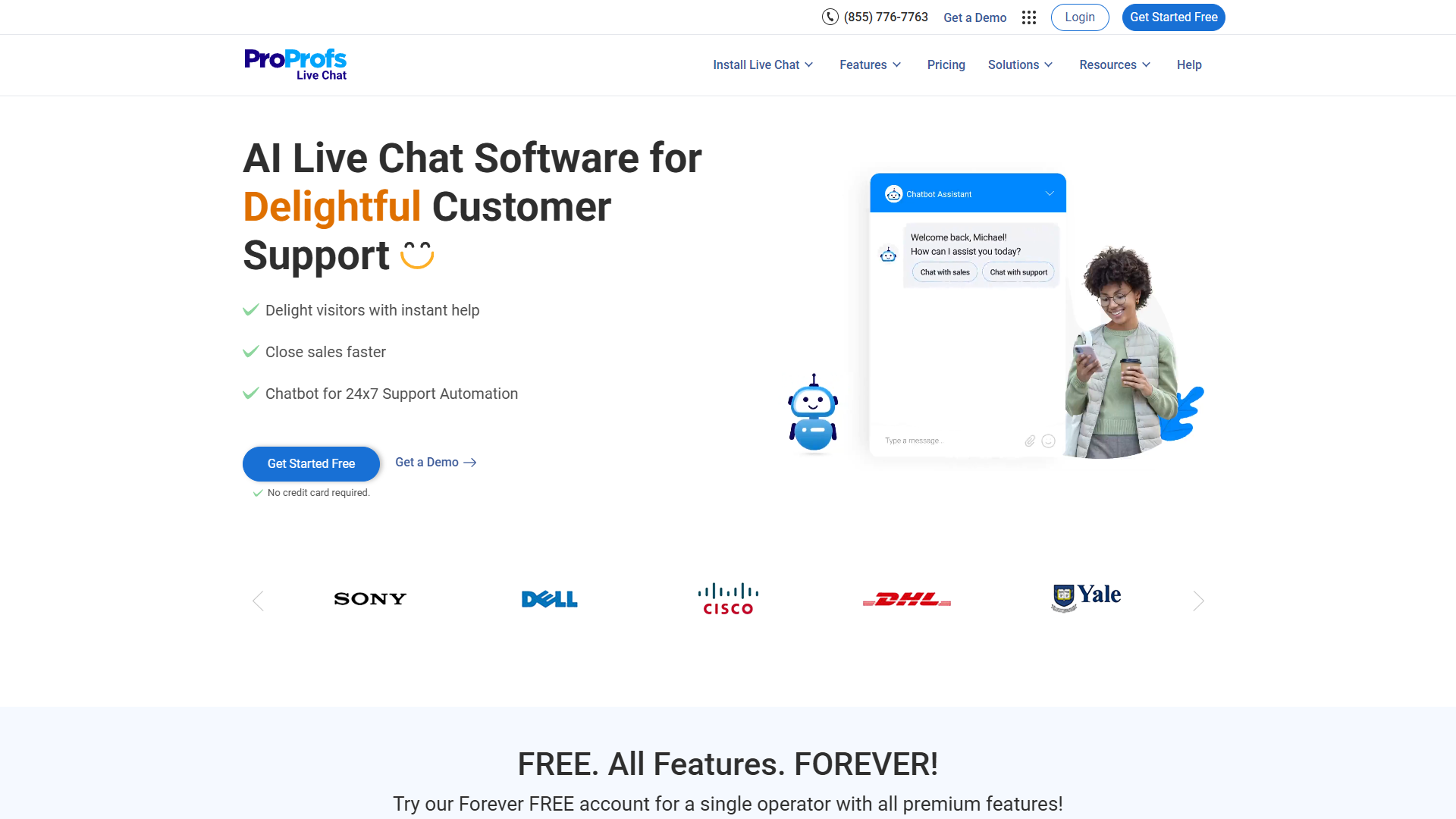
Example: ProProfs Chat for small business AI chatbot setup
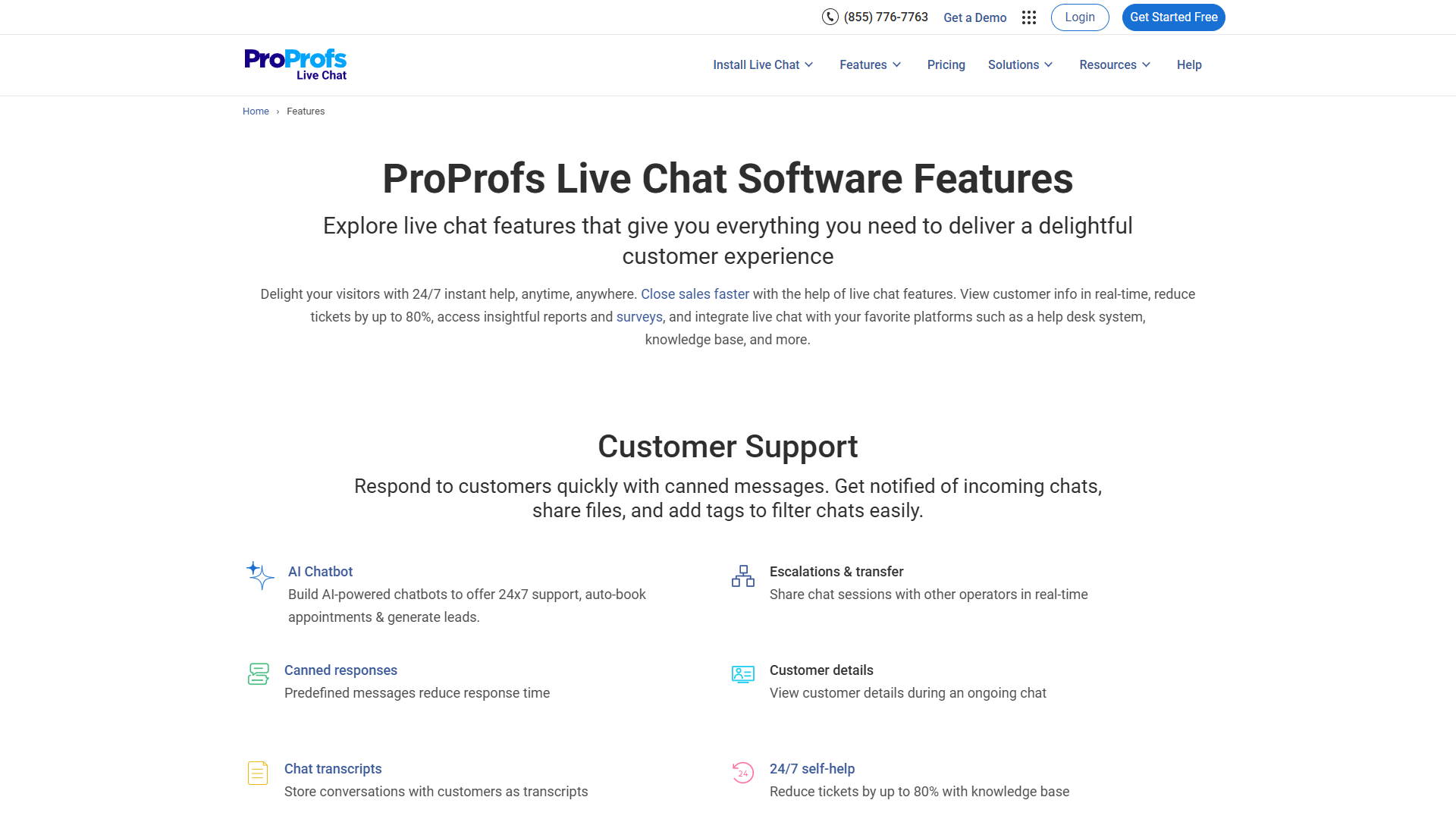
ProProfs Chat is a solid choice for small-to-medium businesses because of its unique pricing model. Unlike most competitors, the free plan includes ALL premium features for a single operator. That means you get AI-powered chatbots, real-time language translation (70+ languages), proactive chat triggers, and unlimited chat history without paying anything.
Rating:
Pricing breakdown:
- Free Plan: $0 forever (1 operator, all features, no expiration)
- Team Plan: $19.99/operator/month (billed annually) or $39.99 month-to-month
- Enterprise: Custom pricing (5+ operators, dedicated support)
Key features for AI chatbot implementation:
- AI chatbot trained from your website URL or help center
- Proactive chat routing based on visitor behavior
- Real-time language translation for international support
- 30+ integrations (Salesforce, Zendesk, Shopify, WordPress, Mailchimp)
- Bot performance reports with autonomous resolution metrics
For businesses just starting with AI chatbots customer service setup, ProProfs Chat’s free tier is genuinely useful for testing the concept before committing budget. The Team Plan at $19.99/operator/month (annual) is competitive for 2-5 person teams.
Step 4: Configure & Train Your Chatbot
With your platform selected and knowledge base ready, it’s time to build the bot.
Initial configuration checklist:
1. Upload training data
- Most modern platforms let you import from a URL (your help center), upload documents (PDFs, Word files), or paste text directly
- For ProProfs Chat and similar tools: provide your website URL and the AI crawler will extract content automatically
- For advanced platforms: you may need to format data as JSON or CSV with question-answer pairs
2. Set conversation tone and personality
- Formal vs. casual language
- Brand voice guidelines (friendly, professional, quirky)
- Default greetings and sign-offs
- Example: “Hey there! I’m the AI assistant for [Company]. How can I help today?” vs. “Good afternoon. I’m here to assist with your inquiry.”
3. Configure conversation flow
- Opening message: Auto-greeting vs. wait for customer to initiate
- Disambiguation prompts: What happens if the bot doesn’t understand? (“I didn’t quite get that. Are you asking about shipping or returns?”)
- Conversation timeout: How long until the chat marks as inactive (typical: 5-10 minutes)
- Follow-up questions: After resolving an issue, ask “Is there anything else I can help with?”
4. Train on edge cases
- Test with intentionally vague questions: “It’s broken” (what’s broken?), “I have a problem” (what kind?)
- Teach the bot to ask clarifying questions instead of guessing
- Add common typos and misspellings to training data
5. Set confidence thresholds
- Most AI chatbots assign a confidence score to each response (0-100%)
- If confidence is below threshold (e.g., 70%), the bot should say “I’m not sure I understand. Let me connect you with a human agent.”
- Setting this too high creates excessive escalations. Too low creates wrong answers.
Testing phase:
Don’t launch yet. Spend 2-3 days testing internally:
- Have your support team try to “trick” the bot with weird questions
- Test all major conversation paths from your Step 1 goals
- Verify integrations are pulling correct data (order status, account info)
- Check escalation triggers work correctly (sentiment detection, complexity thresholds)
Common training mistake: Over-training on happy-path scenarios. Make sure your bot knows how to handle “I want to speak to a manager” or “This is ridiculous” without trying to be helpful when the customer is clearly frustrated.
Step 5: Set Up Human Handoff
This is where most AI customer service chatbot guides stop, but it’s critical. A chatbot that can’t gracefully transition to humans creates worse experiences than no chatbot at all.
Human handoff protocol design:
When to escalate (trigger conditions):
- Sentiment analysis detects anger, frustration, or negative emotions
- Customer explicitly requests human agent (“Let me talk to a person”)
- Confidence score below threshold for 2+ consecutive responses
- Conversation exceeds X turns without resolution (typical: 5-7 messages)
- Specific keywords detected (refund dispute, legal, complaint, cancel account)
- High-value customers (VIP tags from CRM)
How to escalate smoothly:
- Context transfer: Pass full conversation history to human agent so customer doesn’t repeat themselves
- Priority routing: Escalated chats jump to front of queue (angry customers shouldn’t wait)
- Agent availability check: If no agents online, collect contact info and promise callback within X hours
- Notification system: Alert available agents immediately (desktop notification, Slack ping)
Sample handoff message:
“I’ll connect you with a specialist who can help with this. Sarah will be with you in about 2 minutes. While you wait, here’s a summary of what we’ve discussed: [context summary]”
After-hours handling:
- Option 1: Chatbot-only mode (notify customer agents return at X time)
- Option 2: Collect contact info and email ticket creation
- Option 3: Emergency paging system for critical issues
Industry-specific handoff considerations:
E-commerce: Escalate immediately if order value > $X or item is personalized/custom SaaS: Technical issues affecting production systems bypass bot entirely Healthcare: HIPAA-sensitive topics require human verification Financial services: Fraud alerts and disputed transactions need immediate human review
Step 6: Test & Deploy
Pre-launch testing checklist:
Functional testing:
- Top 20 questions from Step 1 all resolve correctly
- Escalation triggers work (test with angry language, complexity)
- Integrations pull live data (not cached/stale info)
- Multi-turn conversations maintain context
- Mobile chat widget renders correctly
- Typing indicators and read receipts display
- Chat history persists across page navigation
Security and compliance:
- PII (personally identifiable information) handling reviewed
- GDPR cookie consent if serving EU customers
- Data retention policies configured (how long to store chat logs)
- Agent permissions set correctly (who can view chat history)
Rollout strategy options:
Option 1 - Gradual rollout: Enable chatbot for 10% of visitors first week, 25% second week, 50% third week, 100% fourth week. This lets you catch issues before full deployment.
Option 2 - Segment-based: Launch for free tier customers first (lower stakes), then paid customers once confidence is high.
Option 3 - Page-based: Enable on FAQ/Help pages only, then expand to pricing, product pages, and finally homepage.
Monitoring during launch week:
- Check autonomous resolution rate hourly (not daily)
- Read every escalated conversation to find training gaps
- Monitor CSAT scores for early warning signs
- Set up alerts for unusual patterns (sudden spike in escalations)
Common AI Chatbot Setup Mistakes to Avoid
After implementing chatbots for multiple businesses, here are the mistakes I see repeatedly:
1. Launching with insufficient training data
The mistake: “We have 50 FAQ articles, that should be enough.”
Why it fails: 50 articles might cover 50 topics, but customers ask questions in thousands of ways. Your FAQ says “How to reset password” but customers type “I forgot my login,” “can’t sign in,” “locked out of account.”
The fix: For every knowledge base article, write 5-10 variations of how customers might phrase that question. Most platforms let you add these as synonyms or alternate intents.
2. Over-automating too soon
The mistake: Setting autonomous resolution targets at 90%+ from day one.
Why it fails: You’ll sacrifice accuracy for automation. The bot will make guesses instead of escalating, leading to wrong answers and frustrated customers.
The fix: Start conservatively. Aim for 40-50% autonomous resolution in month one with HIGH accuracy. Gradually expand the bot’s scope as you identify patterns in escalated conversations.
3. Ignoring escalated conversation analysis
The mistake: “The bot is handling 60% of chats automatically, that’s good enough.”
Why it fails: The 40% that escalate contain goldmine insights. Those are exactly the topics your bot should learn next.
The fix: Weekly review of escalated conversations. Create a spreadsheet:
- What was the question?
- Why did the bot escalate?
- Could this have been automated with better training?
- Add these as new training examples.
4. Setting chatbot personality wrong for your brand
The mistake: Using overly casual language for a B2B SaaS platform, or stiff corporate-speak for a DTC consumer brand.
Why it fails: Tone mismatch creates uncanny valley effect. Customers sense something is “off.”
The fix: Review 50 recent support emails from your best human agents. Extract phrases they actually use. That’s your chatbot’s voice.
5. Not setting confidence thresholds
The mistake: Letting the bot answer everything, even when its confidence is low.
Why it fails: A confident wrong answer is worse than “I don’t know, let me get someone who does.”
The fix: Set minimum confidence at 70-75%. Below that, the bot says “I want to make sure you get accurate information. Let me connect you with a specialist.”
6. Forgetting mobile experience
The mistake: Testing only on desktop during development.
Why it fails: 60-70% of customer service chats happen on mobile. Your beautifully designed desktop widget might be unusable on iPhone.
The fix: Test on actual devices (iPhone, Android, tablet) before launch. Check that buttons are tappable, text is readable, and the widget doesn’t cover critical page content.
7. No fallback plan for CRM/integration failures
The mistake: Chatbot depends on live Salesforce data, but doesn’t handle API outages gracefully.
Why it fails: Integration fails, bot returns error messages, customer has terrible experience.
The fix: Design fallback responses: “I’m having trouble accessing your account details right now. I’ve notified our team, and they’ll email you within an hour. Alternatively, I can connect you with an agent who can look this up manually.”
Post-Launch Optimization (30/60/90 Days)
Most guides end at launch. But that’s when the real work begins. Here’s your optimization roadmap:
Month 1: Fix Obvious Gaps
Week 1-2: Read every escalated conversation. Create a tally sheet of why escalations happened:
- Bot didn’t understand question: Add training data
- Bot understood but gave wrong answer: Fix knowledge base
- Bot should have escalated sooner: Adjust confidence threshold
- Customer wanted human immediately: Add explicit “talk to human” button
Week 3-4: Implement fixes from weeks 1-2. Re-test with your support team before deploying to customers.
Target metrics for month 1:
- Autonomous resolution rate: 40-55%
- CSAT score: 3.8+/5.0
- Average resolution time: Under 8 minutes
- Escalation accuracy: 70%+
Month 2: Expand Coverage
Now that the basics are solid, teach the bot new skills:
Add second-tier topics: If month 1 focused on password resets and order tracking, month 2 adds return policies and basic troubleshooting.
Improve disambiguation: Customers asking “It’s not working” should trigger specific clarifying questions: “What specifically isn’t working? Is it a: 1) Login issue, 2) Payment problem, 3) Feature not responding, 4) Something else?”
Refine escalation timing: Analyze conversations that escalated after 3-4 bot messages. Could the bot have recognized complexity sooner and escalated at message 2?
Target metrics for month 2:
- Autonomous resolution rate: 55-65%
- CSAT score: 4.0+/5.0
- Average resolution time: Under 6 minutes
- Escalation accuracy: 80%+
Month 3: Optimize for Efficiency
Implement proactive chat: Use visitor behavior to trigger helpful messages before customers ask:
- On pricing page for 60+ seconds → “Questions about our plans? I can help compare features.”
- Viewed 3+ help articles → “Still looking for something? Let me know what you need.”
- Abandoned cart → “I noticed you left items in your cart. Any questions about shipping or returns?”
A/B test conversation flows: Try different greeting messages, button layouts, and escalation language. Measure impact on autonomous resolution and CSAT.
Add multilingual support: If you serve international customers, enable real-time translation (ProProfs Chat has 70+ languages built-in).
Target metrics for month 3:
- Autonomous resolution rate: 65-75%
- CSAT score: 4.2+/5.0
- Average resolution time: Under 5 minutes
- Escalation accuracy: 85%+
Quarterly review: Calculate ROI using this formula:
Monthly support cost before chatbot: $X
Monthly support cost after chatbot: $Y
Chatbot platform cost: $Z

Monthly savings = (X - Y) - Z
Annual ROI = (Monthly savings × 12) / (Implementation cost + Annual platform fees)
For most small businesses, break-even happens within 3-6 months. After that, it’s pure cost reduction plus the intangible benefit of 24/7 availability.
For more productivity insights, explore our guides on Best Ai Chatbot Platforms 2025.
Getting Started with Your AI Customer Service Chatbot
AI chatbots customer service setup doesn’t have to be complicated. The framework we’ve covered works whether you’re a 5-person startup or a 500-person enterprise:
- Define what success looks like (autonomous resolution rate, CSAT, cost per conversation)
- Prepare your knowledge base with clear Q&A format and variations
- Choose a platform that fits your technical resources and budget (ProProfs Chat’s free tier is great for testing)
- Train and configure with both happy-path and edge-case scenarios
- Design human handoff that transfers context and prioritizes escalations
- Test thoroughly before gradual rollout
- Optimize continuously using escalated conversations as training data
The businesses seeing 2-minute resolution times and 70%+ autonomous resolution didn’t get there on day one. They followed this process, iterated based on real customer conversations, and improved incrementally.
Ready to start? If you’re a small business looking for a no-code AI chatbot setup for customer support, ProProfs Chat’s free plan gives you everything you need to test the concept. For larger teams, the $19.99/operator/month Team Plan includes AI automation, CRM integrations, and multi-channel support.
The question isn’t whether AI chatbots will transform customer service. That’s already happening. The question is whether you’ll be early enough to gain competitive advantage from lower costs and better customer experience, or late enough that it becomes table stakes just to keep up.
Start with step one. Define your goals. The rest follows from there.
External Resources
For official documentation and updates:
- ProProfs Chat — Official website
- OpenAI — Additional resource